




MIDA’s Protect/Destroy 4 quest in Marathon sends you to Outpost, the most difficult and confusing of the three base maps. You don’t really get a second to take a look around, which is problematic when you need to find terminal locations and scan tagged containers in three different spots. Plus, it also takes bloody ages to run around the map, and you’ve only got 20 minutes to complete all three steps and extract.But don’t worry, I’ll save you from the pain of getting shot while you’re carelessly running around looking for the objectives. Well, I can’t promise you won’t get shot in the back, but knowing where to look will help you complete Protect/Destroy 4 in no time.
Download the shipping manifest in Processing
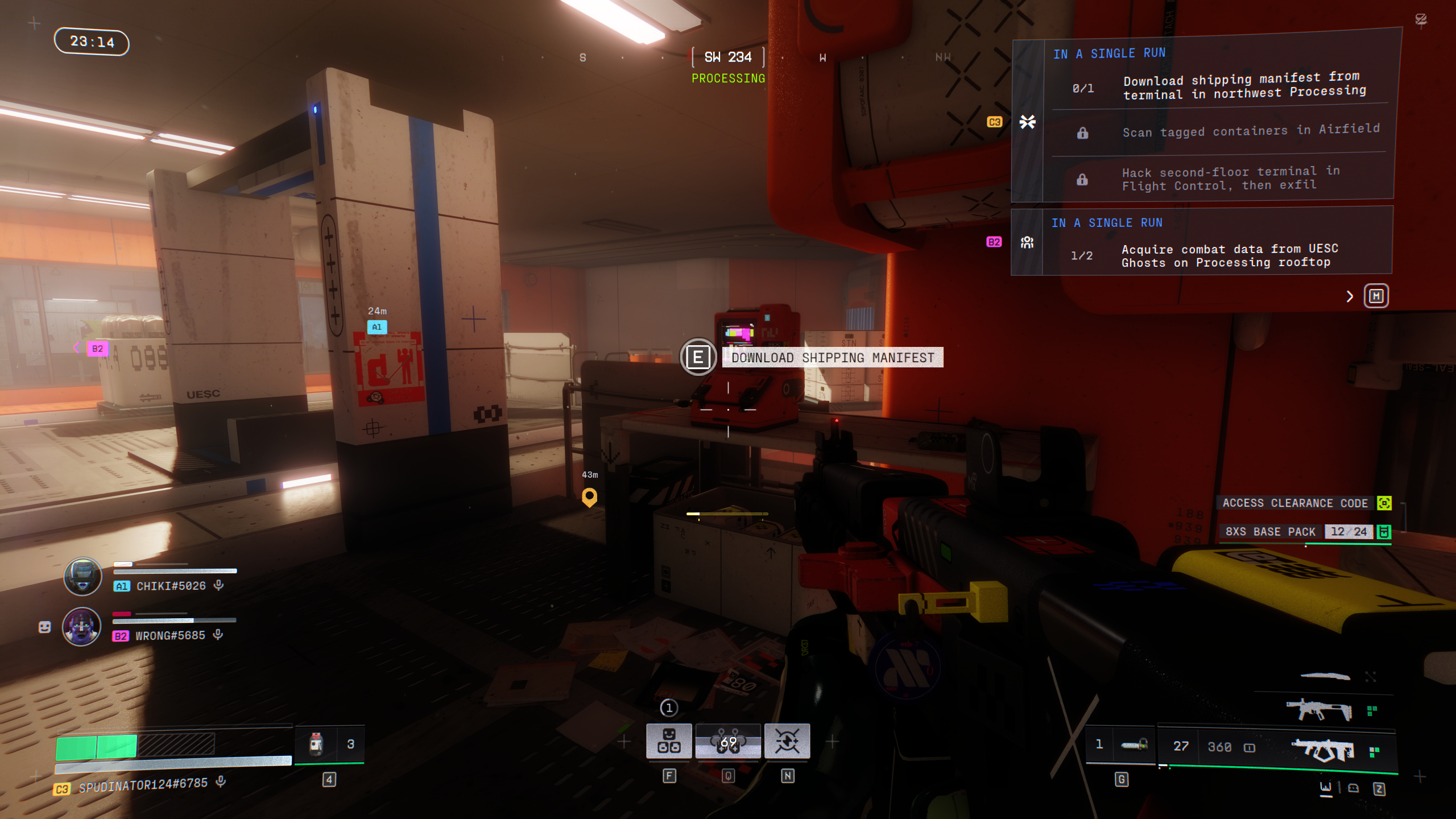
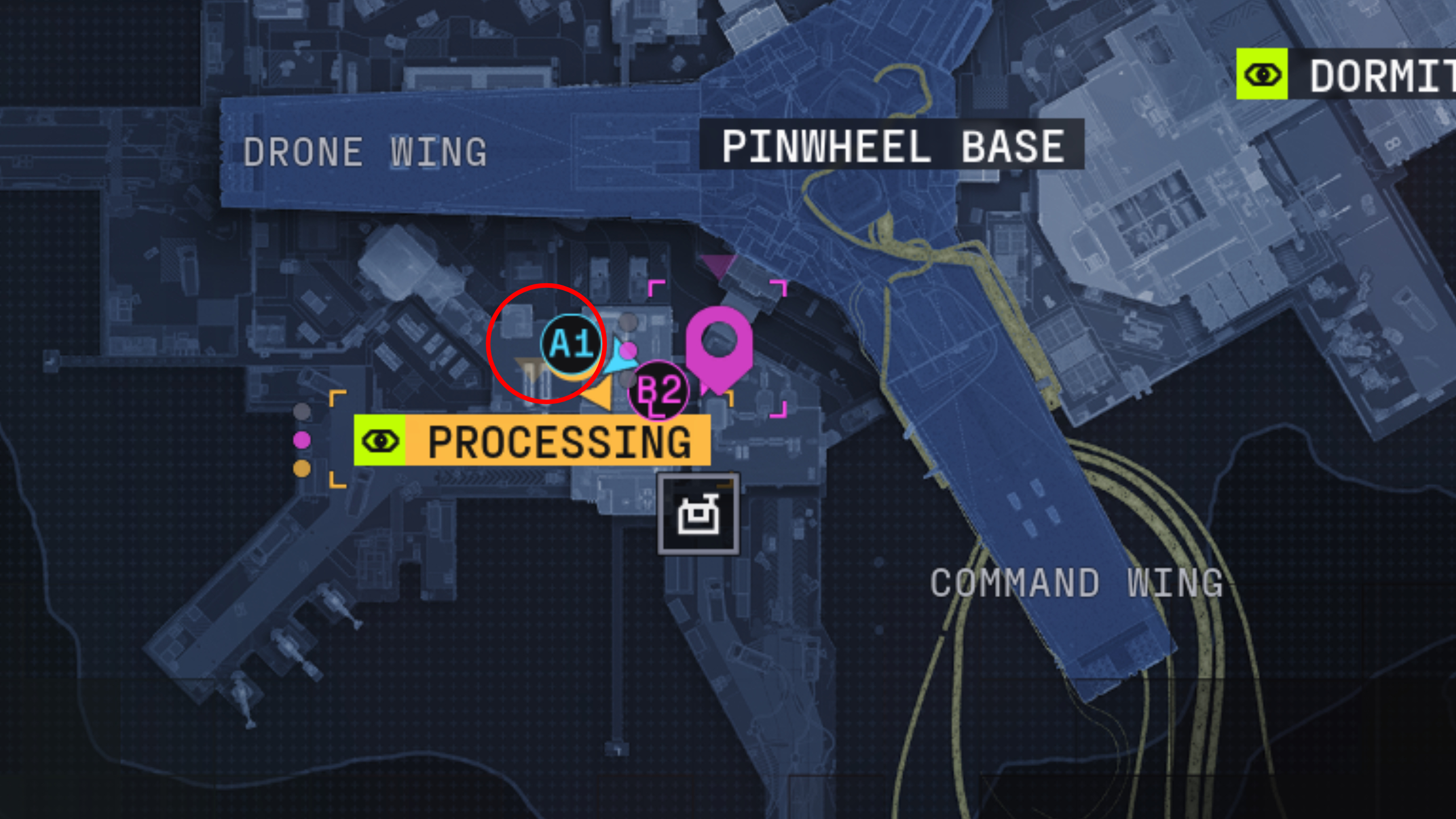
Your first port of call is the red terminal on the second floor, northwest side of the Processing building where all the conveyor belts are. The terminal in question is tucked into a dark corner next to a conveyor belt and not inside the control room like you might’ve thought.
Scan tagged containers in Airfield
As shown in the video above, there are four containers tagged with graffiti in Airfield, which you’ll need to interact with to scan:
- There’s one container directly ahead of you when you enter the east hangar from the west hangar (there’s a narrow walkway between them), in the centre of the open area
- Turn left when you enter the east hangar and walk north slightly to find this container against the wall
- Another container is next to the northeast exit of the east hangar, where it opens into the loading dock
- The final container is just a few steps north of the location above, further up the airfield
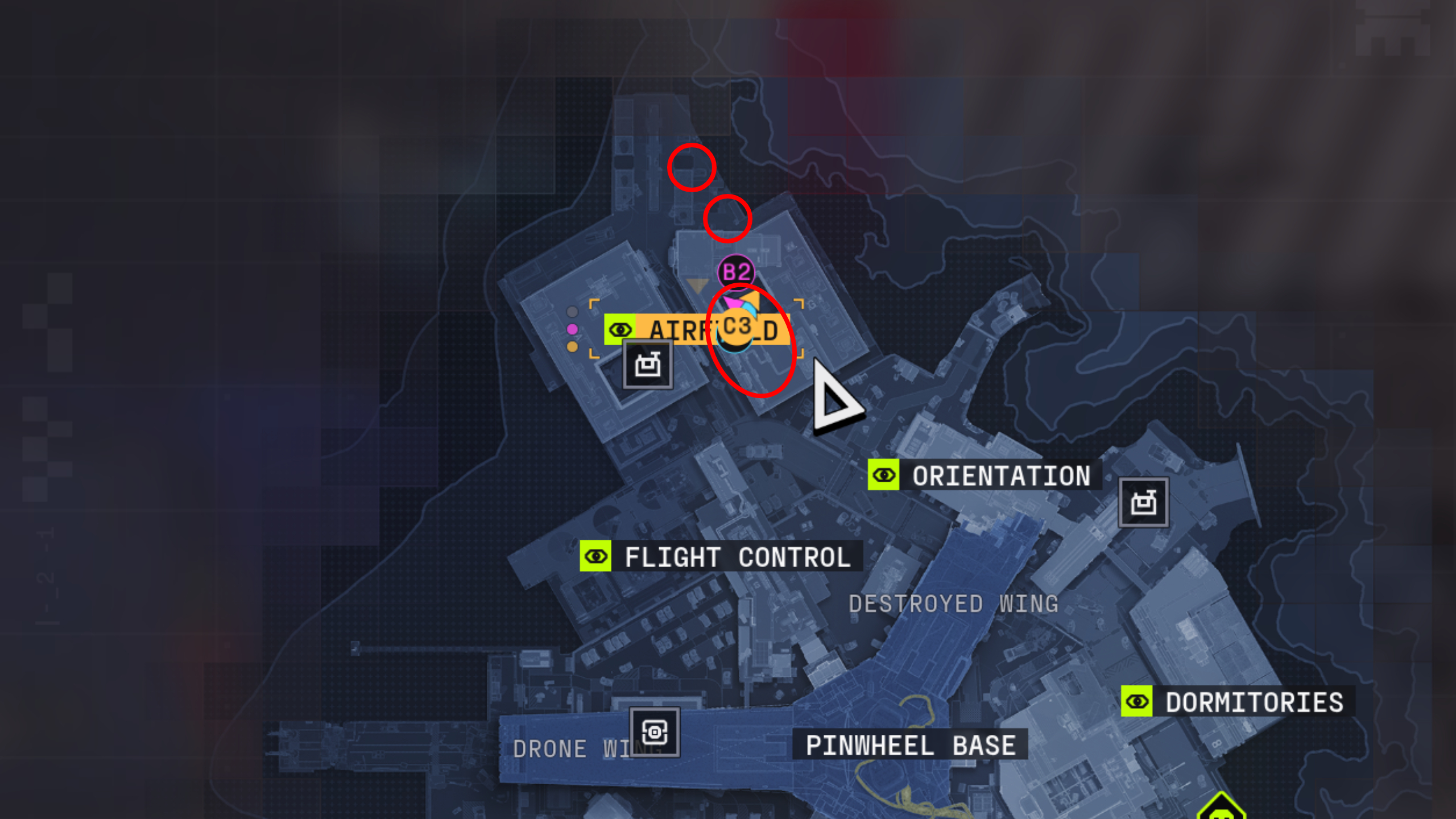
Airfield is usually crawling with UESC bots and often other players, too, as it’s a spawn point and extraction, so don’t let your guard down.Keep in mind that you’ll also need to avoid the Heat Cascade mechanic. If the ground is scorching outside, wait for it to pass before scanning the tagged containers in the loading bay north of the hangars to avoid taking damage.
Hack the terminal in Flight Control
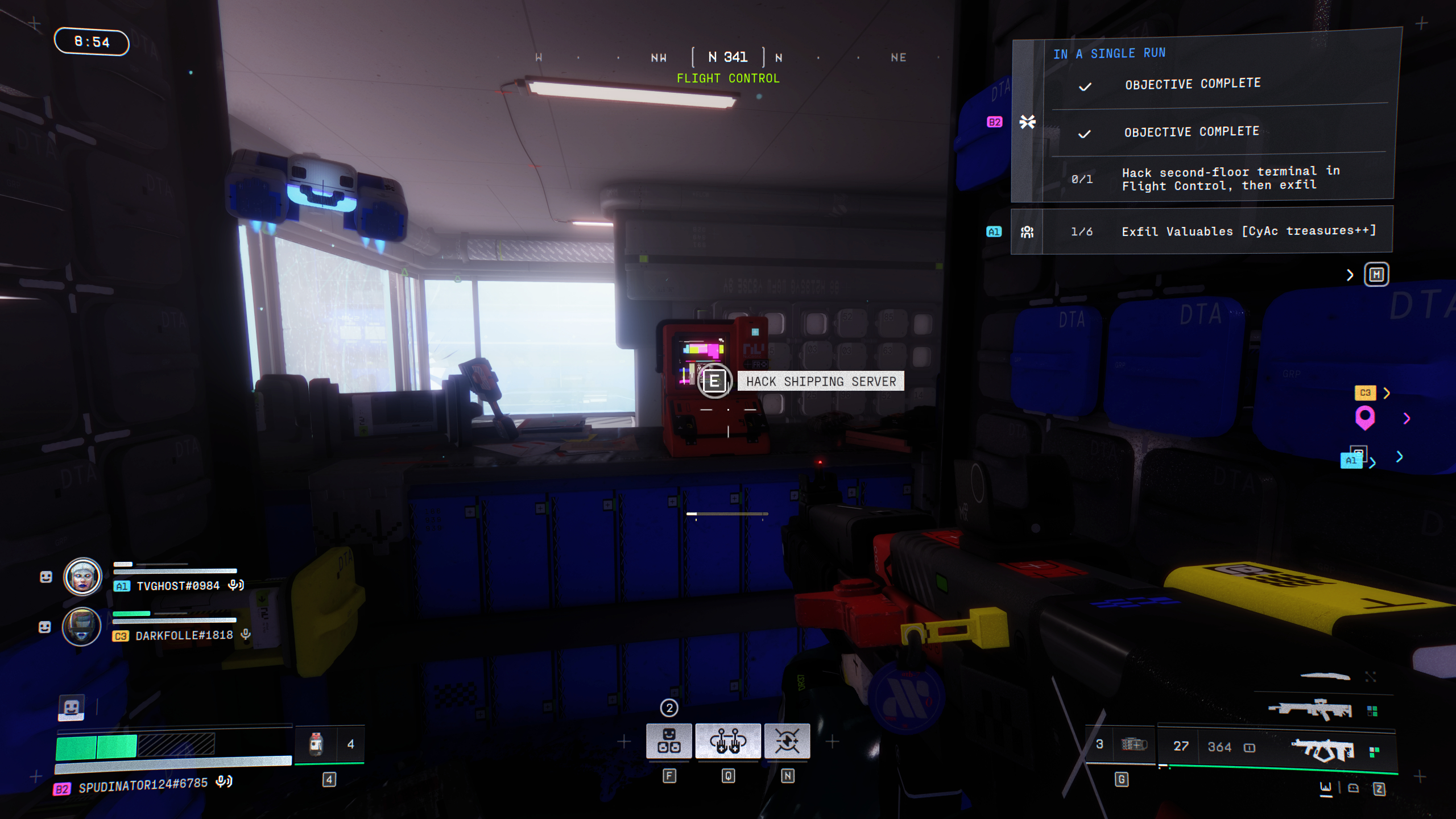
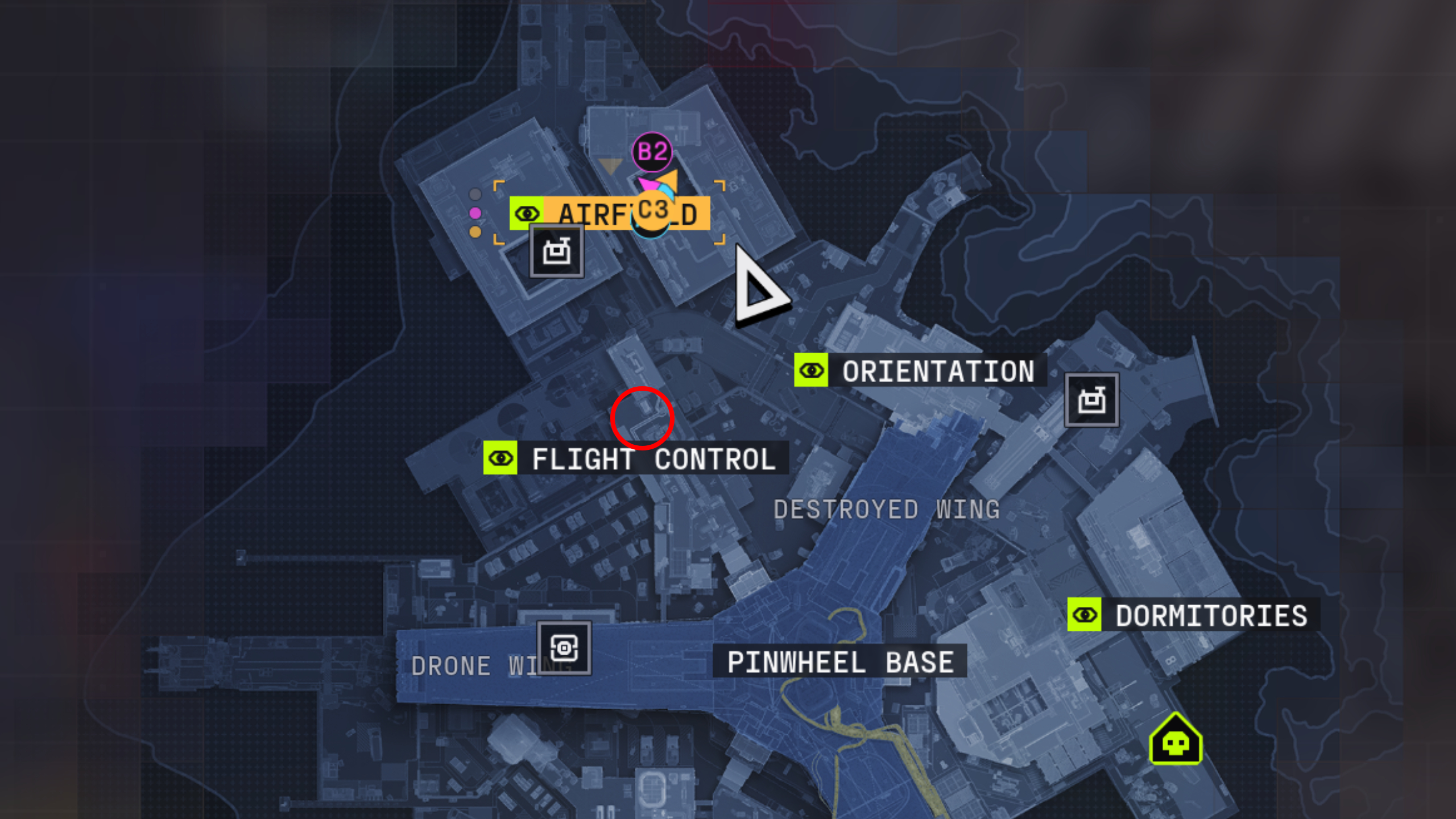
Now you need to scan another terminal, which is located in the second-floor data archive room in the north of Flight Control. It’s a red computer surrounded by blue server boxes near the large windows.Importantly, you need to extract alive to complete Protect/Destroy 4 despite not having a quest item to bring back. Outpost is unique in that there are no standard crew exfill sites, so you’ll either need to head into the Pinwheel (this is dangerous) or take the guarded exfill (slightly less dangerous). Fail to extract alive, and you’ll have to restart the quest, whether you found the final quest objective terminal or not.

Marathon best weapons tier list: Our top picks
Marathon best characters tier list: Top Runner Shells
Marathon roadmap: What’s coming
Marathon Lockbox Keys: How to get ’em
Marathon upgrades: Which to pick
Marathon DCON locations: Contract dropboxes