



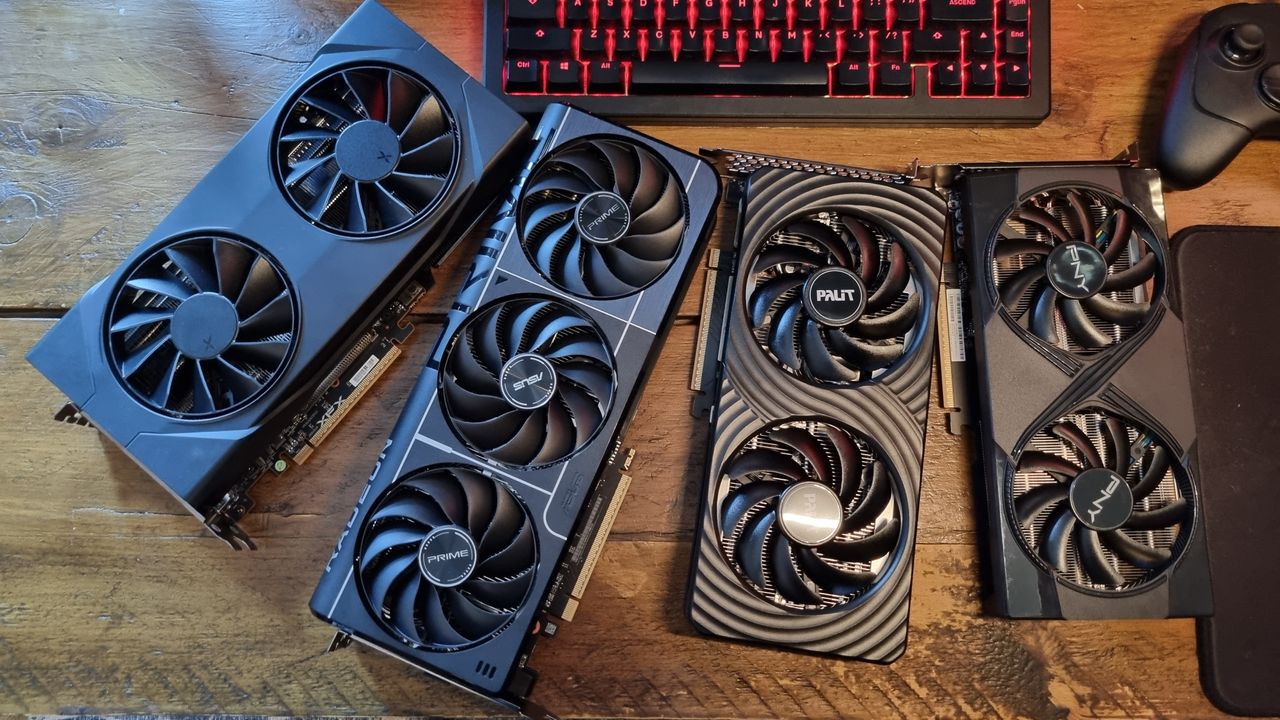
As PC gaming hardware continues to be ravaged by the ongoing memory crisis, 16 GB budget graphics cards are becoming harder and harder to find for reasonable money. Those of you watching the pennies will likely be considering the 8 GB models instead, but the relative lack of VRAM has certainly caused a lot of noise and bluster in the PC gaming community—with some complaining that 8 GB budget cards are nothing short of abhorrent.
So, the question is: Are 8 GB GPUs still enough for gaming in 2026?
It’s a good question, and one I’ve decided to put many, many hours of testing into in order to come up with a good answer. It’s a tricky conundrum for a variety of reasons, not least of which being just how difficult it is to get an accurate bead on how much VRAM is needed for modern games to run well.
Give most game engines 16 GB of total VRAM to play with, and they have a tendency to grab as much as they can, swapping data in and out at various points and producing very variable figures. Combine that with open-world gaming, with asset loads changing between runs, and you’ve got quite the soup of variable data points.
8 GB graphics cards, however, tend to sip more gently at their VRAM at first, before quickly reaching their top limit—and my testing shows that this affects the overall performance more than you might expect. Still while 16 GB graphics cards are certainly faster in my tests overall, the 8 GB variants can punch pretty hard for their much lower price points.
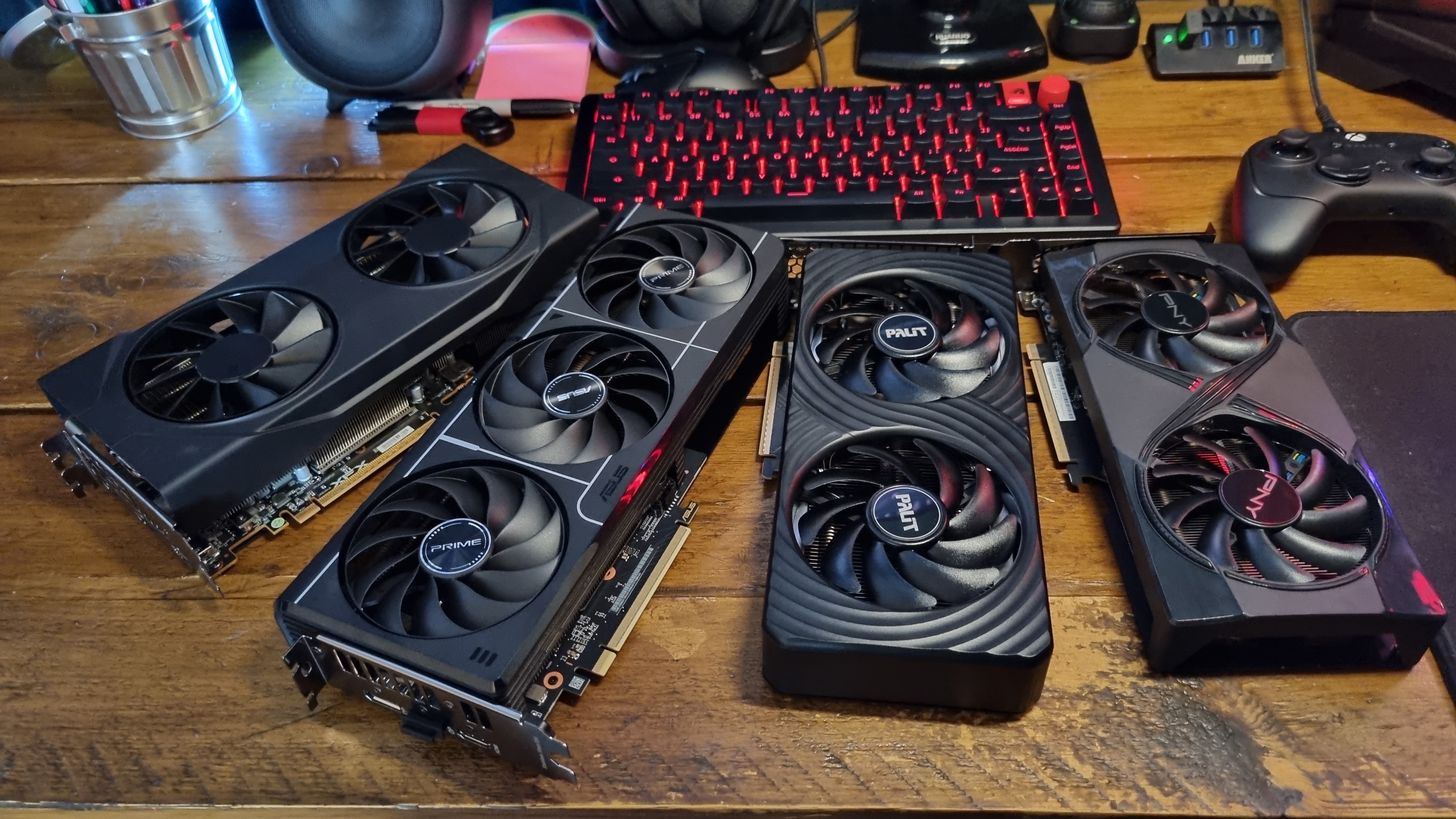
In order to reflect the real-world gaming experience as much as possible, I’ve performed all of my tests directly within five games you might expect to play in 2026, and deliberately made sure I’m not relying on built-in benchmarks. As much as possible, I’ve been trying to give as real-world a snapshot of GPU and gaming performance as I can.
I’ve endeavoured to find repeatable areas in each game to collect my data, although as you’ll see from the results below, that was easier in some cases than others.
In terms of that data collection, I’ve used CapFrameX to record average VRAM usage, while simultaneously using Nvidia FrameView to gather average fps and 1% low fps results. It’s then been an endless week and a half of running the same sections repeatedly to gain some meaningful results, which I’ve split up into game-by-game breakdowns below.
Anyways, enough jibber jabber. On with the results!
Cyberpunk 2077 VRAM testing
Cyberpunk 2077 – VRAM usage and performance
In-game testing, Ultra RT settings
Avg FPS
1% Low FPS
Avg VRAM
| Product | Value |
|---|---|
| RTX 5060 Ti 16 GB | 84 Avg FPS, 56 1% Low FPS, 9.28 Avg. VRAM |
| RTX 5060 Ti 8 GB | 78 Avg FPS, 42 1% Low FPS, 7.44 Avg. VRAM |
| RX 9060XT 16 GB | 86 Avg FPS, 68 1% Low FPS, 10.67 Avg. VRAM |
| RX 9060 XT 8 GB | 68 Avg FPS, 36 1% Low FPS, 7.69 Avg. VRAM |
Avg FPS
1% Low FPS
Avg VRAM
| Product | Value |
|---|---|
| RTX 5060 Ti 16 GB | 55 Avg FPS, 41 1% Low FPS, 10.4 Avg. VRAM |
| RTX 5060 Ti 8 GB | 53 Avg FPS, 34 1% Low FPS, 7.37 Avg. VRAM |
| RX 9060XT 16 GB | 53 Avg FPS, 33 1% Low FPS, 11.57 Avg. VRAM |
| RX 9060 XT 8 GB | 45 Avg FPS, 19 1% Low FPS, 7.36 Avg. VRAM |
Avg FPS
1% Low FPS
Avg VRAM
| Product | Value |
|---|---|
| RTX 5060 Ti 16 GB | 92 Avg FPS, 69 1% Low FPS, 11.15 Avg. VRAM |
| RTX 5060 Ti 8 GB | 80 Avg FPS, 43 1% Low FPS, 7.35 Avg. VRAM |
| RX 9060XT 16 GB | 99 Avg FPS, 81 1% Low FPS, 11.27 Avg. VRAM |
| RX 9060 XT 8 GB | 74 Avg FPS, 40 1% Low FPS, 7.61 Avg. VRAM |

Kicking things off with everyone’s favourite demand-o-game, Cyberpunk 2077, and there’s an obvious discrepancy in performance right from the start. At Ultra RT settings, there’s a mere six fps average frame rate difference between the RTX 5060 Ti 16 GB and the 8 GB variant at 1080p, and a blink-and-you’ll-miss-it two fps difference at 1440p. The 1% lows, however, tell a different story.
Driving around an open-world section of the game with plenty of traffic, pedestrians, and towering scenery to contend with, it’s fairly easy to tell which version of the card I’m using. The RTX 5060 Ti 16 GB manages to maintain a 56 fps 1% low rate at 1080p, and a 41 fps 1% low at 1440p, which, combined with the averages, translates to some very smooth gameplay.
The 8 GB card, however, experiences the odd hiccup as all those assets are loaded in. At 1080p, this translates to a 42 fps 1% low score on average, and 34 fps 1% lows on average at 1440p.
RTX 5060 Ti 8 GB – 1080p Ultra RT settings
And yes, you can definitely feel those 8 GB-related lows as you’re playing. Still, both Nvidia cards put in some perfectly playable figures regardless, whereas the AMD GPUs give some very different results.
The RX 9060XT 16 GB delivers a very good turn of speed at 1080p, managing to best the equivalent RTX 5060 Ti by two frames in terms of average frame rate, with a much higher 68 fps 1% low score overall.
The RX 9060 XT 8 GB, however, shows early signs of struggle. A 68 average fps score is marred by 36 fps 1% lows on average. Boost the resolution up to 1440p, and those 1% lows drop to a mere 19 fps, which translates to some crunchy moments while navigating the streets of Night City at speed.
RX 9060 XT 8 GB – 1440p Ultra RT settings
I’ve used Quality upscaling for all my results here, as I feel it’s reflective of what your average gamer will enable in the settings menu. Enabling 2x Frame Generation on top of the upscalers (DLSS 4.5 Transformer model and FSR 4/3.1 frame gen in this game, respectively) at 1440p results in smooth average frames all round, with the RX 9060 XT 16 GB leading the pack with a 99 fps average, seven fps faster than the RTX 5060 Ti 16 GB.
But now’s the time to really pay attention to those average VRAM numbers. Both the 16 GB cards average out well into the 11 GB VRAM range, while the two 8 GB cards nearly fill their boots with low-to-mid 7 GB+ figures. There’s little room left to play with at these settings, and that’s reflected in the performance.
I’d definitely be enabling frame gen at 1440p if I owned an 8 GB variant of AMD’s baby boomer
While the RTX 5060 Ti 8 GB manages to beat the RX 9060 XT 8 GB by a fairly decent margin, both 8 GB cards are well off the pace when compared to their 16 GB equivalents.
Overall, though, I’d say that most of these budget GPUs deliver playable performance with the settings cranked to 1080p and 1440p resolutions. That being said, it’s already interesting to see how the VRAM amount improves the frame rate overall—and the RX 9060 XT 8 GB is something of an early casualty at 1440p with frame generation disabled.
Cyberpunk 2077 – VRAM usage and performance
In-game testing, Medium RT settings
Avg FPS
1% Low FPS
Avg VRAM
| Product | Value |
|---|---|
| RTX 5060 Ti 16 GB | 91 Avg FPS, 63 1% Low FPS, 8.76 Avg. VRAM |
| RTX 5060 Ti 8 GB | 91 Avg FPS, 44 1% Low FPS, 7.32 Avg. VRAM |
| RX 9060XT 16 GB | 85 Avg FPS, 67 1% Low FPS, 9.46 Avg. VRAM |
| RX 9060 XT 8 GB | 72 Avg FPS, 51 1% Low FPS, 7.68 Avg. VRAM |
Avg FPS
1% Low FPS
Avg VRAM
| Product | Value |
|---|---|
| RTX 5060 Ti 16 GB | 58 Avg FPS, 45 1% Low FPS, 10.01 Avg. VRAM |
| RTX 5060 Ti 8 GB | 58 Avg FPS, 37 1% Low FPS, 7.32 Avg. VRAM |
| RX 9060XT 16 GB | 57 Avg FPS, 47 1% Low FPS, 11.15 Avg. VRAM |
| RX 9060 XT 8 GB | 45 Avg FPS, 27 1% Low FPS, 7.6 Avg. VRAM |
Avg FPS
1% Low FPS
Avg VRAM
| Product | Value |
|---|---|
| RTX 5060 Ti 16 GB | 99 Avg FPS, 74 1% Low FPS, 10.52 Avg. VRAM |
| RTX 5060 Ti 8 GB | 94 Avg FPS, 43 1% Low FPS, 7.33 Avg. VRAM |
| RX 9060XT 16 GB | 103 Avg FPS, 63 1% Low FPS, 11.84 Avg. VRAM |
| RX 9060 XT 8 GB | 86 Avg FPS, 45 1% Low FPS, 7.68 Avg. VRAM |
Still, if you’re buying a budget gaming GPU, you’ll probably be expecting to drop the settings a little in very demanding games to boost the frame rate. To reflect this, I also tested Cyberpunk 2077 on each of the cards at Medium RT settings. What’s interesting to note here is how quickly both the Nvidia cards take the lead.
Both the RTX 5060 Ti 16 GB and 8 GB variants manage an identical 91 fps average at 1080p, putting the VRAM-constrained Nvidia card ahead of even the 16 GB version of the RX 9060XT.
Albeit with significantly worse 1% lows, it must be said.
The Nvidia GPUs also lead the pack at 1440p, although the RX 9060 XT 16 GB manages a somewhat-heroic 103 fps result with frame gen enabled. At the back of the field once more, however, is the RX 9060 XT 8 GB, which is significantly off the pace in all of my CP2077 benchmarks.
RX 9060 XT 8 GB – 1440p Ultra RT settings, 2x FG
While this is a disappointing turnout for the cheapest current-gen AMD GPU, I’d still say that the performance overall is very playable—although I’d definitely be enabling frame gen at 1440p if I owned an 8 GB variant of AMD’s baby boomer, as shown by the video above.
While the base frame rate is low enough to cause some perceptible input lag at this resolution, it’s a relatively small price to pay given the RX 9060XT 8 GB’s tendency towards market-defying prices. Basically, it can still often be found for cheap, which isn’t always the case with our other contenders.
Kingdom Come: Deliverance 2 VRAM testing
Kingdom Come: Deliverance 2 – VRAM usage and performance
In-game testing, Ultra settings
Avg FPS
1% Low FPS
Avg VRAM
| Product | Value |
|---|---|
| RTX 5060 Ti 16 GB | 121 Avg FPS, 104 1% Low FPS, 7.11 Avg. VRAM |
| RTX 5060 Ti 8 GB | 109 Avg FPS, 70 1% Low FPS, 6.66 Avg. VRAM |
| RX 9060XT 16 GB | 108 Avg FPS, 96 1% Low FPS, 9.67 Avg. VRAM |
| RX 9060 XT 8 GB | 107 Avg FPS, 86 1% Low FPS, 6.92 Avg. VRAM |
Avg FPS
1% Low FPS
Avg VRAM
| Product | Value |
|---|---|
| RTX 5060 Ti 16 GB | 90 Avg FPS, 79 1% Low FPS, 8.52 Avg. VRAM |
| RTX 5060 Ti 8 GB | 79 Avg FPS, 53 1% Low FPS, 6.81 Avg. VRAM |
| RX 9060XT 16 GB | 83 Avg FPS, 69 1% Low FPS, 10.09 Avg. VRAM |
| RX 9060 XT 8 GB | 72 Avg FPS, 56 1% Low FPS, 7.08 Avg. VRAM |
Switching over to some medieval mischief in Kingdom Come: Deliverance 2, it’s genuinely surprising to see how light this particular game is on VRAM usage overall. That’s with the exception of the RX 9060 XT 16 GB, which seems to love taking a little extra at Ultra settings.
Remember how I said that modern game engines will tend to take advantage of VRAM when available? That’s very much in evidence here, at least when it comes to the higher-VRAM AMD card.
Despite KCD2’s reasonable VRAM usage, it’s still clear to see how the 16 GB GPUs benefit from having more than necessary to run the game smoothly. The RTX 5060 Ti 16 GB leads the pack with a 121 fps frame rate on average at 1080p, beating out the 8 GB version by 12 frames and beating its 1% low score by a whopping 34 frames.
The RX 9060 XT 16 GB actually manages to drop a single frame behind the 8 GB Nvidia card on average, although its 1% lows are much more impressive, resulting in a smoother-feeling experience.
RTX 5060 Ti 8 GB – 1440p Ultra settings
Switching over to 1440p, the RTX 5060 Ti 16 GB once again leads the pack by a healthy margin—although the RX 9060XT 16 GB regains its second place, albeit by only four frames on average. Once again, though, those 1% lows show a smoother ride overall for the bigger AMD card.
And in the battle for 8 GB domination, the RTX 5060 Ti takes the lead once more. While it’s a close run thing at 1080p (and the little RX 9060 XT 8 GB puts in a much better 1% low score), at 1440p the Nvidia card manages to edge a respectable lead on average.
Kingdom Come: Deliverance 2 – VRAM usage and performance
In-game testing, High settings
Avg FPS
1% Low FPS
Avg VRAM
| Product | Value |
|---|---|
| RTX 5060 Ti 16 GB | 171 Avg FPS, 152 1% Low FPS, 6.87 Avg. VRAM |
| RTX 5060 Ti 8 GB | 153 Avg FPS, 126 1% Low FPS, 5.29 Avg. VRAM |
| RX 9060XT 16 GB | 155 Avg FPS, 134 1% Low FPS, 6.49 Avg. VRAM |
| RX 9060 XT 8 GB | 150 Avg FPS, 131 1% Low FPS, 6.69 Avg. VRAM |
Avg FPS
1% Low FPS
Avg VRAM
| Product | Value |
|---|---|
| RTX 5060 Ti 16 GB | 118 Avg FPS, 110 1% Low FPS, 7.55 Avg. VRAM |
| RTX 5060 Ti 8 GB | 110 Avg FPS, 90 1% Low FPS, 5.92 Avg. VRAM |
| RX 9060XT 16 GB | 107 Avg FPS, 98 1% Low FPS, 7.22 Avg. VRAM |
| RX 9060 XT 8 GB | 104 Avg FPS, 88 1% Low FPS, 7.18 Avg. VRAM |
Dropping the settings down to High results in a massive boost in performance across our tested cards, although once again the RTX 5060 Ti 16 GB sits considerably ahead of all our contenders. The settings drop certainly benefits the RX 9060XT 8 GB, though, which manages an impressive 150 fps average at 1080p and a 104 fps average at 1440p.
The VRAM usage here is worth paying attention to once again. Even the 16 GB cards use less than 8 GB at these settings, and as a result, the frame rate difference tightens up considerably.
If you’re the sort of person who doesn’t mind High settings over Ultra (and if you are, we can be friends), then both of these 8 GB cards perform extremely well in this particular game. And even if you do decide to whack the settings up, it’s a pretty good result all round.
Arc Raiders VRAM testing
Arc Raiders – VRAM usage and performance
In-game testing, Epic settings
Avg FPS
1% Low FPS
Avg VRAM
| Product | Value |
|---|---|
| RTX 5060 Ti 16 GB | 162 Avg FPS, 110 1% Low FPS, 5.23 Avg. VRAM |
| RTX 5060 Ti 8 GB | 155 Avg FPS, 89 1% Low FPS, 5.63 Avg. VRAM |
| RX 9060XT 16 GB | 142 Avg FPS, 67 1% Low FPS, 7.64 Avg. VRAM |
| RX 9060 XT 8 GB | 148 Avg FPS, 90 1% Low FPS, 5.72 Avg. VRAM |
Avg FPS
1% Low FPS
Avg VRAM
| Product | Value |
|---|---|
| RTX 5060 Ti 16 GB | 145 Avg FPS, 93 1% Low FPS, 5.98 Avg. VRAM |
| RTX 5060 Ti 8 GB | 121 Avg FPS, 76 1% Low FPS, 6.12 Avg. VRAM |
| RX 9060XT 16 GB | 127 Avg FPS, 91 1% Low FPS, 7.38 Avg. VRAM |
| RX 9060 XT 8 GB | 112 Avg FPS, 68 1% Low FPS, 6.19 Avg. VRAM |
Avg FPS
1% Low FPS
Avg VRAM
| Product | Value |
|---|---|
| RTX 5060 Ti 16 GB | 171 Avg FPS, 114 1% Low FPS, 6.76 Avg. VRAM |
| RTX 5060 Ti 8 GB | 164 Avg FPS, 77 1% Low FPS, 6.74 Avg. VRAM |
| RX 9060XT 16 GB | 144 Avg FPS, 101 1% Low FPS, 7.7 Avg. VRAM |
| RX 9060 XT 8 GB | 158 Avg FPS, 107 1% Low FPS, 6.57 Avg. VRAM |
Ah, Arc Raiders. This game proved to be a particular pain in the nether regions to test, as its spawn point-switching nature (along with weather events, and the tendency for other players to interrupt my runs) meant finding reproducible test areas was nigh-on impossible.
As a result, the frame rate data is a lot more variable than I’d like, despite spending hours in-game attempting to find usable averages. Still, the major takeaway is this: Arc Raiders is phenomenally good at keeping VRAM usage low.
Use the frame rate info here as a rough guide, and instead marvel at how the developers have managed to keep Unreal Engine 5 from swallowing as much VRAM as it can possibly get. Despite being perhaps the best-looking game in this entire test suite, I couldn’t get Arc Raiders to jump over 8 GB in average usage at 1080p and 1440p, despite turning all the settings up to the guns.
RX 9060 XT 8 GB – 1440p Epic settings
Each of our cards are capable of delivering extremely smooth frame rates in this game, to the point where I want to call up the team at Embark Studios and ask exactly how they managed it. And, despite variances caused by everything from impromptu thunderstorms to being shot in the back while being called an unprintable name, I’d say it’s the poster child for budget GPU-friendly performance.
My only other point of note is the RX 9060 XT 16 GB, which somehow manages to grab 7.64 GB worth of data at 1080p on average, while all the other GPUs are gently sipping away below 6 GB.
At this point, I may start calling it a greedy guts—although looking at the lower frame rates compared to its 8 GB sibling, I’ll give it the benefit of the doubt and say I might have experienced more raider-related strife during my many runs with this card. Perhaps.
Resident Evil Requiem VRAM testing
Resident Evil Requiem – VRAM usage and performance
In-game testing, High settings
Avg FPS
1% Low FPS
Avg VRAM
| Product | Value |
|---|---|
| RTX 5060 Ti 16 GB | 121 Avg FPS, 71 1% Low FPS, 9.99 Avg. VRAM |
| RTX 5060 Ti 8 GB | 112 Avg FPS, 78 1% Low FPS, 7.27 Avg. VRAM |
| RX 9060XT 16 GB | 126 Avg FPS, 88 1% Low FPS, 10.57 Avg. VRAM |
| RX 9060 XT 8 GB | 118 Avg FPS, 63 1% Low FPS, 7.56 Avg. VRAM |
Avg FPS
1 % Low FPS
Avg VRAM
| Product | Value |
|---|---|
| RTX 5060 Ti 16 GB | 93 Avg FPS, 70 1% Low FPS, 10.19 Avg. VRAM |
| RTX 5060 Ti 8 GB | 85 Avg FPS, 52 1% Low FPS, 7.25 Avg. VRAM |
| RX 9060XT 16 GB | 91 Avg FPS, 69 1% Low FPS, 11.23 Avg. VRAM |
| RX 9060 XT 8 GB | 78 Avg FPS, 49 1% Low FPS, 7.57 Avg. VRAM |
Avg FPS
1% Low FPS
Avg VRAM
| Product | Value |
|---|---|
| RTX 5060 Ti 16 GB | 137 Avg FPS, 101 1% Low FPS, 10.68 Avg. VRAM |
| RTX 5060 Ti 8 GB | 109 Avg FPS, 60 1% Low FPS, 7.35 Avg. VRAM |
| RX 9060XT 16 GB | 142 Avg FPS, 109 1% Low FPS, 11.42 Avg. VRAM |
| RX 9060 XT 8 GB | 123 Avg FPS, 68 1% Low FPS, 7.58 Avg. VRAM |
If you thought the Nvidia cards were having their own way in my tests so far, here comes a counterpoint: Resident Evil Requiem. Both the 8 GB and 16 GB RX 9060 XT manage to beat out their team green competition at 1080p and 1440p with 2x frame generation, although the wheels come off for the RX 9060 XT 8 GB at 1440p proper.
Still, the little AMD card does manage a respectable 78 fps average, with 49 fps average 1% lows that equates to perfectly decent overall performance.
RX 9060 XT 8 GB – 1440p High settings
What’s worth paying attention to, though, is the discrepancy between the 16 GB and 8 GB cards in those 1440p frame gen-enabled results.
While all our GPUs manage high frame rates, the relatively high VRAM usage does seem to translate to significant differences in the averages. The RTX 5060 Ti 16 GB, for example, delivers a 137 fps average with a 101 fps 1% low score, while the 8 GB variant tops out at a 109 fps average, and 60 fps 1% lows
The same story can be seen between the AMD cards, with the RX 9060 XT 16 GB managing a 142 fps average to the 8 GB’s 123 fps. 1% lows? 109 fps, to the 8 GB GPU’s 68. Looking at the average VRAM usage, both the Nvidia and AMD 16 GB cards range well above the 10 GB mark, while the 8 GB cards are coming close to their VRAM limits.
Can 8 GB GPUs provide great frame rates for smooth gameplay? Absolutely. Are they well behind their 16 GB equivalents in this particular game at these particular settings? Also yes.
The Last of Us Part 1 VRAM testing
The Last of Us Part 1 – VRAM usage and performance
In-game testing, Ultra settings
Avg FPS
1% Low FPS
Avg VRAM
| Product | Value |
|---|---|
| RTX 5060 Ti 16 GB | 113 Avg FPS, 92 1% Low FPS, 9.84 Avg. VRAM |
| RTX 5060 Ti 8 GB | 89 Avg FPS, 48 1% Low FPS, 6.92 Avg. VRAM |
| RX 9060XT 16 GB | 113 Avg FPS, 93 1% Low FPS, 11.47 Avg. VRAM |
| RX 9060 XT 8 GB | 79 Avg FPS, 52 1% Low FPS, 6.61 Avg. VRAM |
Avg FPS
1% Low FPS
Avg VRAM
| Product | Value |
|---|---|
| RTX 5060 Ti 16 GB | 92 Avg FPS, 73 1% Low FPS, 10.39 Avg. VRAM |
| RTX 5060 Ti 8 GB | 79 Avg FPS, 44 1% Low FPS, 6.98 Avg. VRAM |
| RX 9060XT 16 GB | 89 Avg FPS, 72 1% Low FPS, 12.02 Avg. VRAM |
| RX 9060 XT 8 GB | 60 Avg FPS, 42 1% Low FPS, 6.71 Avg. VRAM |
Avg FPS
1 % Low FPS
Avg VRAM
| Product | Value |
|---|---|
| RTX 5060 Ti 16 GB | 147 Avg FPS, 78 1% Low FPS, 11.09 Avg. VRAM |
| RTX 5060 Ti 8 GB | 132 Avg FPS, 61 1% Low FPS, 7.21 Avg. VRAM |
| RX 9060XT 16 GB | 149 Avg FPS, 104 1% Low FPS, 12.12 Avg. VRAM |
| RX 9060 XT 8 GB | 112 Avg FPS, 61 1% Low FPS, 6.74 Avg. VRAM |
To finish things off, I thought I’d take a look at a game that used to be known for its VRAM-swallowing ways. The PC port of The Last of Us Part 1 was notorious for poor performance upon release, and was kinda the poster child for the great 8 GB vs 16 GB debate, so much so that we gave it a 50% score for its multitude of shader-based, GPU-punishing issues.
However, many moons and many patches have passed since then, and I went into my testing armed with the knowledge that the game was now fixed. Mostly, at the very least.
And while that seems to be true to a certain extent, it’s still clear the amount of VRAM thrown at Joel and Ellie’s happy-fun-time adventure really does make a major difference to performance, even at 1080p.
RTX 5060 Ti 8 GB – 1080p Ultra settings
At Ultra settings, both the RTX 5060 Ti 16 GB and the RX 9060 XT 16 GB manage a 113 fps average frame rate at this resolution, with a single frame separating them in the 1% lows. The RTX 5060 Ti 8 GB, however, puts in an 89 fps average, while the RX 9060 XT 8 GB drops 10 frames behind it at 79 fps.
Looking at the VRAM figures, it’s clear that TLOU: Part 1 still likes to gobble hungrily at your graphics card. The 16 GB Nvidia card averaged out at 9.84 GB, while the AMD equivalent uses 11.47 GB. I told you it was a greedy guts, didn’t I?
Moving on to 1440p, and the difference between the cards remains much the same. The 16 GB versions happily swallow all that asset data, while the 8 GB cards sip away, with significantly lower frame rates as a result.

So much so, in fact, that the 8 GB VRAM results have me scratching my head. This game has a tendency to use well below its allotted VRAM maximum, which suggests that the 8 GB cards could actually be pushed a little further to gain some frames.
Given this port has had many performance-based tweaks since its release, and the backlash around its sorry state at launch, I wouldn’t be surprised if it now handles 8 GB cards very conservatively to prevent stuttering.
If that’s the case, it seems to have succeeded. While the frame rates for the 8 GB cards aren’t as spectacular as the 16 GB versions, they’re still plenty high on average. And, it must be said, I noticed no stuttering at all during my hours spent testing within the current iteration of this game, 8 GB or otherwise.
It rather neatly summarises a trend I’ve noticed throughout my testing, though. While the 8 GB cards perform rather well on average (the RTX 5060 Ti more so than the RX 9060 XT), it’s clear that more VRAM does make a difference in many games—particularly if you’re chasing high frame rates.
Analysis
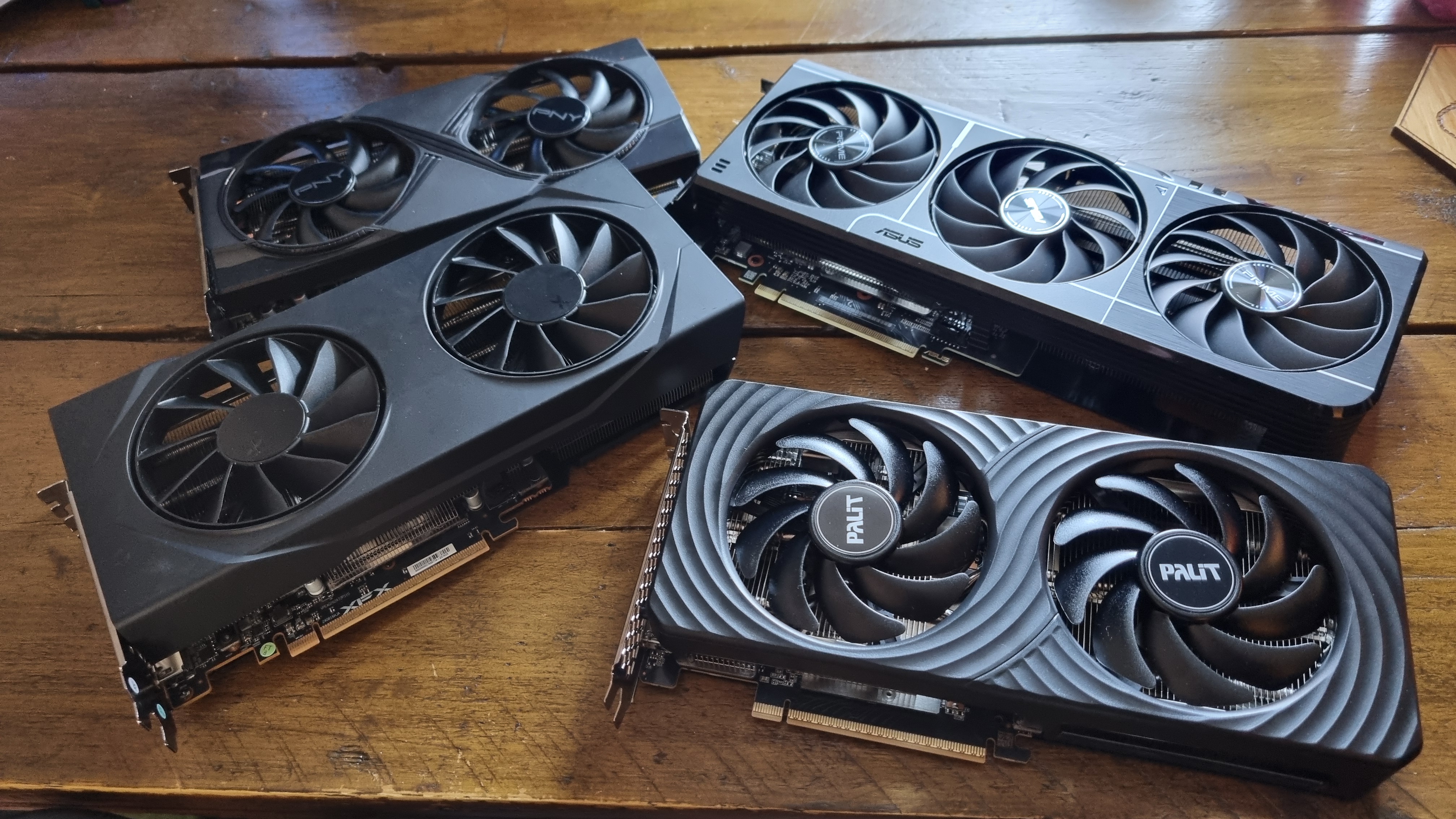
So, what to make of all this data? Well, my initial goal was to see if 8 GB of VRAM was “enough” for modern gaming, and I think I can say that, on the whole, it is—although not without some significant caveats to be aware of.
For a start, it’s clear the 16 GB cards I’ve tested are more capable of providing high frame rates with the settings and resolution turned up across this particular suite of games. It’s also clear that the 1% lows of the 16 GB cards are, on average, much higher, and that translates into smoother gameplay overall.
It’s also worth pointing out a few discrepancies. Based on this data, it appears that AMD cards have a tendency to use more VRAM than their Nvidia equivalents, and this seems to have hamstrung the little RX 9060 XT 8 GB more than I previously would have thought. In some games, the RTX 5060 Ti 8 GB gives it quite the thrashing—although Resident Evil Requiem evens the odds a little.
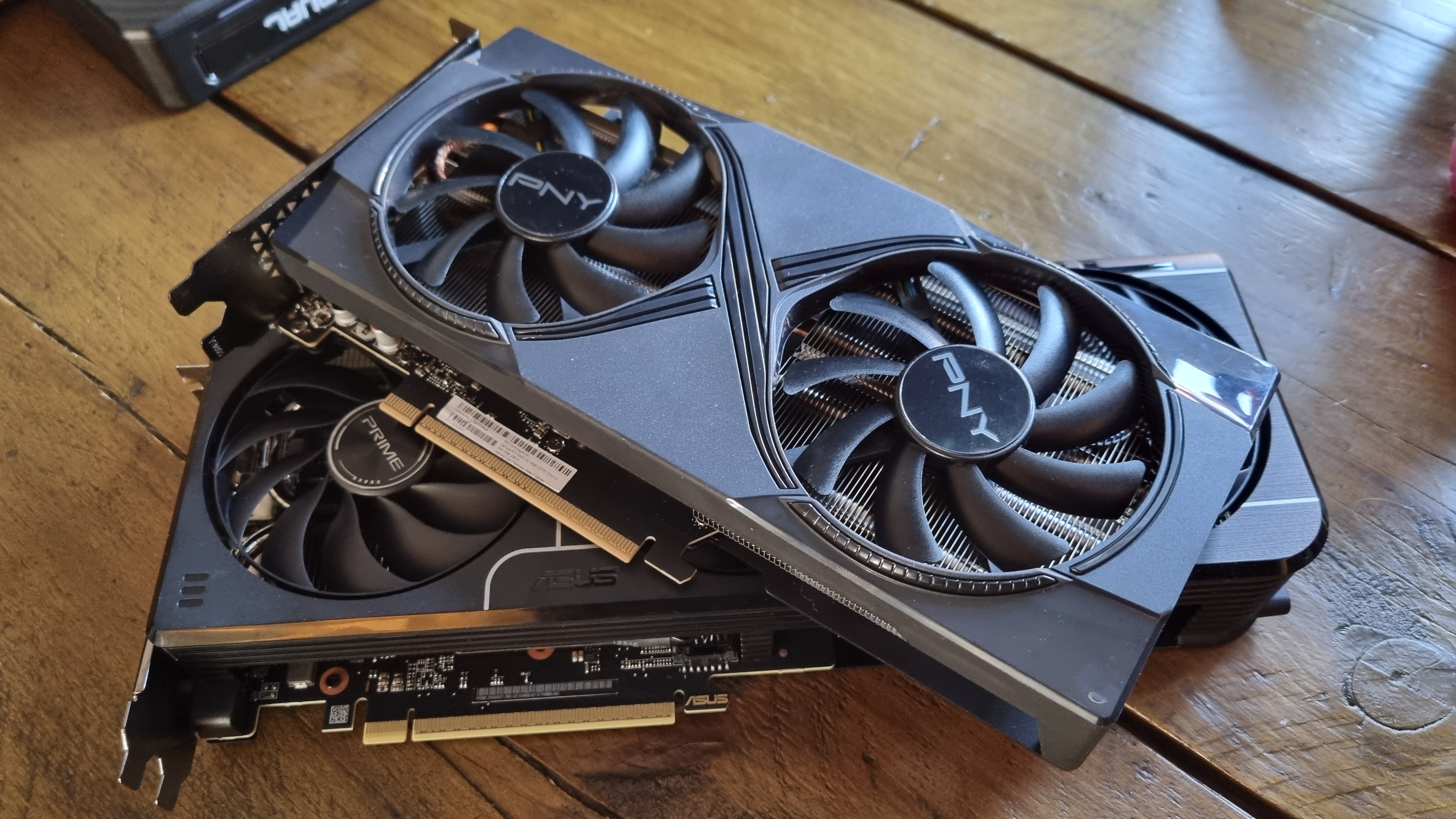
Perhaps this could be down to the difference in VRAM-handling architecture between the 8 GB Nvidia and AMD cards. For the RTX 5060 Ti 8 GB, it’s got 128 KB of L1 cache for each of its 36 shader modules, and 32 MB of L2 cache, with a max memory bandwidth of 448 GB/s.
The RX 9060 XT 8 GB, however, has 32 KB of L0 cache per workgroup processor (ie two of its 32 compute units), 4 MB of L2 cache, and 32 MB of L3 Infinity cache working with its GDDR6 memory, which peaks at 320 GB/s.
Personally, I wouldn’t feel too bad about plonking down my own cash on an 8 GB model and dropping the settings slightly
Certainly, the GB206 architecture seems to handle lower VRAM with more panache, although there are always driver differences to take into consideration, too. Are Nvidia’s drivers better at interfacing with game engines to manage the load? It’s yet another variable to throw into the pot.
I’m also surprised to see such a large discrepancy between the 16 GB and 8 GB cards across my testing. While I was expecting the higher VRAM GPUs to be slightly faster overall, the gap in some cases between cards with the same chip, yet a lower memory loadout, is quite considerable.
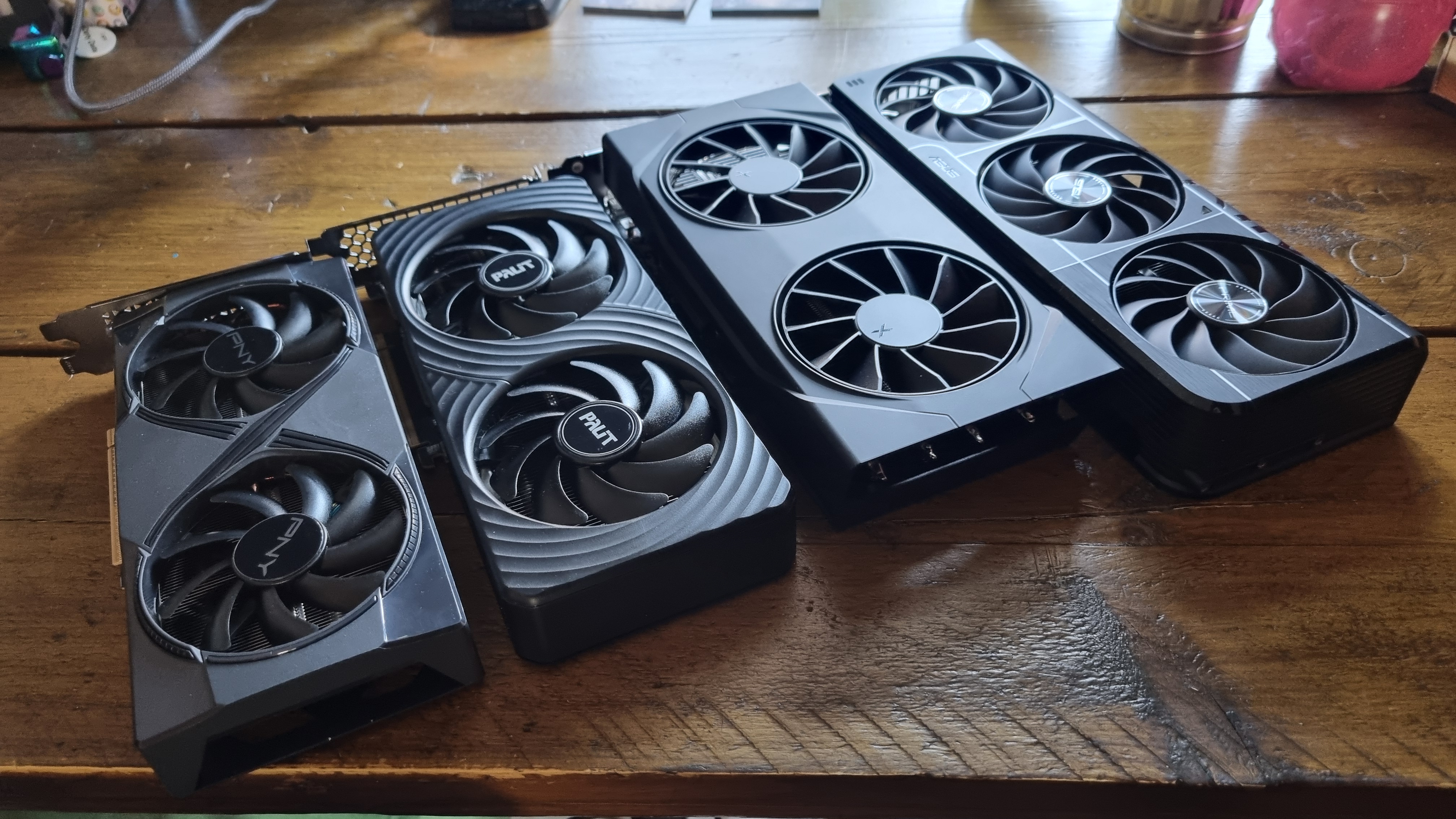
Which means that, if we really are facing a world where 8 GB budget cards are the norm, and 16 GB affordable GPUs are either prohibitively pricey or (in future perhaps) non-existent, then some expectation adjustment may be needed.
Still, from my Medium/High testing, it seems that lowering the settings works wonders for significantly boosting the frame rate of VRAM-light cards. Personally, I wouldn’t feel too bad about plonking down my own cash on an 8 GB model and dropping the settings slightly to match—although I might dream of a 16 GB card that never was.
In a world where we expect our hardware to get better and better, I have to admit, a 16 GB budget GPU-less future is a slightly tough idea to swallow. Are 8 GB graphics cards good enough for modern gaming? Absolutely. Is this the VRAM situation we want to see in our budget graphics hardware moving forwards? Perhaps not.