

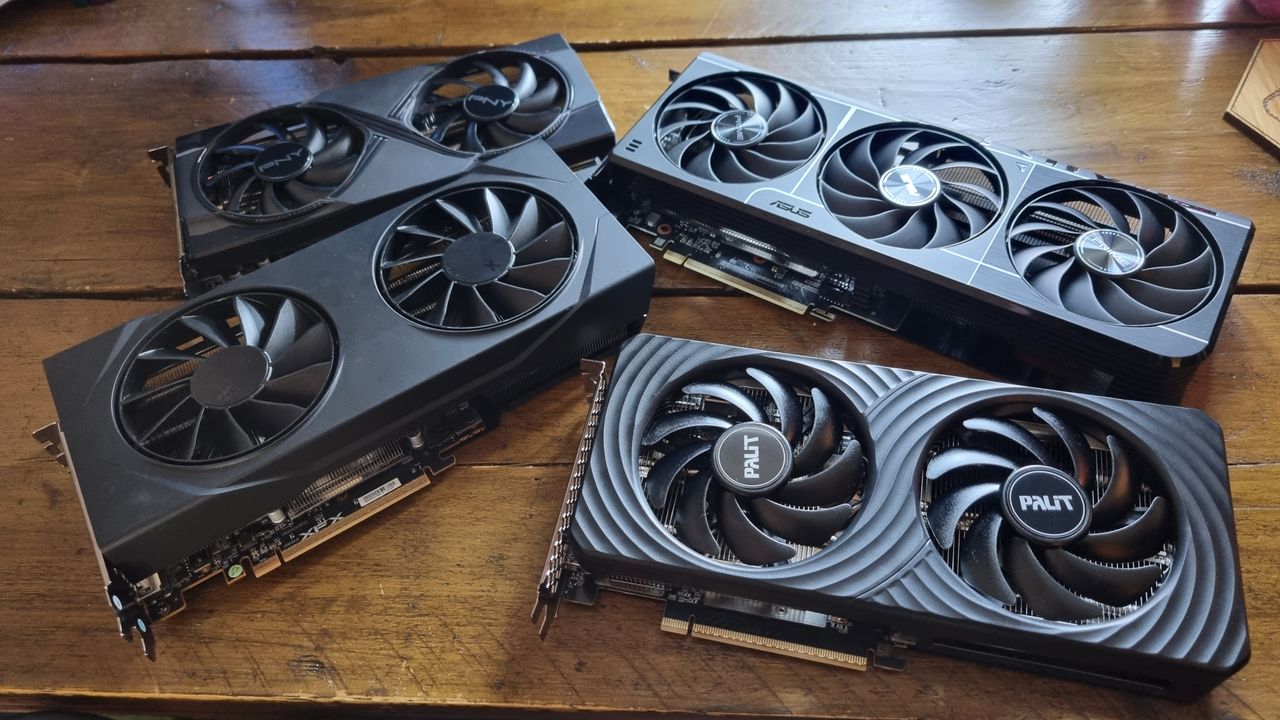
I’ve spent the past few weeks testing the pants off of several graphics cards. Such is the life of a hardware writer. Alongside my 8 GB vs 16 GB VRAM testing, I’ve also reviewed the RTX 5060 Ti 8 GB and the RX 9060 XT 8 GB, and found them to deliver reasonable gaming performance on average—although the Nvidia card definitely wins the day. And yes, the 16 GB versions are faster overall.
One question has been nagging at the back of my mind, though. While I’ve proven that the 8 GB variants of these semi-budget GPUs are often slower on average compared to their 16 GB equivalents, can overclocking even the odds?
To find out, I’ve tweaked the twangers out of my 8 GB graphics card samples, and then run them across our GPU benchmarking suite. I’ve then compared that data with both the stock performance and the overclocked performance of the RTX 5060 Ti 16 GB and RX 9060 XT 16 GB.
It’s been a big old showdown, and I’ve come up with some interesting results. Yes, overclocking an 8 GB graphics card can often even the odds with its more-expensive 16 GB variant in the benchmarks. But, in some games, there’s simply no replacement for VRAM—and the tests don’t always tell the whole story.
Overclocking methodology
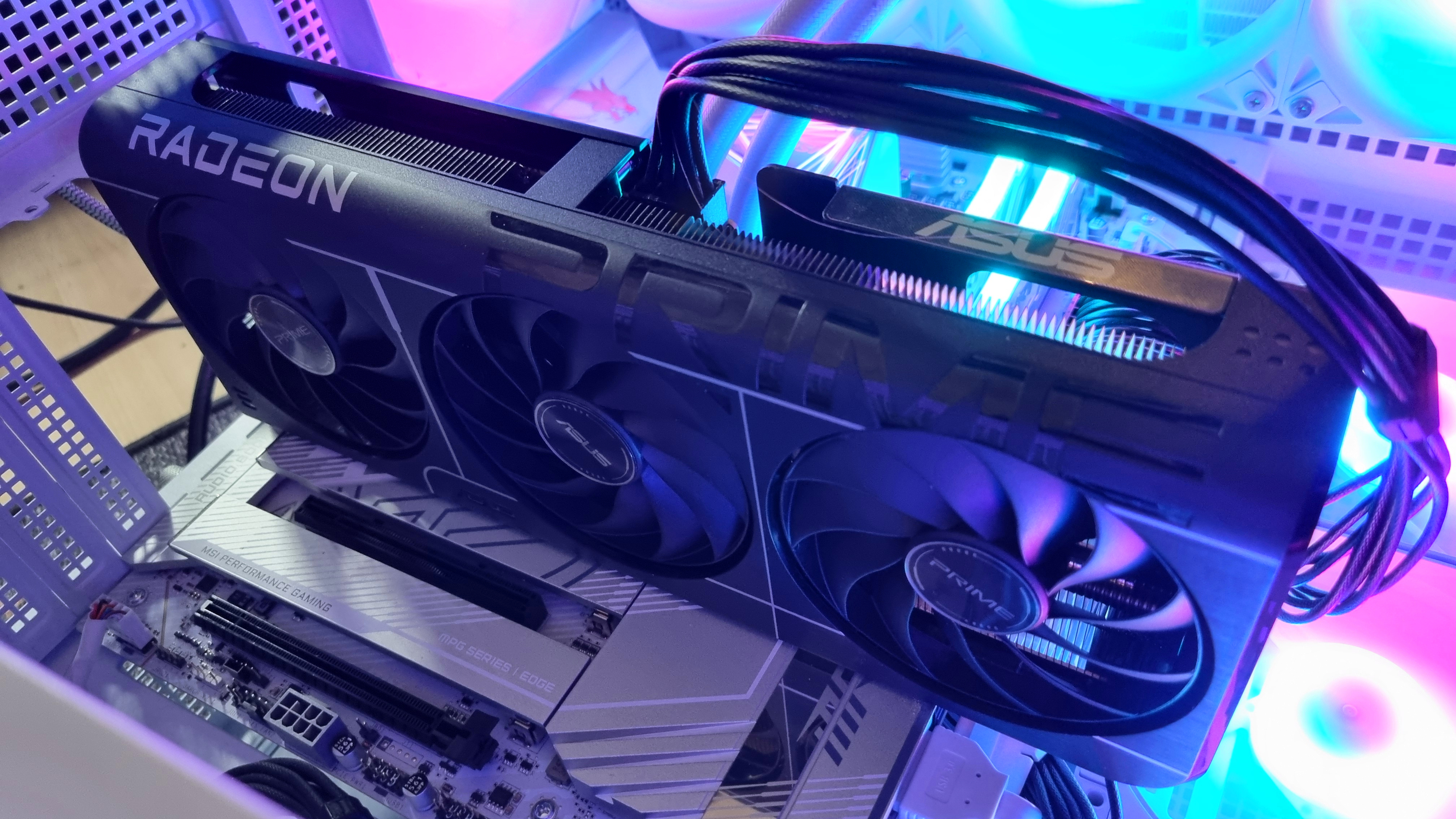
I’ve kept things real simple in regards to overclocking, as you can easily get into the weeds chasing tiny percentage gains and fighting stability issues as a result.
Essentially, it’s been a process of upping the core clock and memory speeds, then running demanding benchmarks over and over again until the GPUs crash, before backing things down to a state where each can complete all of our tests. This differs for each GPU, so your mileage may vary here.
Some of my tested cards have hard power limits, so for the most part the power levels have been kept stock for comparison purposes. The RTX 5060 Ti 8 GB, for example, couldn’t get past +350 MHz core speeds and a +500 MHz memory clock without a power boost, something its stock BIOS doesn’t allow—so that’s where I’ve stopped.
The exception to this has been the RX 9060 XT 8 GB. I had no luck undervolting my 16 GB sample to allow for higher clockspeeds, as it crashed almost immediately as soon as I dropped the voltage by a small amount, even with a higher power limit overall. Still, it accepted a reasonable +300 MHz core, 300 MHz memory overclock at stock power levels nonetheless.
My 8 GB Asus sample, however, needs an undervolt to accept any clockspeed tweaks without crashing, so I went for a stable -100 Mv. This will differ from card to card, but it did allow me to push the core clock to +300 MHz, and the memory to +200 MHz.
Our Jacob provided the figures for the Palit Infinity 3 RTX 5060 Ti 16 GB. As you’ll see from the results, a +400 MHz core overclock alone still gains some considerable performance from the Nvidia GPU. It’s also worth mentioning that all my tested cards kept within temperature limits at these speeds, which is something to keep an eye on if you do it for yourself.
Take these results as they’re intended—a demonstration of what basic overclocking techniques can potentially do to 8 GB graphics card performance, not any kind of guarantee over what you will gain from your own cards. If you’d like to buy one and break out the liquid nitrogen, be my guest. Me? I value my fingers too much, and I’d only end up spilling it everywhere anyway.
Overclocked 8 GB graphics cards
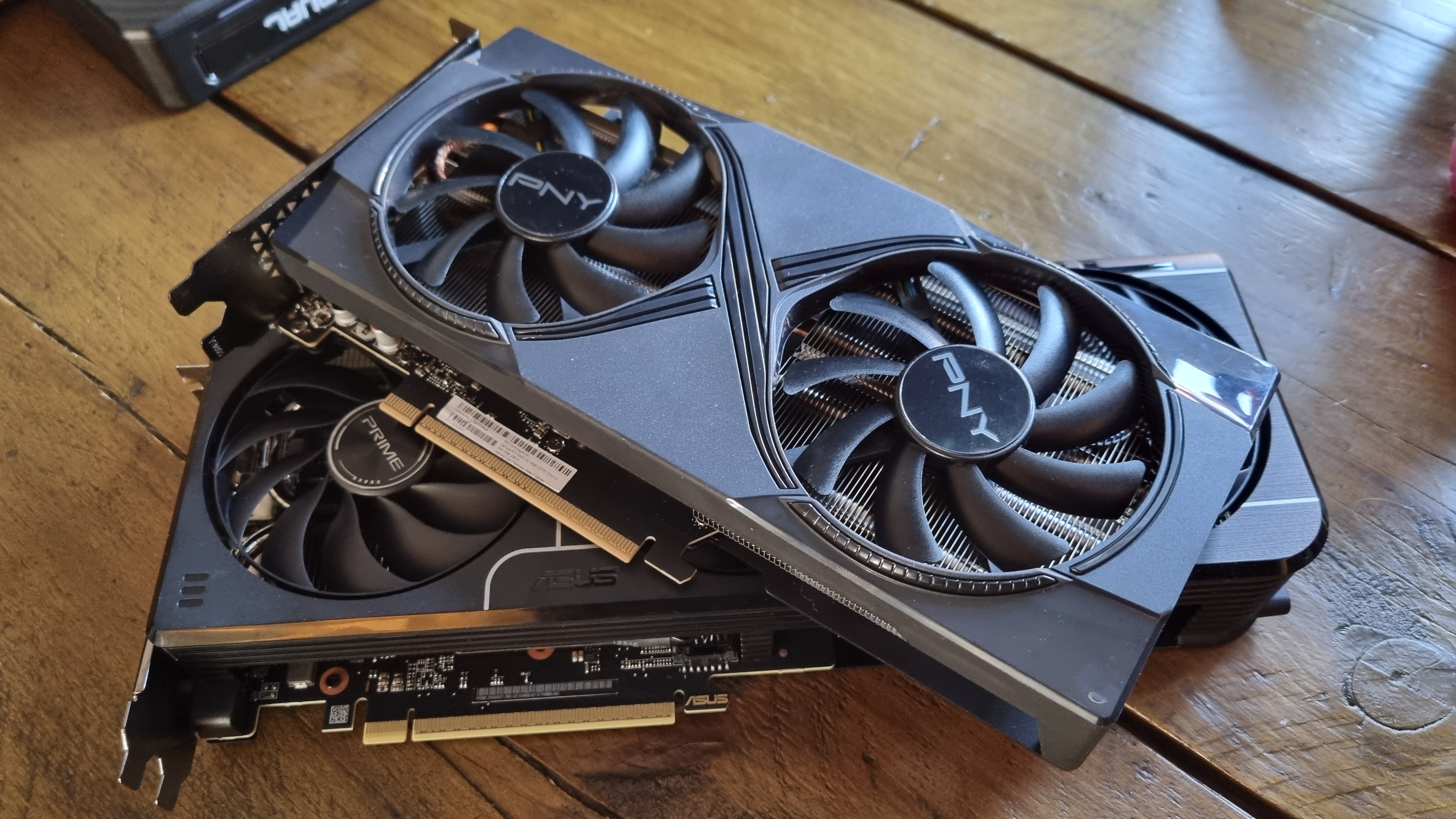
Let’s kick things off by looking at the performance gains you can get out of an overclocked 8 GB graphics card. At 1080p, we can see that all of our 8 GB samples show average frame rate improvements over the stock GPUs.
No great surprises there. However, while the gains are often small, there is the odd exception. The Talos Principle 2, is one such example, with the otherwise-unimpressive RX 9060 XT 8 GB gaining a whole 10 frames over the stock version. That allows it to soar from the bottom of my results to the very top.
Overclocked 8 GB GPUs – 1080p gaming benchmarks
Avg fps
1% Low FPS
| Product | Value |
|---|---|
| RX 9060 XT 8 GB Asus Prime | 71 Avg FPS, 58 1% Low FPS |
| RX 9060 XT 8 GB Asus Prime | +300 MHz | +200 Mem | -100 mV | 75 Avg FPS, 67 1% Low FPS |
| RTX 5060 Ti 8 GB Palit Dual | 74 Avg FPS, 62 1% Low FPS |
| RTX 5060 Ti 8 GB Palit Dual | +350 MHz | +500 Mem | 80 Avg FPS, 69 1% Low FPS |
Avg FPS
1% Low FPS
| Product | Value |
|---|---|
| RX 9060 XT 8 GB Asus Prime | 41 Avg FPS, 26 1% Low FPS |
| RX 9060 XT 8 GB Asus Prime | +300 MHz | +200 Mem | -100 mV | 47 Avg FPS, 30 1% Low FPS |
| RTX 5060 Ti 8 GB Palit Dual | 52 Avg FPS, 35 1% Low FPS |
| RTX 5060 Ti 8 GB Palit Dual | +350 MHz | +500 Mem | 56 Avg FPS, 36 1% Low FPS |
Avg FPS
1% Low FPS
| Product | Value |
|---|---|
| RX 9060 XT 8 GB Asus Prime | 82 Avg FPS, 66 1% Low FPS |
| RX 9060 XT 8 GB Asus Prime | +300 MHz | +200 Mem | -100 mV | 94 Avg FPS, 74 1% Low FPS |
| RTX 5060 Ti 8 GB Palit Dual | 90 Avg FPS, 73 1% Low FPS |
| RTX 5060 Ti 8 GB Palit Dual | +350 MHz | +500 Mem | 92 Avg FPS, 75 1% Low FPS |
Avg FPS
1% Low FPS
| Product | Value |
|---|---|
| RX 9060 XT 8 GB Asus Prime | 111 Avg FPS, 63 1% Low FPS |
| RX 9060 XT 8 GB Asus Prime | +300 MHz | +200 Mem | -100 mV | 115 Avg FPS, 60 1% Low FPS |
| RTX 5060 Ti 8 GB Palit Dual | 108 Avg FPS, 32 1% Low FPS |
| RTX 5060 Ti 8 GB Palit Dual | +350 MHz | +500 Mem | 121 Avg FPS, 55 1% Low FPS |
Avg FPS
1% Low FPS
| Product | Value |
|---|---|
| RX 9060 XT 8 GB Asus Prime | 93 Avg FPS, 64 1% Low FPS |
| RX 9060 XT 8 GB Asus Prime | +300 MHz | +200 Mem | -100 mV | 99 Avg FPS, 67 1% Low FPS |
| RTX 5060 Ti 8 GB Palit Dual | 101 Avg FPS, 65 1% Low FPS |
| RTX 5060 Ti 8 GB Palit Dual | +350 MHz | +500 Mem | 108 Avg FPS, 71 1% Low FPS |
Avg FPS
1% Low FPS
| Product | Value |
|---|---|
| RX 9060 XT 8 GB Asus Prime | 66 Avg FPS, 35 1% Low FPS |
| RX 9060 XT 8 GB Asus Prime | +300 MHz | +200 Mem | -100 mV | 76 Avg FPS, 49 1% Low FPS |
| RTX 5060 Ti 8 GB Palit Dual | 69 Avg FPS, 37 1% Low FPS |
| RTX 5060 Ti 8 GB Palit Dual | +350 MHz | +500 Mem | 70 Avg FPS, 38 1% Low FPS |
Avg FPS
1% Low FPS
| Product | Value |
|---|---|
| RX 9060 XT 8 GB Asus Prime | 90 Avg FPS, 42 1% Low FPS |
| RX 9060 XT 8 GB Asus Prime | +300 MHz | +200 Mem | -100 mV | 96 Avg FPS, 58 1% Low FPS |
| RTX 5060 Ti 8 GB Palit Dual | 81 Avg FPS, 59 1% Low FPS |
| RTX 5060 Ti 8 GB Palit Dual | +350 MHz | +500 Mem | 85 Avg FPS, 62 1% Low FPS |

In F1 24, the same 8 GB card miraculously gains 12 frames on average. This is a game that already seems to favour AMD GPUs, but the improvement is impressive nonetheless.
Overall, though, the RTX 5060 Ti 8 GB beats out its AMD competition when comparing stock to stock, and overclocked to overclocked. Adding a dose of enhanced speed to the little AMD GPU does allow it to jump ahead of the stock Nvidia card, though, which suggests it’s worth doing if you’ve decided to save some cash with the former.
Overclocked 8 GB GPUs – 1440p gaming benchmarks
Avg FPS
1% Low FPS
| Product | Value |
|---|---|
| RX 9060 XT 8 GB Asus Prime | 48 Avg FPS, 43 1% Low FPS |
| RX 9060 XT 8 GB Asus Prime | +300 MHz | +200 Mem | -100 mV | 51 Avg FPS, 46 1% Low FPS |
| RTX 5060 Ti 8 GB Palit Dual | 50 Avg FPS, 43 1% Low FPS |
| RTX 5060 Ti 8 GB Palit Dual | +350 MHz | +500 Mem | 54 Avg FPS, 47 1% Low FPS |
Avg FPS
1% Low FPS
| Product | Value |
|---|---|
| RX 9060 XT 8 GB Asus Prime | 26 Avg FPS, 17 1% Low FPS |
| RX 9060 XT 8 GB Asus Prime | +300 MHz | +200 Mem | -100 mV | 26 Avg FPS, 19 1% Low FPS |
| RTX 5060 Ti 8 GB Palit Dual | 33 Avg FPS, 25 1% Low FPS |
| RTX 5060 Ti 8 GB Palit Dual | +350 MHz | +500 Mem | 34 Avg FPS, 26 1% Low FPS |
Avg FPS
1% Low FPS
| Product | Value |
|---|---|
| RX 9060 XT 8 GB Asus Prime | 51 Avg FPS, 41 1% Low FPS |
| RX 9060 XT 8 GB Asus Prime | +300 MHz | +200 Mem | -100 mV | 57 Avg FPS, 47 1% Low FPS |
| RTX 5060 Ti 8 GB Palit Dual | 59 Avg FPS, 47 1% Low FPS |
| RTX 5060 Ti 8 GB Palit Dual | +350 MHz | +500 Mem | 60 Avg FPS, 47 1% Low FPS |
Avg FPS
1% Low FPS
| Product | Value |
|---|---|
| RX 9060 XT 8 GB Asus Prime | 75 Avg FPS, 58 1% Low FPS |
| RX 9060 XT 8 GB Asus Prime | +300 MHz | +200 Mem | -100 mV | 81 Avg FPS, 49 1% Low FPS |
| RTX 5060 Ti 8 GB Palit Dual | 87 Avg FPS, 42 1% Low FPS |
| RTX 5060 Ti 8 GB Palit Dual | +350 MHz | +500 Mem | 94 Avg FPS, 37 1% Low FPS |
Avg FPS
1% Low FPS
| Product | Value |
|---|---|
| RX 9060 XT 8 GB Asus Prime | 68 Avg FPS, 49 1% Low FPS |
| RX 9060 XT 8 GB Asus Prime | +300 MHz | +200 Mem | -100 mV | 69 Avg FPS, 48 1% Low FPS |
| RTX 5060 Ti 8 GB Palit Dual | 75 Avg FPS, 53 1% Low FPS |
| RTX 5060 Ti 8 GB Palit Dual | +350 MHz | +500 Mem | 80 Avg FPS, 56 1% Low FPS |
Avg FPS
1% Low FPS
| Product | Value |
|---|---|
| RX 9060 XT 8 GB Asus Prime | 47 Avg FPS, 27 1% Low FPS |
| RX 9060 XT 8 GB Asus Prime | +300 MHz | +200 Mem | -100 mV | 51 Avg FPS, 36 1% Low FPS |
| RTX 5060 Ti 8 GB Palit Dual | 44 Avg FPS, 30 1% Low FPS |
| RTX 5060 Ti 8 GB Palit Dual | +350 MHz | +500 Mem | 46 Avg FPS, 32 1% Low FPS |
Avg FPS
1% Low FPS
| Product | Value |
|---|---|
| RX 9060 XT 8 GB Asus Prime | 60 Avg FPS, 44 1% Low FPS |
| RX 9060 XT 8 GB Asus Prime | +300 MHz | +200 Mem | -100 mV | 64 Avg FPS, 46 1% Low FPS |
| RTX 5060 Ti 8 GB Palit Dual | 57 Avg FPS, 40 1% Low FPS |
| RTX 5060 Ti 8 GB Palit Dual | +350 MHz | +500 Mem | 60 Avg FPS, 44 1% Low FPS |
Switch things up to 1440p, and the gains become smaller. Again, no great surprise. Still, the little AMD card does benefit considerably from the extra speed, although Cyberpunk 2077 once again proves to be its downfall.
The average frame rate remains exactly the same for the RX 9060 XT 8 GB, whether overclocked or stock, although the 1% lows do improve by two frames. This is a pretty crunchy result overall, although I’m testing all of our games here without upscaling or frame generation, in order to represent the raw rendered fps difference underneath the hood.
The RTX 5060 Ti 8 GB, meanwhile, offers a solid set of improvements once overclocked, although it’s nothing mind-blowing. Still, extra frames are extra frames, and while its advantage is eaten into slightly by the RX 9060 XT’s overclocked gains, it’s still the top performer at 1440p on average.
Overclocked 16 GB graphics cards
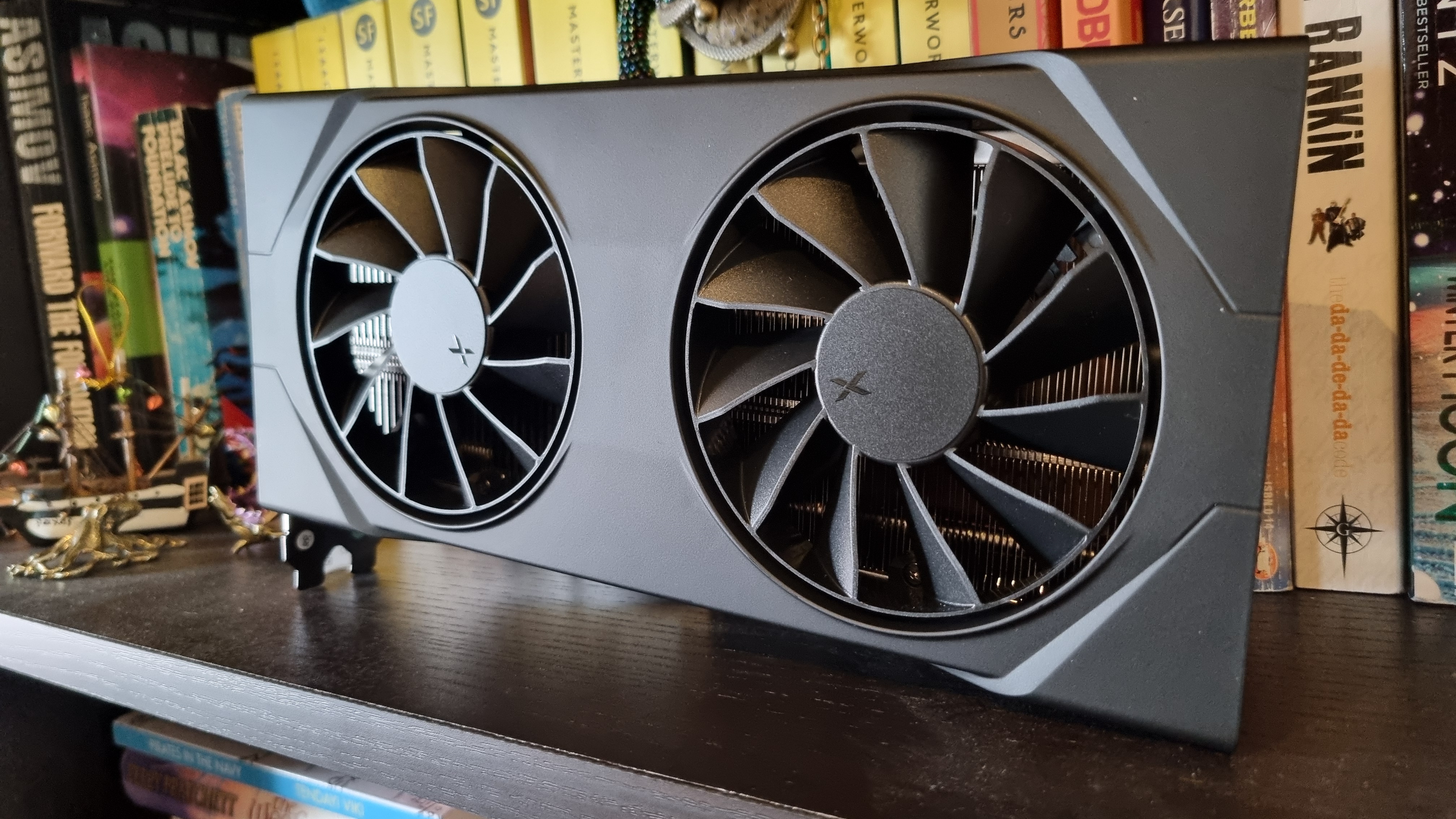
So, what do the 16 GB cards have to offer by comparison? Well, higher frame rates overall, for a start. However, the gains from overclocking aren’t quite so impressive, with the odd exception.
Check out the eight extra frames gained by the RTX 5060 Ti 16 GB in Cyberpunk 2077 at 1080p. That’s with purely a core overclock, too. Given just how demanding Cyberpunk can be with the ray tracing turned up, I’d happily overclock this card for the extra smoothness here alone.
Overclocked 16 GB GPUs – 1080p gaming benchmarks
Avg FPS
1% Low FPS
| Product | Value |
|---|---|
| RX 9060 XT 16 GB XFX | 73 Avg FPS, 63 1% Low FPS |
| RX 9060 XT 16 GB XFX | +300 MHz | + 300 Mem | 75 Avg FPS, 66 1% Low FPS |
| RTX 5060 Ti 16 GB Palit Infinity 3 | 75 Avg FPS, 65 1% Low FPS |
| RTX 5060 Ti 16 GB Palit Infinity 3 | +400 MHz | 81 Avg FPS, 31 1% Low FPS |
Avg FPS
1% Low FPS
| Product | Value |
|---|---|
| RX 9060 XT 16 GB XFX | 49 Avg FPS, 39 1% Low FPS |
| RX 9060 XT 16 GB XFX | +300 MHz | + 300 Mem | 49 Avg FPS, 40 1% Low FPS |
| RTX 5060 Ti 16 GB Palit Infinity 3 | 51 Avg FPS, 41 1% Low FPS |
| RTX 5060 Ti 16 GB Palit Infinity 3 | +400 MHz | 59 Avg FPS, 42 1% Low FPS |
Avg FPS
1% Low FPS
| Product | Value |
|---|---|
| RX 9060 XT 16 GB XFX | 95 Avg FPS, 61 1% Low FPS |
| RX 9060 XT 16 GB XFX | +300 MHz | + 300 Mem | 97 Avg FPS, 75 1% Low FPS |
| RTX 5060 Ti 16 GB Palit Infinity 3 | 90 Avg FPS, 71 1% Low FPS |
| RTX 5060 Ti 16 GB Palit Infinity 3 | +400 MHz | 94 Avg FPS, 77 1% Low FPS |
Avg FPS
1% Low FPS
| Product | Value |
|---|---|
| RX 9060 XT 16 GB XFX | 106 Avg FPS, 65 1% Low FPS |
| RX 9060 XT 16 GB XFX | +300 MHz | + 300 Mem | 123 Avg FPS, 74 1% Low FPS |
| RTX 5060 Ti 16 GB Palit Infinity 3 | 117 Avg FPS, 65 1% Low FPS |
| RTX 5060 Ti 16 GB Palit Infinity 3 | +400 MHz | 123 Avg FPS, 68 1% Low FPS |
Avg FPS
1% Low FPS
| Product | Value |
|---|---|
| RX 9060 XT 16 GB XFX | 96 Avg FPS, 42 1% Low FPS |
| RX 9060 XT 16 GB XFX | +300 MHz | + 300 Mem | 100 Avg FPS, 69 1% Low FPS |
| RTX 5060 Ti 16 GB Palit Infinity 3 | 98 Avg FPS, 42 1% Low FPS |
| RTX 5060 Ti 16 GB Palit Infinity 3 | +400 MHz | 102 Avg FPS, 42 1% Low FPS |
Avg FPS
1% Low FPS
| Product | Value |
|---|---|
| RX 9060 XT 16 GB XFX | 73 Avg FPS, 37 1% Low FPS |
| RX 9060 XT 16 GB XFX | +300 MHz | + 300 Mem | 77 Avg FPS, 53 1% Low FPS |
| RTX 5060 Ti 16 GB Palit Infinity 3 | 75 Avg FPS, 41 1% Low FPS |
| RTX 5060 Ti 16 GB Palit Infinity 3 | +400 MHz | 80 Avg FPS, 47 1% Low FPS |
Avg FPS
1% Low FPS
| Product | Value |
|---|---|
| RX 9060 XT 16 GB XFX | 94 Avg FPS, 72 1% Low FPS |
| RX 9060 XT 16 GB XFX | +300 MHz | + 300 Mem | 97 Avg FPS, 72 1% Low FPS |
| RTX 5060 Ti 16 GB Palit Infinity 3 | 83 Avg FPS, 54 1% Low FPS |
| RTX 5060 Ti 16 GB Palit Infinity 3 | +400 MHz | 89 Avg FPS, 56 1% Low FPS |
And yes, the RX 9060 XT 16 GB doesn’t seem to benefit as much from overclocking as the rest of my cards. I’d wager that’s down to lower sustained clock speeds without an undervolt, but again, this XFX sample refuses to play ball once you start fiddling with the power levels.
Still, an extra 4 fps in Metro Exodus Enhanced edition is good to see, and with a massive 27 fps improvement in the 1% lows, too.
In fact, improved 1% lows might be reason enough to overclock this card, even if the averages don’t budge by significant amounts. Homeworld 3, F1 24, The Talos Principle 2—a couple of simple slider adjustments in AMD Adrenaline appears to be all it takes.
Overclocked 16 GB GPUs – 1440p gaming benchmarks
Avg FPS
1% Low FPS
| Product | Value |
|---|---|
| RX 9060 XT 16 GB XFX | 48 Avg FPS, 44 1% Low FPS |
| RX 9060 XT 16 XFX | +300 MHz | + 300 Mem | 50 Avg FPS, 45 1% Low FPS |
| RTX 5060 Ti 16 GB Palit Infinity 3 | 51 Avg FPS, 45 1% Low FPS |
| RTX 5060 Ti 16 GB Palit Infinity 3 | +400 MHz | 56 Avg FPS, 41 1% Low FPS |
Avg FPS
1% Low FPS
| Product | Value |
|---|---|
| RX 9060 XT 16 GB XFX | 30 Avg FPS, 24 1% Low FPS |
| RX 9060 XT 16 XFX | +300 MHz | + 300 Mem | 30 Avg FPS, 25 1% Low FPS |
| RTX 5060 Ti 16 GB Palit Infinity 3 | 32 Avg FPS, 26 1% Low FPS |
| RTX 5060 Ti 16 GB Palit Infinity 3 | +400 MHz | 35 Avg FPS, 29 1% Low FPS |
Avg FPS
1% Low FPS
| Product | Value |
|---|---|
| RX 9060 XT 16 GB XFX | 60 Avg FPS, 46 1% Low FPS |
| RX 9060 XT 16 XFX | +300 MHz | + 300 Mem | 61 Avg FPS, 46 1% Low FPS |
| RTX 5060 Ti 16 GB Palit Infinity 3 | 56 Avg FPS, 45 1% Low FPS |
| RTX 5060 Ti 16 GB Palit Infinity 3 | +400 MHz | 62 Avg FPS, 50 1% Low FPS |
Avg FPS
1% Low FPS
| Product | Value |
|---|---|
| RX 9060 XT 16 GB XFX | 86 Avg FPS, 65 1% Low FPS |
| RX 9060 XT 16 XFX | +300 MHz | + 300 Mem | 90 Avg FPS, 74 1% Low FPS |
| RTX 5060 Ti 16 GB Palit Infinity 3 | 97 Avg FPS, 64 1% Low FPS |
| RTX 5060 Ti 16 GB Palit Infinity 3 | +400 MHz | 104 Avg FPS, 66 1% Low FPS |
Avg FPS
1% Low FPS
| Product | Value |
|---|---|
| RX 9060 XT 16 GB XFX | 71 Avg FPS, 34 1% Low FPS |
| RX 9060 XT 16 XFX | +300 MHz | + 300 Mem | 74 Avg FPS, 43 1% Low FPS |
| RTX 5060 Ti 16 GB Palit Infinity 3 | 72 Avg FPS, 34 1% Low FPS |
| RTX 5060 Ti 16 GB Palit Infinity 3 | +400 MHz | 73 Avg FPS, 31 1% Low FPS |
Avg FPS
1% Low FPS
| Product | Value |
|---|---|
| RX 9060 XT 16 GB XFX | 49 Avg FPS, 35 1% Low FPS |
| RX 9060 XT 16 XFX | +300 MHz | + 300 Mem | 51 Avg FPS, 36 1% Low FPS |
| RTX 5060 Ti 16 GB Palit Infinity 3 | 51 Avg FPS, 32 1% Low FPS |
| RTX 5060 Ti 16 GB Palit Infinity 3 | +400 MHz | 54 Avg FPS, 35 1% Low FPS |
Avg FPS
1% Low FPS
| Product | Value |
|---|---|
| RX 9060 XT 16 GB XFX | 62 Avg FPS, 45 1% Low FPS |
| RX 9060 XT 16 XFX | +300 MHz | + 300 Mem | 64 Avg FPS, 47 1% Low FPS |
| RTX 5060 Ti 16 GB Palit Infinity 3 | 60 Avg FPS, 44 1% Low FPS |
| RTX 5060 Ti 16 GB Palit Infinity 3 | +400 MHz | 65 Avg FPS, 48 1% Low FPS |
At 1440p, it’s much the same story for the 16 GB GPUs as our 8 GB cards. There are gains to be made with a dose of overclocking, but it’s usually not by a whole lot.
Three fps here, four fps there—it’s about what I expected to see from both our 16 GB GPUs, if I’m honest. The 1% low advantage is curbed a little at this resolution, too, although the RX 9060 XT 16 GB proves the exception yet again, as it manages to gain a chonky nine frames in Metro Exodus.
Otherwise, though? There’s no huge gain in performance for any of our cards, although more frames are more frames.
8 GB vs 16 GB overclocked graphics cards
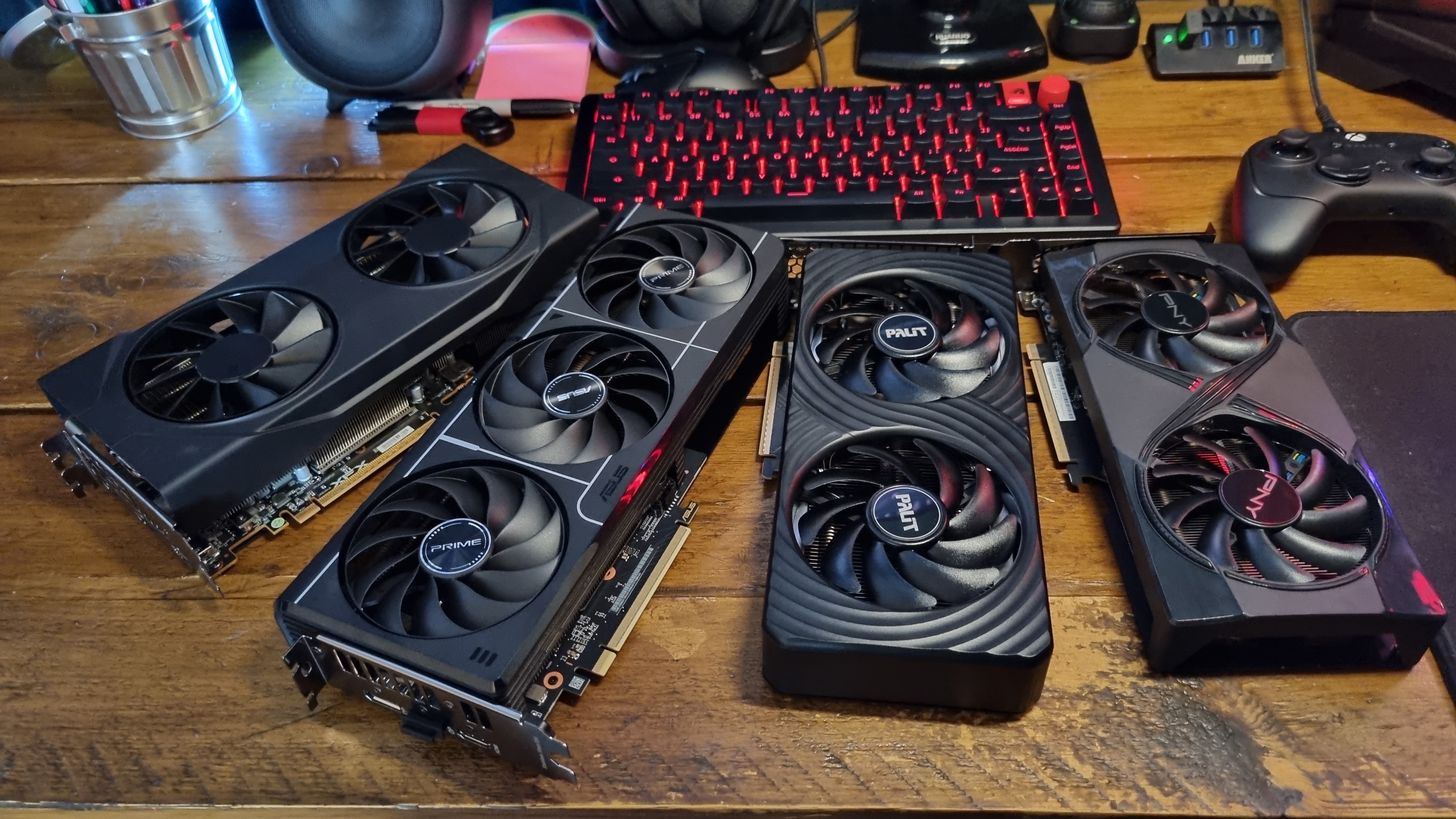
So, what happens when we combine this data together? Well, to prevent building a couple of massive, hard to read charts, I’ve broken up my findings into two main chunks.
First, let’s take a look at the difference between the RTX 9060 XT 8 GB and 16 GB, at both stock and overclocked speeds.
AMD RX 9060 XT – 8 GB vs 16 GB overclocked
RX 9060 XT | 8 GB vs 16 GB | 1080p overclocked gaming benchmarks
Avg FPS
1% Low FPS
| Product | Value |
|---|---|
| RX 9060 XT 8 GB | 71 Avg FPS, 58 1% Low FPS |
| RX 9060 XT 8 GB | +300 MHz | +200 Mem | -100 mV | 75 Avg FPS, 67 1% Low FPS |
| RX 9060 XT XFX 16 GB | 73 Avg FPS, 63 1% Low FPS |
| RX 9060 XT 16 GB | +300 MHz | + 300 Mem | 75 Avg FPS, 66 1% Low FPS |
Avg FPS
1% Low FPS
| Product | Value |
|---|---|
| RX 9060 XT 8 GB | 41 Avg FPS, 26 1% Low FPS |
| RX 9060 XT 8 GB | +300 MHz | +200 Mem | -100 mV | 47 Avg FPS, 30 1% Low FPS |
| RX 9060 XT XFX 16 GB | 49 Avg FPS, 39 1% Low FPS |
| RX 9060 XT 16 GB | +300 MHz | + 300 Mem | 49 Avg FPS, 40 1% Low FPS |
Avg FPS
1% Low FPS
| Product | Value |
|---|---|
| RX 9060 XT 8 GB | 82 Avg FPS, 66 1% Low FPS |
| RX 9060 XT 8 GB | +300 MHz | +200 Mem | -100 mV | 94 Avg FPS, 74 1% Low FPS |
| RX 9060 XT XFX 16 GB | 95 Avg FPS, 61 1% Low FPS |
| RX 9060 XT 16 GB | +300 MHz | + 300 Mem | 97 Avg FPS, 75 1% Low FPS |
Avg FPS
1% Low FPS
| Product | Value |
|---|---|
| RX 9060 XT 8 GB | 111 Avg FPS, 63 1% Low FPS |
| RX 9060 XT 8 GB | +300 MHz | +200 Mem | -100 mV | 115 Avg FPS, 60 1% Low FPS |
| RX 9060 XT XFX 16 GB | 106 Avg FPS, 65 1% Low FPS |
| RX 9060 XT 16 GB | +300 MHz | + 300 Mem | 123 Avg FPS, 74 1% Low FPS |
Avg FPS
1% Low FPS
| Product | Value |
|---|---|
| RX 9060 XT 8 GB | 93 Avg FPS, 64 1% Low FPS |
| RX 9060 XT 8 GB | +300 MHz | +200 Mem | -100 mV | 99 Avg FPS, 67 1% Low FPS |
| RX 9060 XT XFX 16 GB | 96 Avg FPS, 42 1% Low FPS |
| RX 9060 XT 16 GB | +300 MHz | + 300 Mem | 100 Avg FPS, 69 1% Low FPS |
Avg FPS
1% Low FPS
| Product | Value |
|---|---|
| RX 9060 XT 8 GB | 66 Avg FPS, 35 1% Low FPS |
| RX 9060 XT 8 GB | +300 MHz | +200 Mem | -100 mV | 76 Avg FPS, 49 1% Low FPS |
| RX 9060 XT XFX 16 GB | 73 Avg FPS, 37 1% Low FPS |
| RX 9060 XT 16 GB | +300 MHz | + 300 Mem | 77 Avg FPS, 53 1% Low FPS |
Avg FPS
1% Low FPS
| Product | Value |
|---|---|
| RX 9060 XT 8 GB | 90 Avg FPS, 42 1% Low FPS |
| RX 9060 XT 8 GB | +300 MHz | +200 Mem | -100 mV | 96 Avg FPS, 58 1% Low FPS |
| RX 9060 XT XFX 16 GB | 94 Avg FPS, 72 1% Low FPS |
| RX 9060 XT 16 GB | +300 MHz | + 300 Mem | 97 Avg FPS, 72 1% Low FPS |
Here’s a pleasing result to see from the off. In Black Myth Wukong at 1080p High settings, the overclocked RX 9060 XT 8 GB manages to best its 16 GB bigger brother at stock speeds. And even with an overclock, the RX 9060 XT is a mere single frame ahead of it in the 1% lows. The averages? Exactly the same.
Before we all go jumping up and down at the thought of massive savings, though (the 8 GB card is often considerably cheaper than the 16 GB version), here comes Cyberpunk 2077 to ruin the 8 GB card’s day.
Yep, it’s time for an early preview of my One Big Caveat™—certain games will show the flaws of a tight VRAM limit. The overclocked 8 GB AMD card gets within 2 frames of the stock 16 GB GPU on average, but I’d ask you to give some serious consideration to those 1% lows.
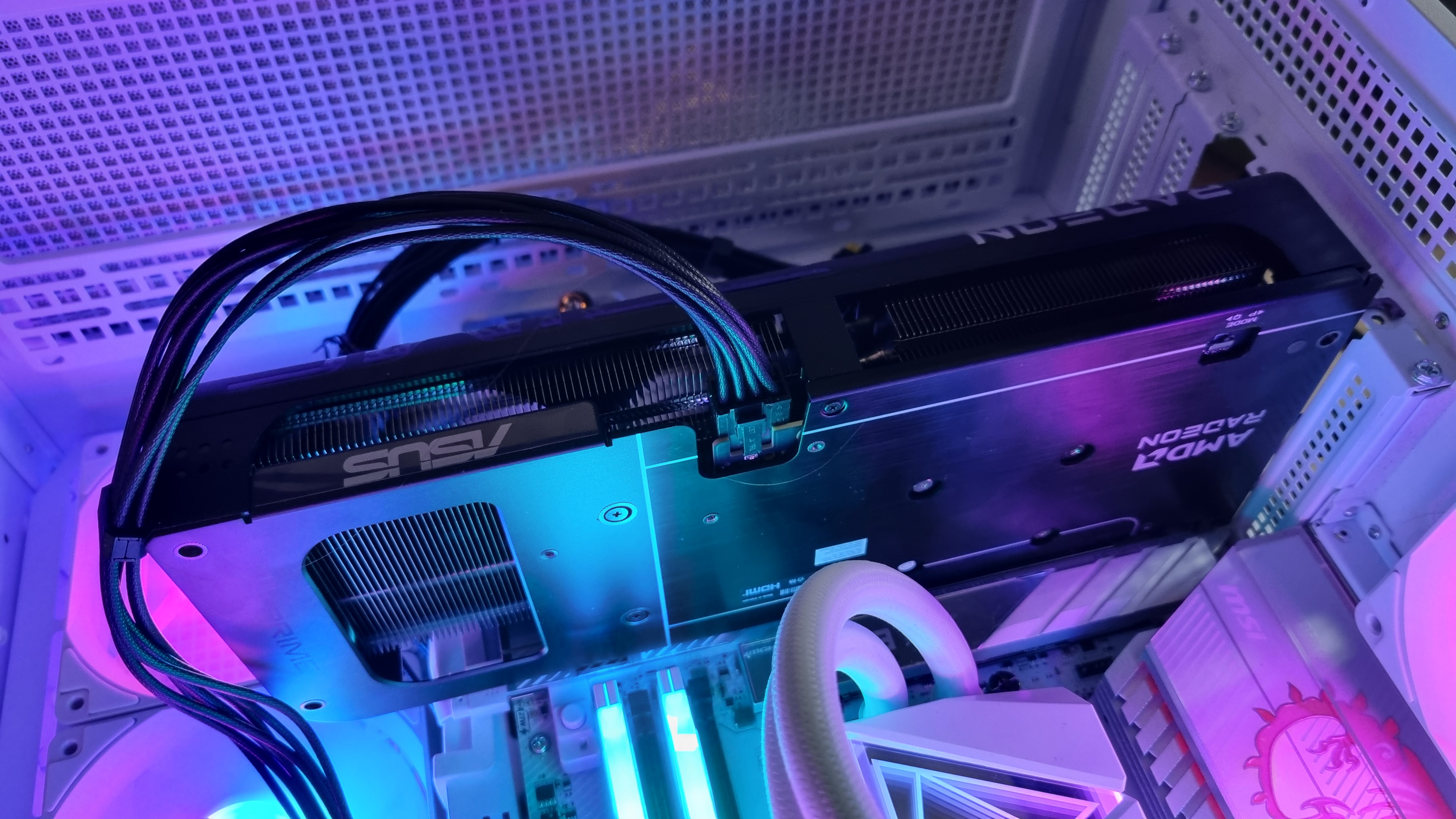
It might not look much on paper, but having played Cyberpunk 2077 on this card while overclocked, I can tell you that it has a tendency to drop frames fairly often when faced with only 8 GB of VRAM. The RX 9060 XT 16 GB isn’t perfect in this regard, either, but it’s a much smoother-feeling experience.
Still, 1080p gains are definitely in evidence here, and sometimes the overclocked RX 9060 XT 8 GB can beat the stock 16 GB version on average. In Homeworld 3, it wins by a whole nine frames—although even the stock 8 GB GPU posted higher figures than the 16 GB version in my testing.
The Homeworld 3 benchmark can be a twitchy thing, after all. I re-ran the tests many, many times, but these are the averages I ended up with. Shrug your shoulders with me, and move on.
RX 9060 XT | 8 GB vs 16 GB | 1440p overclocked gaming benchmarks
Avg FPS
1% Low FPS
| Product | Value |
|---|---|
| RX 9060 XT 8 GB | 48 Avg FPS, 43 1% Low FPS |
| RX 9060 XT 8 GB | +300 MHz | +200 Mem | -100 mV | 51 Avg FPS, 46 1% Low FPS |
| RX 9060 XT 16 GB | 48 Avg FPS, 44 1% Low FPS |
| RX 9060 XT 16 GB | +300 MHz | + 300 Mem | 50 Avg FPS, 45 1% Low FPS |
Avg FPS
1% Low FPS
| Product | Value |
|---|---|
| RX 9060 XT 8 GB | 26 Avg FPS, 17 1% Low FPS |
| RX 9060 XT 8 GB | +300 MHz | +200 Mem | -100 mV | 26 Avg FPS, 19 1% Low FPS |
| RX 9060 XT 16 GB | 30 Avg FPS, 24 1% Low FPS |
| RX 9060 XT 16 GB | +300 MHz | + 300 Mem | 30 Avg FPS, 25 1% Low FPS |
Avg FPS
1% Low FPS
| Product | Value |
|---|---|
| RX 9060 XT 8 GB | 51 Avg FPS, 41 1% Low FPS |
| RX 9060 XT 8 GB | +300 MHz | +200 Mem | -100 mV | 57 Avg FPS, 47 1% Low FPS |
| RX 9060 XT 16 GB | 60 Avg FPS, 46 1% Low FPS |
| RX 9060 XT 16 GB | +300 MHz | + 300 Mem | 61 Avg FPS, 46 1% Low FPS |
Avg FPS
1% Low FPS
| Product | Value |
|---|---|
| RX 9060 XT 8 GB | 75 Avg FPS, 58 1% Low FPS |
| RX 9060 XT 8 GB | +300 MHz | +200 Mem | -100 mV | 81 Avg FPS, 49 1% Low FPS |
| RX 9060 XT 16 GB | 86 Avg FPS, 65 1% Low FPS |
| RX 9060 XT 16 GB | +300 MHz | + 300 Mem | 90 Avg FPS, 74 1% Low FPS |
Avg FPS
1% Low FPS
| Product | Value |
|---|---|
| RX 9060 XT 8 GB | 68 Avg FPS, 49 1% Low FPS |
| RX 9060 XT 8 GB | +300 MHz | +200 Mem | -100 mV | 69 Avg FPS, 48 1% Low FPS |
| RX 9060 XT 16 GB | 71 Avg FPS, 34 1% Low FPS |
| RX 9060 XT 16 GB | +300 MHz | + 300 Mem | 74 Avg FPS, 43 1% Low FPS |
Avg FPS
1% Low FPS
| Product | Value |
|---|---|
| RX 9060 XT 8 GB | 47 Avg FPS, 27 1% Low FPS |
| RX 9060 XT 8 GB | +300 MHz | +200 Mem | -100 mV | 51 Avg FPS, 36 1% Low FPS |
| RX 9060 XT 16 GB | 49 Avg FPS, 35 1% Low FPS |
| RX 9060 XT 16 GB | +300 MHz | + 300 Mem | 51 Avg FPS, 36 1% Low FPS |
Avg FPS
1% Low FPS
| Product | Value |
|---|---|
| RX 9060 XT 8 GB | 60 Avg FPS, 44 1% Low FPS |
| RX 9060 XT 8 GB | +300 MHz | +200 Mem | -100 mV | 64 Avg FPS, 46 1% Low FPS |
| RX 9060 XT 16 GB | 62 Avg FPS, 45 1% Low FPS |
| RX 9060 XT 16 GB | +300 MHz | + 300 Mem | 64 Avg FPS, 47 1% Low FPS |
At 1440p, the overclocked RX 9060 XT 8 GB comes good once again in Black Myth Wukong and the Talos Principle 2, handily beating the stock 16 GB card in both averages and 1% lows. In fact, in the former, it even manages to best its overclocked score. It’s only by a single frame, though, which is well within benchmark variances.
And yep, here comes Cyberpunk 2077 again to give the AMD card trouble. The overclock allows for a couple more frames in the 1% lows, but the extra VRAM of the RX 9060 XT 16 GB allows it to pull significantly ahead.
Nvidia RTX 5060 Ti – 8 GB vs 16 GB overclocked
RTX 5060 Ti | 8 GB vs 16 GB | 1080p overclocked gaming benchmarks
Avg FPS
1% Low FPS
| Product | Value |
|---|---|
| RTX 5060 Ti 8 GB | 74 Avg FPS, 62 1% Low FPS |
| RTX 5060 Ti 8 GB | +350 MHz | +500 Mem | 80 Avg FPS, 69 1% Low FPS |
| RTX 5060 Ti 16 GB | 75 Avg FPS, 65 1% Low FPS |
| RTX 5060 Ti 16 GB | +400 MHz | 81 Avg FPS, 31 1% Low FPS |
Avg FPS
1% Low FPS
| Product | Value |
|---|---|
| RTX 5060 Ti 8 GB | 52 Avg FPS, 35 1% Low FPS |
| RTX 5060 Ti 8 GB | +350 MHz | +500 Mem | 56 Avg FPS, 36 1% Low FPS |
| RTX 5060 Ti 16 GB | 51 Avg FPS, 41 1% Low FPS |
| RTX 5060 Ti 16 GB | +400 MHz | 59 Avg FPS, 42 1% Low FPS |
Avg FPS
1% Low FPS
| Product | Value |
|---|---|
| RTX 5060 Ti 8 GB | 90 Avg FPS, 73 1% Low FPS |
| RTX 5060 Ti 8 GB | +350 MHz | +500 Mem | 92 Avg FPS, 75 1% Low FPS |
| RTX 5060 Ti 16 GB | 90 Avg FPS, 71 1% Low FPS |
| RTX 5060 Ti 16 GB | +400 MHz | 94 Avg FPS, 77 1% Low FPS |
Avg FPS
1% Low FPS
| Product | Value |
|---|---|
| RTX 5060 Ti 8 GB | 108 Avg FPS, 32 1% Low FPS |
| RTX 5060 Ti 8 GB | +350 MHz | +500 Mem | 121 Avg FPS, 55 1% Low FPS |
| RTX 5060 Ti 16 GB | 117 Avg FPS, 65 1% Low FPS |
| RTX 5060 Ti 16 GB | +400 MHz | 123 Avg FPS, 68 1% Low FPS |
Avg FPS
1% Low FPS
| Product | Value |
|---|---|
| RTX 5060 Ti 8 GB | 101 Avg FPS, 65 1% Low FPS |
| RTX 5060 Ti 8 GB | +350 MHz | +500 Mem | 108 Avg FPS, 71 1% Low FPS |
| RTX 5060 Ti 16 GB | 98 Avg FPS, 42 1% Low FPS |
| RTX 5060 Ti 16 GB | +400 MHz | 102 Avg FPS, 42 1% Low FPS |
Avg FPS
1% Low FPS
| Product | Value |
|---|---|
| RTX 5060 Ti 8 GB | 69 Avg FPS, 37 1% Low FPS |
| RTX 5060 Ti 8 GB | +350 MHz | +500 Mem | 70 Avg FPS, 38 1% Low FPS |
| RTX 5060 Ti 16 GB | 75 Avg FPS, 41 1% Low FPS |
| RTX 5060 Ti 16 GB | +400 MHz | 80 Avg FPS, 47 1% Low FPS |
Avg FPS
1% Low FPS
| Product | Value |
|---|---|
| RTX 5060 Ti 8 GB | 81 Avg FPS, 59 1% Low FPS |
| RTX 5060 Ti 8 GB | +350 MHz | +500 Mem | 85 Avg FPS, 62 1% Low FPS |
| RTX 5060 Ti 16 GB | 83 Avg FPS, 54 1% Low FPS |
| RTX 5060 Ti 16 GB | +400 MHz | 89 Avg FPS, 56 1% Low FPS |
But what about the RTX 5060 Ti, I hear you cry? Well, hold on to your hats, because the overclocked 8 GB card puts on quite an impressive showing in comparison to the stock 16 GB GPU.
In fact, it beats the stock RTX 5060 Ti 16 GB in all but one of my tests at 1080p, that outlier being The Talos Principle 2. Otherwise, the extra dose of speed allows the 8 GB card (which is fairly close in performance to its 16 GB variant to begin with at this resolution) to pull quite a few frames ahead on average, even occasionally beating the overclocked RTX 5060 Ti 16 GB.
RTX 5060 Ti | 8 GB vs 16 GB | 1440p overclocked gaming benchmarks
Avg FPS
1% Low FPS
| Product | Value |
|---|---|
| RTX 5060 Ti 8 GB | 50 Avg FPS, 43 1% Low FPS |
| RTX 5060 Ti 8 GB | +350 MHz | +500 Mem | 54 Avg FPS, 47 1% Low FPS |
| RTX 5060 Ti 16 GB | 51 Avg FPS, 45 1% Low FPS |
| RTX 5060 Ti 16 GB | +400 MHz | 56 Avg FPS, 41 1% Low FPS |
Avg FPS
1% Low FPS
| Product | Value |
|---|---|
| RTX 5060 Ti 8 GB | 33 Avg FPS, 25 1% Low FPS |
| RTX 5060 Ti 8 GB | +350 MHz | +500 Mem | 34 Avg FPS, 26 1% Low FPS |
| RTX 5060 Ti 16 GB | 32 Avg FPS, 26 1% Low FPS |
| RTX 5060 Ti 16 GB | +400 MHz | 35 Avg FPS, 29 1% Low FPS |
Avg FPS
1% Low FPS
| Product | Value |
|---|---|
| RTX 5060 Ti 8 GB | 59 Avg FPS, 47 1% Low FPS |
| RTX 5060 Ti 8 GB | +350 MHz | +500 Mem | 60 Avg FPS, 47 1% Low FPS |
| RTX 5060 Ti 16 GB | 56 Avg FPS, 45 1% Low FPS |
| RTX 5060 Ti 16 GB | +400 MHz | 62 Avg FPS, 50 1% Low FPS |
Avg FPS
1% Low FPS
| Product | Value |
|---|---|
| RTX 5060 Ti 8 GB | 87 Avg FPS, 42 1% Low FPS |
| RTX 5060 Ti 8 GB | +350 MHz | +500 Mem | 94 Avg FPS, 37 1% Low FPS |
| RTX 5060 Ti 16 GB | 97 Avg FPS, 64 1% Low FPS |
| RTX 5060 Ti 16 GB | +400 MHz | 104 Avg FPS, 66 1% Low FPS |
Avg FPS
1% Low FPS
| Product | Value |
|---|---|
| RTX 5060 Ti 8 GB | 75 Avg FPS, 53 1% Low FPS |
| RTX 5060 Ti 8 GB | +350 MHz | +500 Mem | 80 Avg FPS, 56 1% Low FPS |
| RTX 5060 Ti 16 GB | 72 Avg FPS, 34 1% Low FPS |
| RTX 5060 Ti 16 GB | +400 MHz | 73 Avg FPS, 31 1% Low FPS |
Avg FPS
1% Low FPS
| Product | Value |
|---|---|
| RTX 5060 Ti 8 GB | 44 Avg FPS, 30 1% Low FPS |
| RTX 5060 Ti 8 GB | +350 MHz | +500 Mem | 46 Avg FPS, 32 1% Low FPS |
| RTX 5060 Ti 16 GB | 51 Avg FPS, 32 1% Low FPS |
| RTX 5060 Ti 16 GB | +400 MHz | 54 Avg FPS, 35 1% Low FPS |
Avg FPS
1% Low FPS
| Product | Value |
|---|---|
| RTX 5060 Ti 8 GB | 57 Avg FPS, 40 1% Low FPS |
| RTX 5060 Ti 8 GB | +350 MHz | +500 Mem | 60 Avg FPS, 44 1% Low FPS |
| RTX 5060 Ti 16 GB | 60 Avg FPS, 44 1% Low FPS |
| RTX 5060 Ti 16 GB | +400 MHz | 65 Avg FPS, 48 1% Low FPS |
At 1440p, the Nvidia card continues its overclocked reign of terror. It beats the stock 16 GB card in Black Myth Wukong, Cyberpunk 2077, F1 24, and Metro Exodus, and matches its benches exactly in Total War: Warhammer 3.
The clear winner in most of my tests, however, is the mildly-overclocked RTX 5060 Ti 16 GB. It’s a surprising set of results, and furthers my assessment that the RTX 5060 Ti 8 GB is the graphics card to buy if you can’t afford the higher-VRAM equivalent.
There is, however, a very large caveat to all of these figures. Follow me to the section below.
Analysis, and a very large caveat
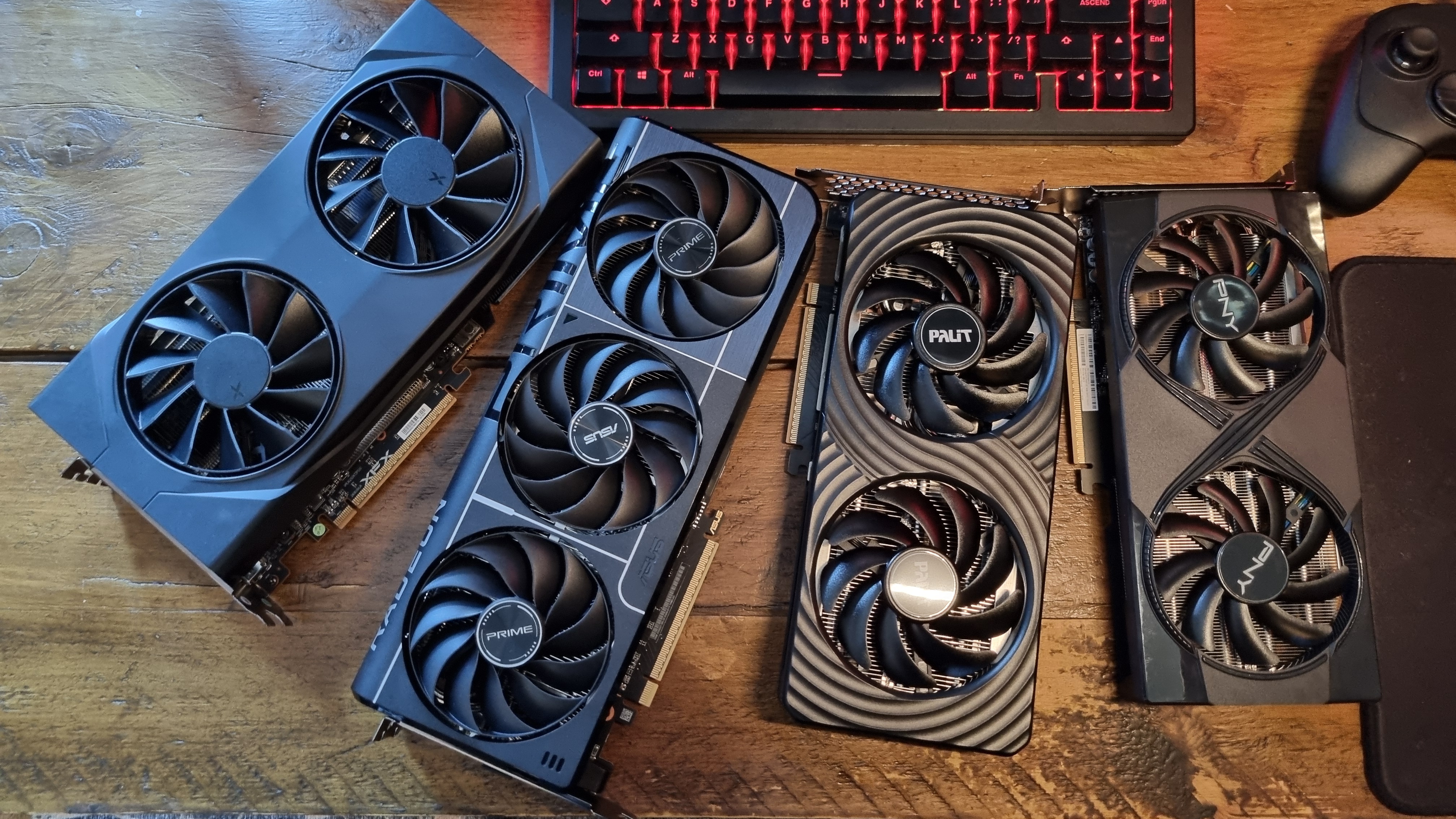
So, what have we learned? Well, these results show that you can indeed overclock a cheaper 8 GB graphics card to bring its performance more in line with the 16 GB variant, and perhaps even exceed it—in the benchmarks. And that’s grand.
But before you put a substantial wad of cash back into your pocket and go running out into the streets to buy an 8 GB graphics card, we need to talk about something important—and that’s the real world.
In-game benchmark tools are useful ways of comparing the performance of graphics cards against each other. And each one of these GPUs has been tested using just such benchmarks. But I’d like to direct you towards my 8 GB vs 16 GB graphics card testing once more, and show you one last chart.
The Last of Us Part 1 – VRAM usage and performance
In-game testing, Ultra settings
Avg FPS
1% Low FPS
Avg. VRAM
| Product | Value |
|---|---|
| RTX 5060 Ti 8 GB Palit Dual | 89 Avg FPS, 48 1% Low FPS, 6.92 Avg. VRAM |
| RX 9060 XT 8 GB Asus Prime | 79 Avg FPS, 52 1% Low FPS, 6.61 Avg. VRAM |
| RTX 5060 Ti 16 GB Palit Infinity 3 | 113 Avg FPS, 92 1% Low FPS, 9.84 Avg. VRAM |
| RX 9060XT 16 GB XFX | 113 Avg FPS, 93 1% Low FPS, 11.47 Avg. VRAM |
Avg FPS
1% Low FPS
Avg. VRAM
| Product | Value |
|---|---|
| RTX 5060 Ti 8 GB Palit Dual | 79 Avg FPS, 44 1% Low FPS, 6.98 Avg. VRAM |
| RX 9060 XT 8 GB Asus Prime | 60 Avg FPS, 42 1% Low FPS, 6.71 Avg. VRAM |
| RTX 5060 Ti 16 GB Palit Infinity 3 | 92 Avg FPS, 73 1% Low FPS, 10.39 Avg. VRAM |
| RX 9060XT 16 GB XFX | 89 Avg FPS, 72 1% Low FPS, 12.02 Avg. VRAM |
Avg FPS
1% Low FPS
Avg. VRAM
| Product | Value |
|---|---|
| RTX 5060 Ti 8 GB Palit Dual | 132 Avg FPS, 61 1% Low FPS, 7.21 Avg. VRAM |
| RX 9060 XT 8 GB Asus Prime | 112 Avg FPS, 61 1% Low FPS, 6.74 Avg. VRAM |
| RTX 5060 Ti 16 GB Palit Infinity 3 | 147 Avg FPS, 78 1% Low FPS, 11.09 Avg. VRAM |
| RX 9060XT 16 GB XFX | 149 Avg FPS, 104 1% Low FPS, 12.12 Avg. VRAM |
This is my in-game VRAM testing of The Last of Us Part 1, using stock variants of all our tested graphics cards. These results were recorded in an actual level, where I ran around as if I was, y’know, playing video games for a living.
I’ve chosen to show it to you not because it shows overclocked figures (I simply don’t have time in the day to run the OC’d GPUs through all those particular tests too), but because it demonstrates the potential performance difference between the 8 GB and 16 GB GPUs when faced with a VRAM-swallowing game.
And yes, it’s a kinda ugly result. It’s not the only example, either. Resident Evil Requiem also demonstrates a similar performance delta at certain settings, among others.
Transposing the results I’m seeing here with the gains made from overclocking, I very much doubt that, in actual gameplay, the 8 GB cards can be overclocked to deliver the same performance as their 16 GB equivalents, at least in certain games. Benchmarks? It appears so. In-game? Perhaps not.

Can overclocking make up some of the gap? Yes, it’s quite likely. But given the sometimes massive difference in performance in certain games at certain settings between the 8 GB cards and the 16 GB variants, I really doubt these overclocking gains will translate to parity when proper VRAM constraints come into play.
Benchmark tools are simply lighter on the VRAM than actual game worlds, and that’s likely what we’re seeing here.
I’ll have to do some more testing to find out for certain, so it’s back to the GPU mines for me. Still, if you own an 8 GB card, or are stretching your budget to afford one, I can confirm that there’s performance left on the table here—at least with the GPUs I have in front of me.
So overclock away, and enjoy those extra frames. It’s pretty simple to do, and there’s a possibility that you will get some extra performance for free. But can you force an 8 GB card to run games just as well as a 16 GB one, once in-game VRAM demands come into play? From what I’ve seen from all my testing, I’d say not.