
It’s finally here. The much-anticipated Steam Machine, a mini gaming PC designed for your living room, is in my possession—and it’s a lovely device to behold. It’s sleek, futuristic, and very, very Valve. I’ve been testing it thoroughly over the past week, and I’m sure you’re anxious to know the results. Have all my mini gaming PC Christmases come at once?
Well, not quite. Because while Valve’s attempt to bring PC gaming to your TV—and thereby the masses—has plenty of admirable qualities, it’s got one giant caveat hanging over it: The price.
The 2 TB, Steam Controller-included Steam Machine bundle in my possession costs $1,428 (£1,208). The controller-less 2 TB variant is $1,349 (£1,149), while the 512 GB version, again without controller, is $1,049 (£879). Add a controller to the 512 GB variant, and you’re looking at $1,128 (£938).
Much has been made over the Steam Machine’s delayed launch and increased price tag, brought on by the ongoing memory crisis crippling the consumer electronics market right now. But holy moly, that’s a lot of money for a mini gaming PC. Especially one with internals that, in 2026, feel underpowered before it’s even officially released.
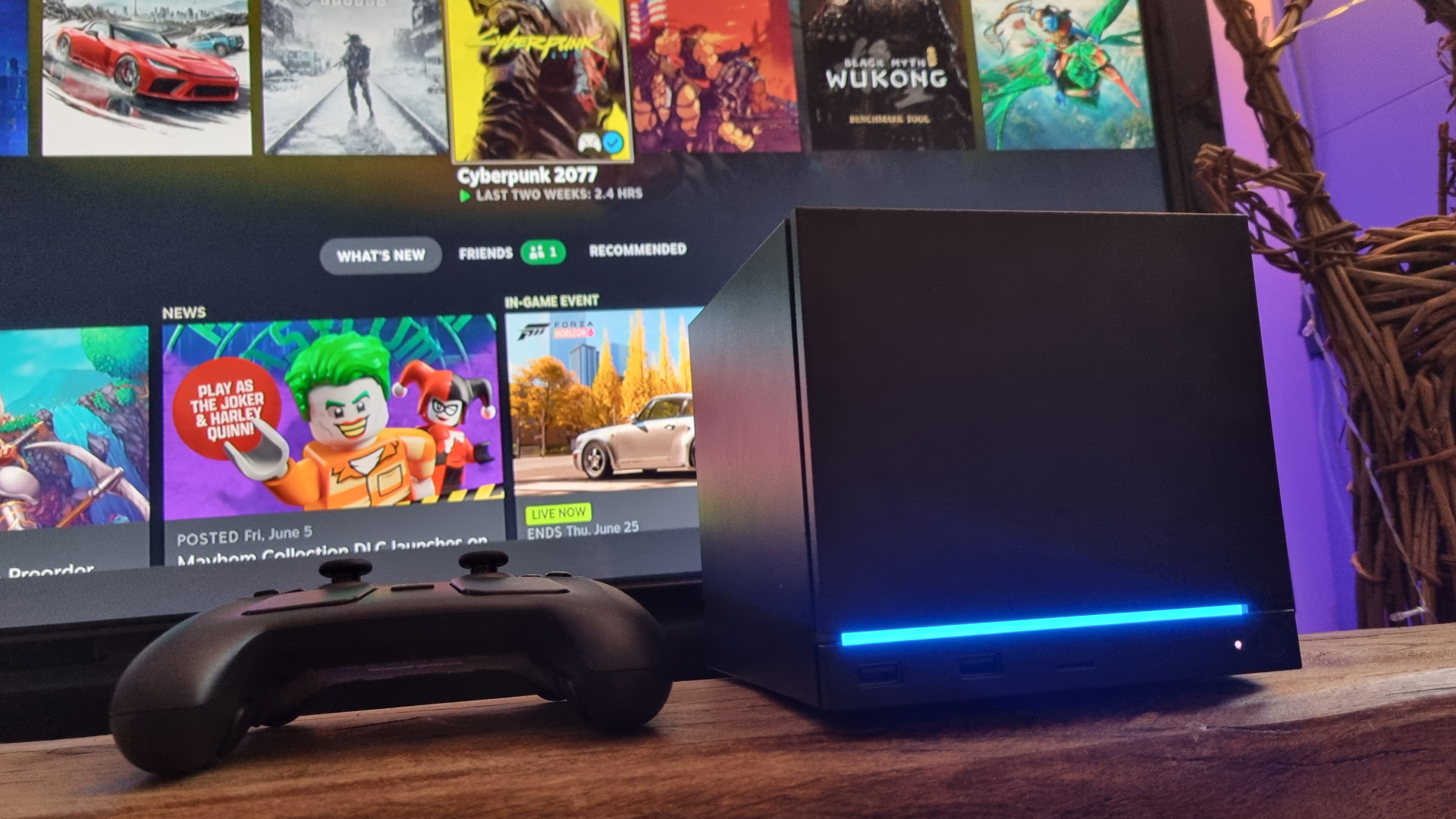
The RDNA 3-based GPU inside the Steam Machine has left me feeling, if I’m honest, rather deflated. It’s certainly possible to drop the settings, bump up the upscaling, and squeak some smooth gaming performance out of the little black box. But the drawbacks feel like a step too far when you’re paying this sort of cash.
The idea might be to bring the PC gaming experience to your living room, but if that experience includes smooth frame rates in demanding games, you’re going to have to make some major compromises. And, because of its Linux origins, it hasn’t been a flawless experience getting some of those games to run properly to begin with, either.
I want to get excited about the Steam Machine, I really do. It’s a fascinating piece of design, and an admirable attempt to bring PC gaming from your desktop to your couch in one bite of the cherry. But like so much hardware these days, it’s been hampered with a price tag that, given what you actually receive, feels like far too much to pay.
Buy if:
✅ You’re well-heeled and curious: If the price tag above made you shrug your shoulders, and you want a fascinating little under-TV PC gaming box to mess around with, the Steam Machine starts to make sense.
✅ You’re not planning on playing anything too demanding: The Steam Machine requires a ton of upscaling and frame generation help to deliver smooth frames in demanding games, with all the compromises that entails. If you’re more of an indie gamer, though, it’s got enough grunt to get by with little issue.
Don’t buy if:
❌ You want high performance: You can get much better performance for your money from a regular gaming PC hooked up to your telly box for similar cash. It won’t be anywhere near as small, or as cute, but your games will look and run better. And that counts for a lot.
❌ You’re on a budget: Yes, you’ve probably spotted a theme already. The Steam Machine would make sense if it was affordably priced—but as things stand, the value proposition just doesn’t add up.
Steam Machine features
|
Steam Machine |
|
|
CPU |
Semi-custom AMD Zen 4 6C / 12T |
|
CPU Max. clockspeed |
4.8 GHz |
|
GPU |
Semi-custom AMD RDNA 3 |
|
Max. sustained GPU clockspeed |
2.45 GHz |
|
RAM |
16 GB DDR5 |
|
Dedicated VRAM |
8 GB GDDR6 |
|
Storage |
512 GB / 2 TB |
|
Connectivity |
2×2 Wi-Fi 6E, Bluetooth 5.2, integrated 2.4 GHz Steam Controller wireless adapter |
|
I/O |
2x USB Type-A 3.2 (front). 2x USB Type-A 2.0, 1x USB Type-C 3.2, 1x DisplayPort 1.4, 1x HDMI 2.0 (rear) |
|
Extras |
Optional Steam Controller, customisable face plates, HDMI 2.0 cable |
|
Price |
512 GB model w/out controller: $1,049/£879. With controller: $1,128/£938. 2 TB model w/out controller: $1,349/ £1,149. With controller (as reviewed): $1,428/£1,208. |
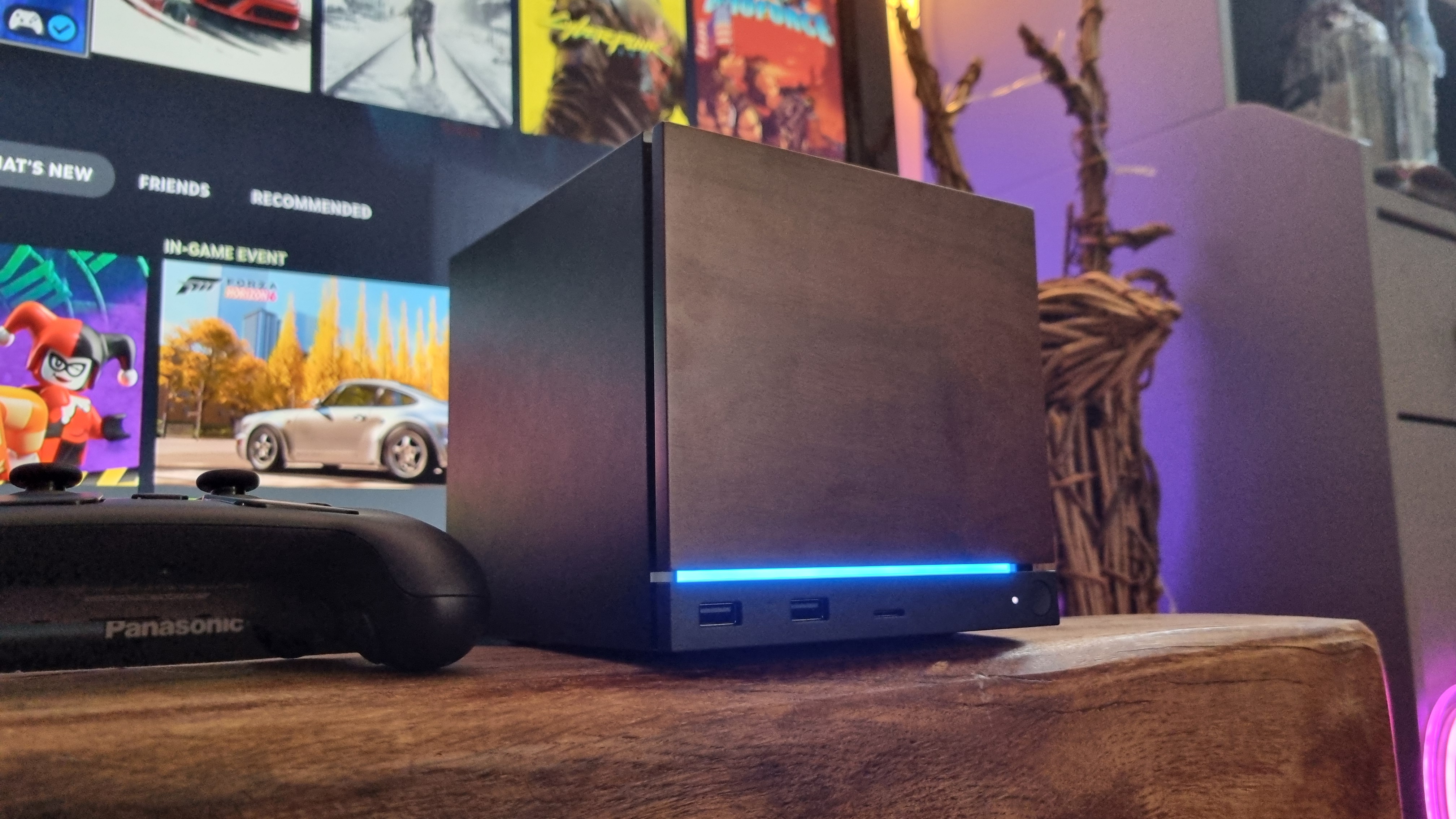
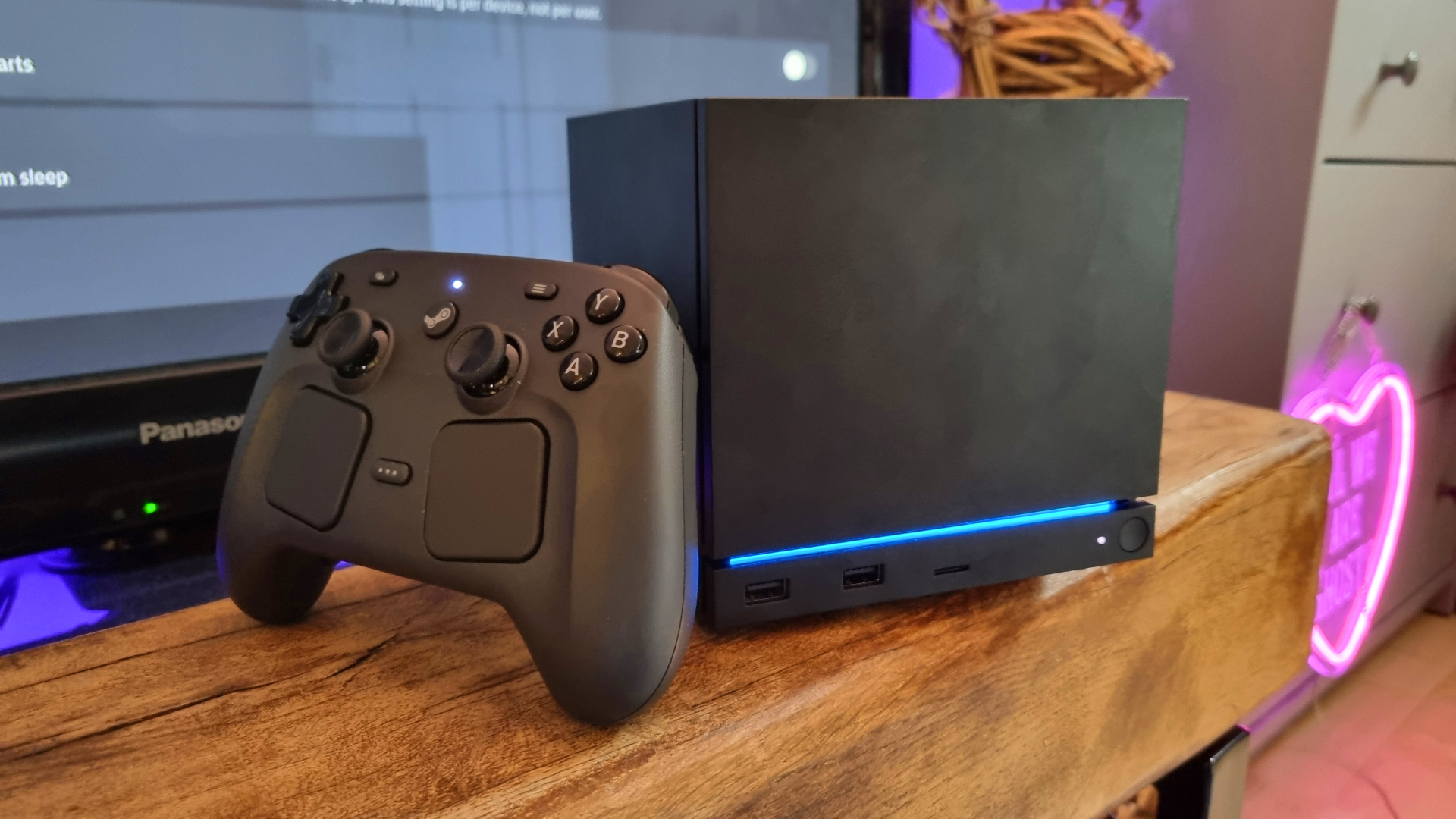
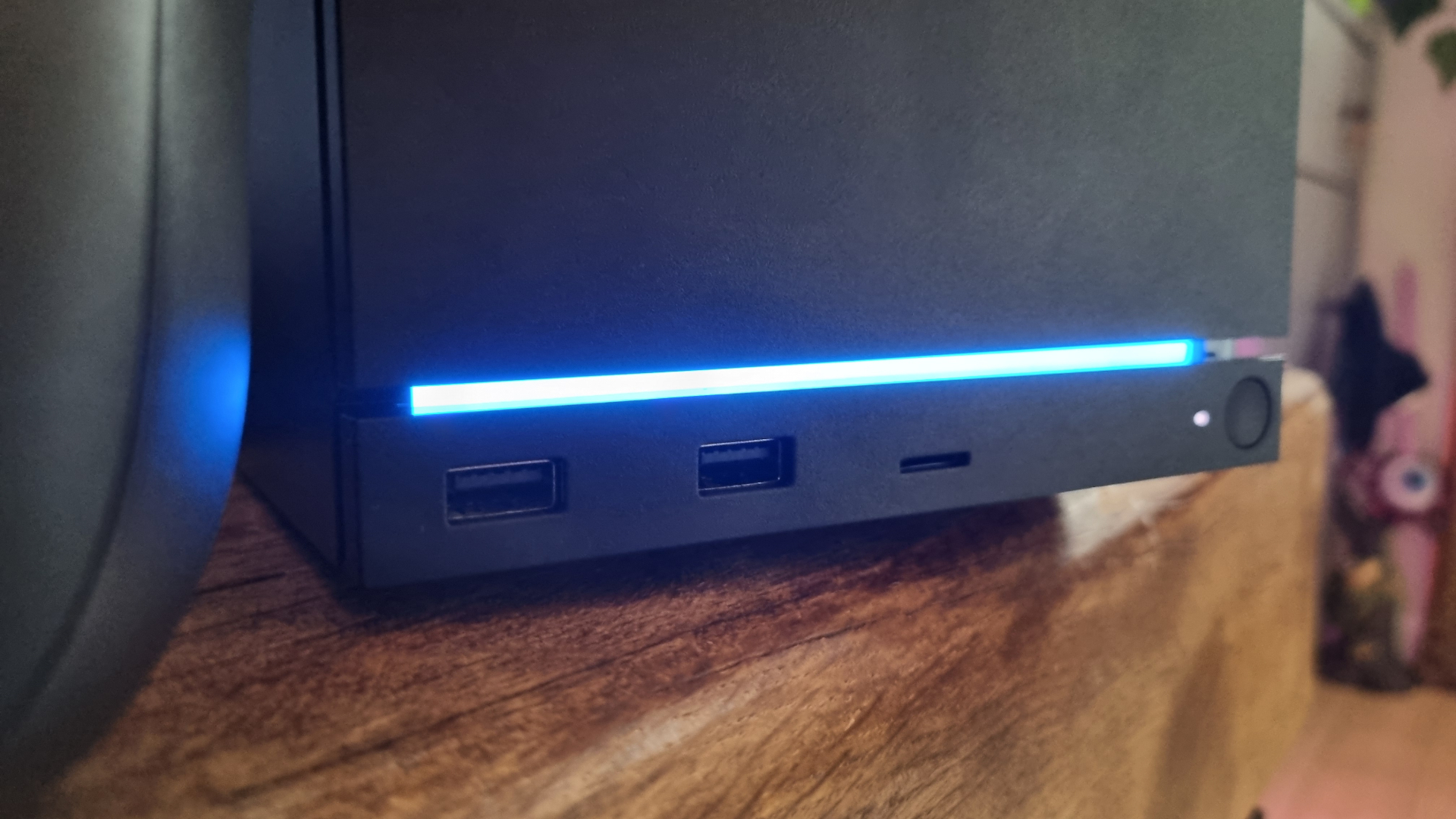
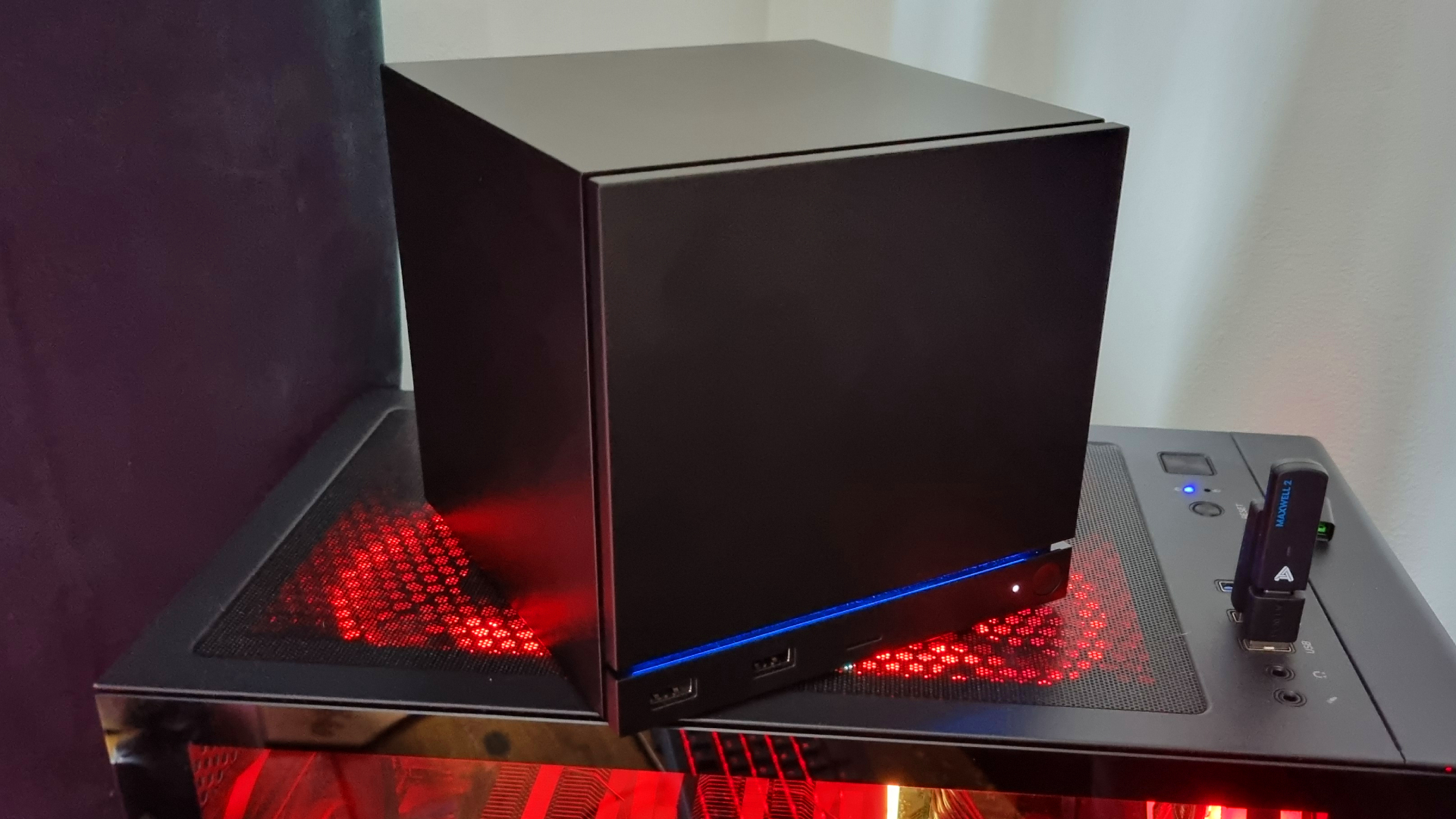
The Steam Machine is, by default, a black cube. Measuring 15.2 x 15.6 x 16.2 cm, its top is a touch smaller than a handspan. Or mine, at the very least. Underneath the removable magnetic front face plate (two extras are included in the box with the 2 TB bundle) is a small panel consisting of a power button on the right hand side, two USB 3.0 Type-A ports, and a microSD card slot.
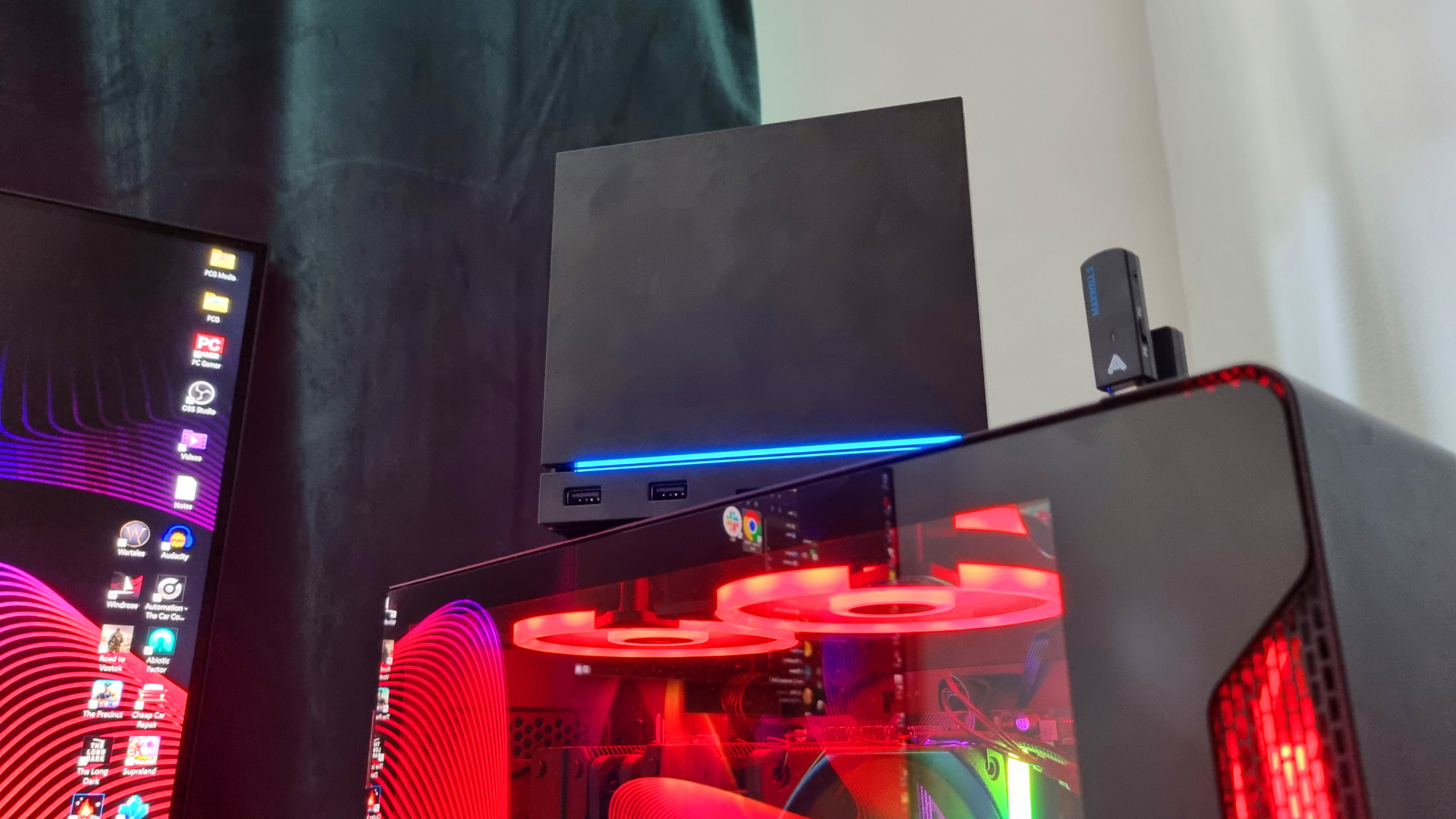
Above them lies an RGB strip, which by default lights up in blue while you’re gaming or downloading, and turns off at idle. Around the back are two USB 2.0 Type-A ports, a single USB 3.2 Gen 2 Type-C port rated to 10 Gbps, and a 1 Gbps ethernet connection. For display options, you’ve got a choice of a DisplayPort 1.4 connection, or an HDMI 2.0 port.
And of course, it can be bundled with a Steam Controller, which is a sizable symmetrical-style unit with twin TMR thumbsticks, eight face buttons, four rear grip buttons, two trackpads, haptic rumble, gyro controls, and a 35+ hour battery life. It’s perhaps not the prettiest of objects, but as our Jacob found in his review, it sure is comfortable. Useful, too.
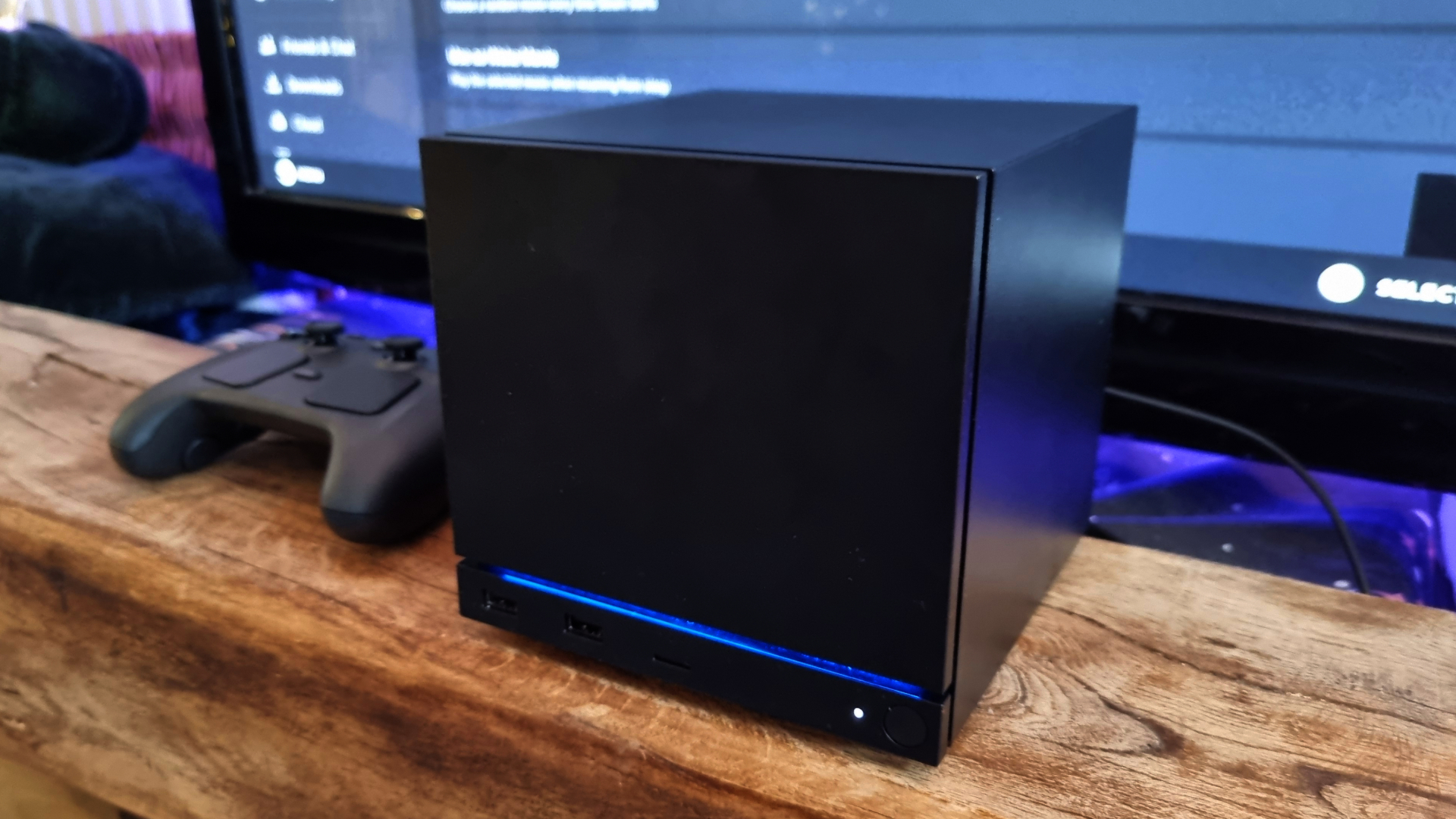
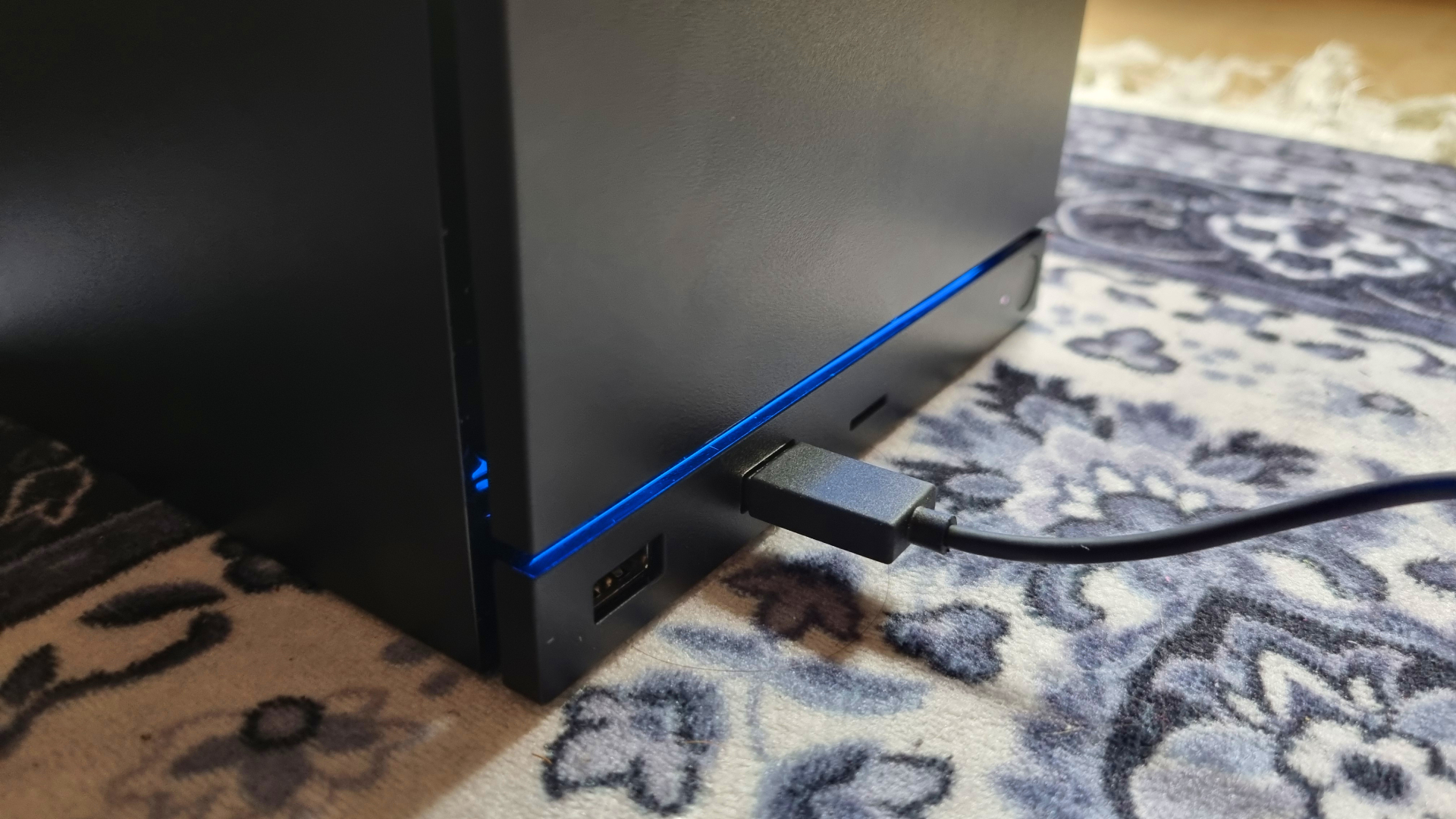
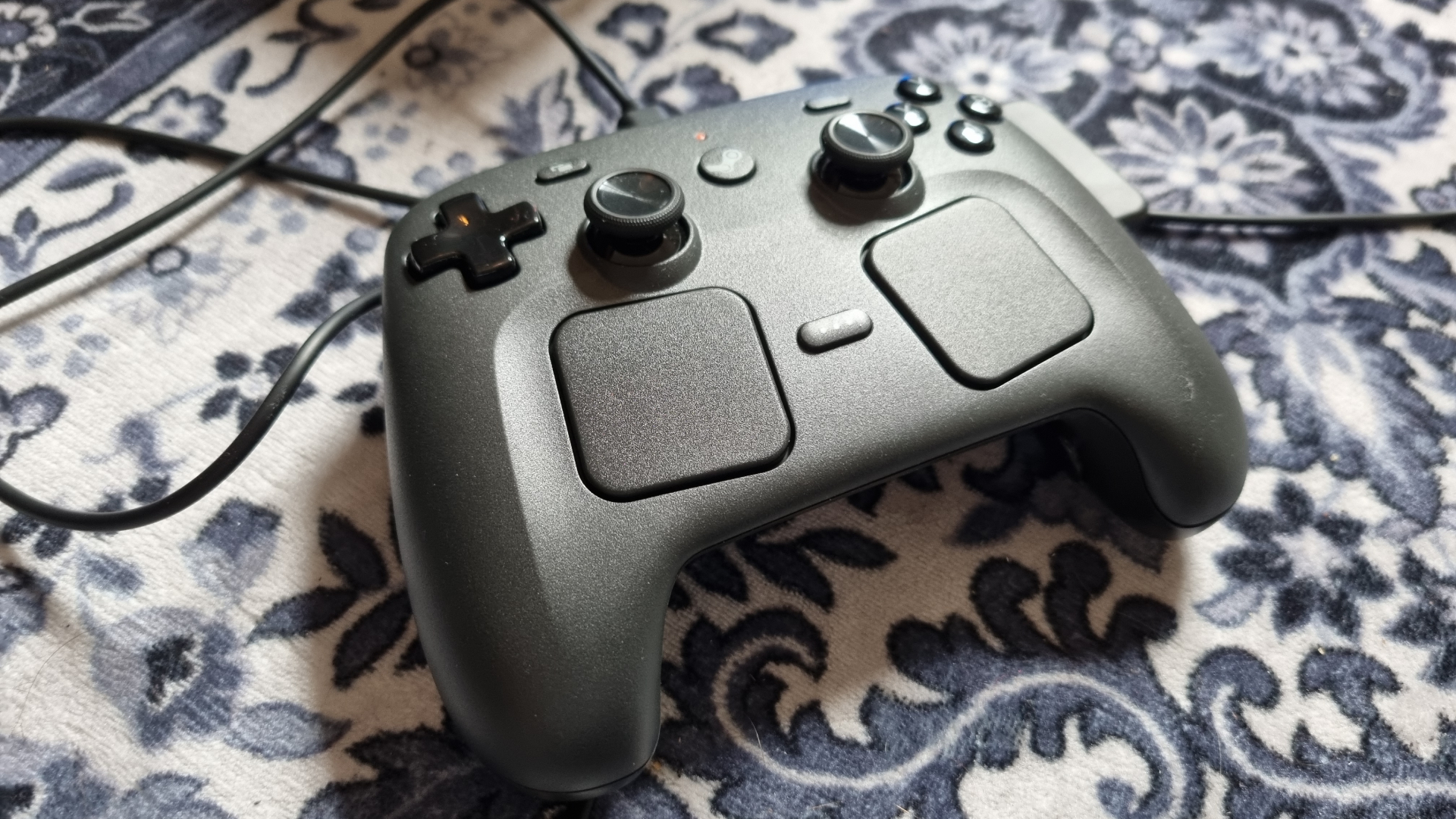
On the outside, the Steam Machine is a very unassuming little device, which is certainly by design. It’s the internals, however, where things get really interesting.
Under the hood lies a semi-custom AMD Zen 4 CPU with six cores and 12 threads, alongside 16 GB of system RAM. The GPU is also a semi-custom AMD RDNA 3 job, with 8 GB of dedicated GDDR6 VRAM, 28 compute units, a sustained max clock speed of 2.45 GHz, and a 110 W TGP.
Being a semi-custom GPU, it’s difficult to make a direct comparison with existing RDNA 3 graphics cards—although the budget RX 7600 XT from the same generation features 32 compute units and a similar game clock speed.
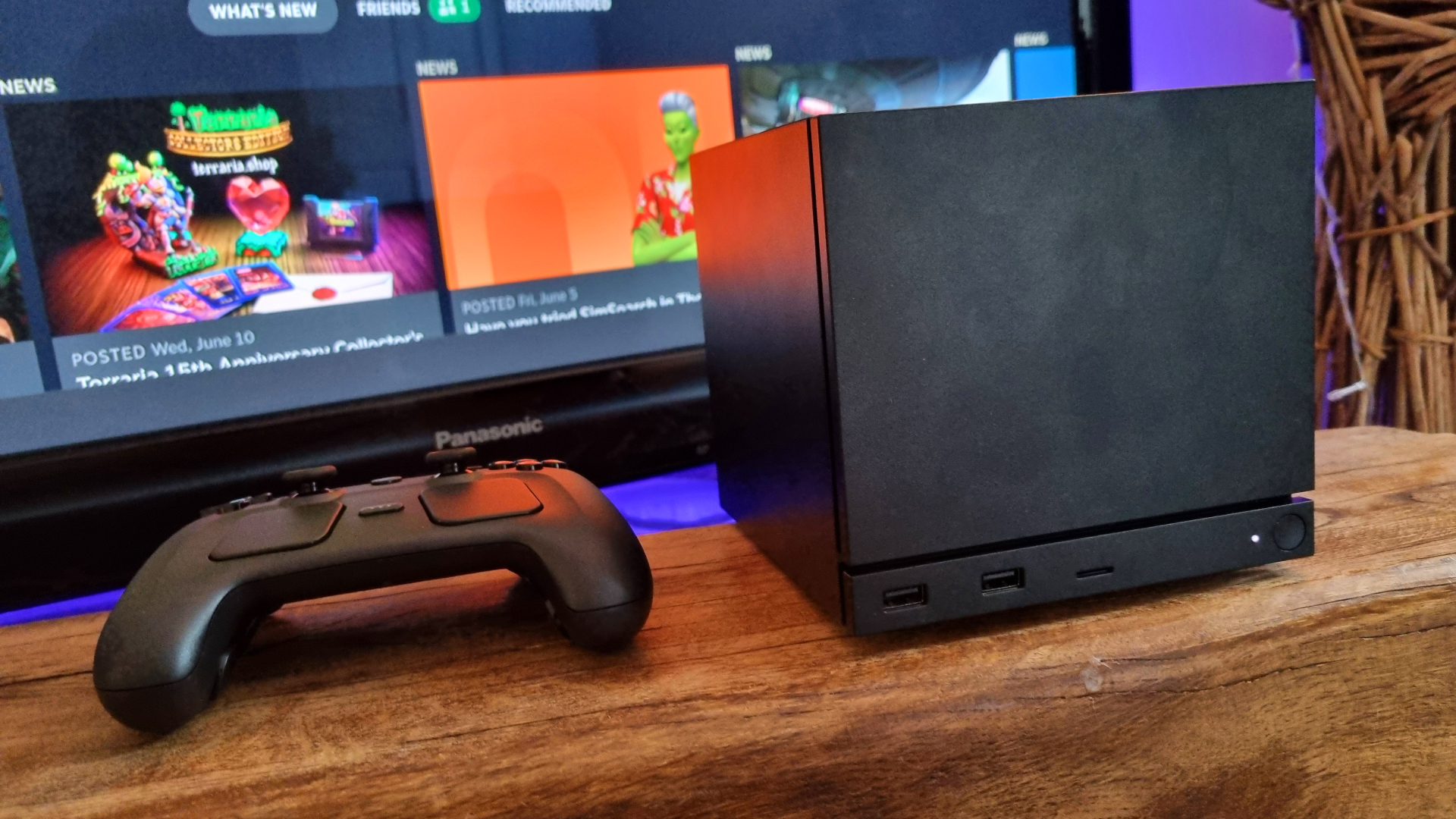
The Steam Machine comes in two different storage flavours: 512 GB and 2 TB. I’ve got the 2 TB model, which provides plenty of storage for many, many games. Should you opt for the 512 GB variant, you’ll want to keep an eye on install sizes.
Speaking of games, the Steam Machine makes use of SteamOS 3, an Arch-based Linux implementation with the KDE Plasma interface, allowing you to directly interface with your Steam library and the storefront. Steam Deck users will be very familiar with this design, although there are of course more options to tweak in the settings menus for the Steam Machine itself. More on that later.
For connecting to the outside world, beyond the already-mentioned ethernet port you also get a 2×2 Wi-Fi 6E connection and Bluetooth 5.3 support. The Steam Controller connects via an integrated 2.4 GHz wireless adapter, although requires the included puck or cable to be used for pairing on initial setup.
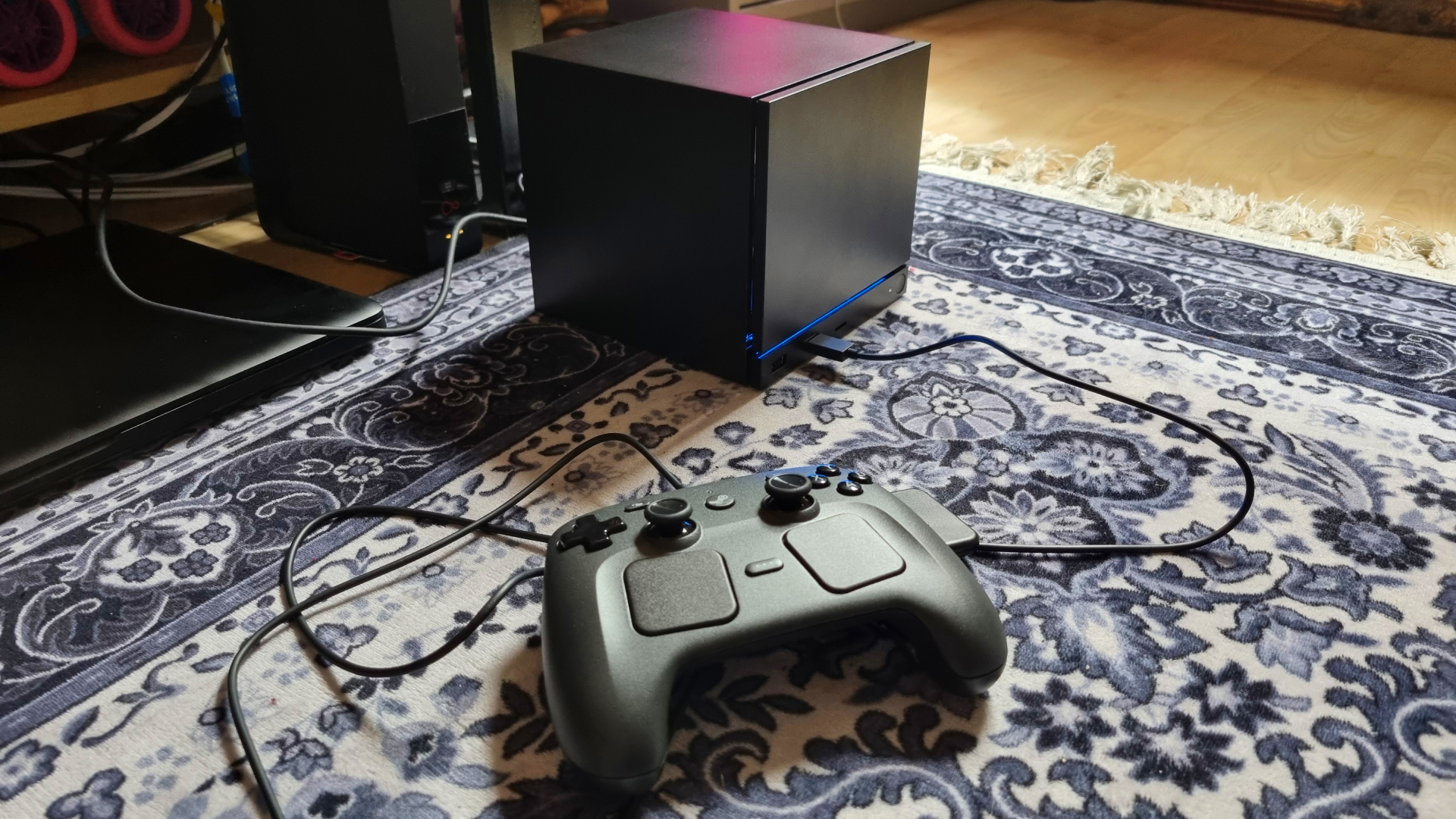
It’s pretty impressive to think of the sheer amount of hardware and connectivity options Valve has crammed inside such a relatively small chassis design. Especially when you consider that, in terms of cooling, air is moved by a single 120 mm fan around the back.
As our Jacob found when he held a caseless prototype model, inside is a substantial heatsink which obscures the motherboard almost entirely, distributing heat away from all of the internal components.
Overall, the Steam Machine feels… solid. More solid than I was expecting, actually, despite its reasonable 2.6 kg weight. Given the form factor, you could easily shove it in a decently sized backpack to take around a friend’s house. Although the design here is definitely specced to fit within an under-TV living room unit—where it’ll live, faceless and mysterious, next to your other consoles and set-top boxes.
Steam Machine performance
And so we reach the first major sticking point. The Steam Machine 2 TB bundle is, in essence, a $1,428 mini gaming PC. As a result, it’s only fair the little black cube goes up against our gaming PC benchmark suite in competition with similarly-priced machines.
Put aside the tidy form factor, the SteamOS experience, and the delightful “Valve-ness” of the thing for a second. If you’re buying one of these, you’re going to want your games to run well, and for it to deliver comparable performance to a gaming PC you could have spent your cash on instead.
And I’m not going to sugar-coat it—the benchmarking results are a little ugly.
Gaming benchmarks
Avg FPS
1% Low FPS
| Product | Value |
|---|---|
| Steam Machine | 21 Avg FPS, 17 1% Low FPS |
| AtomMan G1 Pro | RTX 5060 | AMD Ryzen 9 8945HX | 44 Avg FPS, 38 1% Low FPS |
| Lenovo Legion Tower 5i | RTX 4060 | Intel Core i5 14400F | 33 Avg FPS, 25 1% Low FPS |
| Custom PC #11 (issue 413) | Arc B570 | Intel Core Ultra 7 265K | 28 Avg FPS, 24 1% Low FPS |
Avg FPS
1% Low FPS
| Product | Value |
|---|---|
| Steam Machine | 16 Avg FPS, 12 1% Low FPS |
| AtomMan G1 Pro | RTX 5060 | AMD Ryzen 9 8945HX | 32 Avg FPS, 26 1% Low FPS |
| Lenovo Legion Tower 5i | RTX 4060 | Intel Core i5 14400F | 24 Avg FPS, 19 1% Low FPS |
| Custom PC #11 (issue 413) | Arc B570 | Intel Core Ultra 7 265K | 26 Avg FPS, 23 1% Low FPS |
Avg FPS
1% Low FPS
| Product | Value |
|---|---|
| Steam Machine | 28 Avg FPS, 20 1% Low FPS |
| AtomMan G1 Pro | RTX 5060 | AMD Ryzen 9 8945HX | 86 Avg FPS, 69 1% Low FPS |
| Lenovo Legion Tower 5i | RTX 4060 | Intel Core i5 14400F | 60 Avg FPS, 49 1% Low FPS |
| Custom PC #11 (issue 413) | Arc B570 | Intel Core Ultra 7 265K | 81 Avg FPS, 74 1% Low FPS |
Avg FPS
1% Low FPS
| Product | Value |
|---|---|
| Steam Machine | 46 Avg FPS, 26 1% Low FPS |
| AtomMan G1 Pro | RTX 5060 | AMD Ryzen 9 8945HX | 59 Avg FPS, 42 1% Low FPS |
| Lenovo Legion Tower 5i | RTX 4060 | Intel Core i5 14400F | 60 Avg FPS, 40 1% Low FPS |
| Custom PC #11 (issue 413) | Arc B570 | Intel Core Ultra 7 265K | 57 Avg FPS, 24 1% Low FPS |
Avg FPS
1% Low FPS
| Product | Value |
|---|---|
| Steam Machine | 20 Avg FPS, 16 1% Low FPS |
| AtomMan G1 Pro | RTX 5060 | AMD Ryzen 9 8945HX | 26 Avg FPS, 20 1% Low FPS |
| Lenovo Legion Tower 5i | RTX 4060 | Intel Core i5 14400F | 23 Avg FPS, 17 1% Low FPS |
| Custom PC #11 (issue 413) | Arc B570 | Intel Core Ultra 7 265K | 17 Avg FPS, 13 1% Low FPS |
Avg FPS
1% Low FPS
| Product | Value |
|---|---|
| Steam Machine | 31 Avg FPS, 26 1% Low FPS |
| AtomMan G1 Pro | RTX 5060 | AMD Ryzen 9 8945HX | 37 Avg FPS, 33 1% Low FPS |
| Lenovo Legion Tower 5i | RTX 4060 | Intel Core i5 14400F | 48 Avg FPS, 42 1% Low FPS |
| Custom PC #11 (issue 413) | Arc B570 | Intel Core Ultra 7 265K | 27 Avg FPS, 17 1% Low FPS |
Avg FPS
1% Low FPS
| Product | Value |
|---|---|
| Steam Machine | 45 Avg FPS, 30 1% Low FPS |
| AtomMan G1 Pro | RTX 5060 | AMD Ryzen 9 8945HX | 52 Avg FPS, 36 1% Low FPS |
| Lenovo Legion Tower 5i | RTX 4060 | Intel Core i5 14400F | 53 Avg FPS, 36 1% Low FPS |
| Custom PC #11 (issue 413) | Arc B570 | Intel Core Ultra 7 265K | 50 Avg FPS, 31 1% Low FPS |

Yes, that’s a 28 fps average result in Cyberpunk 2077 at 1440p Medium RT, with Quality FSR enabled, no frame gen. RDNA 3-era graphics hardware usually struggles with ray tracing, and the Steam Machine’s 28 CU semi-custom GPU is no exception.
It’s particularly shocking when you compare it with the AtomMan G1 Pro, an RTX 5060-equipped (albeit with 1 TB of storage) mini PC currently available for around $10 more, which manages 58 extra frames on average at the same settings.
Similarly, the Avatar: Frontiers of Pandora benchmark gives the Steam Machine some serious trouble, resulting in a 21 fps average at Ultra settings. Compare that with the G1 Pro, which churns out over double the frame rate. In fact, even the RTX 4060-equipped Lenovo Legion Tower 5i manages a respectable 33 fps result at the same settings, which goes to show roughly where we’re at.
That’s a budget gaming PC with last-gen components… and it’s got the Steam Machine thoroughly licked across almost all of my benchmarks.
That’s not to say the Steam Machine gets completely trounced in every benchmark. It beats one of our custom, Intel Arc B570-equipped PC builds in Black Myth Wukong, both with and without upscaling. If we were to build that PC today, it would be slightly more expensive than the Steam Machine 2 TB bundle—mostly due to the beefy Core Ultra 265K CPU and pricey RAM.
Still, you could save some money with a weaker CPU and (slightly) cheaper RAM, and get very similar gaming performance. Again, the RTX 4060, Intel Core i5 14400F-toting Legion Tower 5i powers ahead of the Steam Machine in Black Myth (with upscaling enabled) quite convincingly. That’s a budget gaming PC with last-generation components, no two ways about it. And it’s got the little Steam Machine thoroughly licked across almost all of my benchmarks.
Steam Machine real-world testing
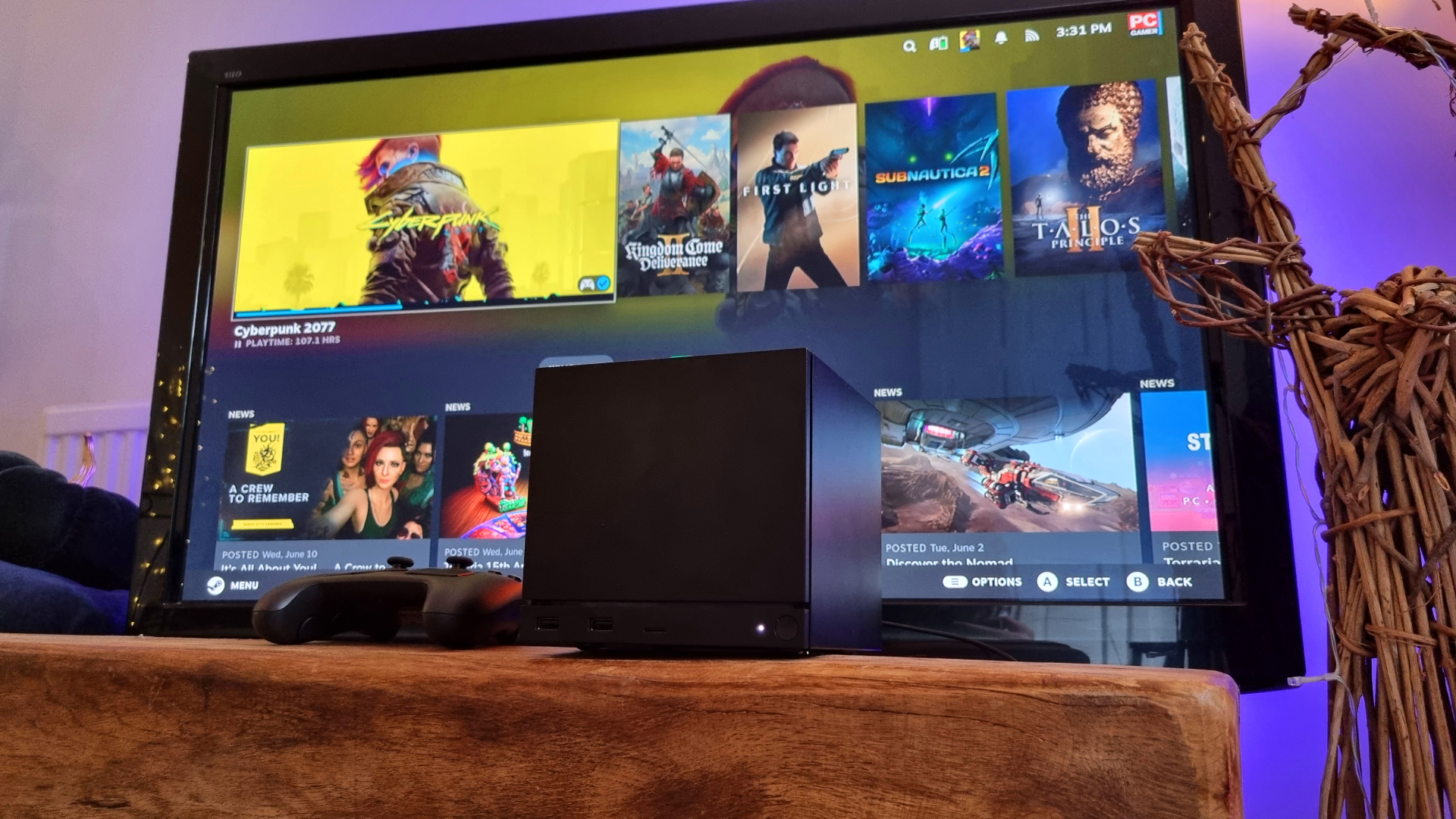
It’s important to remember that the Steam Machine is designed for your living room TV, which these days is likely to be a 4K-native model. So, putting our comparative benchmarks aside for a second, I decided to jump into three relatively demanding (and very popular) PC games at 4K resolution, and see how far I had to drop the settings to get a mostly-solid 60 fps.
In the case of Cyberpunk 2077, I managed to get a 58-61 fps average by dropping the settings to Medium (no ray tracing), bumping FSR into its Performance mode, and enabling 2x frame generation. That means the base frame rate is still trundling away at somewhere around the 30 fps mark, even with the upscaler working at its hardest.
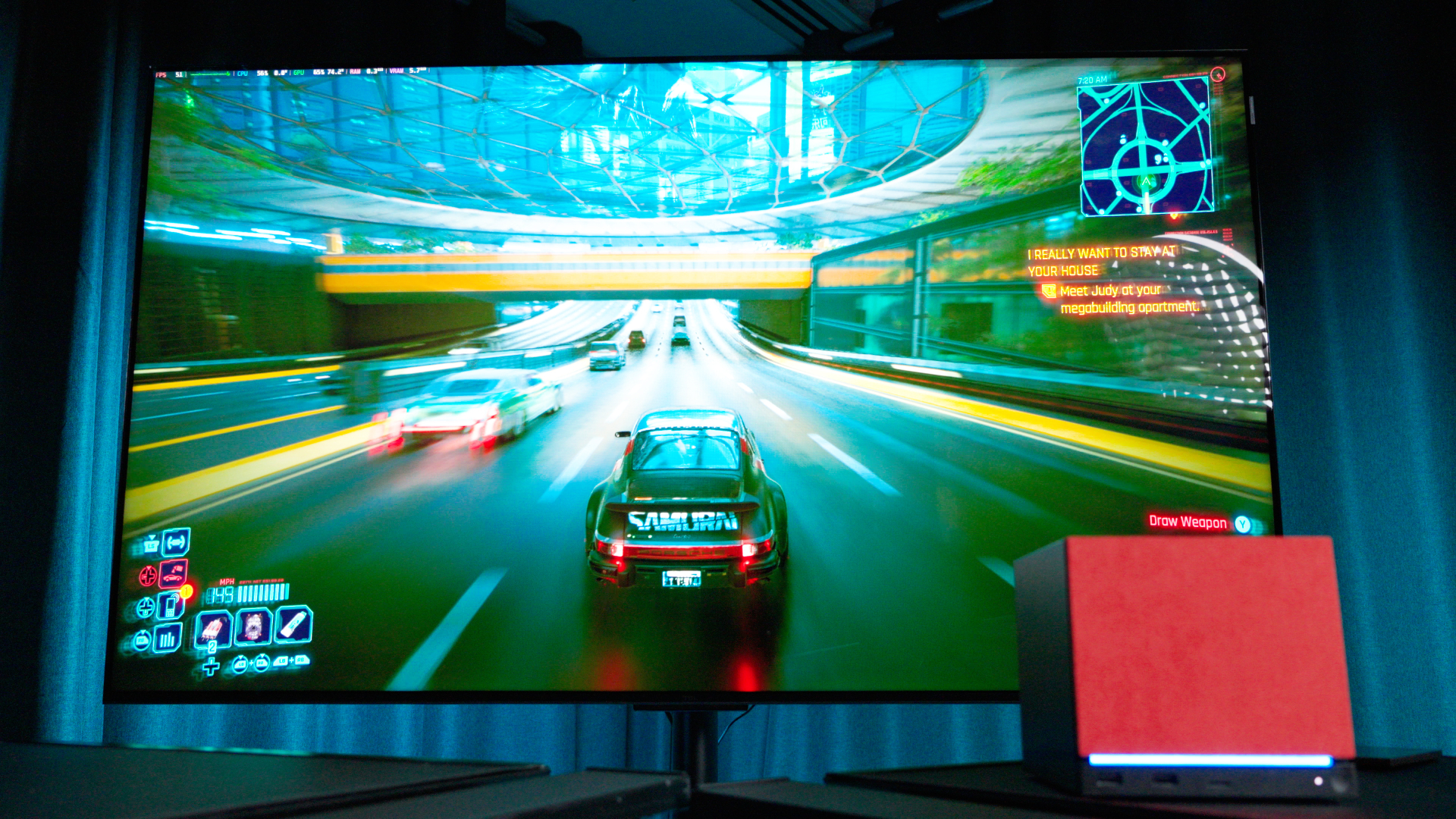
Which means added latency, and some messy visuals. It’s not a straight-up bad experience at these settings, but you can definitely see the FSR/frame gen combo struggling with details and fast movement on a regular basis. Could I play Cyberpunk 2077 like this? Sure, I guess. Would I feel good about it, having dropped $1,000+ on a new piece of hardware? Hmm. Pass, I think.
In the case of the newly-released (and fairly well-optimised) Forza Horizon 6, you can forget ray tracing if you want 60 fps at 4K. At this point, that’s probably no surprise. However, you can just about keep things smooth with a combo of FSR Performance and High settings.
Can the Valve box deliver in the demanding stuff? Sometimes. As long as you’re prepared to make some pretty major compromises.
There’s the occasional dip into the low 50s in downtown Tokyo, but it’s plenty playable. Cutscene characters look a bit fuzzy, though, and given that frame gen in this game is an Nvidia-only option, you’ll need to drop things further if you want higher/more consistent frames.
And then there’s Lego Batman: Legacy of the Dark Night. At Medium settings, with FSR set to Performance and with frame generation enabled, you can indeed live your best Batman life at 4K 60 fps. Just about. Again, there’s the odd dip, and the base frame rate is pretty low, so the extra latency is definitely palpable.
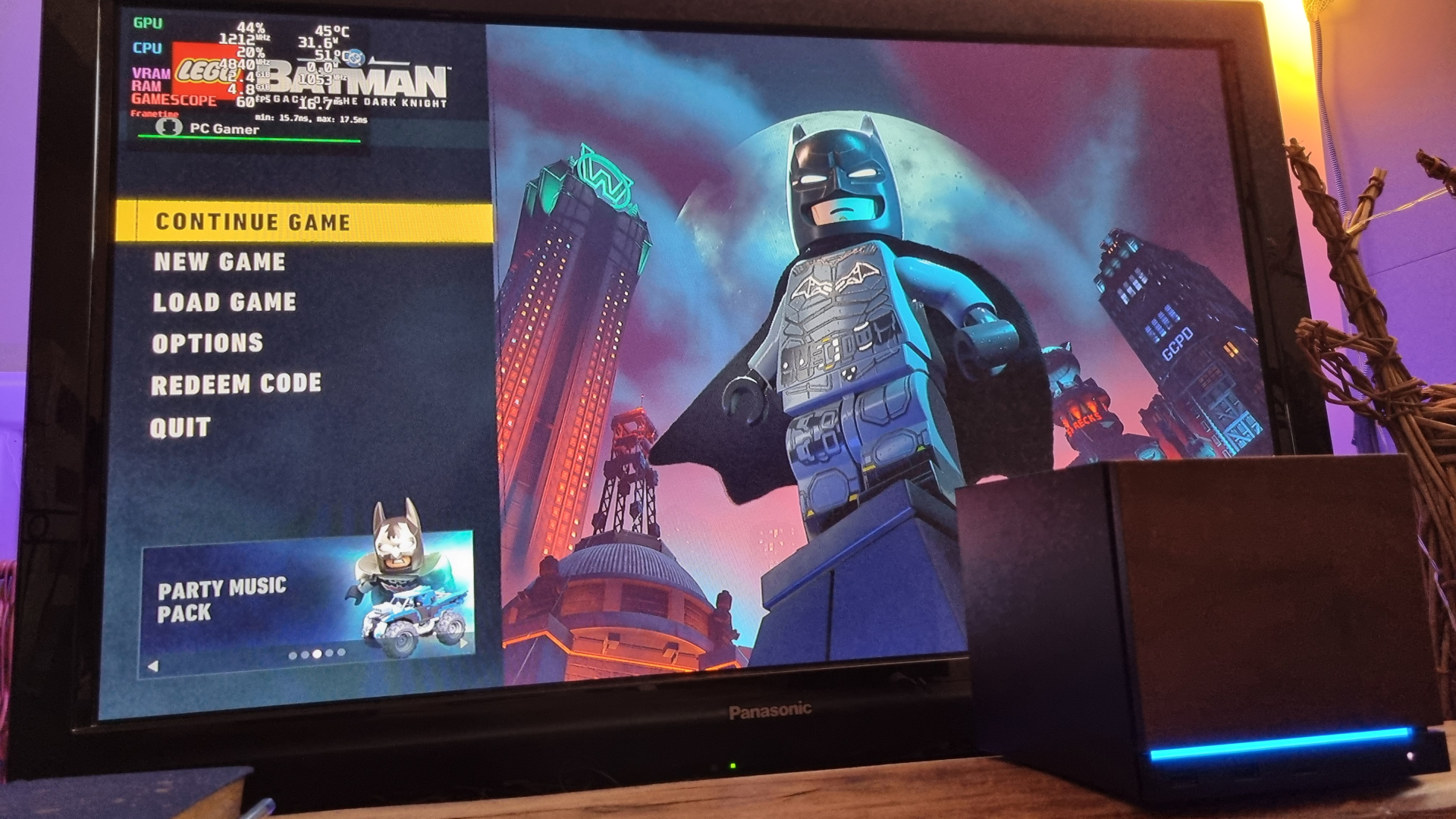
And again, FSR in all its older iterations looks rough around the edges at Performance settings. Valve says it’s working on FSR 4 support for the Steam Machine, but for now, older FSR is what you get as an AMD-specific option.
You might be finding this all a bit obvious. The Steam Machine isn’t particularly powerful, so why would I expect high resolution and 60+ frames from my tiny under-TV box? Well, Valve said as much when it first unveiled the Steam Machine last year, stating that 4K60 in your Steam games was its benchmark. And 4K TVs are pretty much the standard at this point. While you can drop the res below native, you’re really not going to want to if image quality is a concern.
And as for smooth frame rates? It’s sort of PC gaming’s thing, man. Especially when you’re spending proper PC gaming money.
Can the Valve box deliver in the demanding stuff? Sometimes. As long as you’re prepared to make some pretty major compromises in the upscaling, frame generation, and settings departments.
Steam Machine software
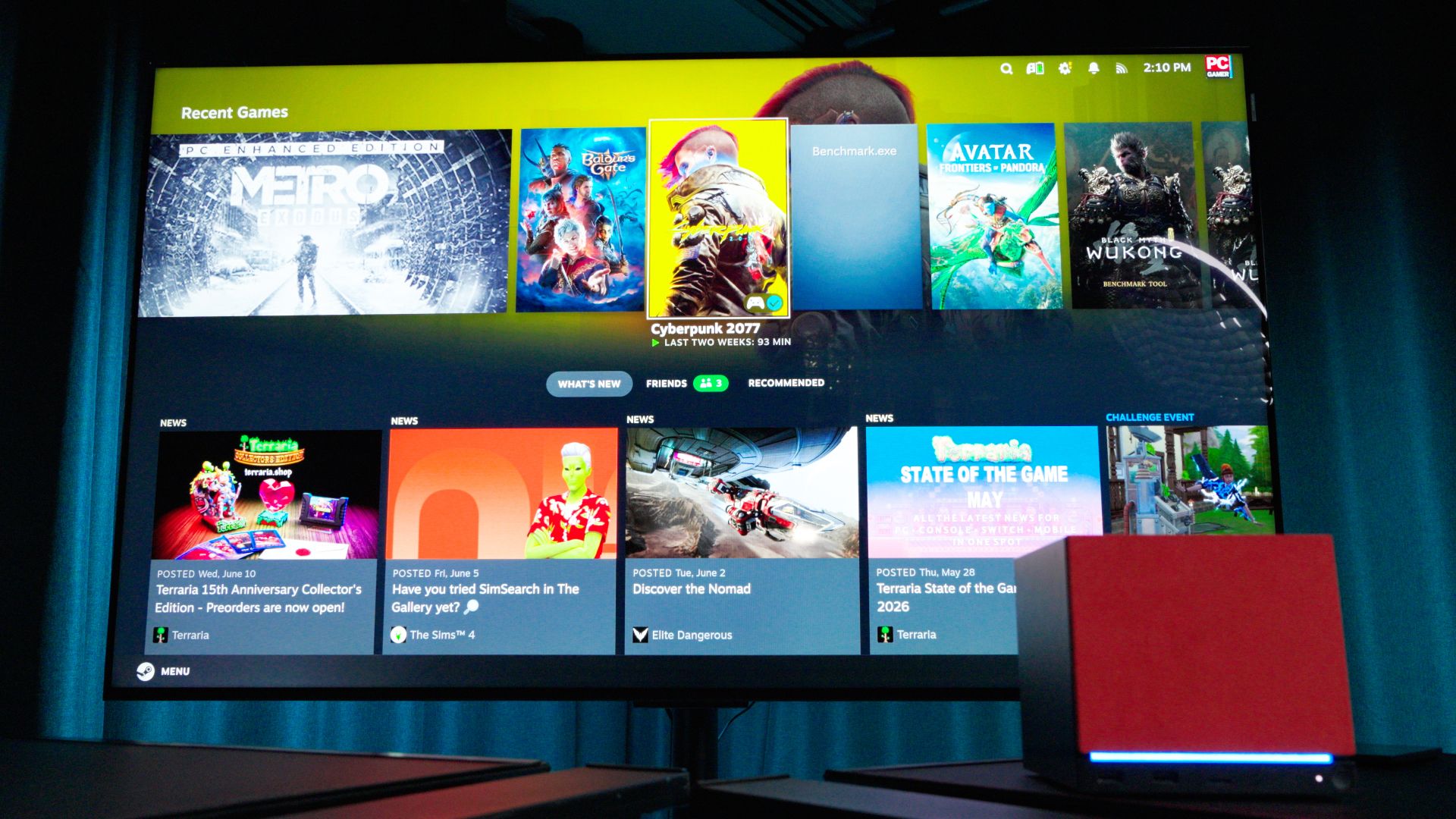
First time setup involves attaching the included power cable (and the rather meagre 1.8 metre HDMI cable), booting up the box, and connecting the Steam Controller via the wireless puck. After entering your Wi-Fi details and your Steam account login (and adjusting your screen scaling, which I’ll go into below) you’re then presented with the SteamOS interface, after any incidental updates.
Anyone who’s used a Steam Deck (or indeed, the Steam interface in general) will feel like they’re in familiar territory here. A press of the central Steam Controller button opens up a side menu to access your Library or the storefront itself, while also providing a litany of options menus. More still can be accessed with the three-dot button at the bottom of the input device.
One slight hang-up I experienced involved connecting the Steam Controller to the Steam Machine itself, so I could ditch the wireless puck. The menu system is a little obtuse, as the settings appear to want you to shutdown the controller while connected to the puck, boot it up, disconnect it, and then hold down a combination of buttons and bumpers to pair it with the internal connection while booting it up again. A three finger job.
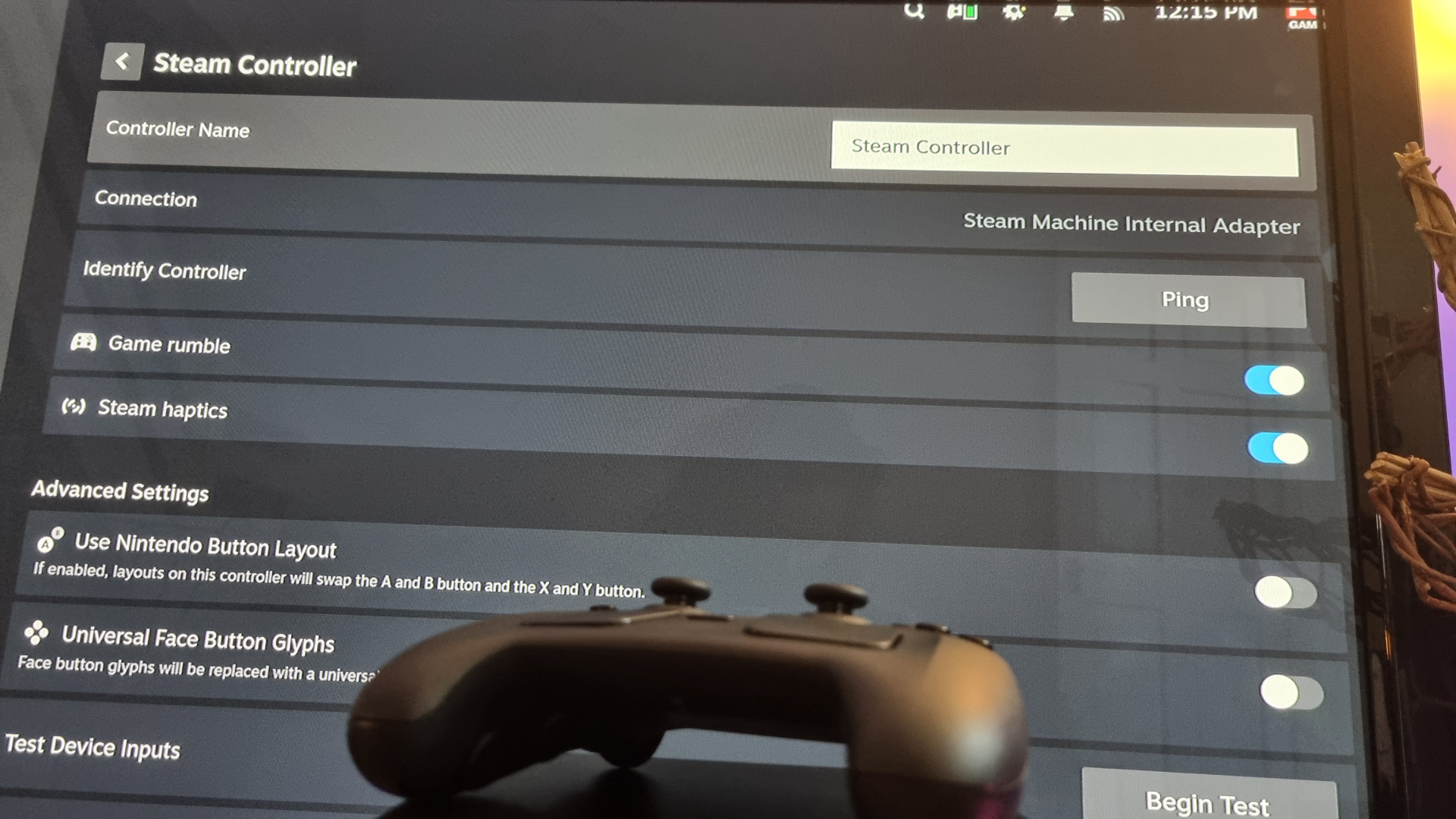
I think. It took a few goes, and I’m not quite sure which combination I used to eventually cause it to pair. In fact, if I had one overall critique of the Steam Machine software experience, it’s that the option menus often feel overly complicated.
Some are simple toggles, others are drop down menus, some are sliders, some are in strange orders, some are accessed with one button, some another… it’s all a bit much when you’re trying to lie back on the couch and game.
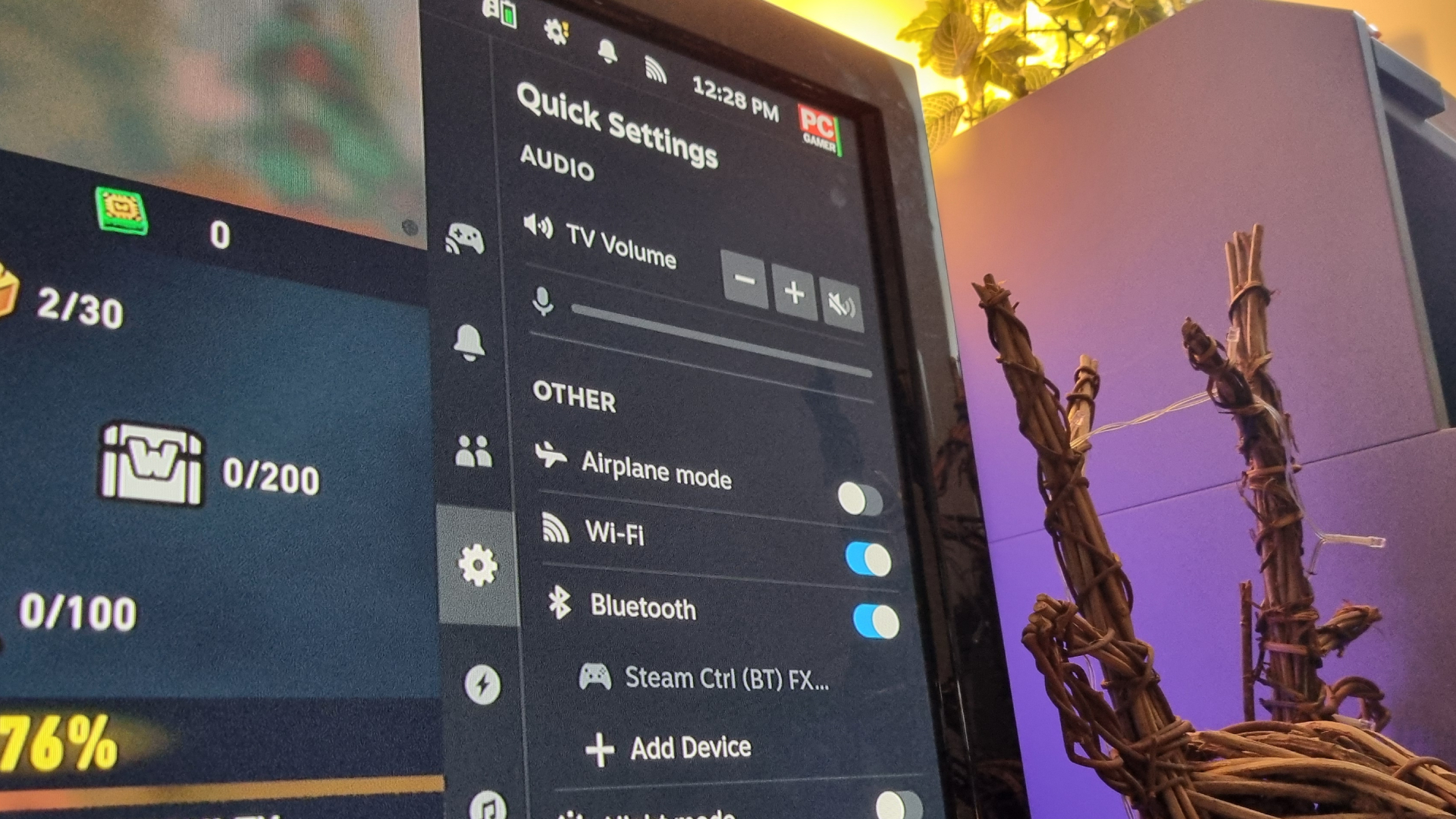
The onboarding process has other quirks, too. This could be user error, but on first setup I adjusted the scaling to fit my particular (ancient) 1080p TV, which the Steam Machine merrily ignored once I was booted into the OS itself. This led to much head-scratching as I figured out how to adjust it again from within the slightly unclear (and now poorly scaled) menu options.
Switching over to my 4K monitor, SteamOS seemed to recognise the native resolution immediately, and displayed the appropriately-scaled menus. I then jumped into several games, only to find the resolution maxed out at 1080p. According to Valve, this 1080p default is deliberate Steam Machine behaviour, designed “to ensure a good gameplay experience out of the box.”
Though I thought this was supposed to be a 4K-ready device?
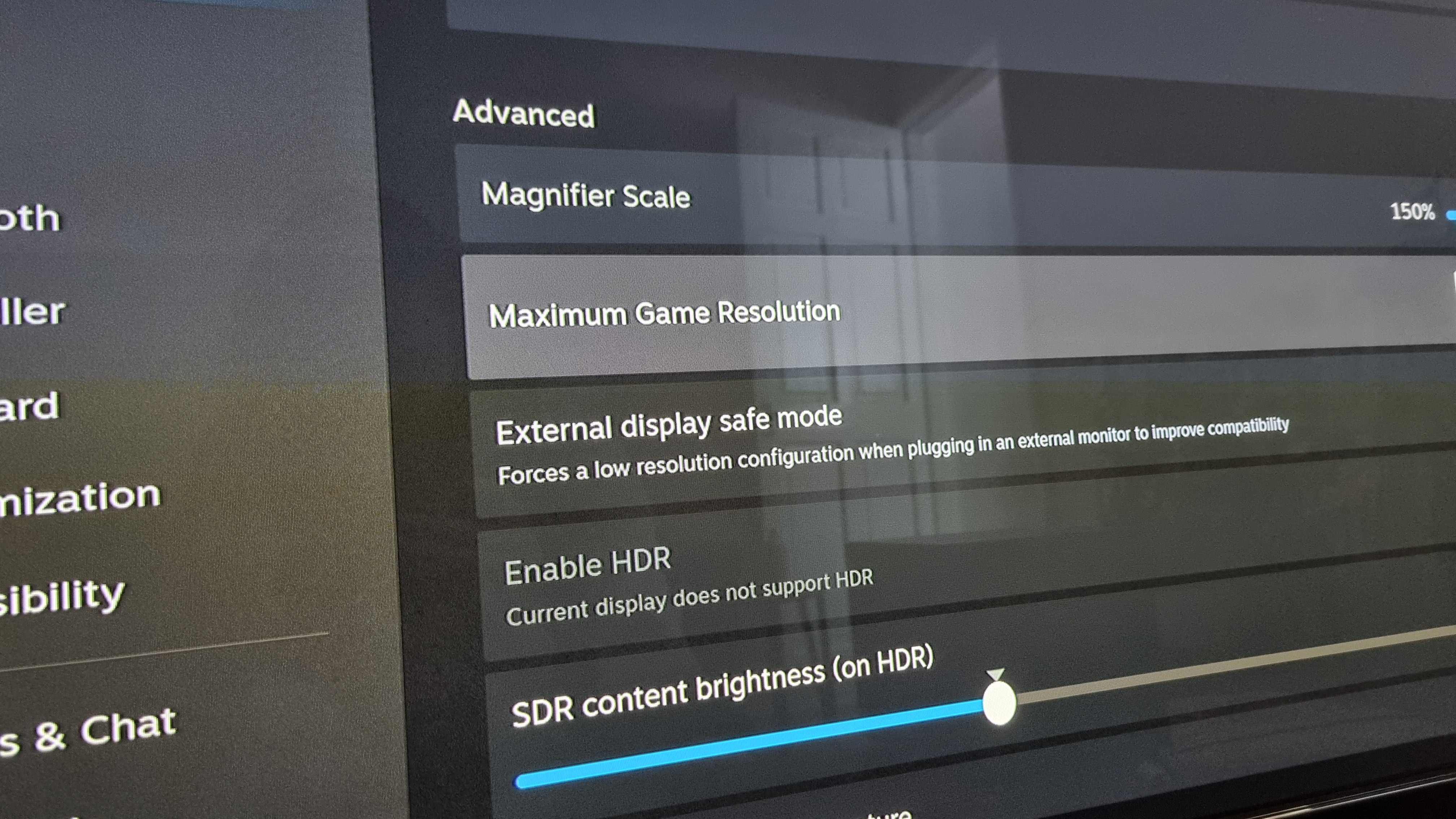
After some hunting around in the SteamOS menus, I discovered a secondary resolution option under the Advanced Display settings that was set to “default” in a dropdown menu. Adjusting this manually to the native resolution of my 4K screen allowed me to select higher resolutions in games. It had me stumped for a good 10 minutes or so, though, as the main resolution scaling settings didn’t do the trick.
I’ve had the odd game-specific issue, too. Baldur’s Gate 3, for example, repeatedly crashed on boot—until some searching revealed a similar issue with the Steam Deck. The fix is to enable a Proton experimental setting in the Compatibility menu, which handily works for the Steam Machine, too.
So, does Valve’s new box provide a seamless PC gaming experience? Well it hasn’t for me, I have to say. And while this sort of tweakery is common for those of us who do battle with the PC gaming gods—especially those of us who run Linux operating systems on the regular—I had hoped for a smoother ride from a living room-first machine. Valve says it’s working on various aspects of the interface for a better experience, but for now, it definitely feels like a work in progress.
Steam Machine aesthetics
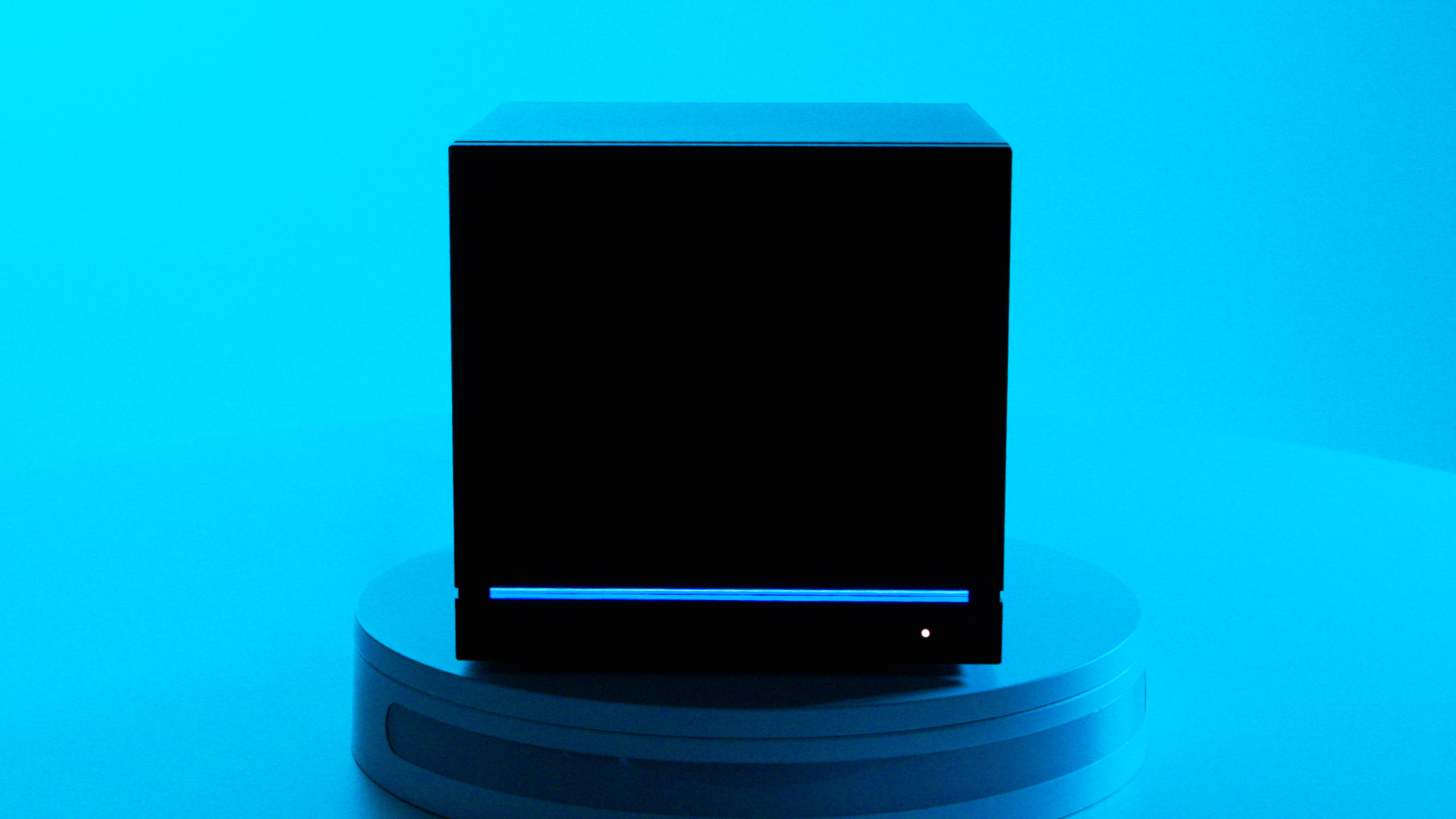
Opinions will vary here, but I’m a big fan of the Steam Machine’s design. There’s something high-tech, slightly ominous, and very Valve about the aesthetic. It looks and feels like an ancient artifact you’d find in a sci-fi shooter, some sort of key that unlocks a machine designed to bring about the end of the universe. I’m riffing here, but if you pick up one for yourself, you’ll see what I mean.
Should the all-black, all-knowing cube design not be to your tastes, there’s always the option to swap out the faceplates. These are attached with small magnets at all four corners to the front of the chassis, and pull themselves into place with a meaty thock.
Something I accidentally discovered is that, such is the force of the magnets, you can stack two together at once, although a single plate locks smoothly in line with the front I/O panel below. My top-end 2 TB Steam Machine bundle includes two extra plates, one covered in red fabric, and the other with a wood finish.
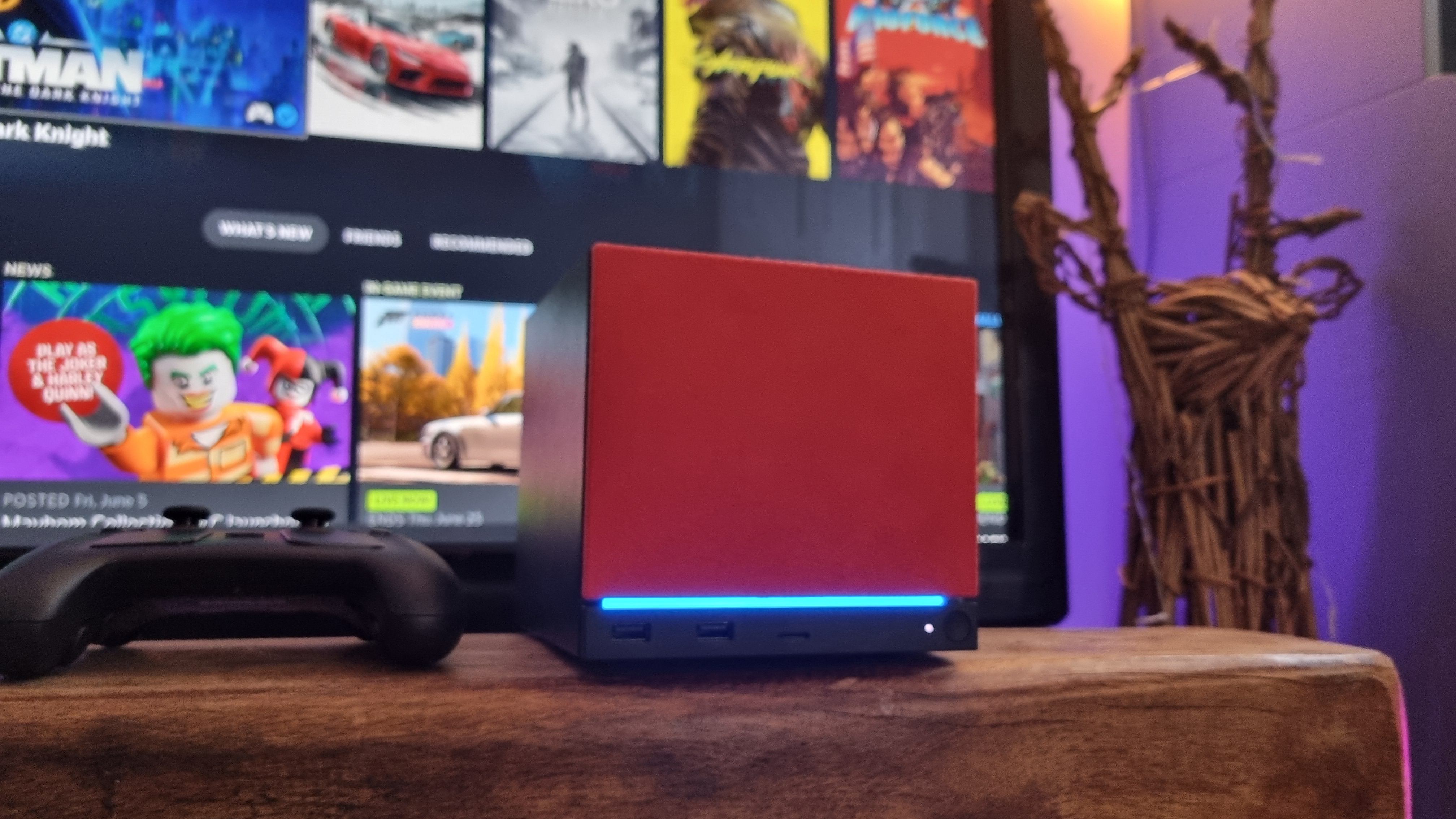
Tapping my finger against the latter, it appears to be an actual piece of tree—rather than a cheap walnut-style veneer. Very nice indeed, if you’re into that sort of thing.
My main point, however, is just how unassuming the Steam Machine looks when tucked among my other set-top boxes and routers, even with a jazzy face plate attached. It looks like it’ll blend in just about anywhere, and the front LED strip can be configured in a multitude of ways. You can set it to pulse through the RGB spectrum to deliver a gaming PC-like aesthetic, or you can turn it off entirely, among other options.
At which point, you may end up forgetting you’ve got a Steam Machine under your TV at all. It’s well-sized enough that I don’t think anyone will have a problem integrating it into their setup with ease.
As for the controller? Well, it’s a sizable beast, that’s for sure. Still, with an all-black, relatively muted design, I don’t think your average non-gamer would notice much of a difference between this and a standard Xbox controller unless they picked one up.
Temperatures and noise
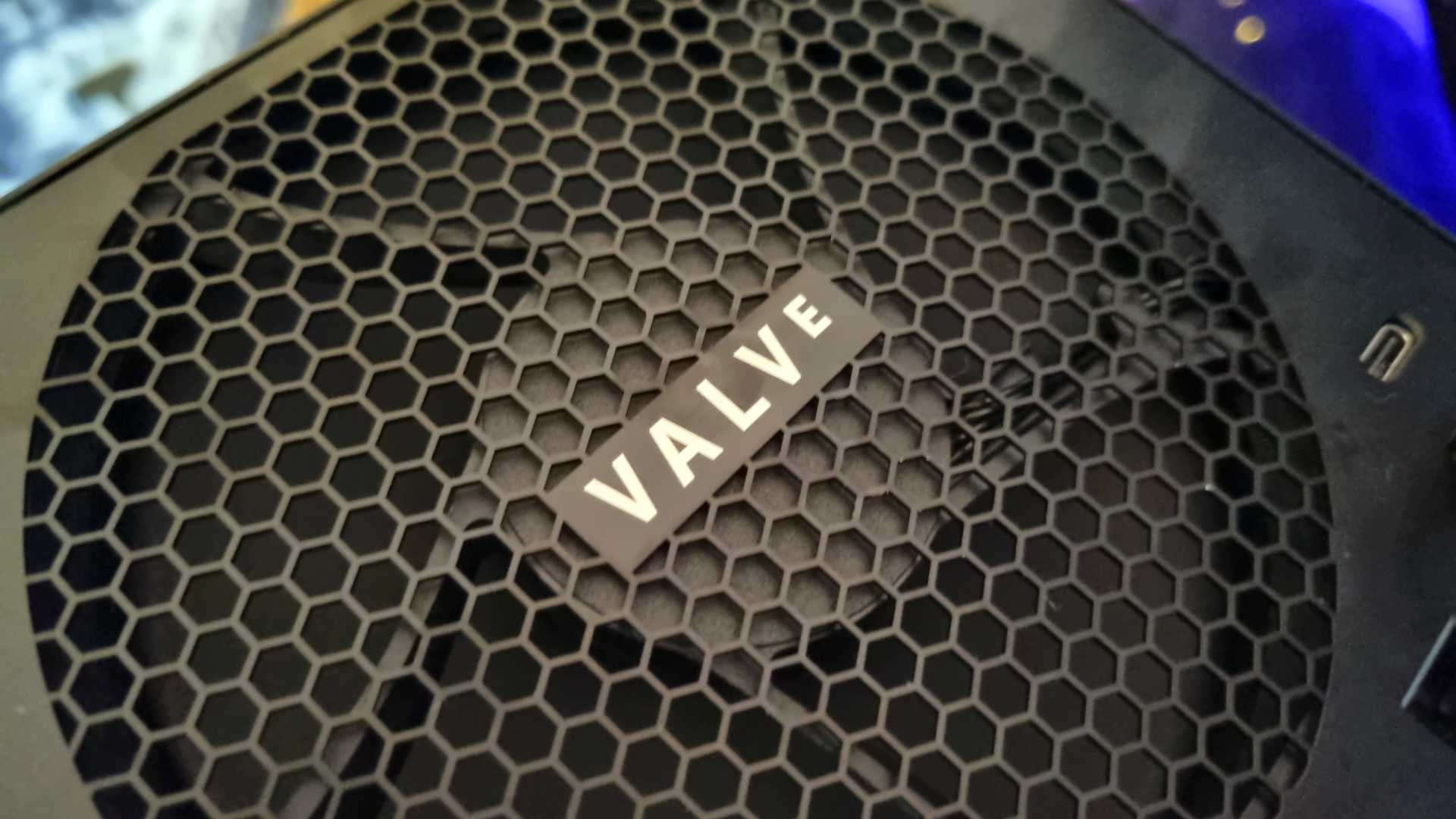
The Steam Machine is quiet. I mean, really, really quiet. The single, geometry-optimised 120 mm fan at the back does an admirable job of moving large amounts of air at whisper-like levels, so much so that I don’t think you’d notice it at full pelt over any other ambient noise.
Temperatures
Avg CPU Temp (°C)
Max CPU Temp (°C)
Avg GPU Temp (°C)
Max GPU Temp (°C)
| Product | Value |
|---|---|
| Steam Machine | 68 Avg CPU Temp (°C), 74 Max CPU Temp (°C), 65 Avg GPU Temp (°C), 69 Max GPU Temp (°C) |
| AtomMan G1 Pro | RTX 5060 | AMD Ryzen 9 8945HX | 89 Avg CPU Temp (°C), 91 Max CPU Temp (°C), 77 Avg GPU Temp (°C), 67 Max GPU Temp (°C) |
| Lenovo Legion Tower 5i | RTX 4060 | Intel Core i5 14400F | 64 Avg CPU Temp (°C), 76 Max CPU Temp (°C), 67 Avg GPU Temp (°C), 71 Max GPU Temp (°C) |
| Custom PC #11 (issue 413) | Arc B570 | Intel Core Ultra 7 265K | 57 Avg CPU Temp (°C), 81 Max CPU Temp (°C), 66 Avg GPU Temp (°C), 71 Max GPU Temp (°C) |
CPU (°C)
GPU (°C)
| Product | Value |
|---|---|
| Steam Machine | 38 CPU (°C), 41 GPU (°C) |
| AtomMan G1 Pro | RTX 5060 | AMD Ryzen 9 8945HX | 51 CPU (°C), 38 GPU (°C) |
| Lenovo Legion Tower 5i | RTX 4060 | Intel Core i5 14400F | 29 CPU (°C), 30 GPU (°C) |
| Custom PC #11 (issue 413) | Arc B570 | Intel Core Ultra 7 265K | 37 CPU (°C), 46 GPU (°C) |
It runs relatively cool, too. Certainly much cooler than the AtomMan G1 Pro when you crank it up to its top whack, which is significantly noisier, too. Valve has clearly prioritised refinement when it comes to both the Steam Machine’s size and sound, which is a good instinct to follow when it comes to a living room-friendly box.
Steam Machine value
When the Steam Machine was first announced, we on the PC Gamer hardware team took a look at the specs and all came to the same rough conclusion. It’s relatively low-powered, it’s designed for your living room, and it’s gunning for a position next to your other consoles. Therefore, it’ll have to be reasonably priced.
That was in the before times, of course. Back when cheap memory modules were abundant, and the idea of a $550-$600 base-level Steam Machine seemed quite possible. Then the AI server market hoovered up all the manufacturing capacity, the consumer market got stuffed, and we’ve been living in a world of ridiculous pricing ever since.
Given all this, on the surface, the $1,049 Steam Machine 512 GB seems almost reasonable. Let’s put it this way, it’s not as highly-priced as we feared, given everything that’s going on at the moment and the recent price hike of the Steam Deck. But the unfortunate truth is that budget gaming PCs—while being much larger, noisier, and more unwieldy than Valve’s magic box—can still be found for the same sort of figure.
A perusal of our cheap gaming PC deals page reveals several 1 TB-equipped, RTX 5060-toting models for under $1,000. And, as I’ve shown with the AtomMan G1 Pro, anything with Nvidia’s current-gen budget card is likely to give the Steam Machine a good thrashing in the performance stakes.
Speaking of which, the AtomMan machine can be found (at the time of writing) for $1,439 at Amazon. That’s pretty pricey for a mini PC, but it does come with a beastly laptop CPU, said RTX 5060, and 32 GB of RAM. You only get a 1 TB SSD, it’s true. And like the PCs above, it doesn’t have an included controller, nor a couch-native SteamOS interface.
But it’s only $11 more than the top-spec Steam Machine 2 TB. And Steam Big Picture mode in Windows works great for gaming on your TV. As for the controller? A suitable model doesn’t cost a whole lot extra (particularly if you go for something budget-yet-brilliant, like the GameSir Nova Lite).
I just can’t square the Steam Machine’s performance with any idea of consumer value. I really can’t. The first question you need to ask yourself as a hardware reviewer is this: Would I buy one?
And despite the little black box’s lovely design, excellent controller, and sheer curiosity value, the answer is no. Not when I can still pick up a regular gaming PC for the equivalent cash, with much better overall gaming performance.
Because, when it comes to the PC gaming experience, I think you should ask yourself what it means to you. To me, it means better graphics than consoles. It means higher frame rates. It means flexibility, and it means spending more money in return for a better experience when I actually play the games.
Having a neat little PC gaming box tucked away underneath your TV is all well and good, on paper. But when it feels underpowered (and internally outdated) right out of the gate, while still costing north of a grand for the base-level model? I’m simply not sure it makes much sense.