
Would you believe me if I told you the Pulsar Feinmann F01 Noctua Edition is actually the second gaming mouse with a fan I’ve tried? Back in 2021, I had the unique experience of getting my clammy mitts on the Marsback Zephyr Pro, and I was… a fan.
But I can comfortably say that Pulsar’s Feinmann F01 Noctua Edition is the most luxurious gaming mouse with a fan I’ve tried—a prestigious award, I know. It’s loaded with great specs, like a Pulsar XS-2 sensor with up to 42,000 DPI and up to an 8,000 Hz polling rate. As such, it’s not just a gaming mouse with a fan; it’s a full-on competitive device.
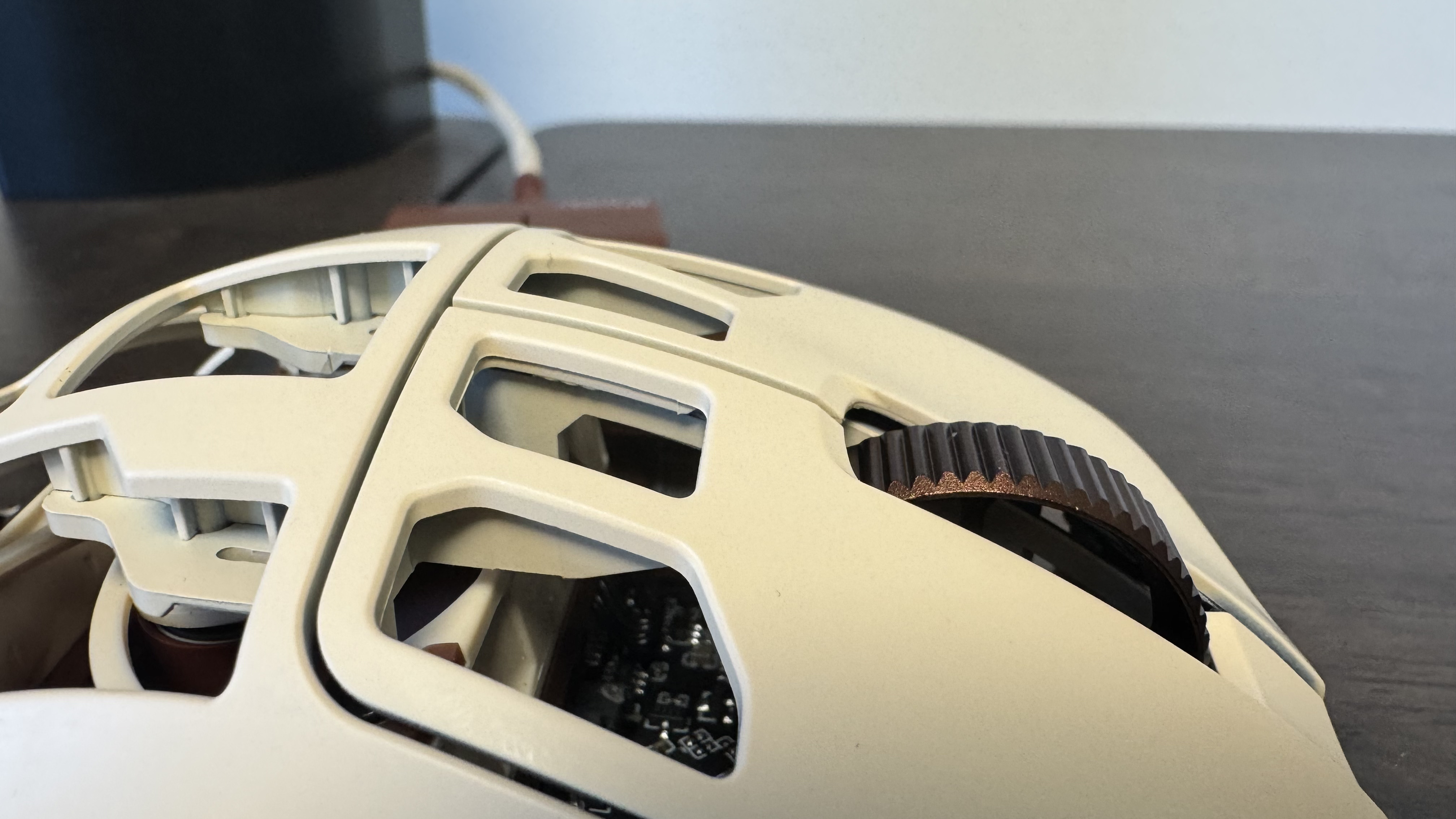
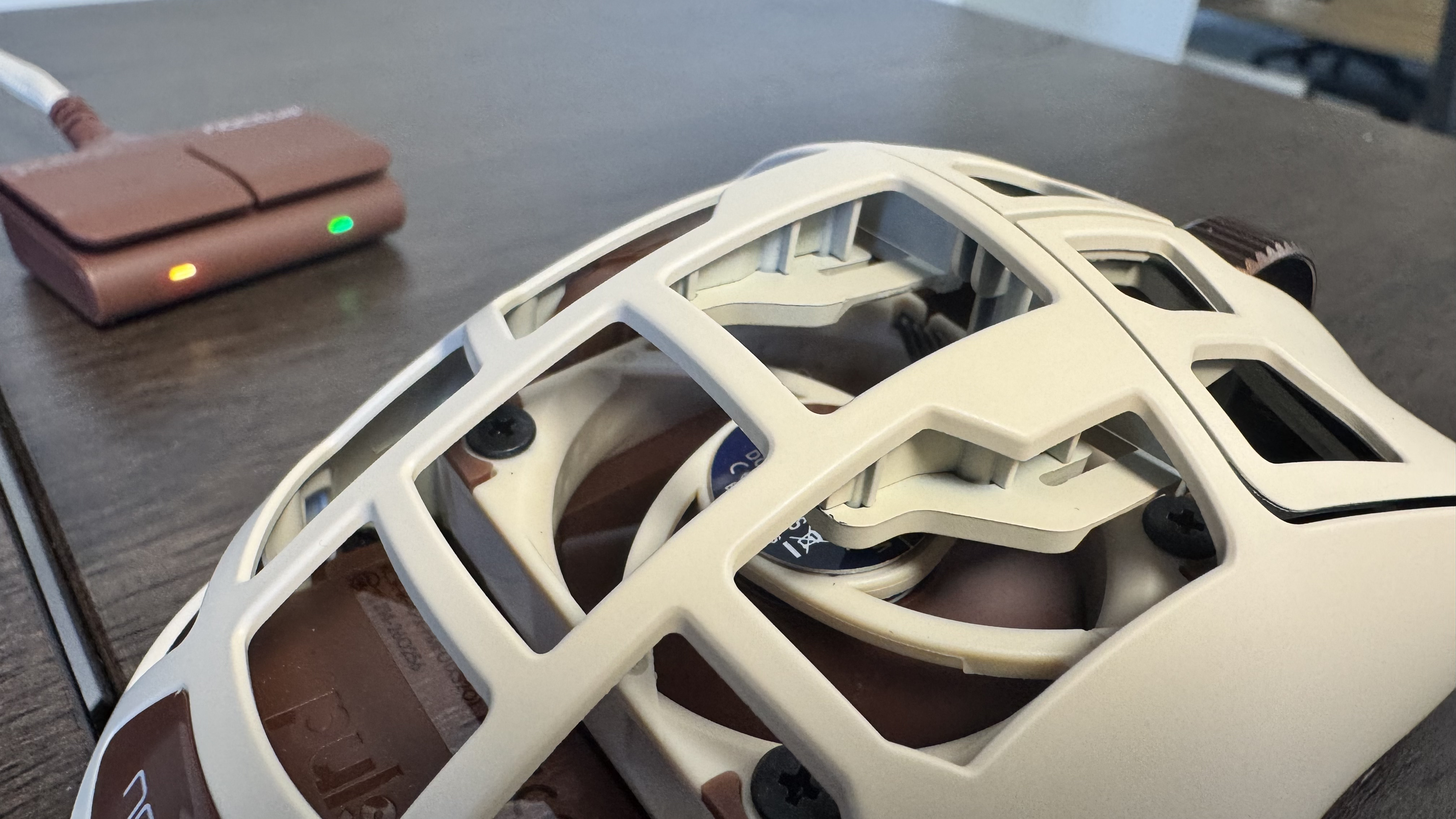
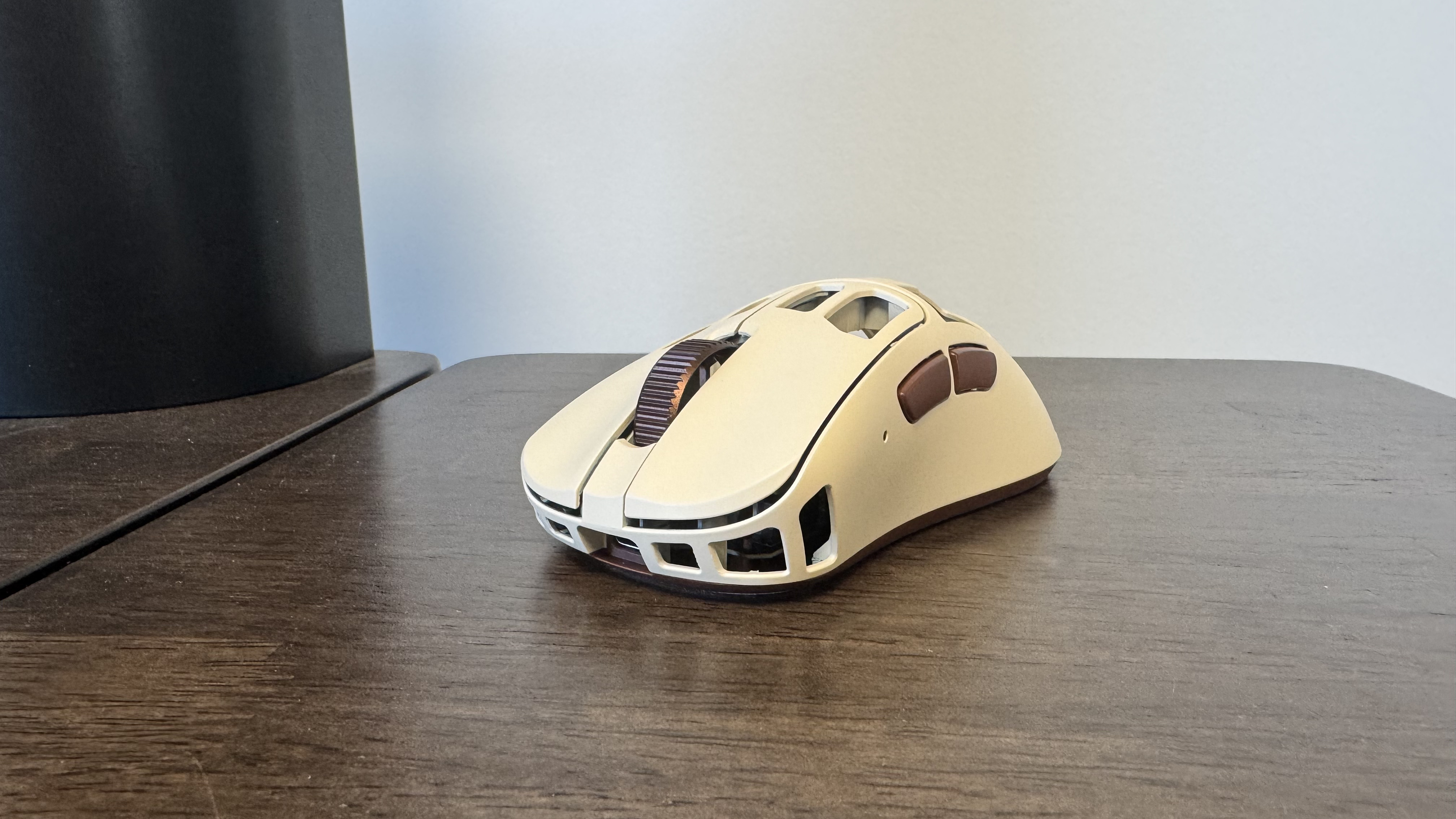
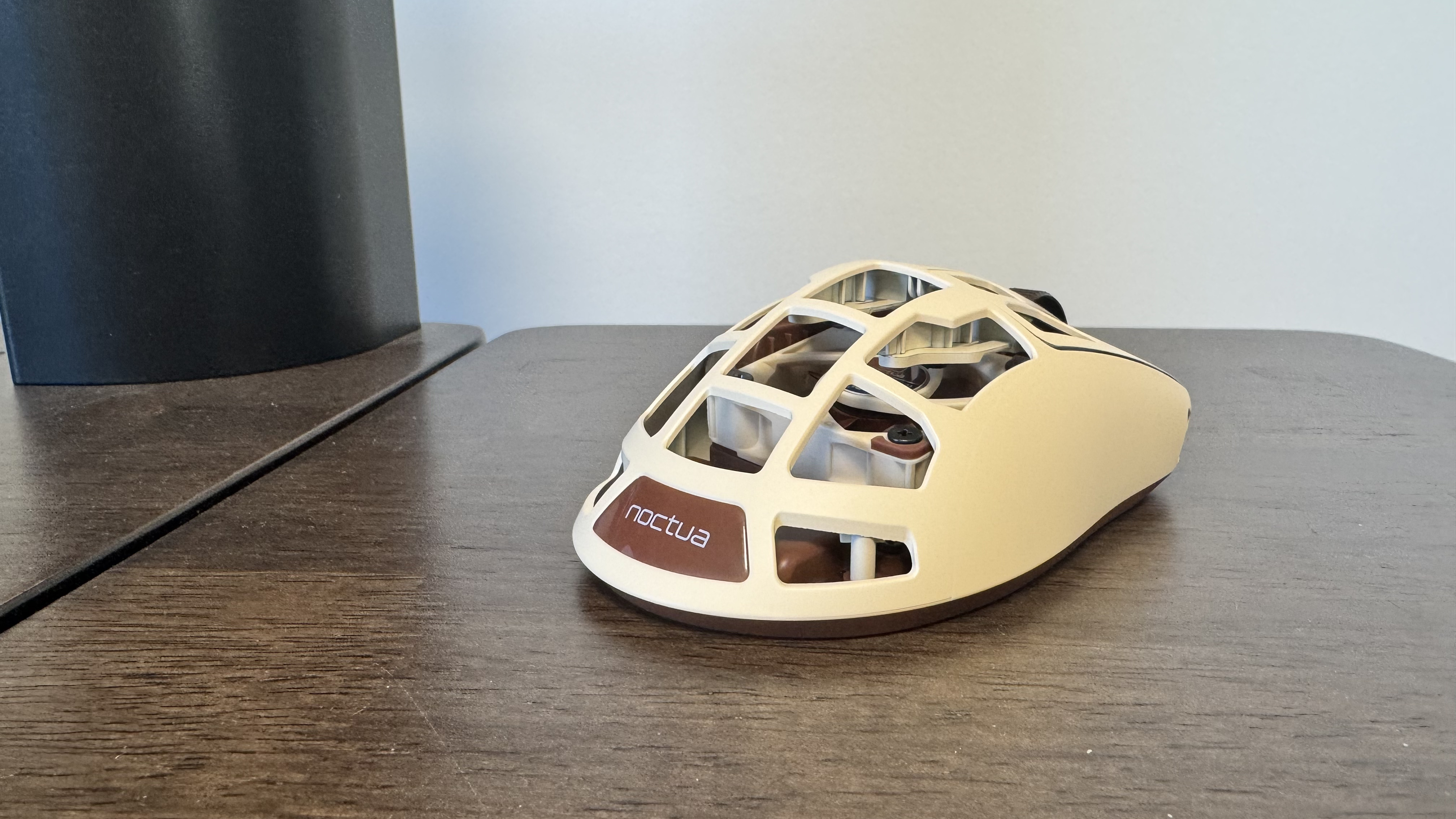
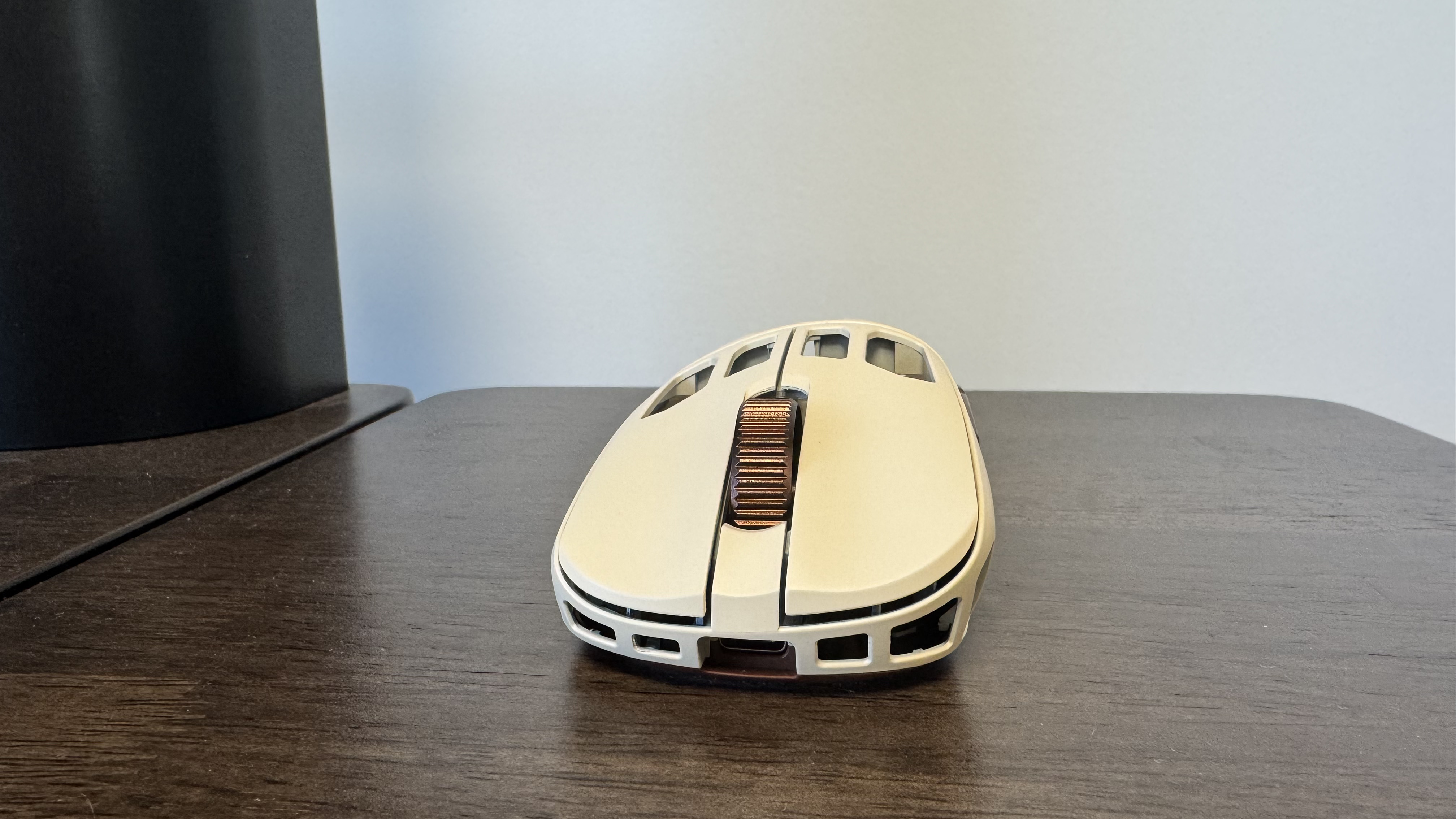
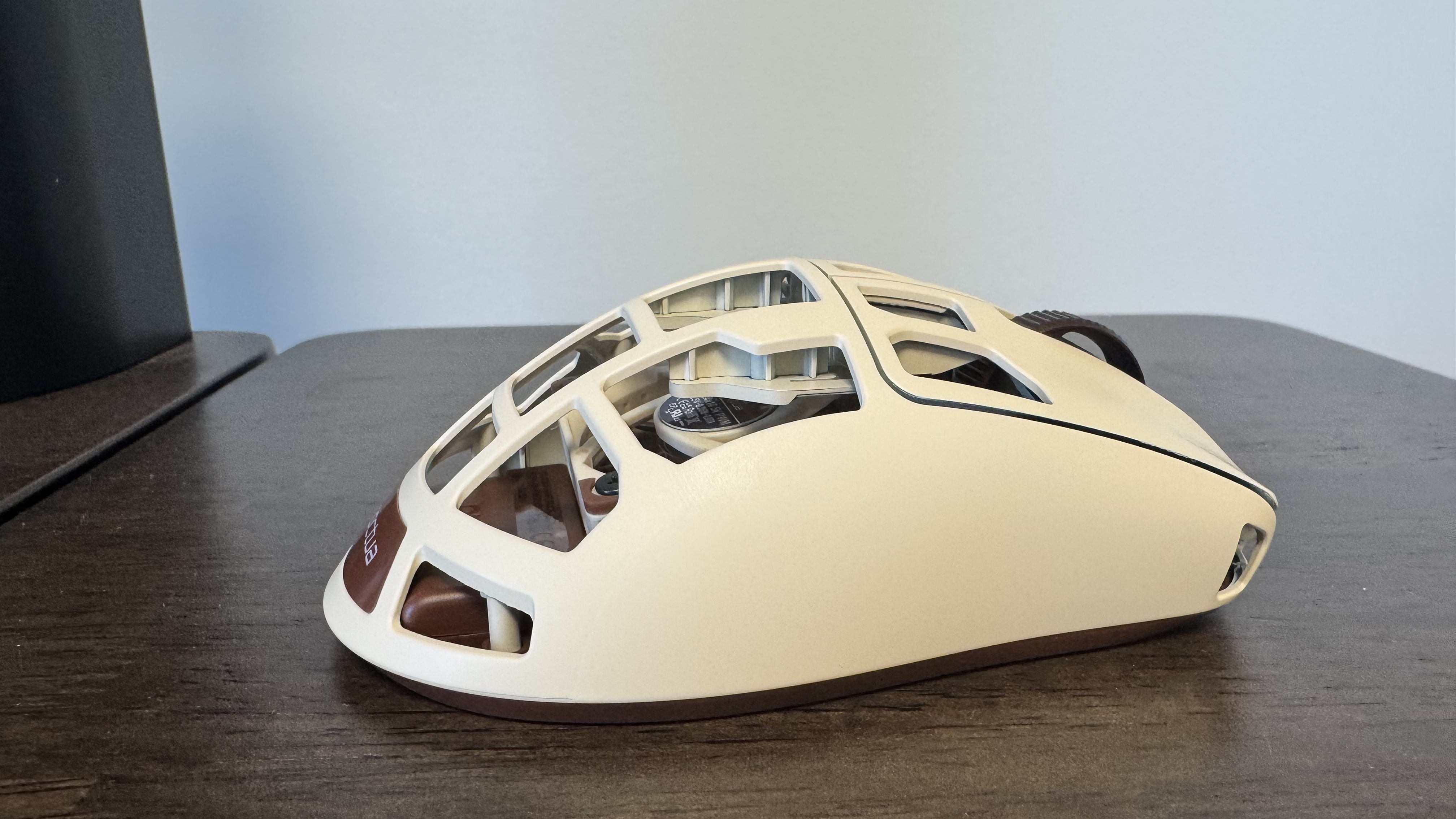
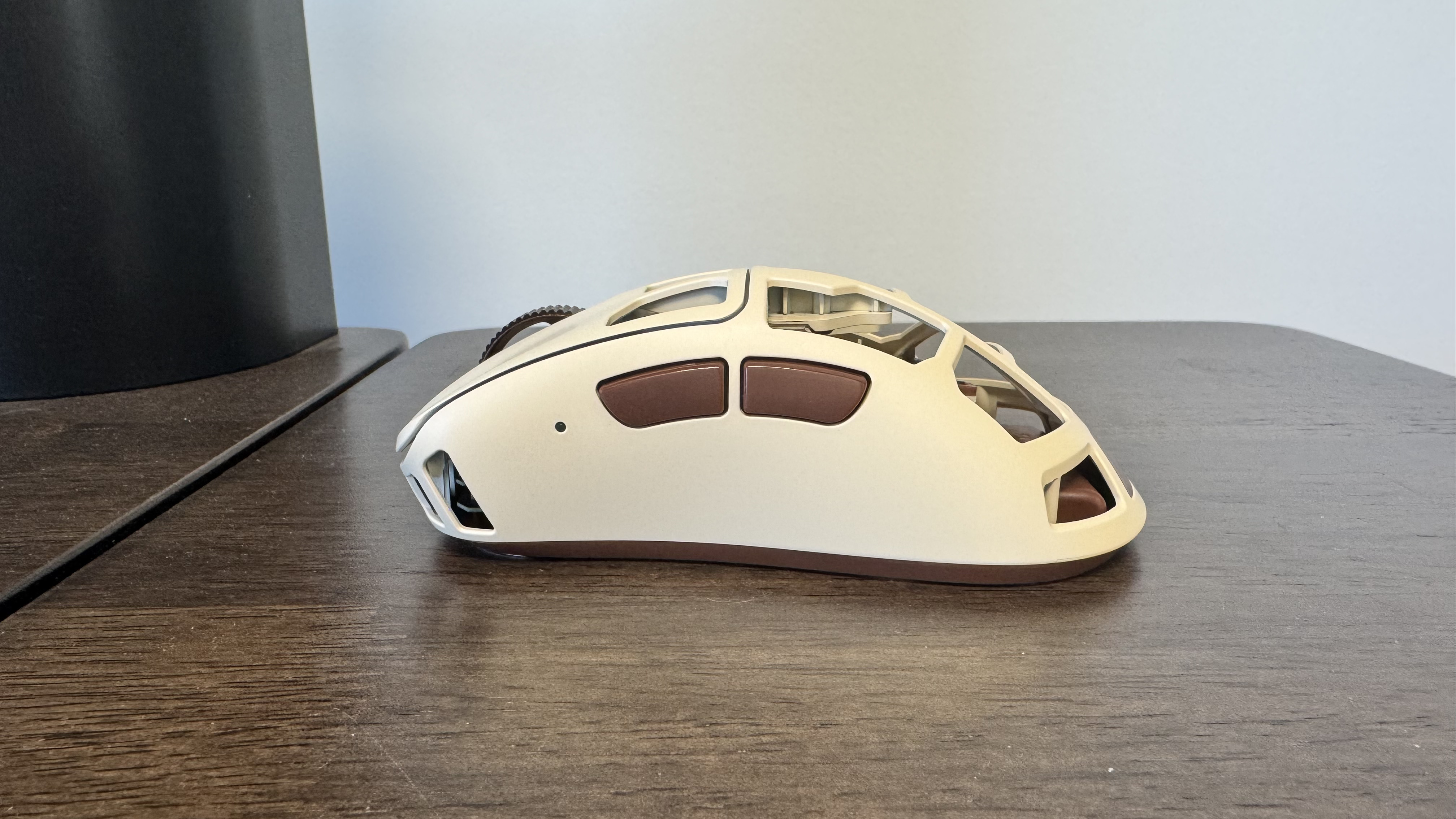
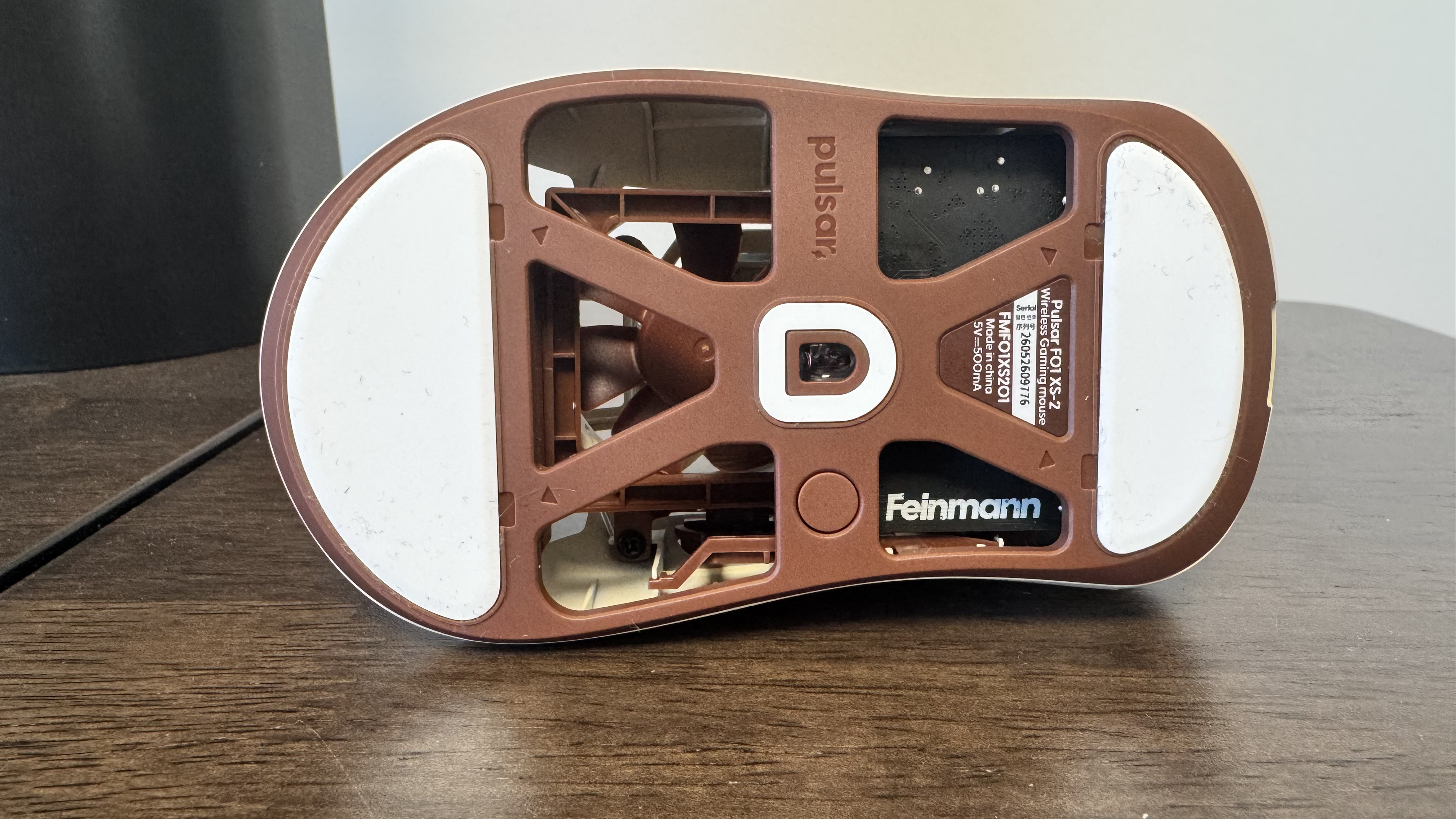
I suspect the most ‘love it or hate it’ aspect of Pulsar and Noctua’s Frankenstein gaming mouse won’t actually have anything to do with the aforementioned fan but will instead be its honeycomb shell. In order for the fan to actually blow cold air on your palm, it needs room to do so, and the spaces in the shell are plenty. They also come with the added benefit of taking some weight off, which is needed because the F01 Noctua Edition is pretty heavy at 73 g.
|
Sensor |
Pulsar XS-2 |
|
Connectivity |
Wired and wireless (2.4 GHz) |
|
Switches |
Optical switches |
|
Polling rate |
Up to 8,000 Hz |
|
DPI |
42,000 |
|
Acceleration |
70 G |
|
Speed |
800 IPS |
|
RGB |
One RGB light |
|
Weight |
73 g |
|
Battery life |
8-20 hours (depending on polling rate and fan speed) |
|
Price |
Buy if…
✅ Your hands get sweaty while gaming: The fan is a joy to use, and fine-tuned for fast movements, making it a boon for a sweaty gamer.
Don’t buy if…
❌ You won’t use the fan: Though it’s still a solid gaming mouse without the fan, it is expensive, and you are adding to the weight for that airflow.
Then again, Pulsar’s fanless Feinmann F01 has all the same holes (though at almost 30 g lighter), so maybe Pulsar just likes the ‘this thing took a couple of bullets, but it still works’ look. I personally think Noctua’s iconic beige and brown colour scheme makes the mouse look pretty decent despite all the gaps, but a trypophobe (warning, don’t click on that link if you have trypophobia) may want to look for something a bit less holey.
Despite the holes, the F01 is no slouch in durability. I have intentionally tried to place pressure on the thinnest parts of its carbon composite shell, and it barely flexes. The same is true of the sides of the mouse, which hold in place despite me squeezing far harder than one would traditionally with a gaming mouse. Noctua made a series of “custom-built torture-test rigs” for testing the fan in the mouse, and I’m happy to say that despite my flailing around, it too holds up incredibly well.
Throwing the mouse from side to side or up and down doesn’t catch the fan at all, making it a pretty smooth experience. This is not something that bothered me, but you can feel the fan humming just a little when off the pad. I can’t feel the fan rumble on the highest mode when grounded on a mouse pad, but when picking it up to move across the pad, I feel a slight movement.
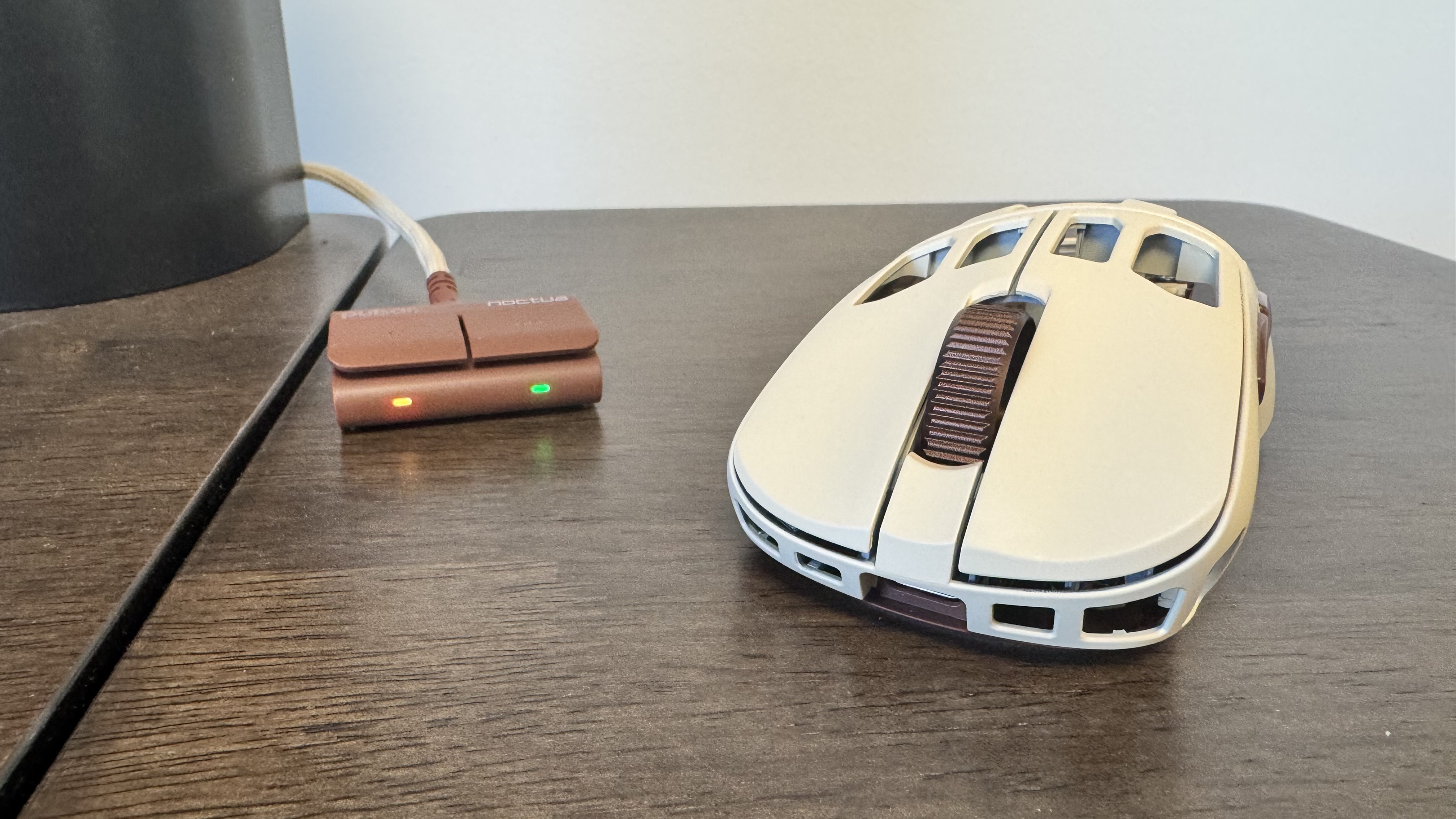
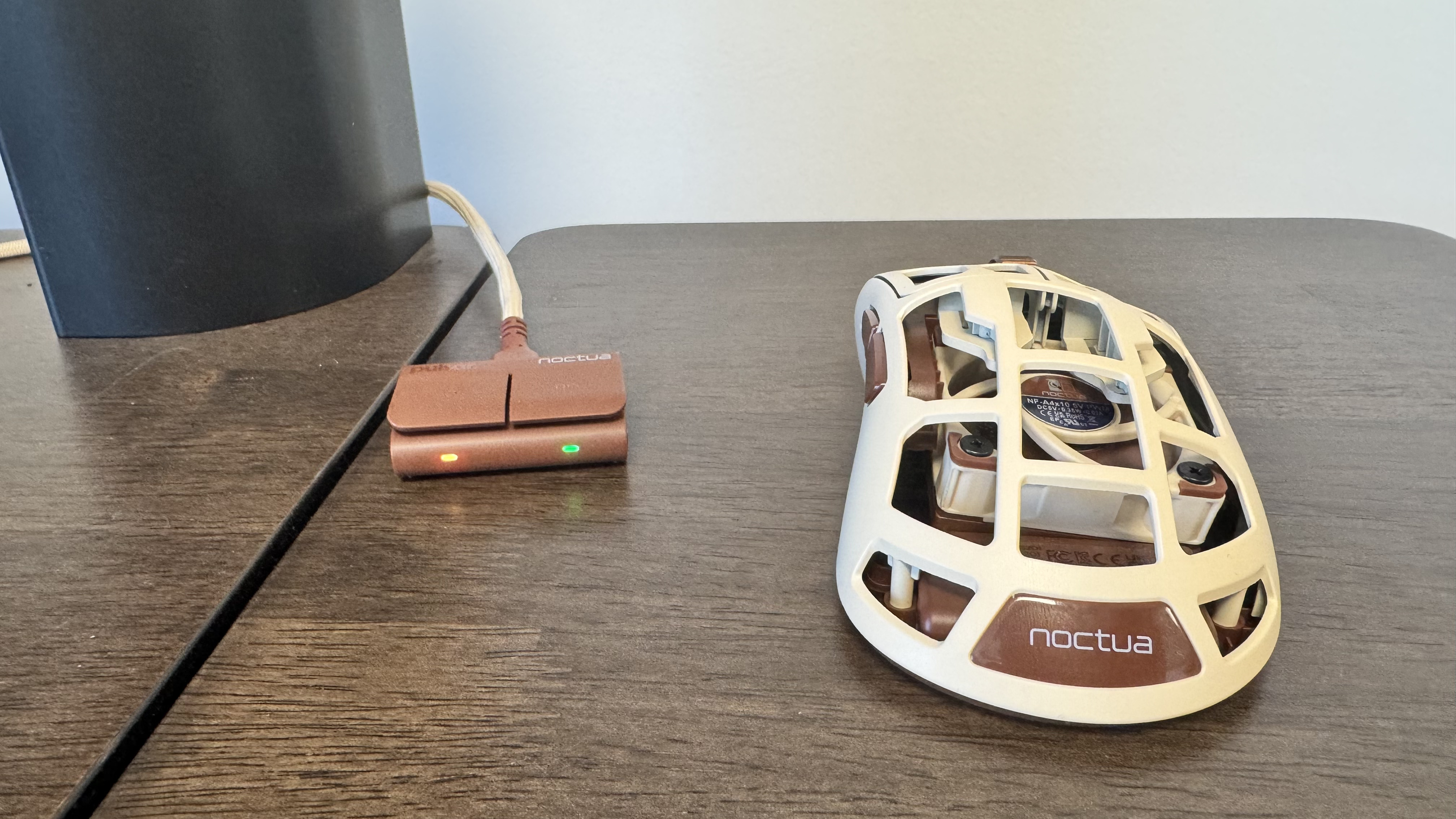
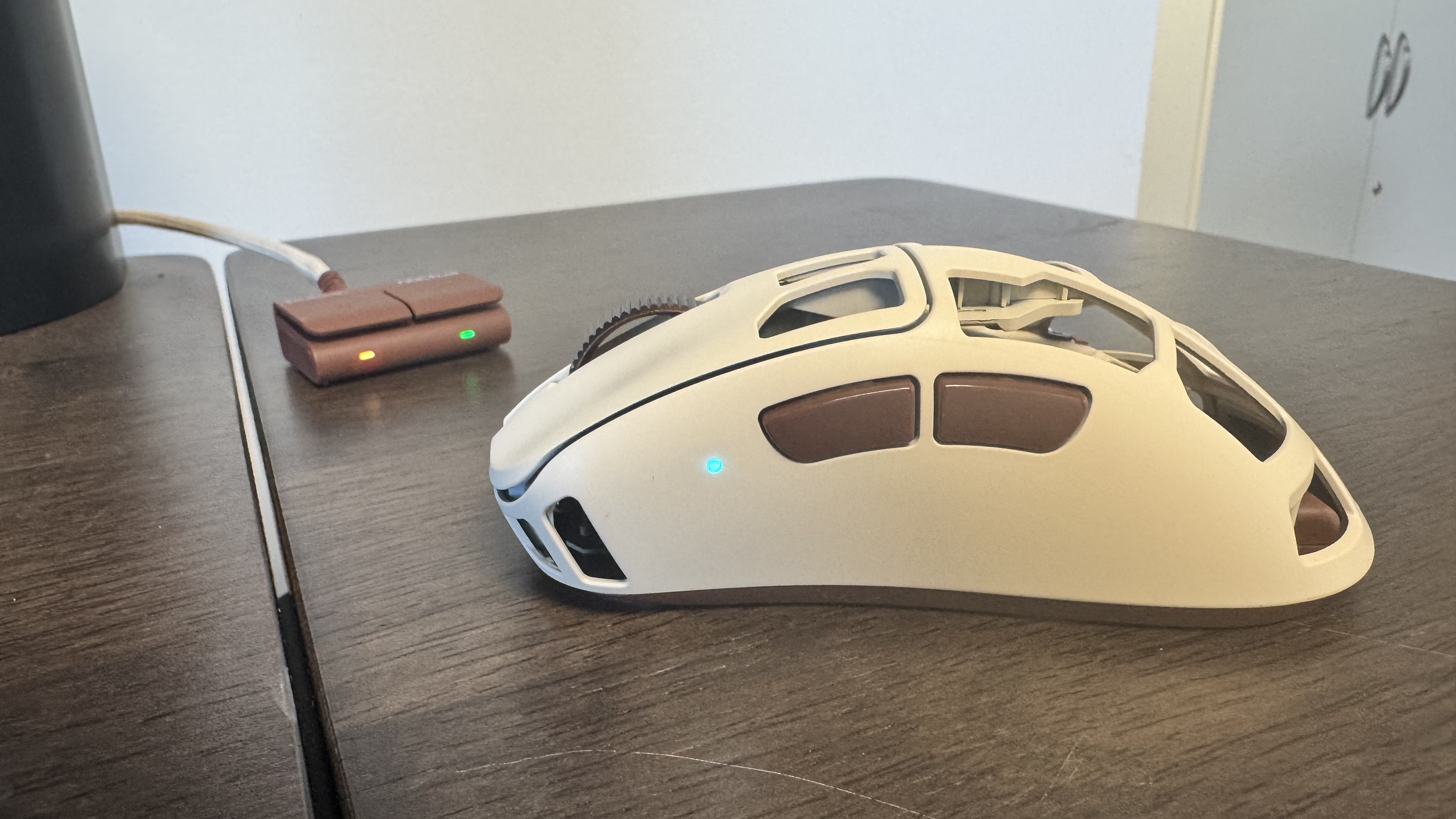
The fan is super easy to adjust too. Simply hold both of the buttons on the left-hand side, and push the scroll wheel up or down to cycle through the four fan intensities (plus one mode for it being off entirely). On the highest intensity (four), you can certainly hear the fan spin, but it roughly matches the noise of my rig, and I tend to play games and work with headphones anyway. It becomes near silent on intensity one and two, with three being notable, but only in a quiet room.
One thing that surprised me after a couple of days of using the mouse is that I genuinely missed the fan when I briefly swapped to a different mouse. This elevates it in my mind from a gimmick to a niche feature. But it’s a niche feature you are paying nearly $200 for, and that’s a hefty cost when you can get lighter competitive mouse for less.
Pulsar calls it the “mouse that breathes”, which is far less appealing than I assume Pulsar thought it is. But that does feel like an accurate description of how the fan works. It doesn’t blast your hand with air; instead, it feels like a cool breeze gently caressing your palm. Or maybe a less gross visual metaphor. A draft coming in through a window? Yeah, that doesn’t sound as striking as ‘mouse that breathes’.
One place I really benefited from the mouse is while I was playing Counter-Strike 2. When strafing through rooms, snapping sights on enemies, the game just has a capacity to make my palms sweat (Knees weak, arms heavy?), and yet I finished a game with my right hand feeling fresh.
The mouse’s ability to battle palm sweat helps in horror games like Crisol: Theater of Idols and in the Call of Duty Zombies-like Sker Ritual. It’s also a super snappy mouse, and its optical switches are not only fast and efficient, but also offer a decent sound too. They produce a high ping that is satisfying without being too nasally in sound. Given the amount of open space in the mouse, I was concerned there would be a reverb of some kind, but the sound is well engineered.
Even with the fan off, it’s a solid gaming mouse.
The over 70-gram mouse is a tad heavy, and you notice that when rapidly sliding it around the mousepad, but it’s well balanced in the hand, which makes picking it up easy, and the PTFE feet are plenty smooth too. My preference would be to knock 15 or so grams off the mouse, but it doesn’t handle the weight poorly.
And it’s not just solid for competitive play either. In everyday use, the mouse is super comfortable to place the palm on, and the four different fan modes offer a decent degree of thermal customisation. Even with the fan off, it’s a solid gaming mouse.
In paint simulator SuchArt, I found the sensor to be super responsive and accurate, and the fan helped sustain my painting sessions. The weight of the mouse is downright comforting in SuchArt’s more relaxed environment, and makes slow, smooth movement a breeze.
Unfortunately, though, in addition to the weight, there are other compromises to make such a mouse, and one of the big ones is battery life. The 500mAh battery drains super quickly, with it losing just under half of its charge in just over two hours in 8,000 Hz polling with the fan set to max. Even in 1,000 Hz polling mode, it drains quite quickly, with it going down by 20% in just under two hours. That means, with the fan set to max, you can expect to charge it every day or two if you work from home or game a lot.
With a charging dock or smart battery system (like the Glorious Model O 3 wireless has), that could be okay, but going without means you either plug it into a USB Type-C every night before bed, or don’t bother with the wireless mode.
Many of the best gaming mice, like the Razer Viper V4 Pro, are cheaper, with better battery life, and a lighter weight
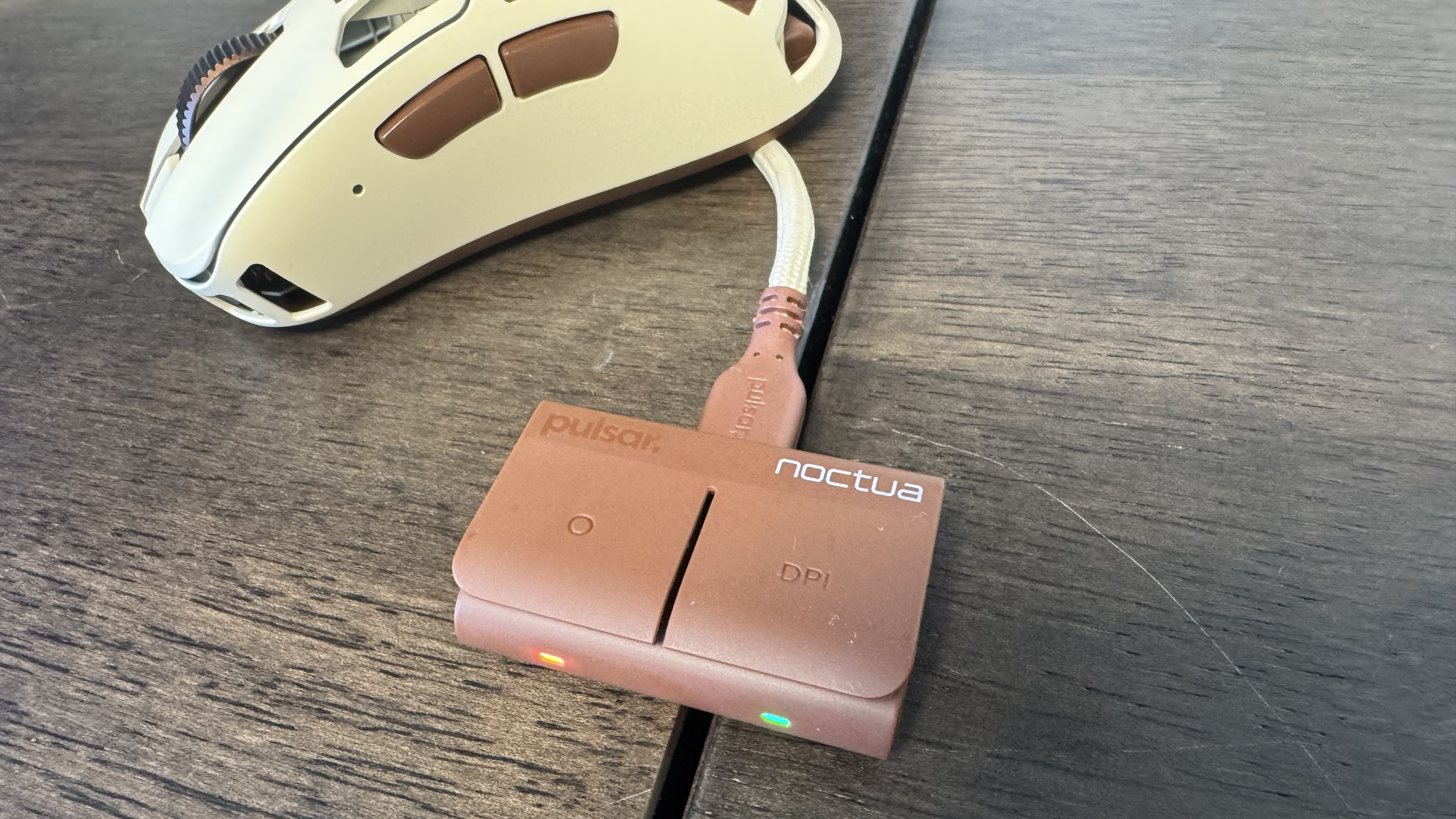
And speaking of its wireless mode, the F01 Noctua Edition comes with a neat dongle, which not only connects the mouse to your rig, but also has two buttons. The right side changes DPI, and the left side is a function button, which initially flits through profiles, but it can change the fan in the mouse, swap polling rate, change liftoff distance and more.
I wouldn’t set the left side of the dongle to DPI, as you can swap that from under the mouse, and I wouldn’t set it to adjust fan speed, as you can change that from the mouse too. I think my choice for the left button would maybe be polling rate, so you can crank it up in competitive games for quicker responses and bring it back down in more casual games to save battery life, but this is admittedly a pretty niche use case. I like the dongle a good bit, and my only critique is that having it feature USB passthrough or some sort of charging system would really make up for the pretty poor battery life.
Another thing to consider here is the price. Many of the best gaming mice, like the Razer Viper V4 Pro, are cheaper, with better battery life, and a lighter weight. Even the Logitech G Pro X2 Superstrike, and its revolutionary clicks, fetch the same price as the F01 Noctua edition.
As such, I’m left in a difficult space trying to sum up this breezy gaming mouse. On the one hand, it’s got a super solid build, and some smart engineering in how its fan works, and with a great sensor and high polling, it even offers competitive-level play. Yet on the other hand, it’s giving up weight and battery life for that fan, and putting a bigger battery in it would only increase that weight. And therefore, it sits just under competitive mice for performance, yet costs more money.
And it’s far too expensive to justify buying for the fan alone. It feels like a niche on a niche, and though it’s smartly made, you really need to want exactly what it offers to justify that asking price. It is, though, one of the most unique gaming mice I’ve used in a few years, and a great but hard-to-recommend bit of hardware as a result.