

Welcome to my own personal battle of the budget gaming keyboards, where I make two reasonably-priced input devices fight to the bitter end for my affections. Okay, so it’s more about working out which one I’d actually spend my money on, but that hasn’t got the same ring to it. Onwards!
In the left corner sits the Gamakay x NaughShark NS68, a keeb with the silliest name I’ve ever heard. Still, it’s got a surprisingly good specs sheet for its $40 MSRP, although it’s gone up since our review and is now often found for $50-$60 instead. It’s been our best budget gaming keyboard pick for a while now, mostly because its value proposition is damn hard to beat for the cash—even with the price increase.
However, warming up in the right corner is the new kid on the block; the Razer Reclusa X Mini 65% is so fresh to the market, it hasn’t even started shaving yet. But, being a proper mechanical mini keeb with a $50 price tag, it’s sure swinging for the fences straight out of the gate. Something like that, anyway.
The rules
I’ll be judging this battle based on five rounds. The first will be specs, the second, build quality. The third shall be looks, the fourth will be sound, and the fifth will be a real-world gaming test—judged subjectively by me, a (very) non-pro gamer.
You won’t find any esports-level, picosecond-measuring switch testing here. I shall use each keeb for a day in the games I usually play, and pick the one I would buy with my own cash.
I have 38-year-old reflexes and a tendency to leave a match because I want a cup of tea, or I saw a dog outside my window. There will be no questions taken about my judging ability at this time, thank you.
Without further ado…. Fight!
Round one: Technical specs
|
Gamakay x NaughShark NS68 |
Razer Reclusa X Mini 65% |
|
|
Layout |
65% |
65% |
|
Number of keys |
68 |
68 |
|
Switches |
Outemu Peach Magnetic |
Razer Gen-3 Orange Tactile |
|
Hall effect |
Yes |
No |
|
Switch actuation point |
Up to 3.7 mm |
3.5 mm |
|
Actuation force |
40 g |
50 g |
|
Keycaps |
Doubleshot PBT |
Doubleshot ABS |
|
Connectivity |
Wired (wireless version $20 extra) |
Wired |
|
Max polling rate |
8,000 Hz |
1,000 Hz |
|
RGB lighting |
Yes |
Yes |
|
Price |
First up, let’s take a look at the specs sheets. The first difference you’ll notice comes in the form of the switches, which in the Gamakay’s case are Hall effect, but are purely mechanical on the Razer. Beyond the extra durability offered by Hall effect models, this also means you can fine-tune the x NaughShark’s switch actuation point, which is darn handy.
But before you go leaping for the buy button, it’s worth mentioning that the NaughShark’s Outemu Peach Magnetic switches have a 40 g actuation force, while the Gen-3 Orange Tactile switches in the Reclusa come in at 50 g. That might not sound like much on paper, but in practice it does make for a significantly different feel.
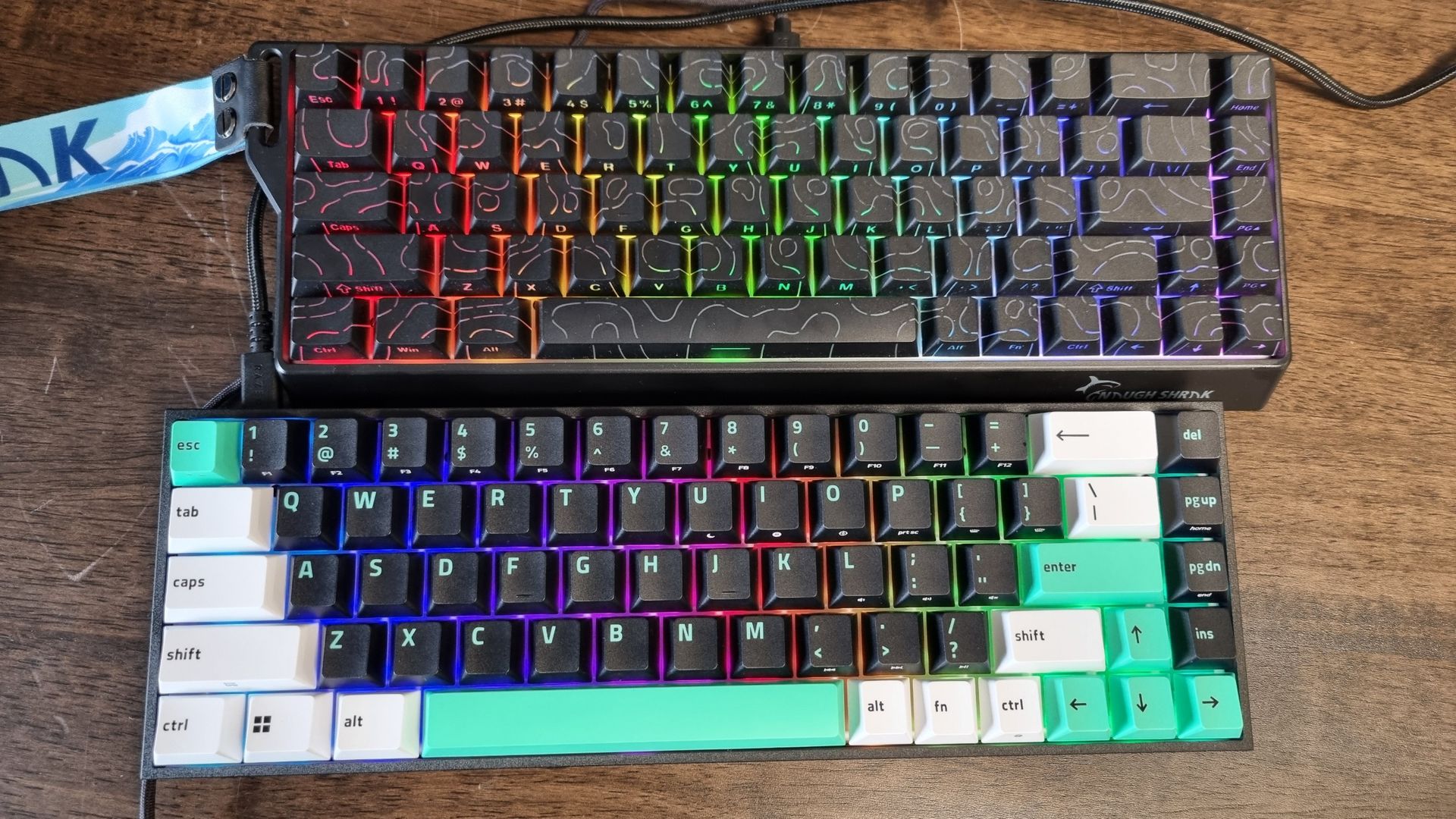
Then there are the keycaps, which are doubleshot PBT on the Gamakay, and doubleshot ABS on the Razer. I actually prefer the crisp-cut edges of the Reclusa’s caps, but the NaughShark’s feel fairly good under the fingertips, too.
The biggest difference, though, comes in the polling rate. The NaughShark tops out at 8,000 Hz, while the Reclusa X Mini falls behind with a 1,000 Hz limit. Your average gamer is unlikely to feel the difference with an 8K polling rate, but esports-level gamers may well appreciate the higher figure.
Looking at the specs alone, I think the Gamakay keeb clearly comes out on top. It’s not a bad showing from the little Razer, but Hall effect switches and a higher polling rate wins the day for the notoriously good-value NaughShark.
Round two: Build quality
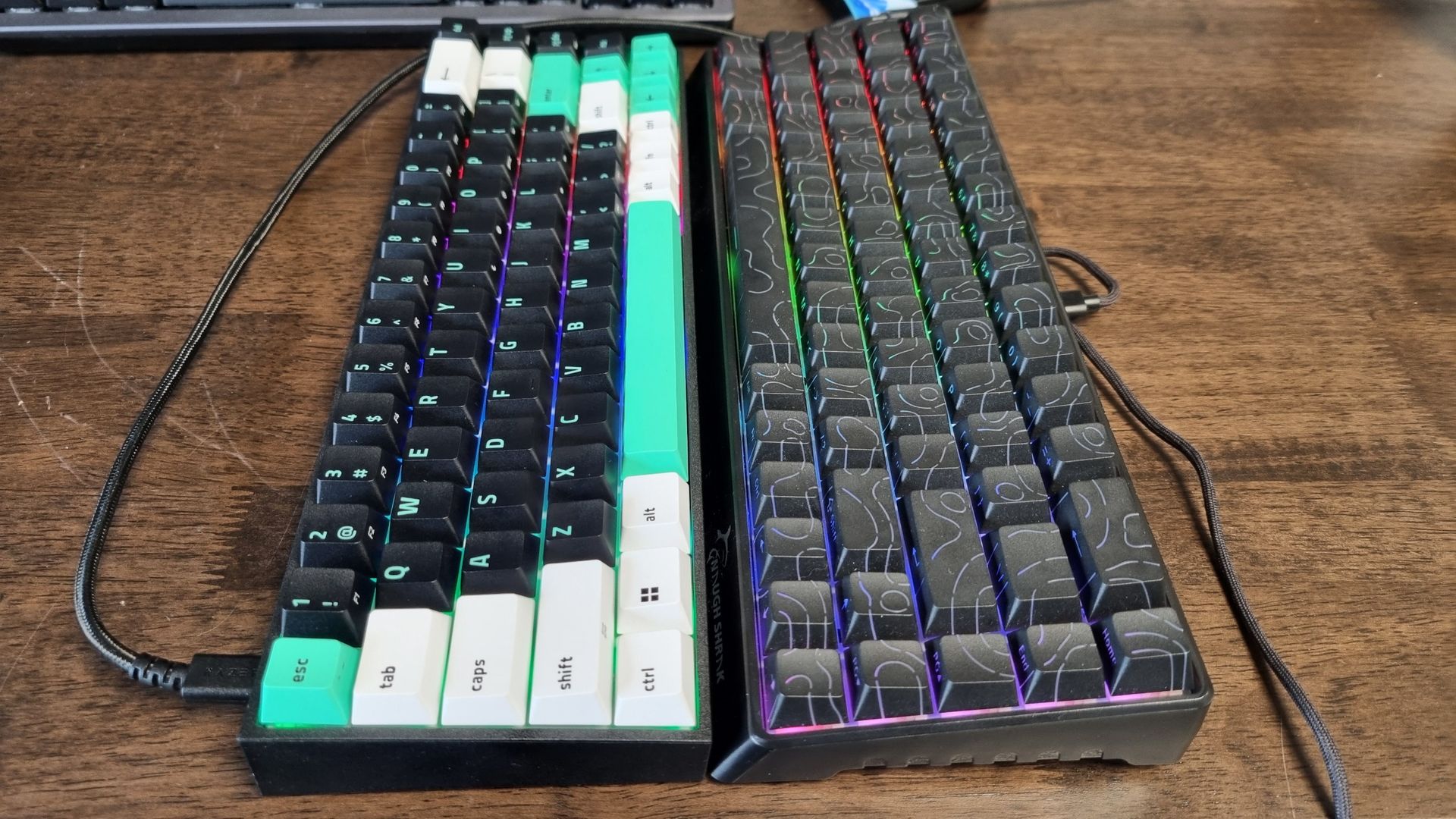
The first thing I do when I pick up a budget gaming keyboard (or almost any keyboard, for that matter), is to grab both sides and twist it to check for deck flex. This makes PR reps very nervous. However, both of these budget keebs have little movement in the chassis, which is usually a sign of robust materials.
That being said, in the Gamakay’s case, this is likely because it has a substantial lower lip on the bottom edge of the chassis to stiffen things up. In terms of the plastic itself, it feels okay but there’s a hollow quality to the whole affair that makes me wrinkle my nose. Only one of these keyboards betrays its cheap price through the materials, and I’m sad to say it’s the NaughShark.
The Reclusa X Mini feels much more solidly built, despite having a smaller chassis overall. It’s crisp-edged and remarkably robust for such a well-priced keeb, while the keycaps have very little wobble on top of the switches. That’s unlike the Gamakay’s, which rattle around a little too much for my liking.
I’m sure the NaughShark NS68 will last for a reasonable amount of time, but the Reclusa X Mini 65% is the winner for me here.
Round three: Aesthetics
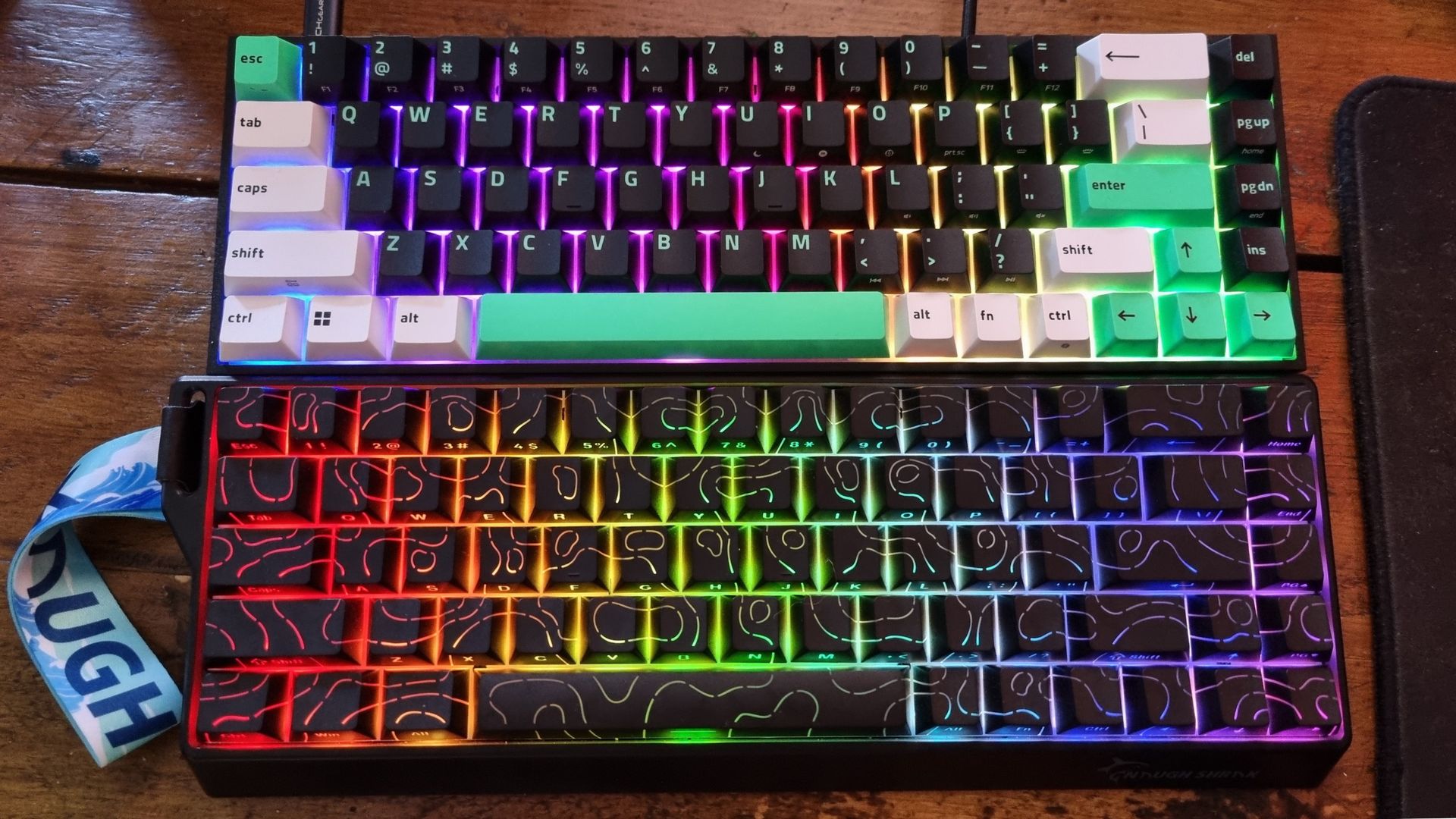
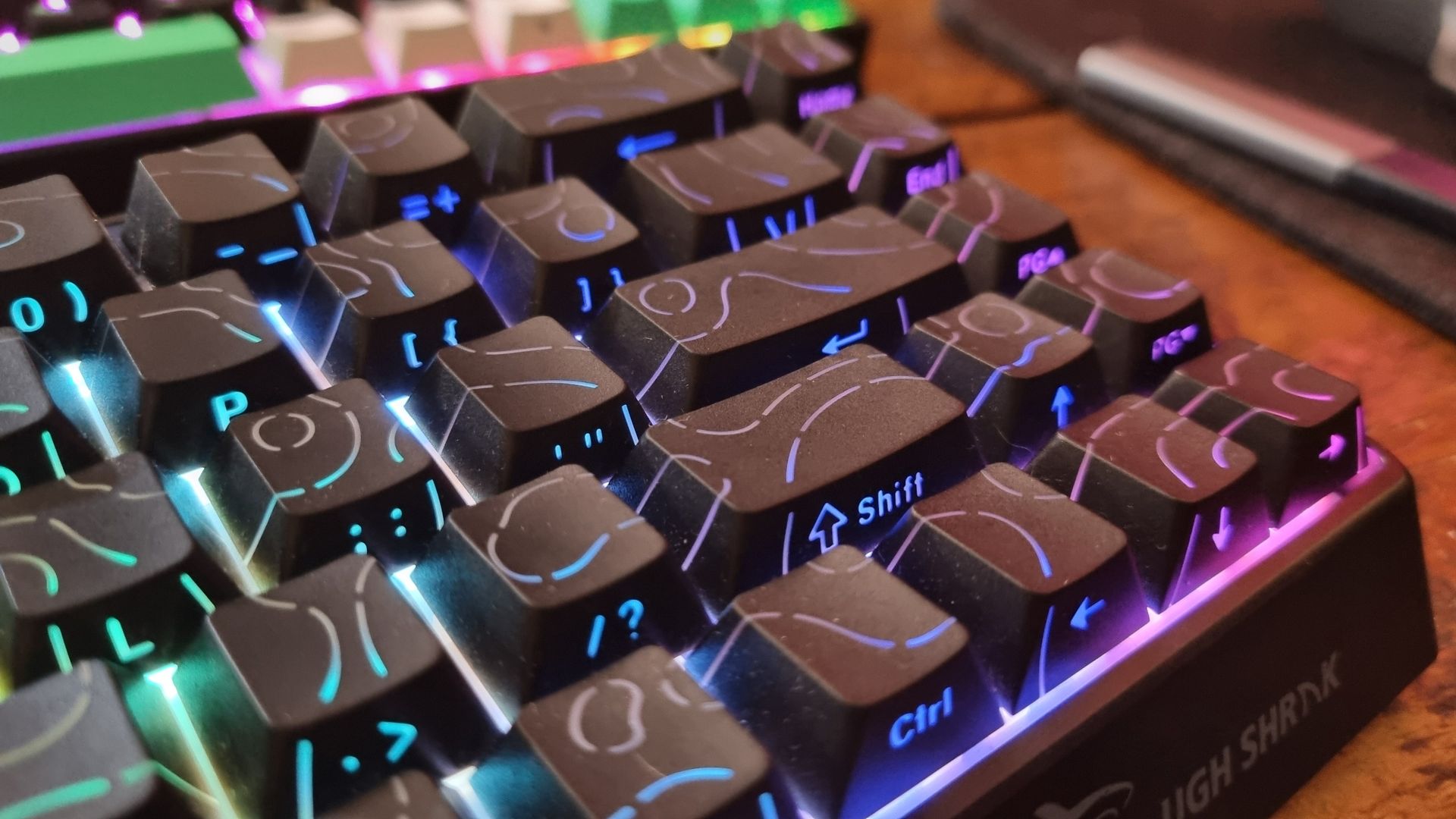
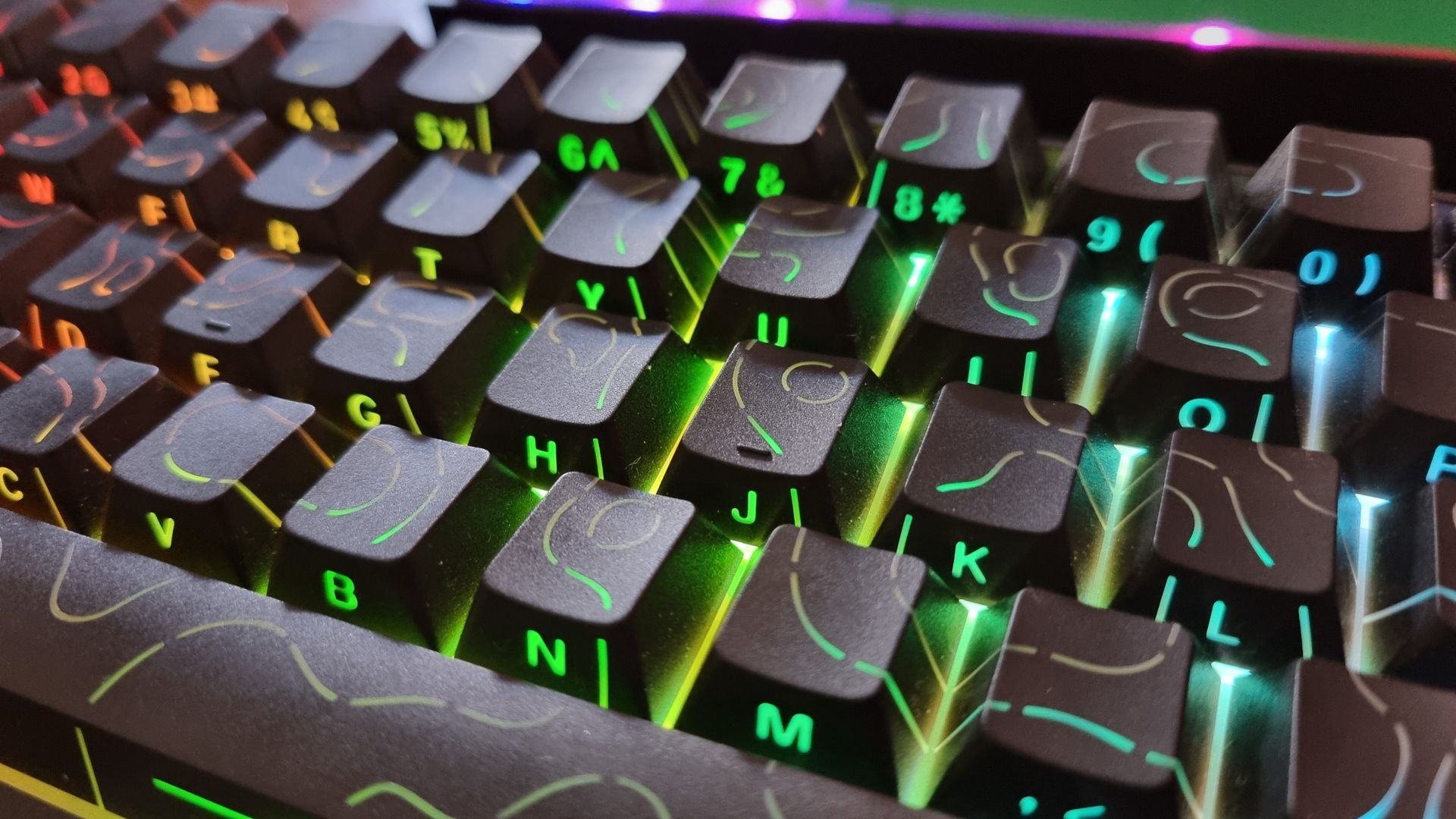
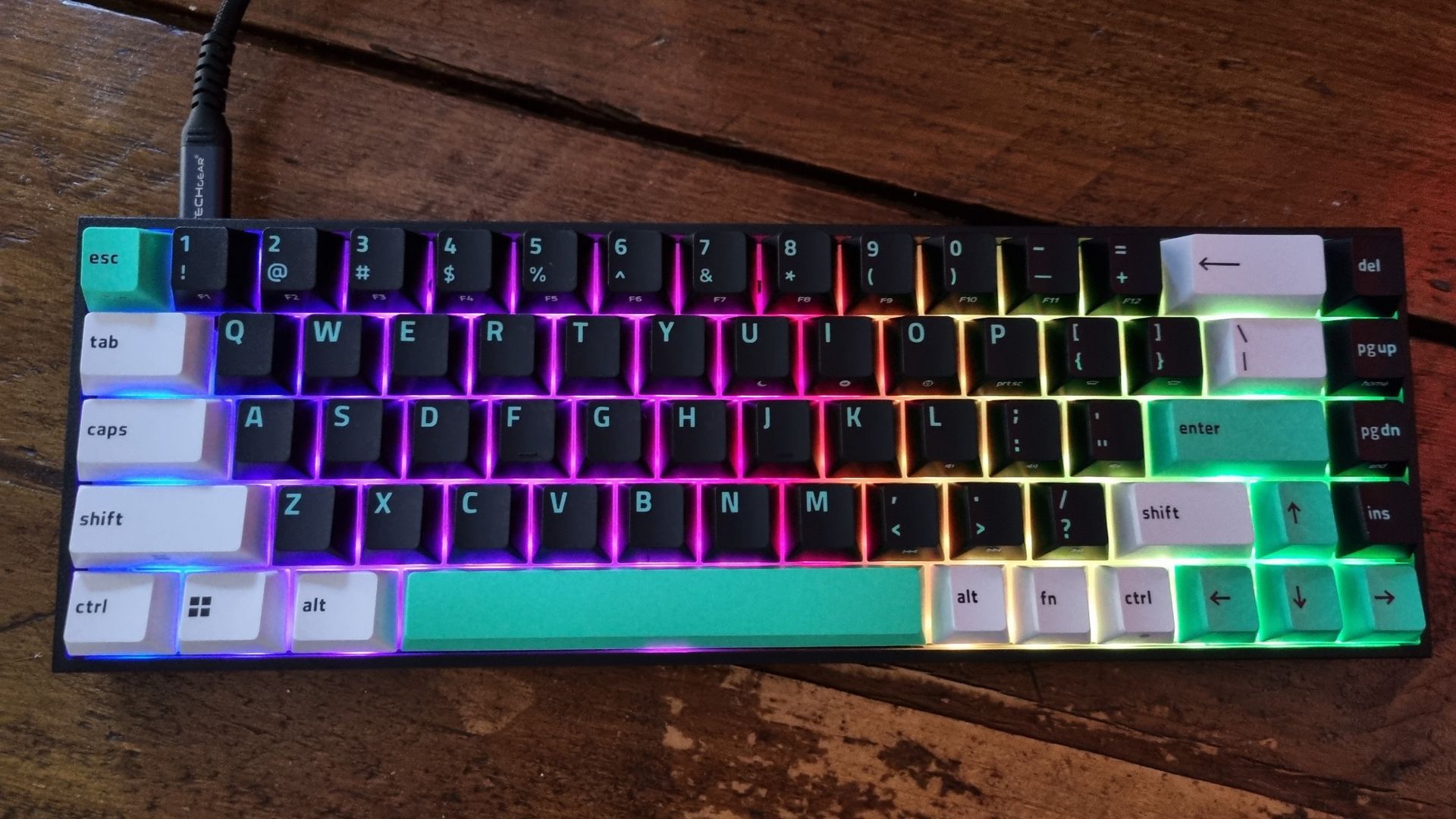
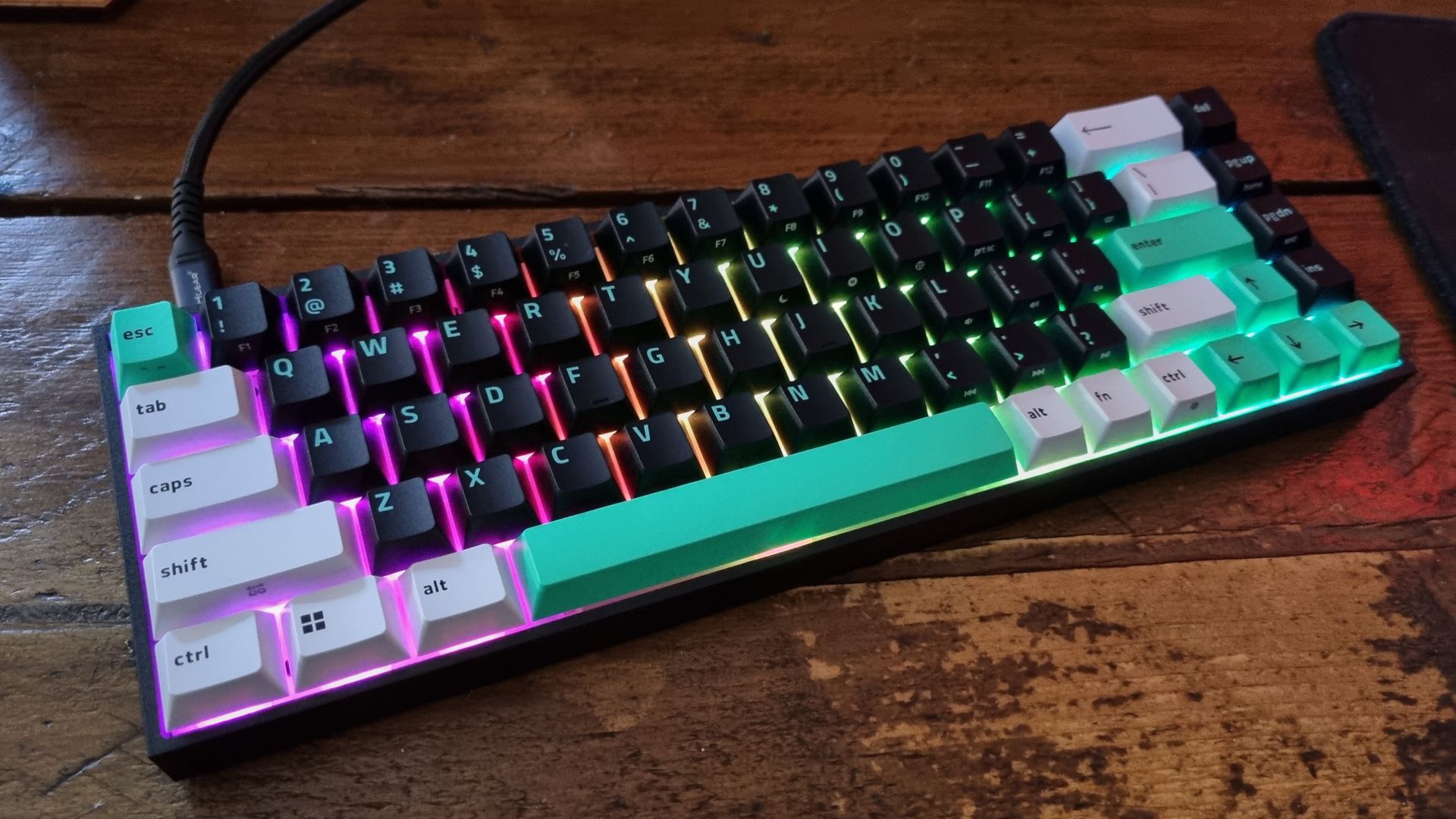
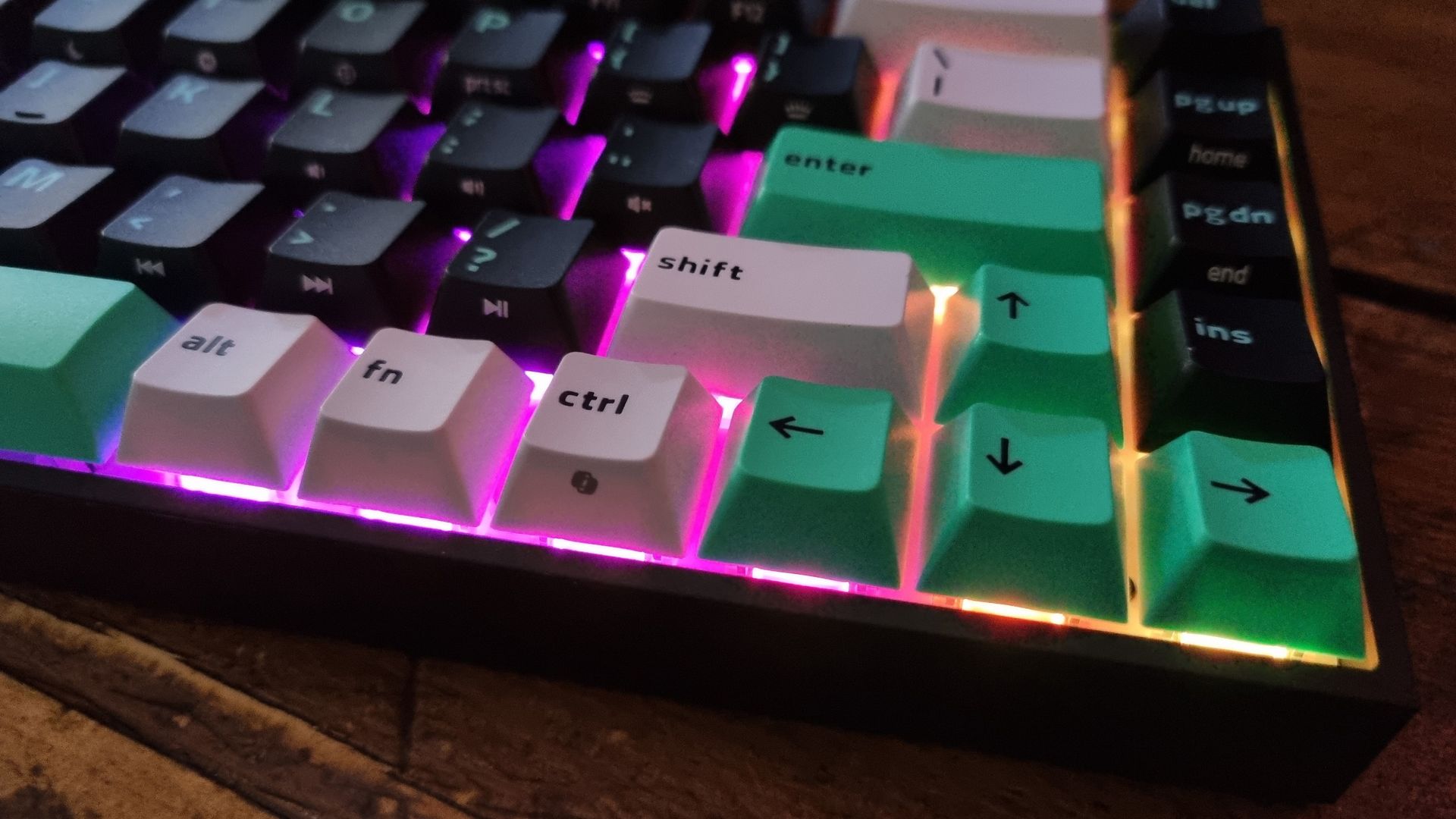
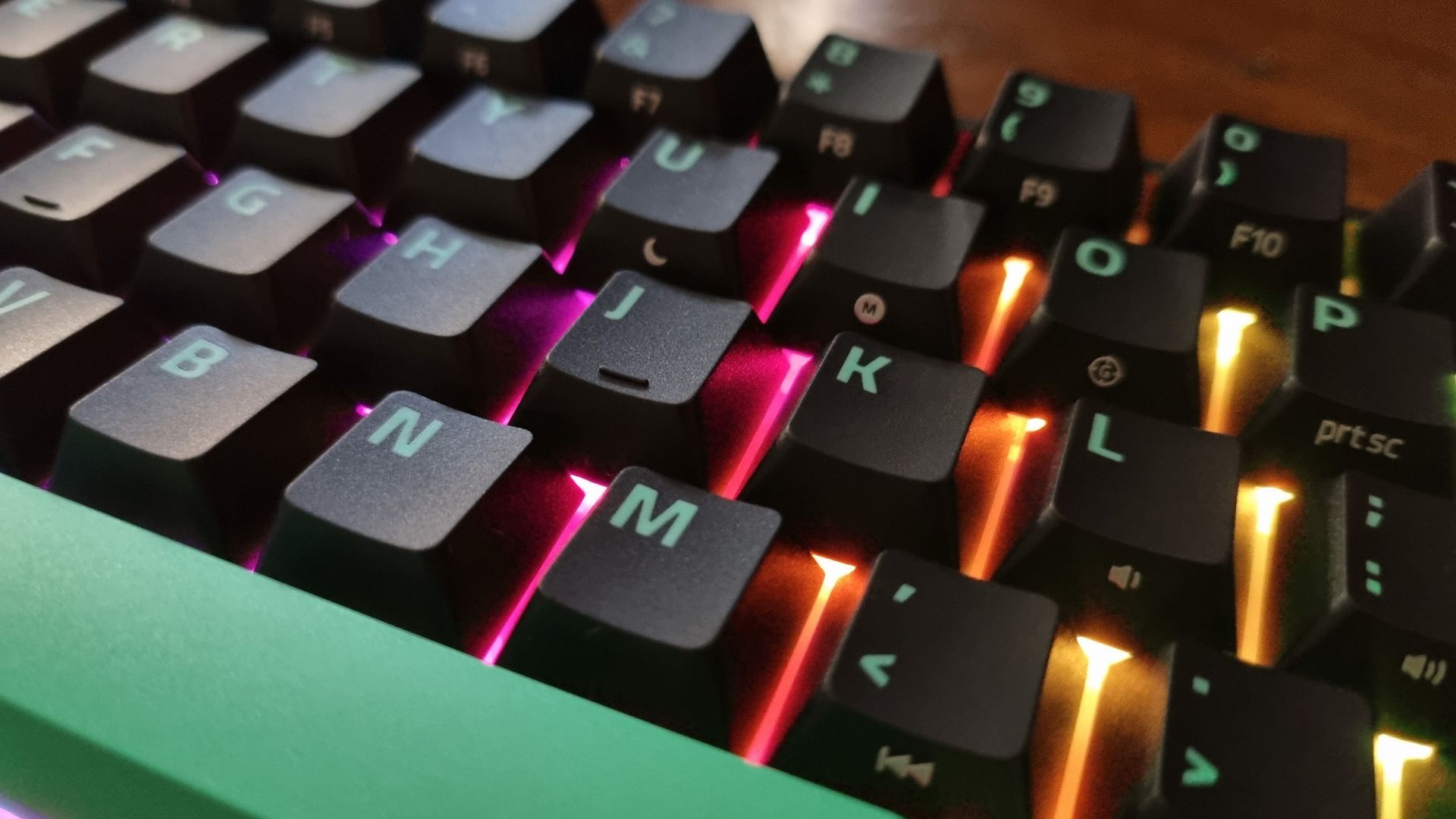
Everyone’s tastes are different, but I’m surprised by how much I like the Razer’s white/green/black keycap combo. I normally abhor white hardware, particularly if I’m going to be touching it with my greasy mitts. Still, it helps the Reclusa X Mini stand out from the crowd, and the RGB lighting shines through with aplomb.
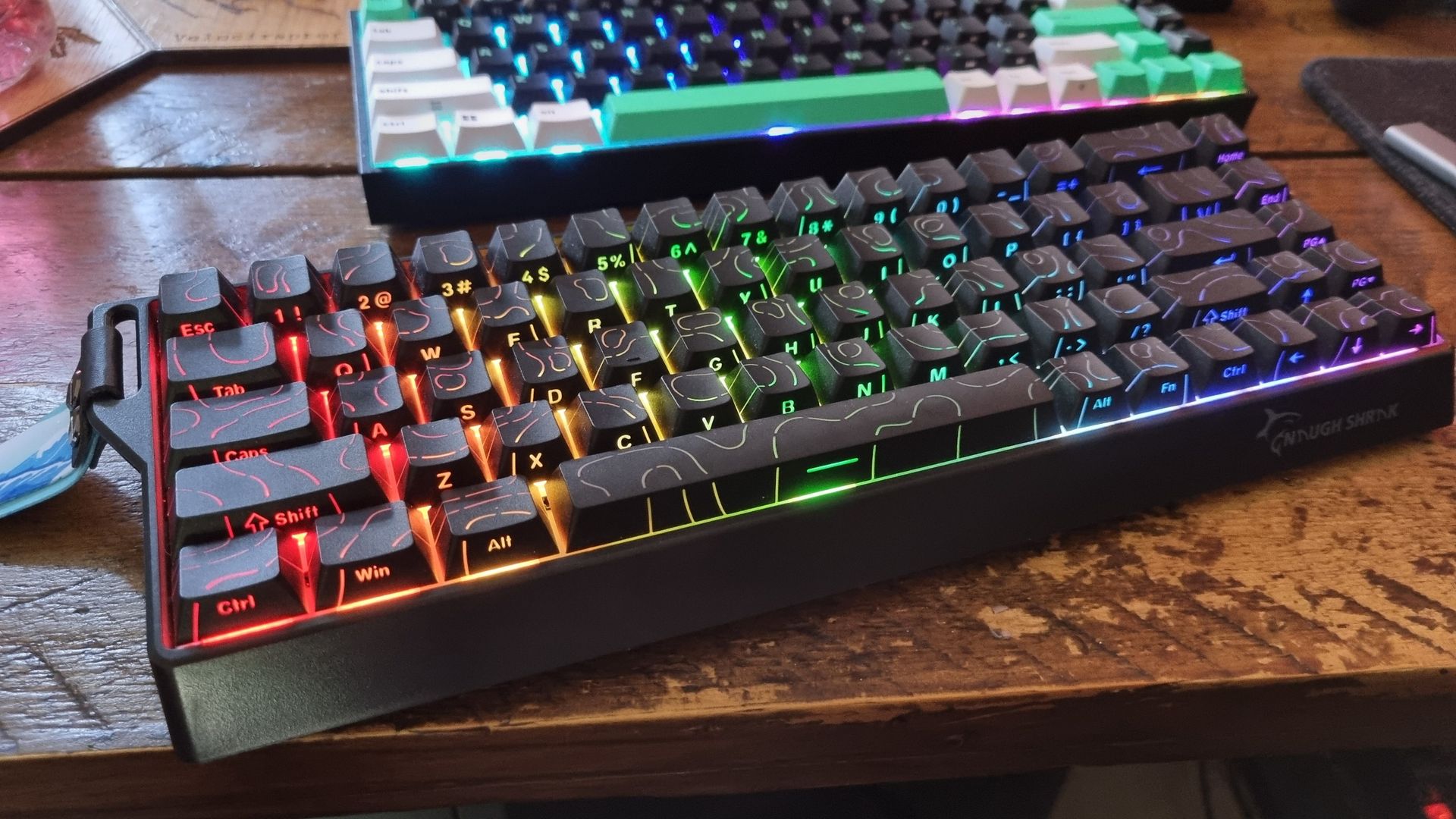
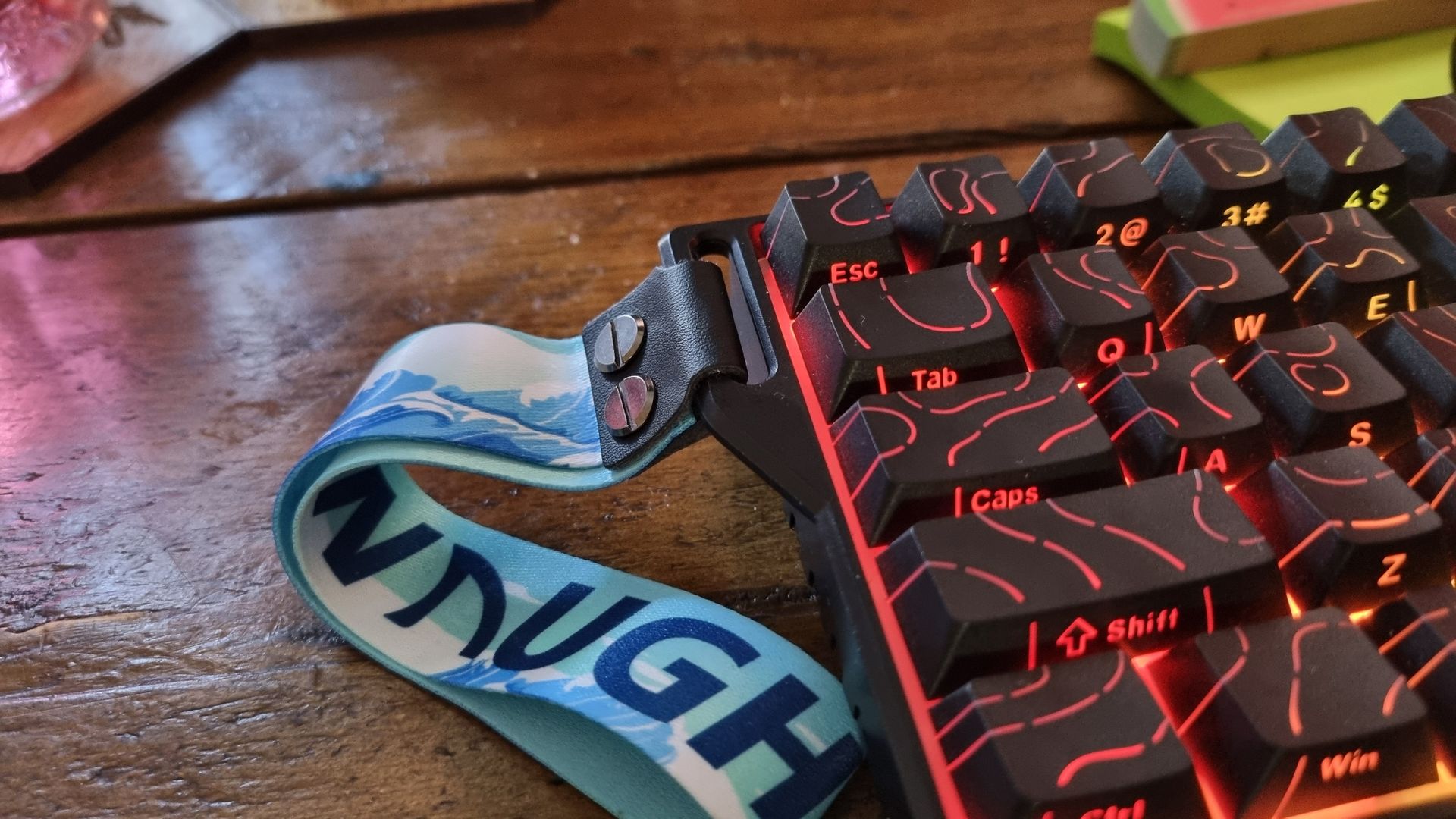
The NaughShark NS68 also has impressive RGB lighting, and I’ve grown to like the wave pattern over the top of the keycaps in combination with the shine-through lettering on the bottom side. There are a few details here, though, that I’m really not so keen on.
One, the stick-out lanyard strap on the left hand side. I don’t know who’s going to be wearing their keyboard round their wrist when they take it for a walk (?), but it’s not going to be me. You can remove the lanyard itself with the help of a flat-headed screwdriver (or a thumbnail). Unfortunately, the ugly sidehook is integrated into the chassis. There it shall remain.
And two, there are some fiddly details in the chassis design that are more indicative of a budget product. The dipped-in sides with ridges are easy enough to ignore, but did we have to write “Naugh Shark” (with a space, no less) on the front, complete with a stylised graphic of a great white?
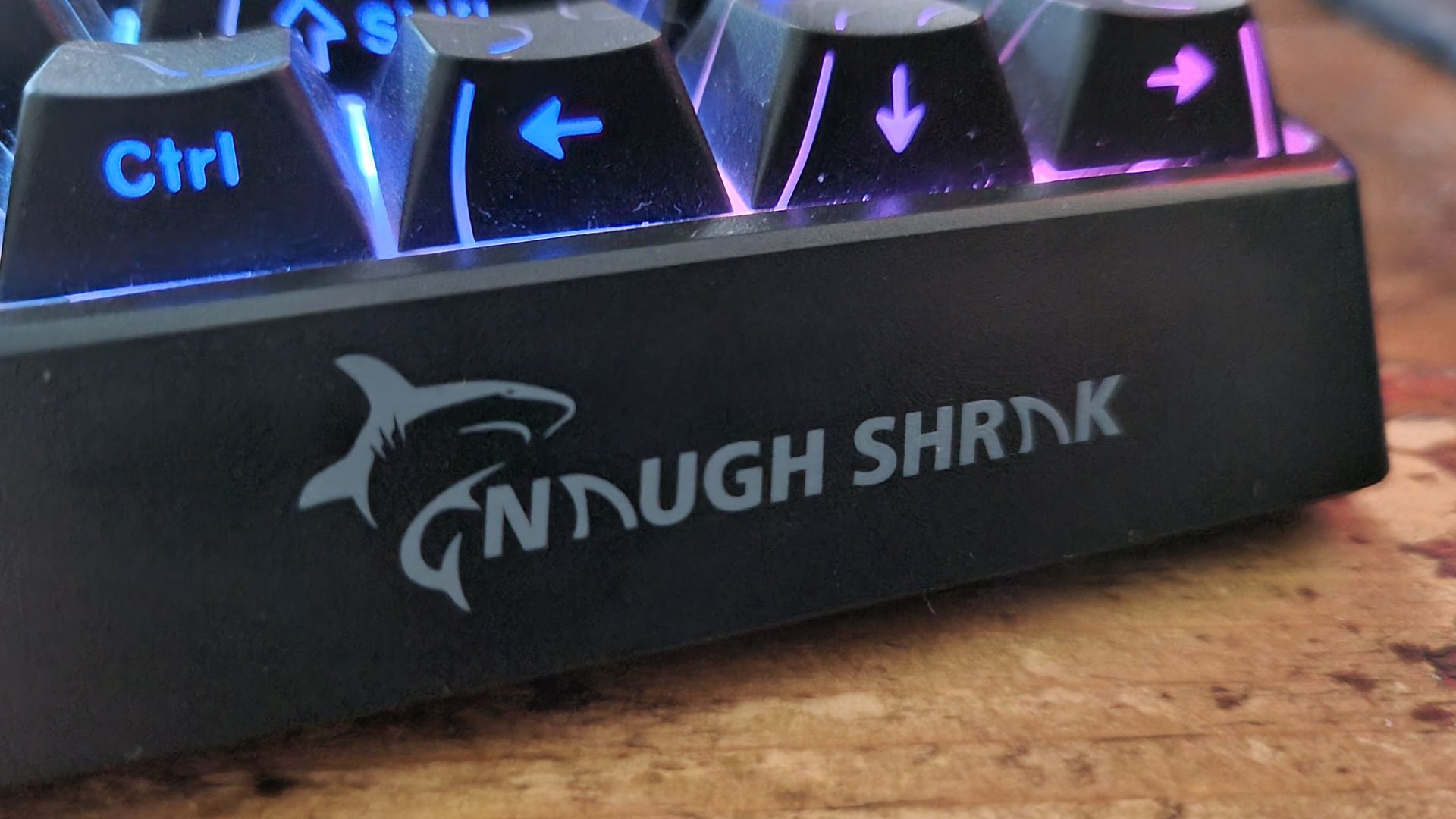
It’s a bit… childish, I guess. I like a bit of fun in my gaming product design, but I think if I had the NS68 on my desk and there was company coming over, I might throw a magazine on top of it. The Razer, however, is more grown up. Other than the RGB of course, but isn’t that the highest indicator of class? Another win for the Reclusa, in my book.
Round four: Sound
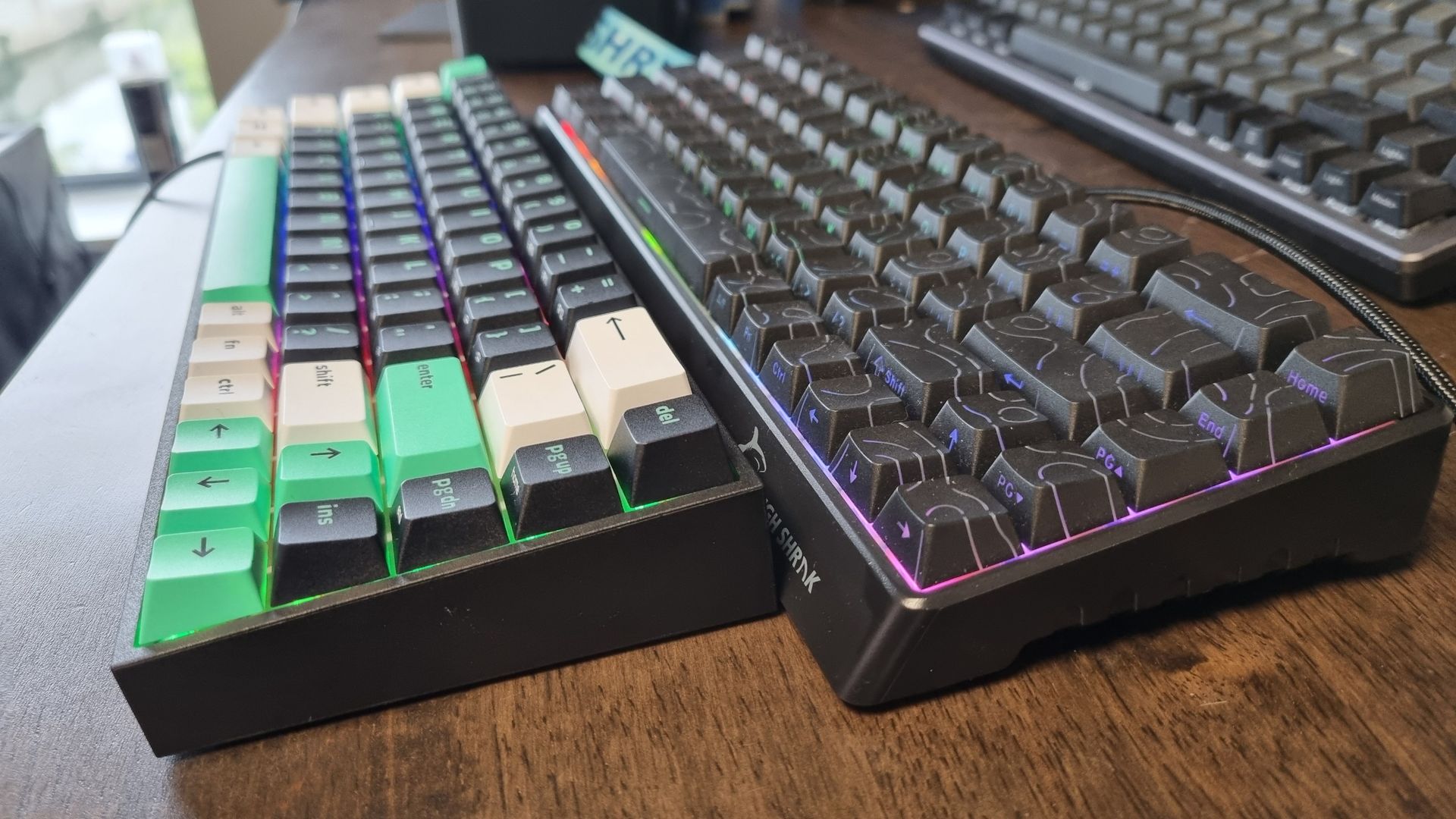
Tippy tappy, or clicky clacky? That’s the question I find myself asking when choosing between these two keebs. The NaughShark NS68 belongs to the former camp, with a “tappity-tap” kind of ring to it that sounds perfectly fine while typing or gaming.
There’s a bit of a hollow note to the whole affair, though, particularly underneath the delete key, which sounds markedly different to all the others. By contrast, the spacebar sounds much more dampened. It’s an inconsistent tonal palette (if I’m allowing myself to be pretentious, which I am), but I still reckon the Gamakay is far from a bad-sounding keeb.
The Reclusa X Mini sounds much more like a traditional mechanical keyboard. There’s a crunchy, self-assured click and clack to its output, which I usually associate with expensive, enthusiast-level keebs.
But while the Razer is quieter and more refined overall, the clicky top-end noise has a tendency to travel a bit further, as it’s not caught by the Reclusa’s dual-layer silicone sound dampening layers inside the board. I happen to enjoy said noise, but I fear a cushion being thrown at the back of my head any moment now.
Out of the two, I’ll go for the Razer—even if the rest of my household might prefer otherwise.
Round five: Real-world gaming
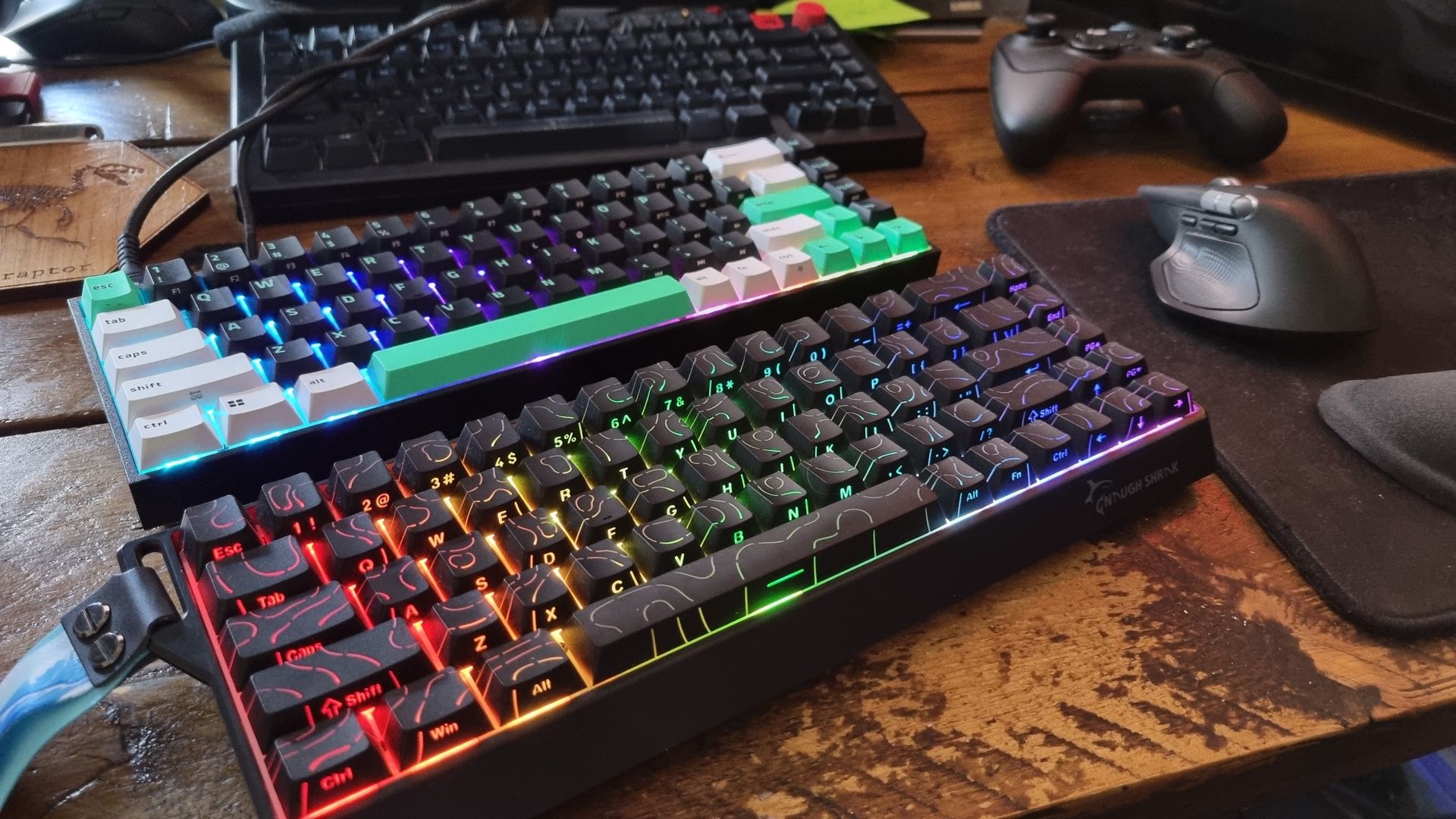
I’m no pro gamer, and I get my arse kicked in seconds by younger players in esports-style shooters. No gaming keyboard is going to change that fact. I do knock around in Gray Zone Warfare, Borderlands 4, Ready or Not, and Helldivers 2 on a regular basis, though, so those are the games I decided to use for my real-world gaming tests.
And in terms of responsiveness, perhaps, just perhaps, I could feel a touch faster reaction from the NaughShark NS68 at its full 8K polling rate. It’s such a close-run thing, though, I’m still not entirely sure. The Razer certainly doesn’t lag, I can tell you that much.
I also like the Gamakay keeb’s adjustable actuation point switches, which give me scope for customising my input distances in a very direct way. What I don’t like, however, is the switchfeel underneath my WASD hand.
It’s a bit spongy, and the slightly rattly keycaps remind me that I’m using a very fast, but also very budget input device. The Razer feels rock solid by contrast, and the heavier switches make me feel like I’m more in control. Even if, technically, the Gamakay is quicker on the draw.
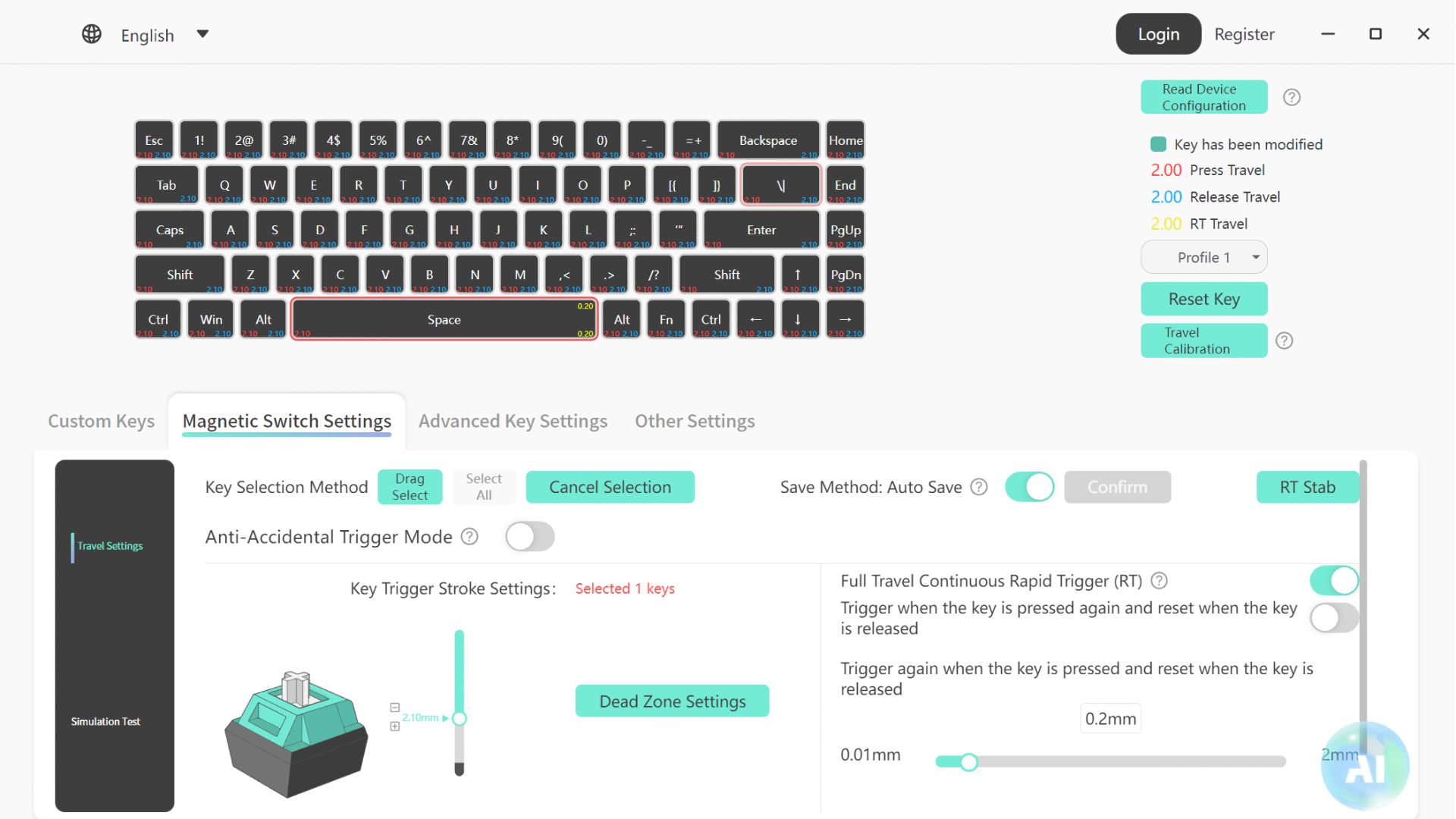
In terms of software features, the NaughShark NS68 has plenty of them. In terms of making them work, though, I’ve had a pretty inconsistent experience. The options are confusingly labelled, and some settings have a tendency to change behind my back for reasons I can’t entirely explain.
Still, top marks go to the Gamakay software’s switch simulation feature, which lets you see switch actuation in realtime to decide on the right distance for you. There’s also rapid trigger support, alongside Dynamic Key Stroke, Press and Click, SnapKey, and various other confusingly-named options.
Speaking of rapid trigger, I’ve really tried to get on with it, honestly I have. But ultimately, I don’t think it makes a big difference in the games I play. Anyway, the NaughShark NS68 has it, the Razer doesn’t, and for some it’ll be a make-or-break feature.
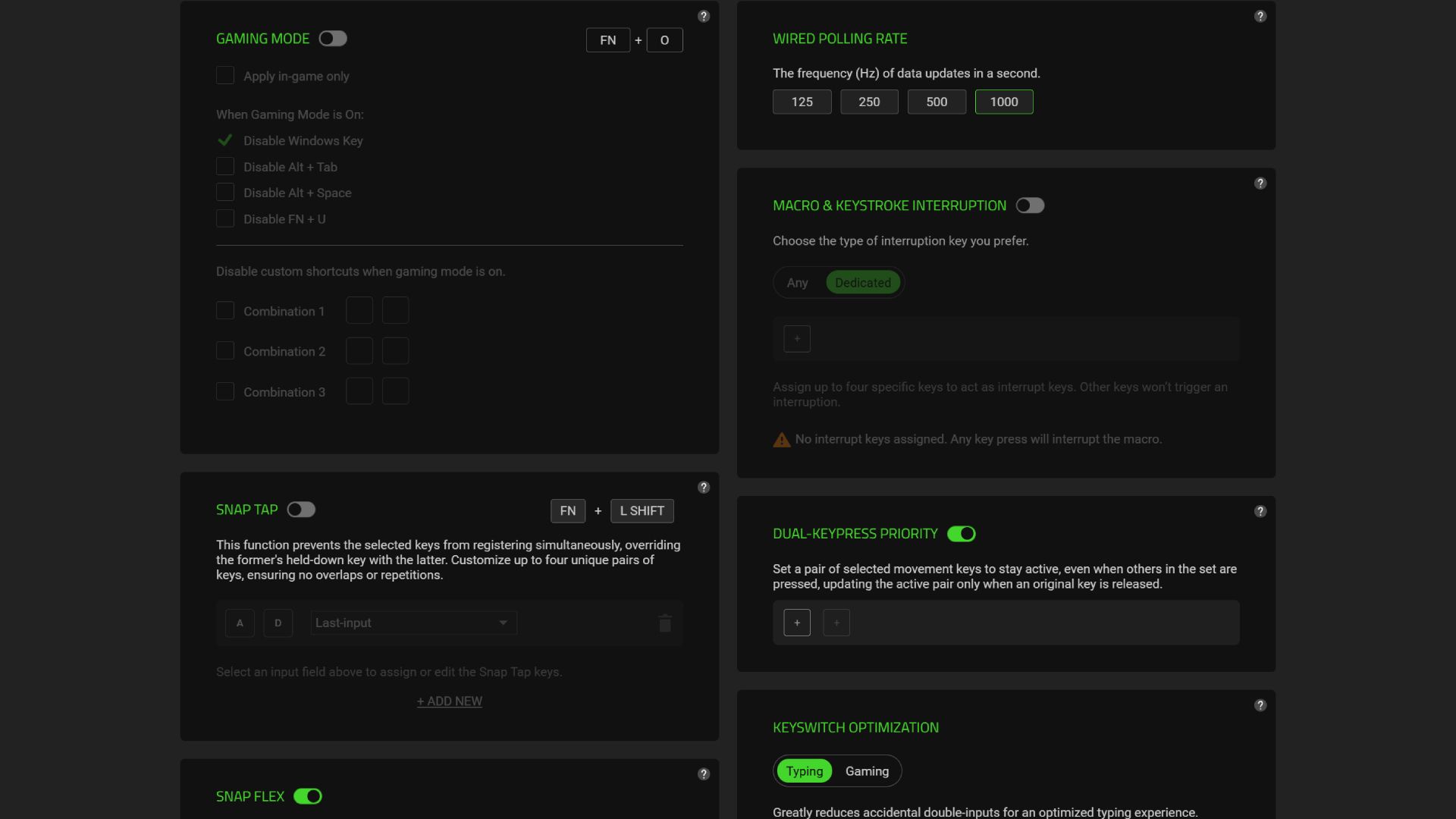
Back to the software. Razer Synapse is much better at handling the Reclusa X Mini’s software features, with clearly-labelled menus and much less fuss. I was left scratching my head as I tweaked the Gamakay keeb’s various options, while Razer’s menu system lets me get going with its Snap Tap, Snap Flex, and Dual-Keypress priority features with little fuss. The menus are a bit basic, sure. But they work well, and that’s all that really matters.
Beyond that, the Reclusa’s straightforward recipe of satisfying switches, crisp keycaps, and solid build quality really makes the difference to me when I sit down for a Sunday afternoon of gaming. Or a Wednesday evening, for that matter. The Gamakay is a very good gaming keeb, but given the Razer is nearly the same cash, I’ll take the features I can feel in my fingertips over the ones I can fiddle with deep within the software.
The winner
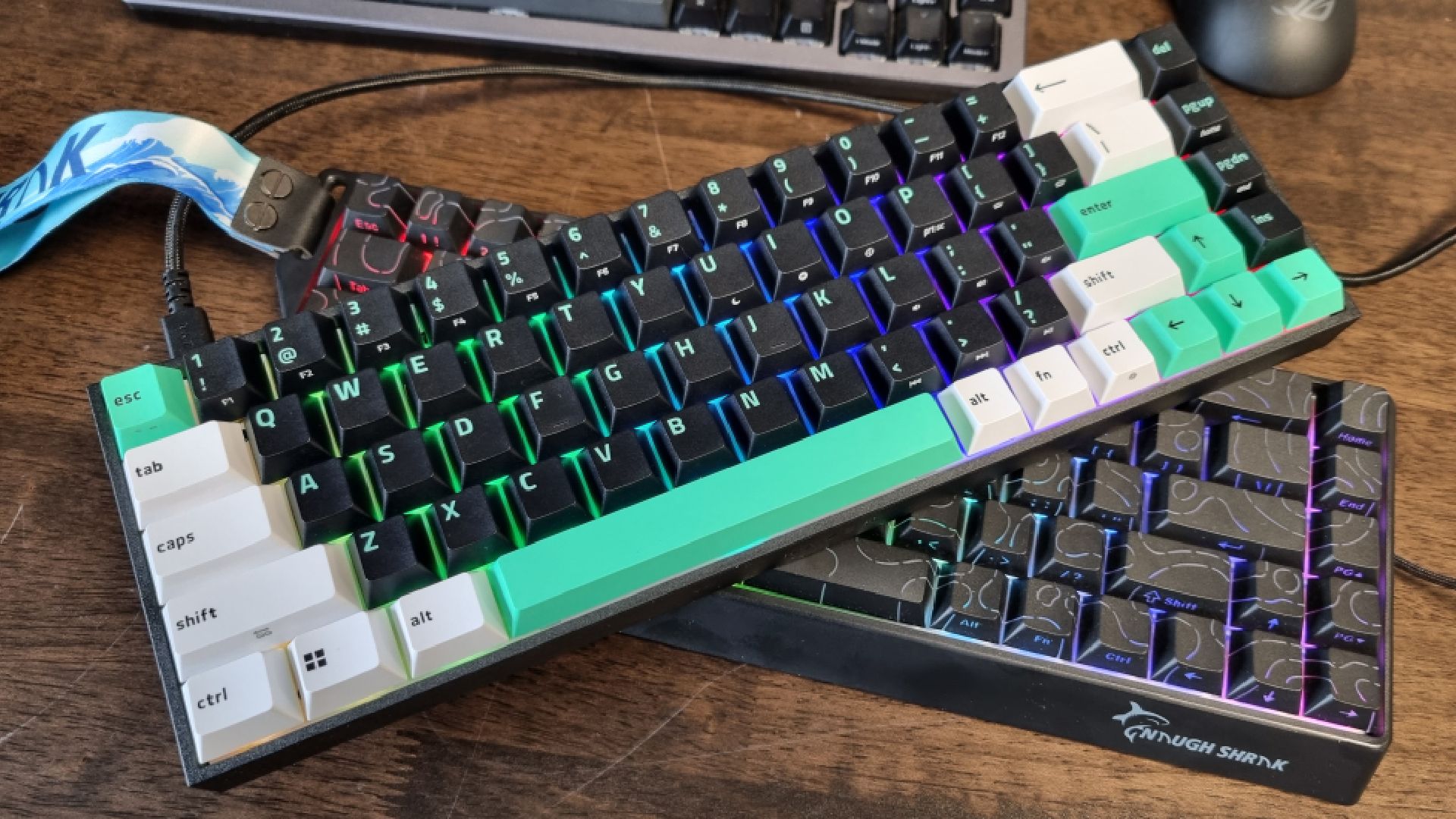
For those of you that made it this far, it’ll be no surprise to learn that for me, the Razer Reclusa X Mini 65% wins the day. Sticking the two keyboards side-by-side, the many differences between the two are kinda interesting to see.
Internally, the Gamakay x NaughShark NS68 is full of cutting edge features. When it comes to actually using them (and the keyboard itself), though, its budget concessions make themselves known more often than I’d like.
I can absolutely see why we’ve kept the NS68 in our best budget gaming keyboard spot for so long. Traditionally, it’s been very difficult to find a good gaming keyboard for $50 or less, never mind one stuffed full of the latest tech.
I’ll take the features I can feel in my fingertips
But while the Razer Reclusa X Mini 65% doesn’t have the same fancy specs sheet, it’s the nicer to use device of the two. It’s much more solidly built, it’s got better switchfeel, it’s great to type and game on, and it looks grown up enough that you won’t be embarrassed if someone spots it on your desk before a night out.
And as for that polling rate difference, and the Gamakay keeb’s Hall effect switches and many, many software options? Well, proper competitive gamers may consider those grounds for an overarching win, no matter the rest. And god bless ’em, that’s what I say.
For a regular ol’ gamer like me, though? I’ll take the Reclusa X Mini 65%, please. And I think I might be far from alone on that one.