
If you have an older AMD card, you might want to take a look at a new, easy-to-use tool that allows you to use DLSS rather than FSR 3. I’ve been trying it out, and it works really well and is easy to install.
The tool, HelixSR, works by making patched games believe they’re still running FSR 3.1, but it replaces the upscaling algorithm with DLSS 3.7 (Model E). It bases the new upscaling DLL file it hands the game on the official DLSS one. The upscaling is done using your regular shader cores, of course, given there aren’t Tensor cores to make use of in your AMD GPU.
This being said, the differences in image quality are very far from night and day, and dropping in the DLSS patch actually decreases performance very slightly.
I’d still say the tool is worth a try. If worst comes to worst, you can uninstall it by running a simple pre-packaged script.
AMD has come a long way since the time when its upscaling solution was far behind Nvidia’s, both in terms of game support and quality. Now, so many games support FSR 4 that I can’t justify taking the time to count them like I used to when I wrote about it, and image quality isn’t too far behind Nvidia.
But much of this depends on which version of each side’s tech you’re comparing. FSR 4 is supported only on the latest RX 9000-series or 7000-series cards, so RDNA 1 and RDNA 2 cards (RX 5000-series and RX 6000-series, respectively) have to stick to FSR 3. It’s these cards that I think will primarily benefit, here.
The primary benefit will be for older AMD GPUs that can’t use FSR 4. And if you notice a bigger difference in image quality than I do between FSR 3 and DLSS Model E, that’s a nice bonus.
How to install
Installation is very easy. Unless you want to try the latest, experimental version, you can download the 1.8.1 zip (under Assets) and extract it to a safe place such as your root C: drive. Then, run the batch file and let it do its work.
It’ll ask you which games you want it running on, and that’s it. Just hit Enter for the ones you want to try it on, or input ‘n’ for those you don’t, and the script will handle the rest.
Pay attention to the final run of text before the script closes, as this tells you what to select in-game—in Cyberpunk and Alan Wake 2 using my RX 9070 XT, that was FSR or FSR 3. And if you want to uninstall it, just run the uninstall batch script.
Image quality
For my part, the difference seemed slight but not invisible. Here’s how some far-away metal stairs look in Cyberpunk:
Upscaling comparison in Cyberpunk 2077
FSR (left) vs DLSS via HelixSR (right). Quality upscaling. The metal steps and scaffolding here are far away in-game.


As you can see, things are little clearer with DLSS when using Quality upscaling. But overall, there’s not a lot in it, and when you’re not dealing with lots of thin, straight edges, there’s not a massive difference. Every little helps, though.
Here’s how that above scene looks in context, not zoomed in:
Upscaling comparison in Cyberpunk 2077
FSR (left) vs DLSS via HelixSR (right). Quality upscaling.
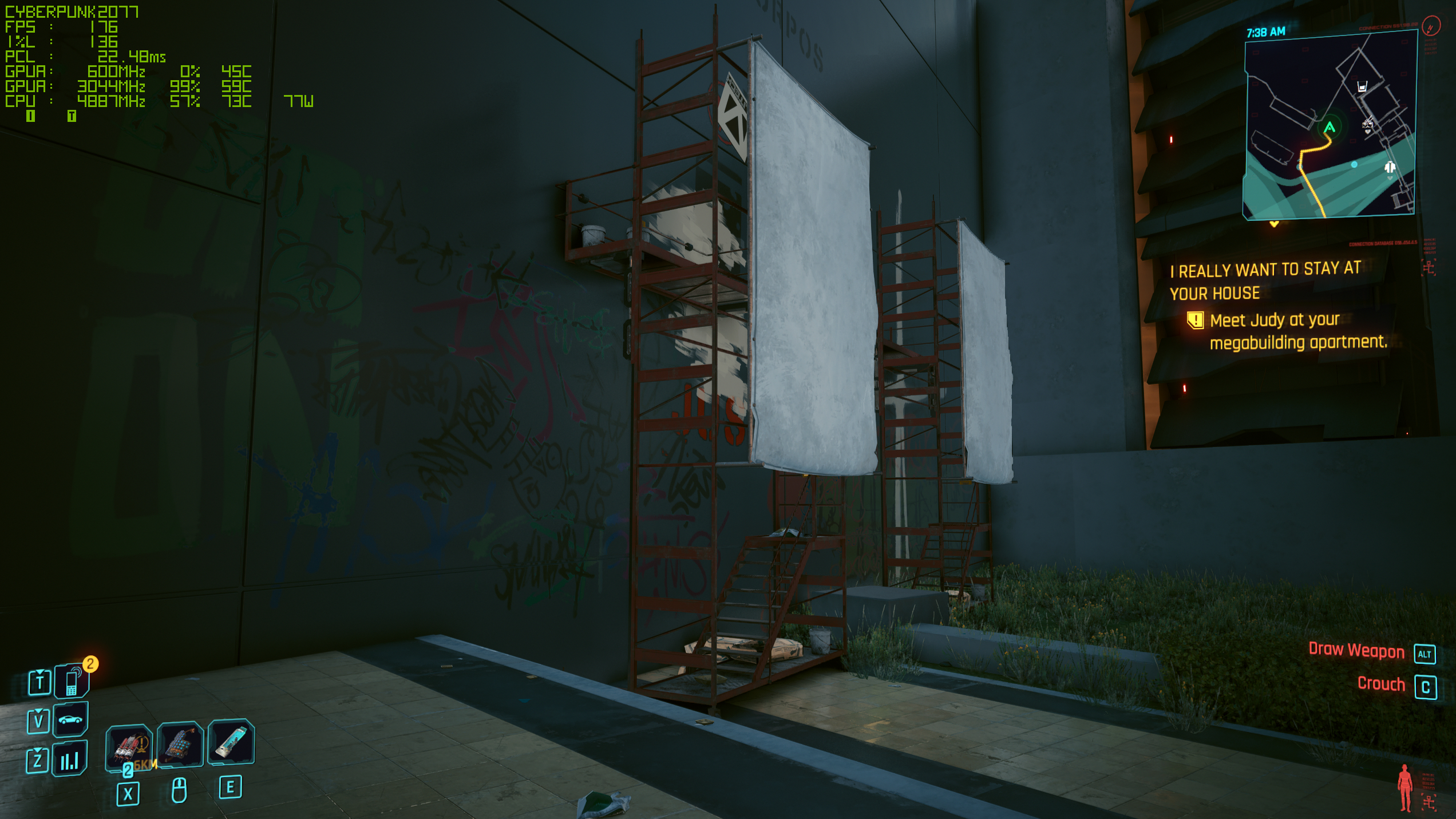
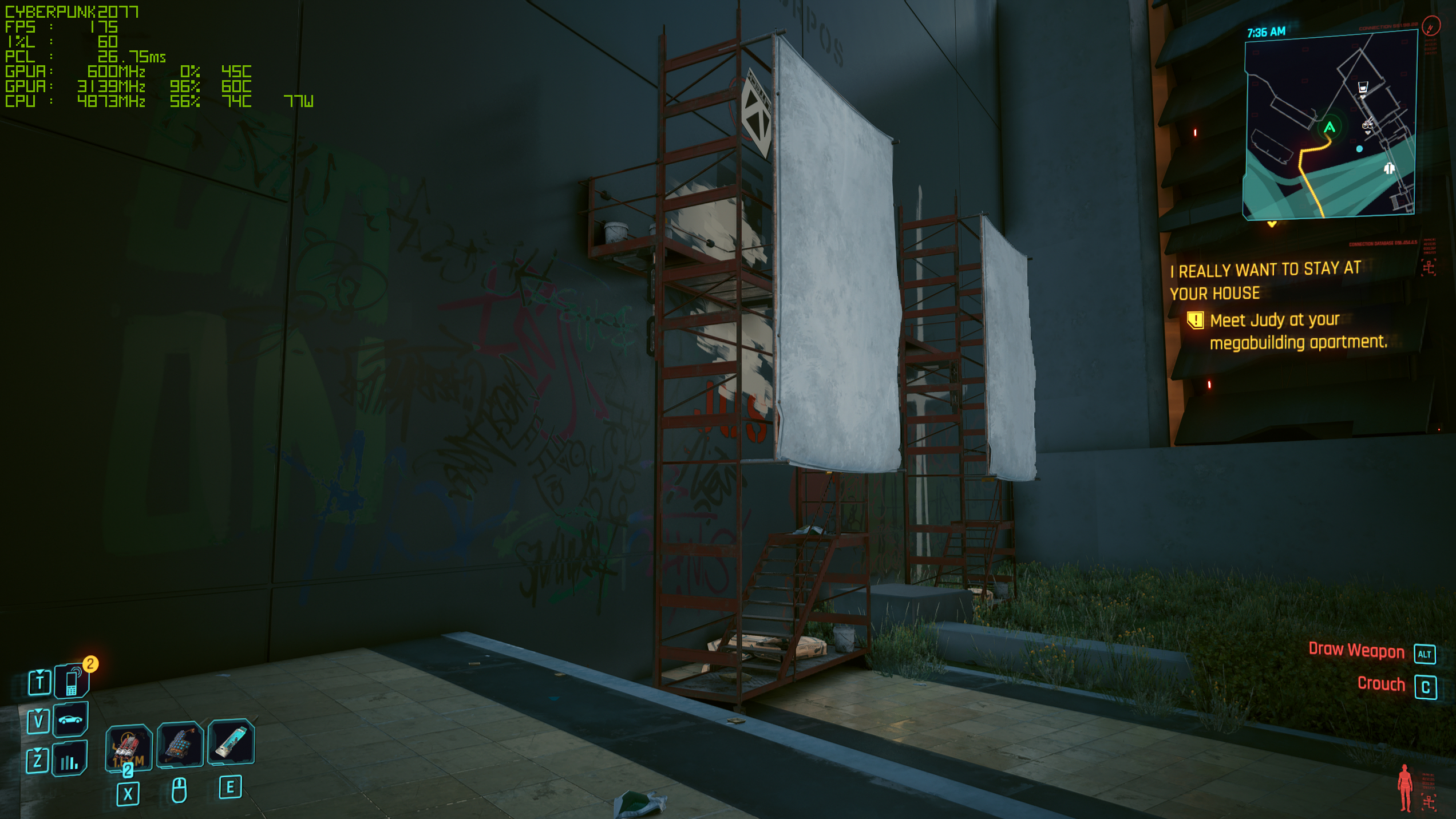
There’s not much in it, if you ask me. Here’s the zoomed-in difference when FSR and DLSS are set to performance mode:
Upscaling comparison in Cyberpunk 2077
FSR (left) vs DLSS via HelixSR (right). Performance upscaling. The metal steps and scaffolding here are far away in-game.
Whether the differences are worth it is up to you, but as I said, it’s an easy install.
Performance
FSR vs DLSS via HelixSR performance
Tested using an RX 9070 XT, with each game running at High settings,1440p resolution.
Avg fps
1% min fps
| Product | Value |
|---|---|
| FSR (3.1) Quality | 190 Avg fps, 150 1% min fps |
| DLSS (3.7) Quality | 189 Avg fps, 157 1% min fps |
| FSR (3.1) Performance | 208 Avg fps, 165 1% min fps |
| DLSS (3.7) Performance | 198 Avg fps, 160 1% min fps |
Avg fps
1% min fps
| Product | Value |
|---|---|
| FSR (3.1) Quality | 164 Avg fps, 65 1% min fps |
| DLSS (3.7) Quality | 151 Avg fps, 77 1% min fps |
| FSR (3.1) Performance | 189 Avg fps, 59 1% min fps |
| DLSS (3.7) Performance | 171 Avg fps, 77 1% min fps |
There’s a slight performance hit, but, at least on my RX 9070 XT, it really is only a slight one. Just a handful of frames in games running at well north of 100 fps (or even 200 fps).
Performance will, of course, vary depending on your GPU and the rest of your setup. The better use case here is not for people using an RX 9070 XT like me, but those using an older AMD card that can’t use FSR 4. And in these cases, you might notice more of a hit to performance.
If you’re using an older AMD card and do try this tool out, I’d be interested to know what kind of performance you get compared to standard FSR 3—let me know in the comments, if you feel inclined.