
If you don’t talk to me about the price, I will tell you the Asus ProArt P16 is an unbelievably good gaming laptop. It is beautifully slim, runs incredibly well gaming on battery, and has an absolutely stunning 16-inch OLED screen. And its Arm-based SoC is almost entirely transparent when it comes to running pretty much anything on Windows 11.
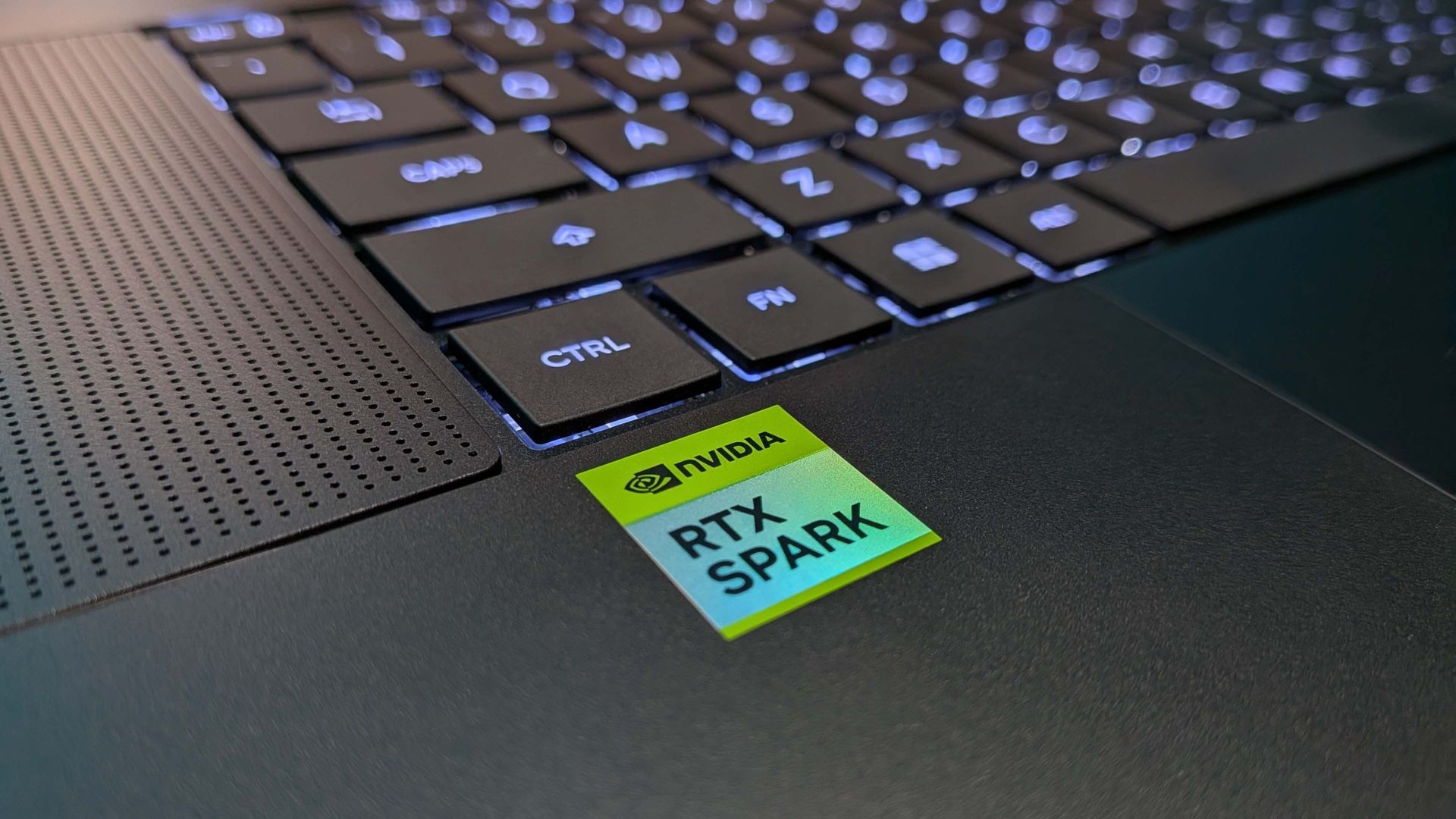
But this is no mere Snapdragon device, this the RTX Spark; Nvidia’s first foray into the world of full Windows SoCs. It’s pairing a relatively beefy RTX Blackwell GPU with a whole bunch of Arm CPU cores, and doing so with lots and lots and lots of LPDDR5X memory. Y’know, for AI.
Which, er, is why you might not want to ask about that price. Memory’s expensive, and these RTX Spark laptops—of which the Asus ProArt P16 is, in my opinion, the most desirable—are likewise brutally priced. I have the 64 GB version, with the top Nvidia N1X SoC inside it, and it will set you back $4,400.
It is that price both for AI and because of AI, and is being sold as the ‘One PC’ that can do everything. It can game, it can run creative apps, and it can slam through local AI workloads like no other laptop before. But where you’re probably expecting me to trot out the old ‘jack of all trades, master of none’ line here, that’s not really the case. There are tradeoffs, sure, but it’s really, really good at the lot. And did I mention it was pretty?
The real question here, however, is whether a PC gamer ought to be considering this machine for their next laptop. And if it’s just to play games on, this would not be my first choice, however good a device I think it is. The performance, for an Arm-powered laptop, is impressive in terms of the experience, but not faultless. While Microsoft is working hard on Prism and opening up support for every anti-cheat software going, it is not complete. And checking against my back-of-the-napkin list of the 15 biggest PC games around right now you’re looking at around half of them not being playable. Yet.
Buy if…
✅ You’re a creator or local AI head who games on the side: If you’re after an almost workstation style thin and light machine, but also want to play after dark, the ProArt P16 will cover all bases
Don’t buy if…
❌ You just want a gaming laptop: There are other thin and light gaming machines that will cost a fraction of what this does, but perform as well in-game.
❌ You have to ask the price: These are machines for the very well-off PC user.
Asus ProArt P16 – Features
|
CPU |
Nvidia RTX Spark N1X |
|
Cores |
20 total |
|
GPU |
Nvidia Blackwell RTX |
|
Cores |
6144 CUDA cores |
|
Memory |
64 GB LPDDR5X RAM |
|
Storage |
1 TB NVMe M.2 SSD |
|
Screen |
16-inch 3K OLED 100% DCI-P3 120 Hz Touchscreen |
|
OS |
Microsoft Windows 11 Home 64-bit |
|
Colour |
Nano Black |
|
Warranty |
ASUS 12 Month Collect & Return Warranty |
|
Price |
There are many like it, but this one is mine: The 20-core N1X chip, with 10 performance and 10 efficient cores, and the 6144 CUDA core GPU component. This version also comes with a 1 TB SSD (for a $4,400 spec? 😬 I know) and 64 GB of LPDDR5X-9400 memory.
This version of the ProArt P16 is rocking the 16-inch 2880 x 1800 touchscreen OLED display, while there is also a 3840 x 2400 OLED screen available (both 120 Hz) if you go for one of the even pricier models. That one’s a touch brighter, but this 1800p OLED will still output at 500 nits, with a 1100 nit peak HDR output, so it’s no slouch.
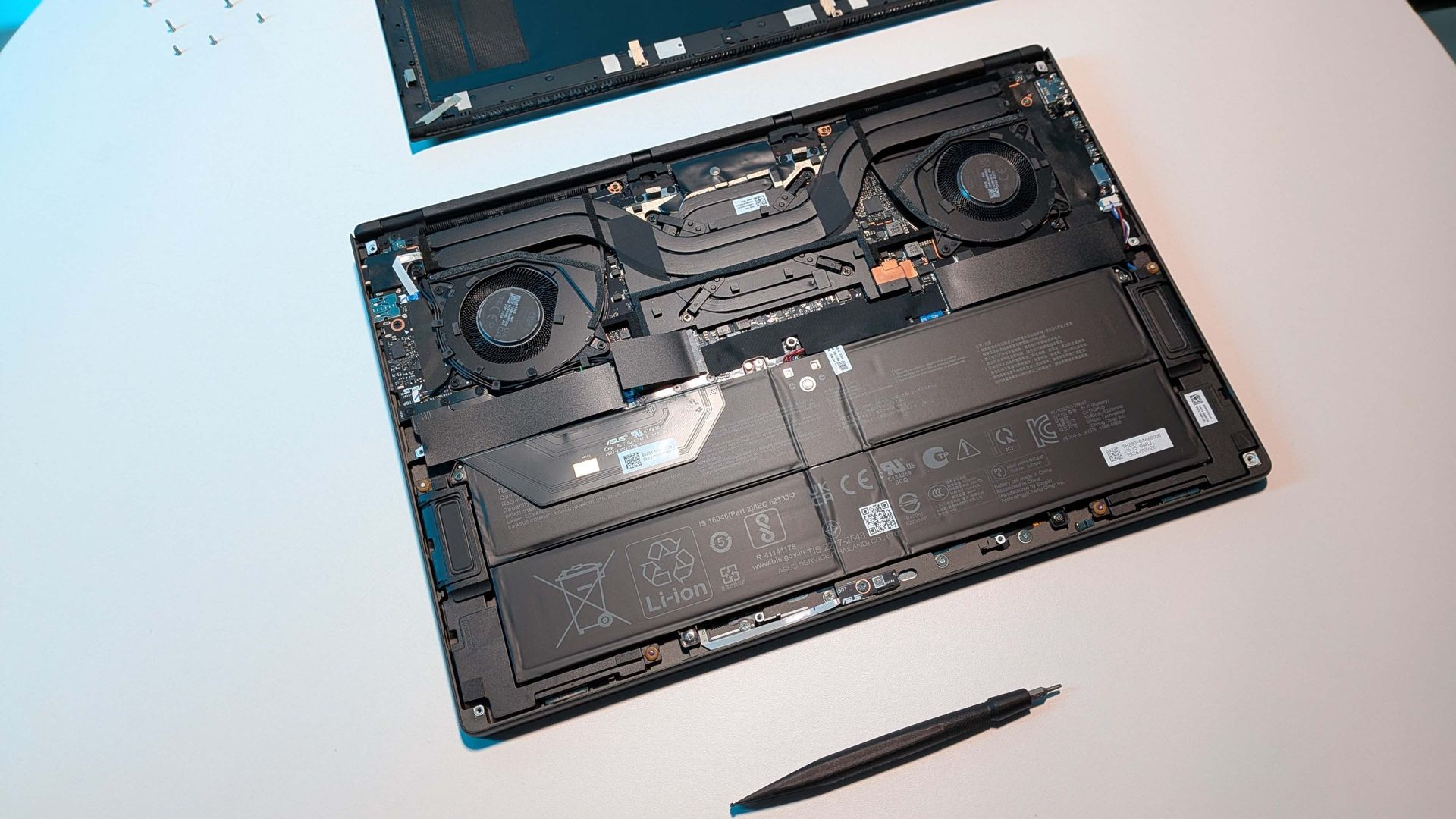
The paucity of storage is a definite disappointment for something at this price—look lower down the stack and you’ll still be paying $2800 for the 24 GB version with just a 512 GB SSD. And I honestly do not see the point in that one except for all concerned to be able to say RTX Spark laptops “start from $2800”. There is, however, a spare PCIe Gen5 SSD slot in the rear of the machine, which is easily accessible once you remove lots of torx screws.
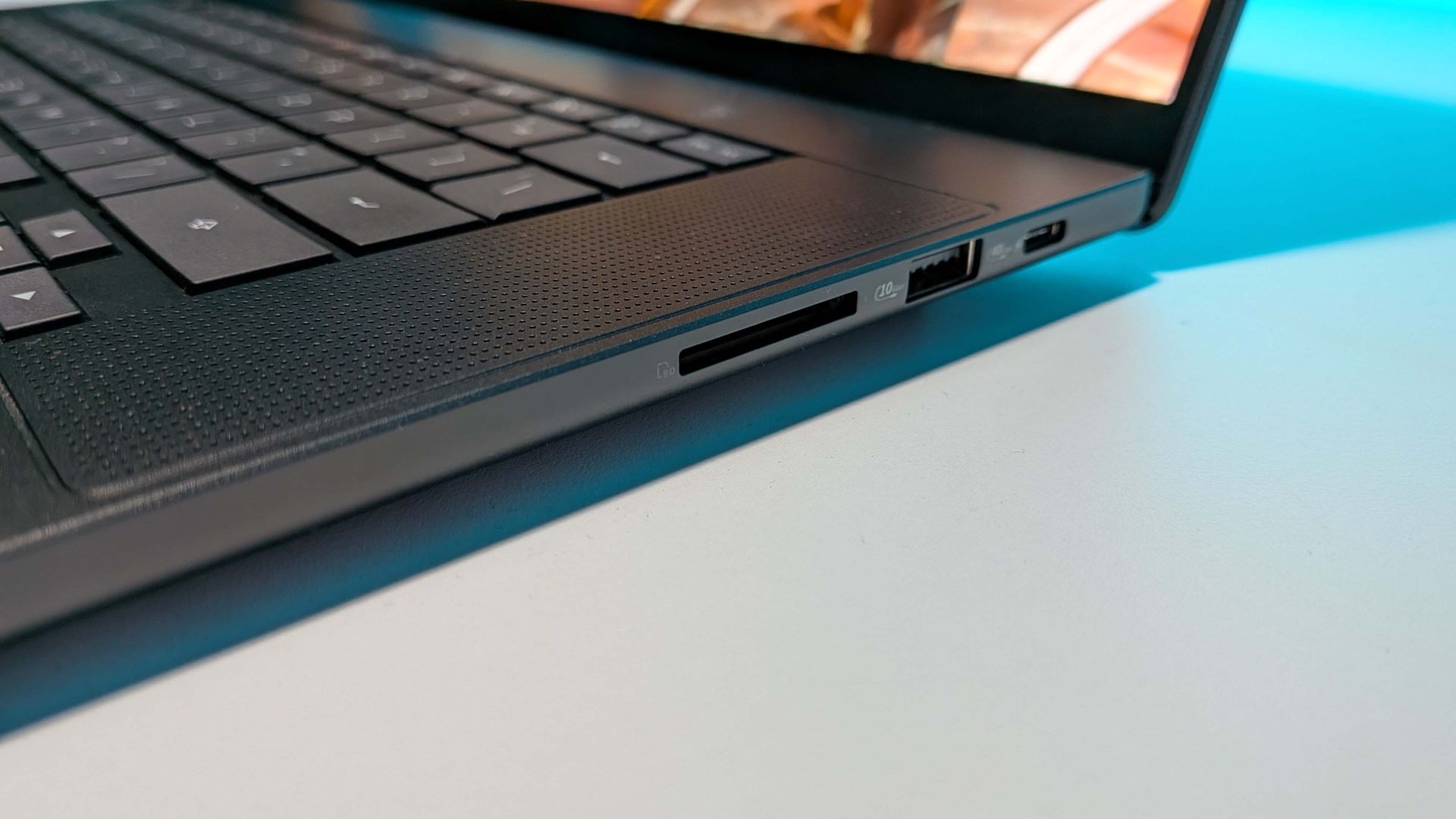
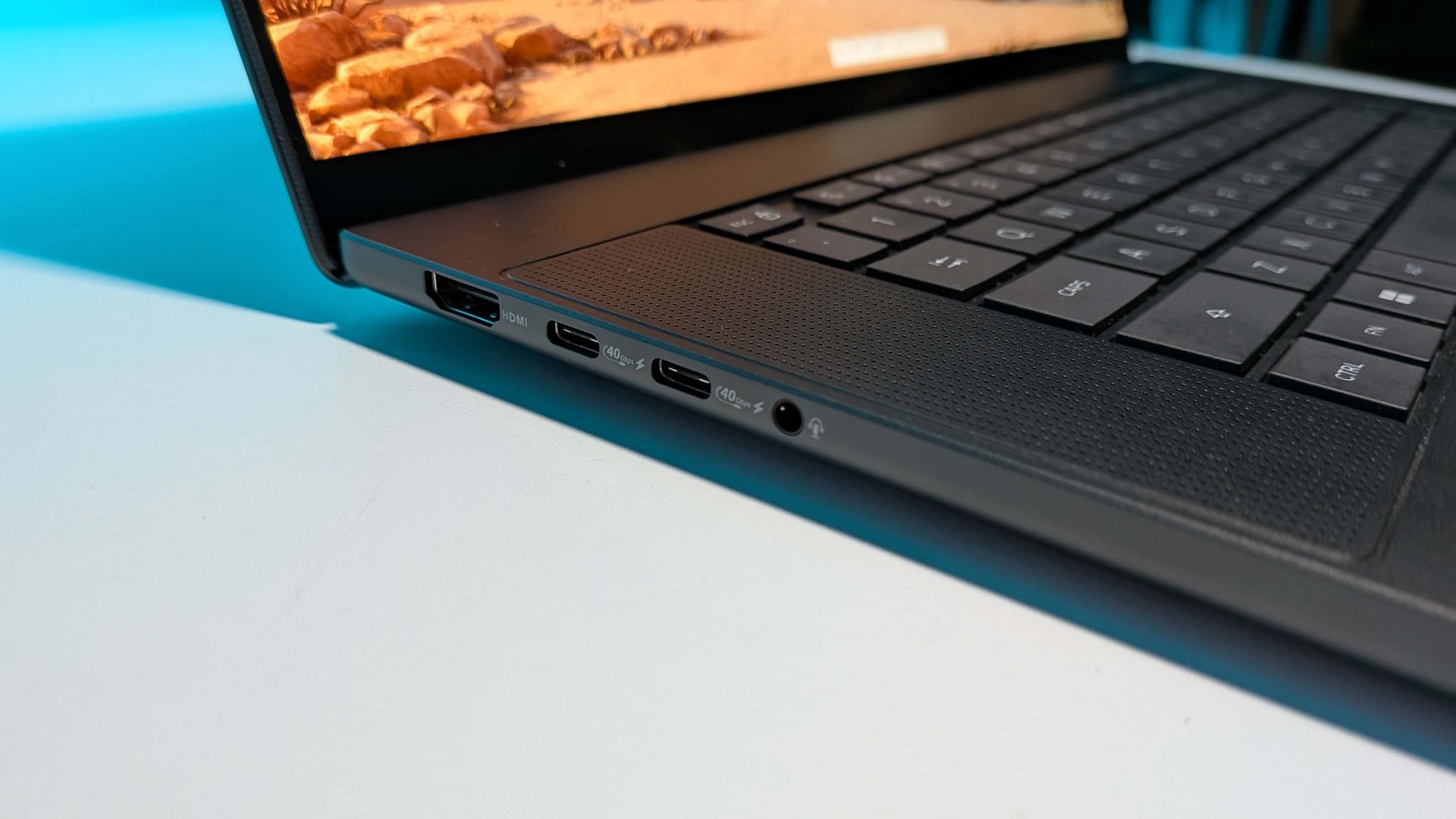
The keyboard would be a genuinely lovely thing for this device if I wasn’t regularly getting additional keystrokes I did not ask for. I’ve had to keep deleting the extra spaces this thing keeps adding into my copy. There. I just had to kill another one. It’s annoying.
What isn’t annoying at all, though, is the glorious, massive haptic touchpad Asus has jammed onto this thing. It quite literally takes up half the width of the device. It’s great to the touch, and impressively responsive as your digits glide across its surface. Mmm. Smooth.
It’s meant to have a webcam, too, but I cannot for the life of me find out how to turn the damned thing on. I’m assuming that somewhere in there a ribbon cable has become ejected because the device sees nothing. This is what I mean by some quality control issues…
Asus ProArt P16 – Value
Haha. Hahahahahaha. Hahahahahahahahahahahaha.
C’mon. This is the mid-range ProArt P16 for $4,400. Any sense of value left the station a loooooooong time ago.
Asus ProArt P16 – Sound
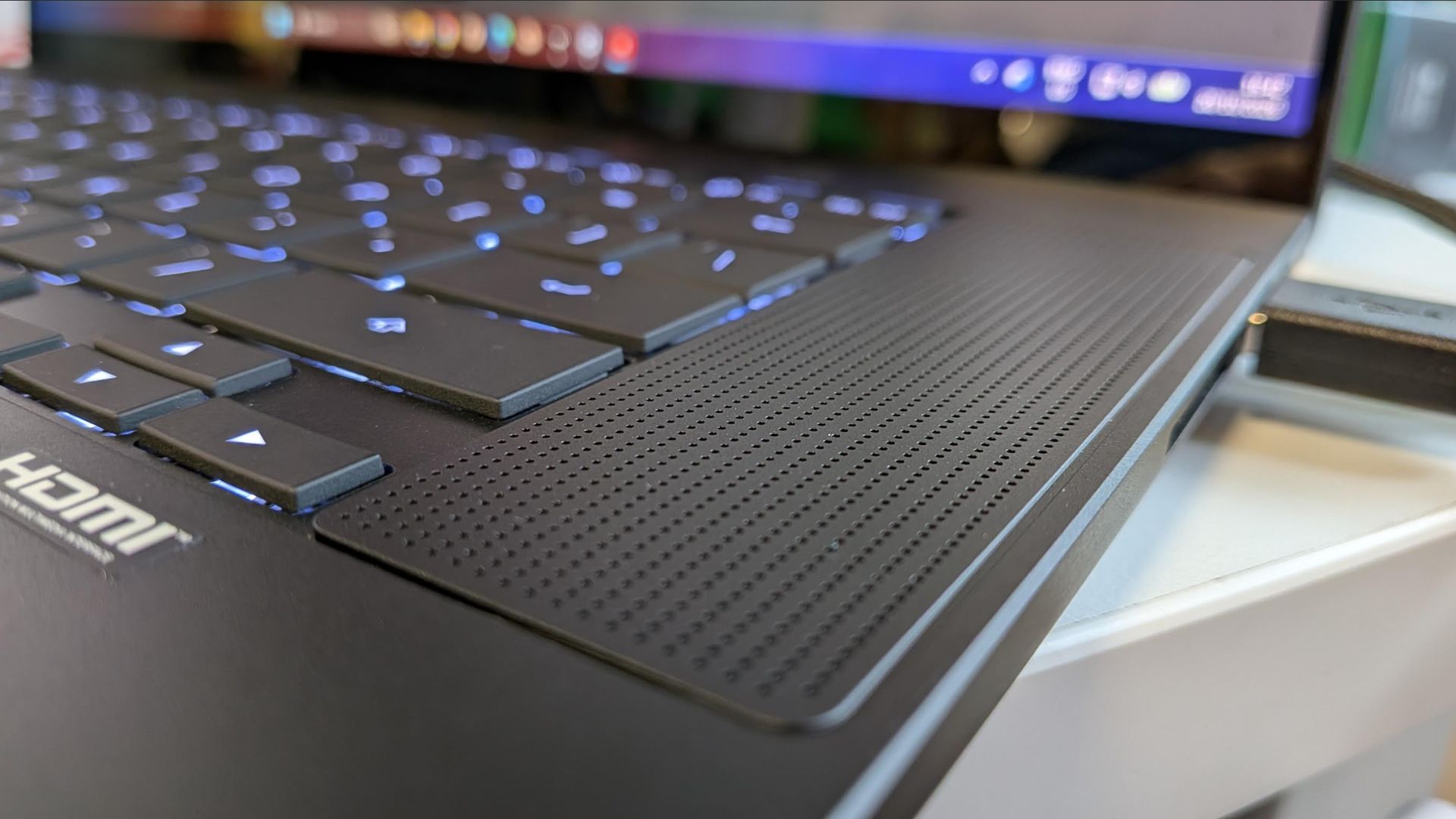
This is a very pleasant surprise. The up-firing speakers set either side of the ProArt P16’s keyboard are really, really good. Obviously that’s still really, really good for laptop speakers, and they’re are never going to replace your bookshelf speakers, but for clarity and, yes, even bass they do incredibly well.
And they’re loud enough that they can largely overcome the sound coming out of the vents on the ProArt P16 when it’s running in full performance mode. It does get rather chatty when the silicon is running at full throttle, and when you’re talking about a system that’s going to max out its GPU component when running both games and local large language models, that’s probably going to happen quite a lot.
The pleasing thing, however, is that knocking things down to the Balanced preset in the ProArt Creator Hub (essentially a reskinned Armoury Crate) means that your performance only drops by a few percentage points but the fan noise drops by a whole hell of a lot. It’s not silent—you have to dip into Whisper mode for that—but this is the preset you’re going to want to spend most of your time running in.
Asus ProArt P16 – Performance
Somewhat inevitably, performance is a mixed bag of chips when it comes to the RTX Spark. For one, this is a first-gen product from Nvidia, fusing essentially off-the-shelf Arm cores with its own GPU cores, so broad, mature support was never going to be 100% there from the get-go. For another we’re talking about games especially that are being run through the Microsoft Prism emulation layer in order for them to run at all on the Asus ProArt P16.
But even taking all that into account I think the gaming performance of this device is pretty damned impressive. The general suggestion ahead of the launch was that the 6144 CUDA core version would deliver gaming performance at a similar level to the RTX 5070 mobile GPUs. It has more cores than the mobile silicon, but is running at a lower clock speed and with a lower power budget, too.
Take a look at the relative 1080p gaming performance of Cyberpunk 2077 and Metro Exodus Enhanced Ed. running on the RTX Spark versus the 100 W Framework 16 or 115 W Razer Blade 14 and you can see where it doesn’t quite match up to the GPU performance of the more thirsty graphics parts.
1080p gaming performance
Testing the relative gaming performance of different laptops across multiple games.
Avg FPS
1% Low FPS
| Product | Value |
|---|---|
| Asus ProArt P16 | RTX Spark | 36 Avg FPS, 27 1% Low FPS |
| Framework 16 | RTX 5070 100 W | 43 Avg FPS, 33 1% Low FPS |
| Razer Blade 14 | RTX 5070 115 W | 45 Avg FPS, 28 1% Low FPS |
Avg FPS
1% Low FPS
| Product | Value |
|---|---|
| Asus ProArt P16 | RTX Spark | 42 Avg FPS, 24 1% Low FPS |
| Framework 16 | RTX 5070 100 W | 69 Avg FPS, 41 1% Low FPS |
| Razer Blade 14 | RTX 5070 115 W | 65 Avg FPS, 38 1% Low FPS |
Avg FPS
1% Low FPS
| Product | Value |
|---|---|
| Asus ProArt P16 | RTX Spark | 66 Avg FPS, 42 1% Low FPS |
| Framework 16 | RTX 5070 100 W | 64 Avg FPS, 55 1% Low FPS |
| Razer Blade 14 | RTX 5070 115 W | 65 Avg FPS, 56 1% Low FPS |
Avg FPS
1% Low FPS
| Product | Value |
|---|---|
| Asus ProArt P16 | RTX Spark | 75 Avg FPS, 29 1% Low FPS |
| Framework 16 | RTX 5070 100 W | 82 Avg FPS, 51 1% Low FPS |
| Razer Blade 14 | RTX 5070 115 W | 84 Avg FPS, 50 1% Low FPS |

Native gaming performance
Testing the relative gaming performance across multiple games at the laptop screen’s native resolution.
Avg FPS
1% Low FPS
| Product | Value |
|---|---|
| Asus ProArt P16 | RTX Spark | 1880p | 18 Avg FPS, 13 1% Low FPS |
| Framework 16 | RTX 5070 100 W | 1600p | 18 Avg FPS, 8 1% Low FPS |
| Razer Blade 14 | RTX 5070 115 W | 1800p | 7 Avg FPS, 3 1% Low FPS |
Avg FPS
1% Low FPS
| Product | Value |
|---|---|
| Asus ProArt P16 | RTX Spark | 1880p | 36 Avg FPS, 22 1% Low FPS |
| Framework 16 | RTX 5070 100 W | 1600p | 67 Avg FPS, 37 1% Low FPS |
| Razer Blade 14 | RTX 5070 115 W | 1800p | 61 Avg FPS, 30 1% Low FPS |
Avg FPS
1% Low FPS
| Product | Value |
|---|---|
| Asus ProArt P16 | RTX Spark | 1880p | 38 Avg FPS, 26 1% Low FPS |
| Framework 16 | RTX 5070 100 W | 1600p | 72 Avg FPS, 62 1% Low FPS |
| Razer Blade 14 | RTX 5070 115 W | 1800p | 63 Avg FPS, 55 1% Low FPS |
Avg FPS
1% Low FPS
| Product | Value |
|---|---|
| Asus ProArt P16 | RTX Spark | 1880p | 46 Avg FPS, 17 1% Low FPS |
| Framework 16 | RTX 5070 100 W | 1600p | 54 Avg FPS, 39 1% Low FPS |
| Razer Blade 14 | RTX 5070 115 W | 1800p | 49 Avg FPS, 35 1% Low FPS |
Upscaled gaming performance
Testing the relative gaming performance of different laptops across multiple games.
Avg FPS
1% Low FPS
| Product | Value |
|---|---|
| Asus ProArt P16 | RTX Spark | 54 Avg FPS, 34 1% Low FPS |
| Framework 16 | RTX 5070 100 W | 75 Avg FPS, 58 1% Low FPS |
| Razer Blade 14 | RTX 5070 115 W | 62 Avg FPS, 43 1% Low FPS |
Avg FPS
1% Low FPS
| Product | Value |
|---|---|
| Asus ProArt P16 | RTX Spark | 62 Avg FPS, 37 1% Low FPS |
| Framework 16 | RTX 5070 100 W | 72 Avg FPS, 62 1% Low FPS |
| Razer Blade 14 | RTX 5070 115 W | 63 Avg FPS, 55 1% Low FPS |
But when you look at the power draw at those levels it becomes far more impressive. At 1080p in Metro, the Asus laptop is drawing an average of 43 W during the run, while the Razer machine is sitting at 97 W. That’s well over double the power, but only running 12% faster in terms of frame rate.
It’s also worth noting that we’re talking about a GPU that has access to much more memory—albeit with lower memory bandwidth—than the 8 GB GDDR7 that the RTX 5070 mobile can draw on.
There are also times where there is genuine performance parity, too. Running the Black Myth Wukong benchmark and you can see there’s a level of parity with the higher power Blade’s GPU, even at the same native resolution when you throw upscaling into the mix.
System performance
Measuring the relative performance of the different laptop chips in terms of power and thermals.
Avg GPU freq. (MHz)
Avg GPU power (W)
| Product | Value |
|---|---|
| Asus ProArt P16 | RTX Spark | 1906 Avg GPU freq. (MHz), 43 Avg GPU power (W) |
| Framework 16 | RTX 5070 100 W | 2421 Avg GPU freq. (MHz), 77 Avg GPU power (W) |
| Razer Blade 14 | RTX 5070 115 W | 2589 Avg GPU freq. (MHz), 97 Avg GPU power (W) |
Avg CPU (°C)
Max CPU (°C)
Avg GPU (°C)
Max GPU (°C)
| Product | Value |
|---|---|
| Asus ProArt P16 | RTX Spark | 75 Avg CPU (°C), 83 Max CPU (°C), 67 Avg GPU (°C), 70 Max GPU (°C) |
| Framework 16 | RTX 5070 100 W | 65 Avg CPU (°C), 73 Max CPU (°C), 68 Avg GPU (°C), 71 Max GPU (°C) |
| Razer Blade 14 | RTX 5070 115 W | 79 Avg CPU (°C), 85 Max CPU (°C), 78 Avg GPU (°C), 81 Max GPU (°C) |
Where there is a clear difference, however, is when it comes to games that are CPU-bound. Baldur’s Gate 3 is one game we use as a benchmark specifically because it highlights the performance differences between processors—on the desktop side it’s a test which shows the dominance of AMD’s 3D V-Cache technology and on mobile you’ll see where Intel’s CPUs still have performance to offer gamers.
And Baldur’s Gate 3 really struggles on the RTX Spark in relation to the other machines. There are two reasons for this; the first being that emulation has an impact on CPU performance rather than GPU performance, so CPU-bound games will suffer more than GPU-bound ones. And second, the CPU cores themselves aren’t exactly leading-edge silicon when it comes to single-threaded gaming performance.
System performance
Measuring the relative performance of the different laptop chips in terms of power and thermals.
Avg GPU freq. (MHz)
Avg GPU power (W)
| Product | Value |
|---|---|
| Asus ProArt P16 | RTX Spark | 1906 Avg GPU freq. (MHz), 43 Avg GPU power (W) |
| Framework 16 | RTX 5070 100 W | 2421 Avg GPU freq. (MHz), 77 Avg GPU power (W) |
| Razer Blade 14 | RTX 5070 115 W | 2589 Avg GPU freq. (MHz), 97 Avg GPU power (W) |
Avg CPU (°C)
Max CPU (°C)
Avg GPU (°C)
Max GPU (°C)
| Product | Value |
|---|---|
| Asus ProArt P16 | RTX Spark | 75 Avg CPU (°C), 83 Max CPU (°C), 67 Avg GPU (°C), 70 Max GPU (°C) |
| Framework 16 | RTX 5070 100 W | 65 Avg CPU (°C), 73 Max CPU (°C), 68 Avg GPU (°C), 71 Max GPU (°C) |
| Razer Blade 14 | RTX 5070 115 W | 79 Avg CPU (°C), 85 Max CPU (°C), 78 Avg GPU (°C), 81 Max GPU (°C) |
This is also highlighted in the Cinebench 2024 benchmarks, which show that, while the multi-threaded performance is fine with 20 cores to spread across, the single-core performance is well behind the competition.
Asus ProArt P16 – Aesthetics
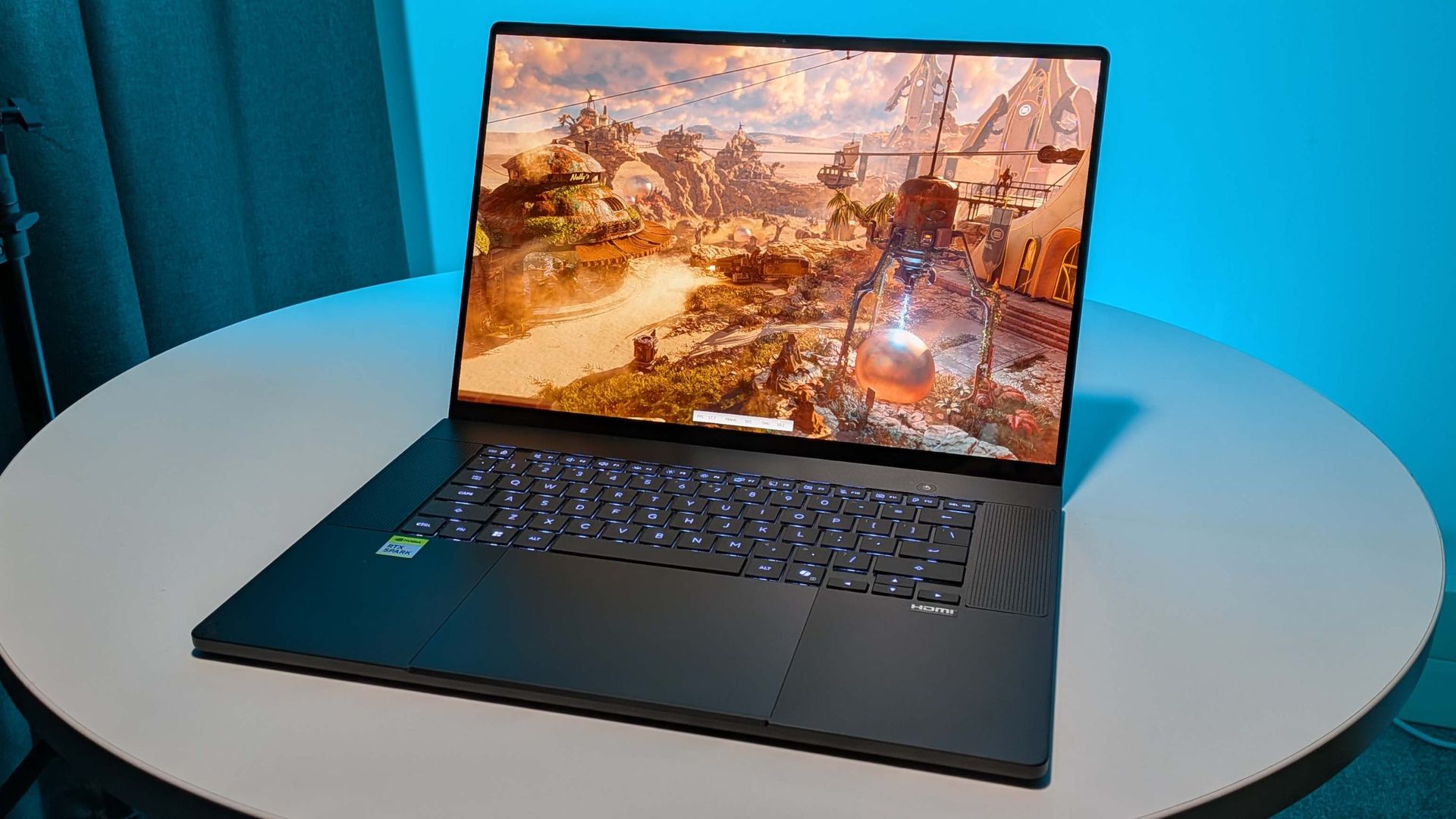
Golly, this is a pretty laptop. I know I very much have ‘a type’, but the ProArt P16 is absolutely nailing the sleek black MacBook aesthetic that works for me. There is a subtle ‘ProArt’ logo on the lid, just shiny black against the matte black brushed aluminium, and one more etched logo on the bottom left corner of the frame.
And it’s also incredibly slim, too. I thought the Blade 14 and Asus Zephyrus G16 were slimline little things, but the ProArt chassis takes it even further. It’s super slight, but the brushed aluminium frame makes it perfectly rigid, while remaining lightweight.
But because it’s a 16-inch machine, and one without a numpad—which might be a cause for concern for some creatives—the keycaps on the board are wide, so it feels comfortable to type on. I’m also into the big ol’ trackpad Asus has used, too, and that OLED panel really makes the whole thing shine.
There is one other thing that has surprised me about the looks of the ProArt P16. After just over a week of solid use there is but a small amount of finger-grease on the spacebar (just because I have to keep hitting the damned thing to try and stop it sticking), but other than that the chassis is remarkably lacking in fingerprints. Normally, this sort of machine is an absolute fingerprint magnet, to the point where you’ll want to be carrying around a microfibre cloth in your back pocket just so people don’t think you’re gross when you whip the laptop out in public.
Instead they may just question your insatiable need to polish up your notebook.
Asus ProArt P16 – Software
The main piece of software to talk about is the OS. Now, this isn’t Windows On Arm; that’s been effectively retired. This is just plain ol’ Windows 11, that just so happens to be running on Arm. And it’s impressively transparent as I said earlier. It’s slick and feels exactly like running Windows on any other x86 laptop I’ve used. The only places where you’ll notice the difference is in games where they need another level of anti-cheat support the Arm platform doesn’t yet offer.
The ProArt P16 does come with a lot of other software, too. You get the aforementioned ProArt Creator Hub, which allows you to alter the power/fan presets, and then there’s the MyAsus software where you can register your device and run diagnostics if anything goes wrong. Though I will say it didn’t help me track down what was wrong with the webcam because it didn’t register its existence, either.
Then you get StoryCube, a piece of software designed to help collate and classify the media on your device using AI. And MuseTree, an app designed for ProArt machines to quickly get you producing AI-generated video and images using local models. You will have to download some extra files/models to actually get up and running, but then you’ll be able to run the FLUX.2 model to make your AI dreams a reality.
It’s totally offline, so you don’t necessarily have to worry about draining reservoirs of water or slamming the energy reserves just to mess around generating a picture of a gaming PC made entirely out of potato, but whether it’s really something creatives are going to want to incorporate into their workflows… I am unconvinced.
Given that storage space is at a premium with these RTX Spark machines, I could do without any extra applications installed on my PC, which means there is a bit of cleanup you’re going to have to indulge in to claw back the space taken up with pre-installed stuff. But it is all at least relatively unobtrusive. I mean, there’s no McAfee pop-ups determined to bug you every 20 minutes unless you sign your life away for some AV cover of dubious virtue.
Asus ProArt P16 – Battery life
Battery life
Testing gaming battery life using PCMark 10’s dedicate gaming battery life test.
PCMark 10
| Product | Value |
|---|---|
| Asus ProArt P16 | RTX Spark | 86 |
| Framework 16 | 131 |
| Razer Blade 14 (2025) | 134 |
I’ll be honest, this is one of the real disappointments with the RTX Spark as a laptop platform. The battery life is really not great. With a 99.9 Whr battery inside it, and a relatively power-sipping, efficient platform, I was expecting the battery life to be a lot better than it actually turns out to be.
My expectation was that with an energy efficient Arm SoC I would be happily slapping the lid shut on the ProArt P16 and then flipping it open again ten hours later and it would spring back into life with barely a scratch on the battery capacity. That was effectively my experience from running a Samsung Galaxy Book4 Edge and its Qualcomm Snapdragon chip, and I was hoping to see it replicated.
But no dice. I’m seeing definite power drain when the system suspends, much in the same way as the x86 Ryzen chip in my Blade 14 does.
And then in use it chews through the battery surprisingly quickly, too. I used the PCMark 10 CLI to run the Gaming Battery Life test, which loops 3DMark FireStrike tests until the battery runs dry, and I only got a paltry 86 minutes out of it. That’s less than an hour and a half, when the Blade 14 and Framework 16, both with RTX 5070 GPUs, will easily top 130 minutes each.
Now, that is an emulated test, so not quite perfectly set up for this platform, but it’s not been inconsistent with my experience actually using this device unplugged. When running a local AI model on Hermes Agent, for example, I’ve regularly had to plug into a power source while it churns through a tough problem (or sometimes what I thought was a simple one) because running the memory and the GPU at 100% have drained the battery very quickly.
The same is true for gaming, which feels odd given that in Balanced Mode it’s running at a total SoC wattage of just over 40 W, and that shouldn’t slam through the battery as quickly as it seems to. You can run in Whisper Mode, which cuts the power draw down by a healthy amount again, but then you are running at well under 1000 MHz on the GPU side and it does make gaming a little tougher on the eye.