
Ever since the Control mod appeared I’ve been enjoying jamming the released DLSS 5 .dll files into a bunch of different games, to greater or lesser effect. Some games it works well in, some it doesn’t quite take and you end up with visuals that look a lot like the characters have worms writhing around under their skin.
Though, I have to say when I stuck it into the review version of The Blood of Dawnwalker and it failed to hook the DLSS pipeline that look kinda worked for my semi-Vrakhiri. Bit of extra undead chic with the game failing to run the DLSS neural rendering feature with actual motion vectors or scene depth.
With the necessary files being released in the early access version of NBA 2K27, they’ve now been unleashed across the internet and modders have been busy getting game-agnostic versions ready for people to squeeze into any title they fancy. And while the first iteration was focused on Control and then games running DLSS already, there have been mods released—particularly the RenoDX and specifically the ShortFuse mods—which allow you to experiment with pushing DLSS 5 into practically any game you like.
And it’s surprisingly easy to do, though not without its awkwardness, too. Well, such is the way with unreleased features shoehorned into games they’re not meant to be in, but also such is the way with PC gaming.
The thing that has stood out to me—and something that Andy first noted in his hands-on look at the official technology at Gamescom—is that DLSS 5 really can produce some outstanding visual effects… if used sparingly. Pick the right model of the three (for me, that’s Model C) and drop the intensity of the effect down to around 60 – 70% and you end up with scenes and character models that look better than the originals, but without the over-saturated, overblown very AI look of it dialed up to 11, nor without it looking like it’s grinding away or adding its own geometry.
But it’s also clear it’s one hell of a resource hog. Nvidia has been very clear about this from its recent presentations at Gamescom and a briefing I had at the end of last week; DLSS 5 represents about a 50 – 60% drop in frame rate regardless of the game. Though, sometimes we’ve seen that performance hit be even greater, especially at 4K.
Running the Control mod on an RTX 5090 I was seeing DLSS Balanced 4K Ultra Ray Tracing running at around 110 fps in standard mode, which then dropped to under 50 fps as soon as DLSS 5 was brought to bear on the game, which is about where Nvidia is pitching the performance hit.
That, in all honesty, is to be expected. When Nvidia first showed off the tech around GDC it was running on a pair of RTX 5090s, so the fact that it can be run at all on single lower-spec GPUs is impressive. But it was also going to be punitive for current generation hardware, which only have tensor cores enough for standard DLSS upscaling.
DLSS 5 in FM26
Okay, it’s not photorealism, but I think it looks better.
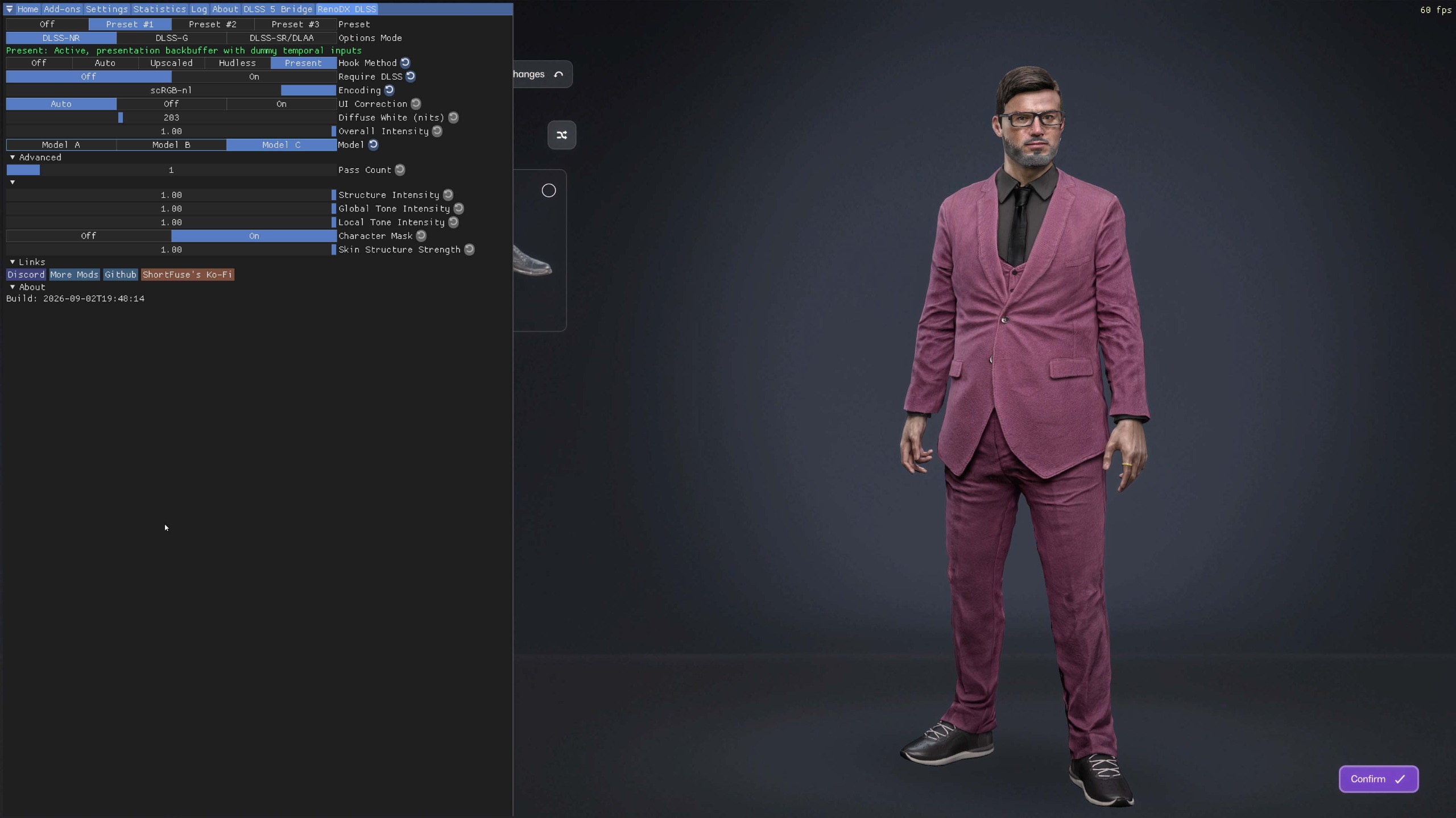
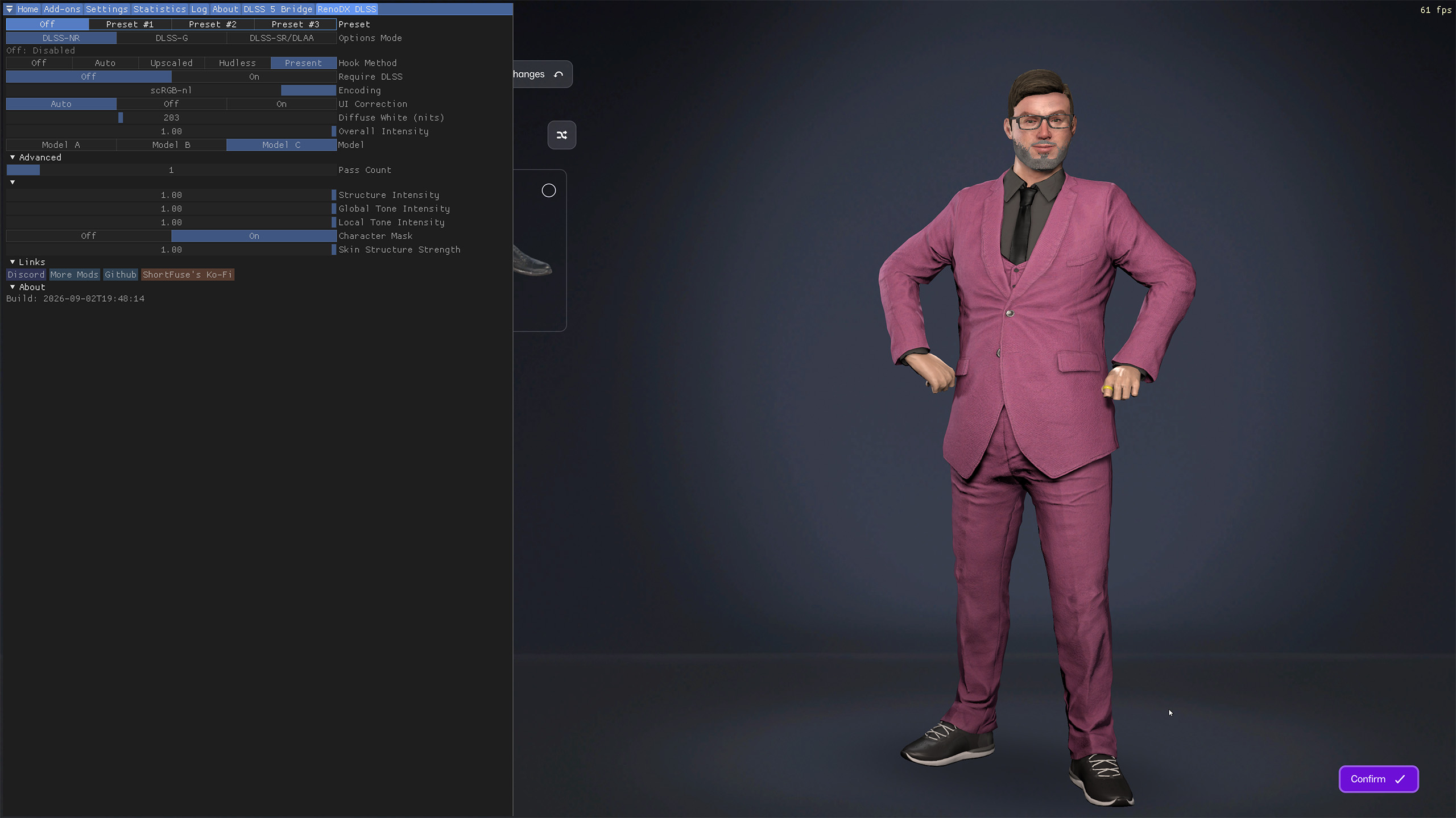


What I wasn’t expecting, though, was to be able to stick DLSS 5 into any game, regardless of whether it had DLSS in there in the first place. Which meant that I, with my 33 year Football Manager addiction, had to see what it does to FM26.
And, well, I’m going to be leaving it enabled. It’s not that it suddenly makes the game look photorealistic—as Nvidia itself has said, you need a really good input source to get a really good output from DLSS 5—but on its own it adds in a bunch of things that you otherwise have to mod in yourself from a bunch of other places. And because it’s just added in last, and FM isn’t hugely demanding, I’m still happily locked to 60 fps anyways.
Those little computer people don’t need a whole lot of processing.
But it does improve the environmental lighting of the matches. It makes the pitches look better, there’s a tiny amount more detail on the tiny people, on the pitch and in the crowd, and it adds in some improved shadows. But it’s not just in the 3D engine, because it also works its neural rendering magic on the player profile pics, too. Which is especially helpful for making the regenerated players look less like plastic Action Man figures (or GI Joes, for my American cousins).
DLSS 5 in FM26
You’re getting better regen faces without copy/paste mods.
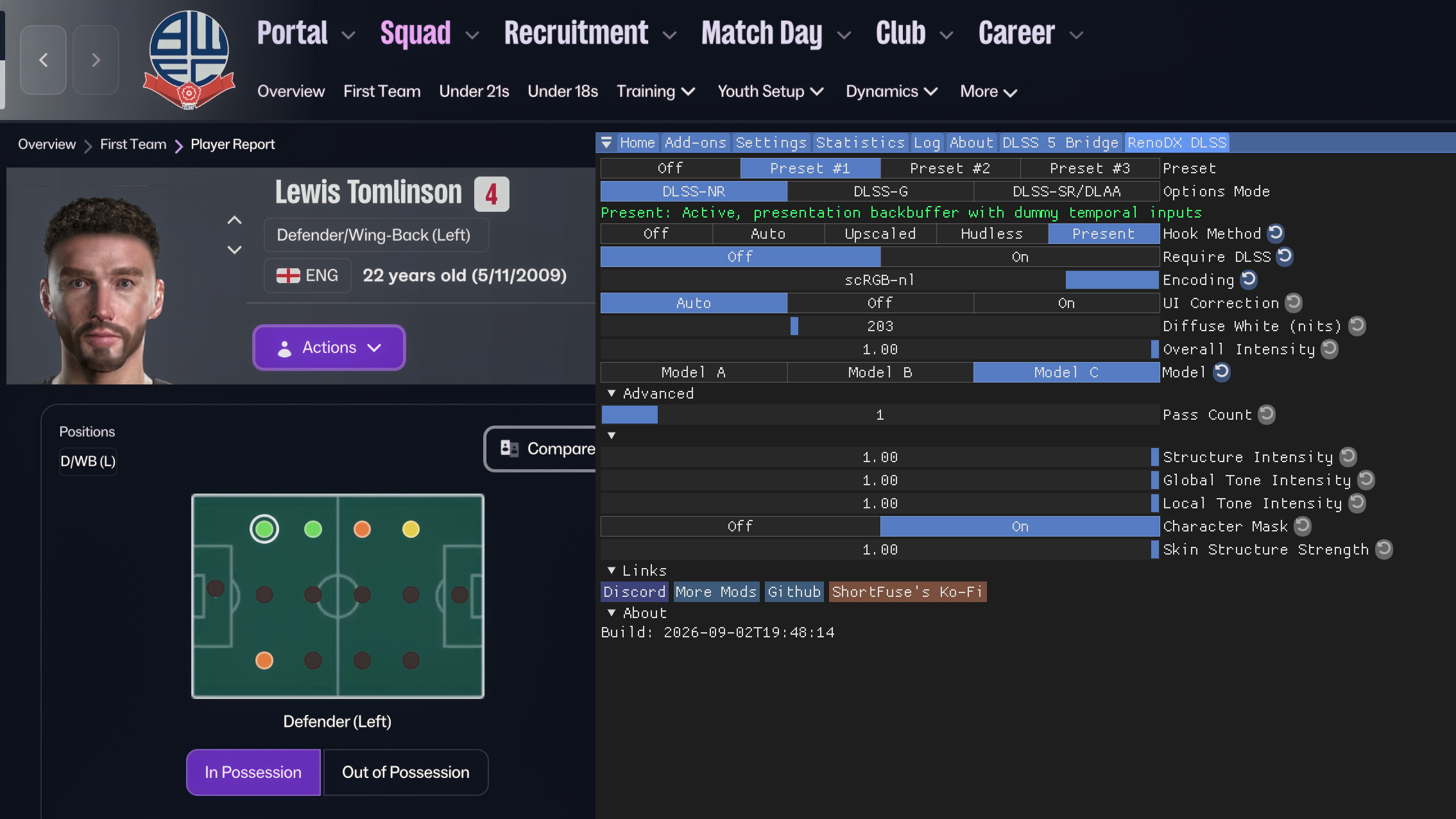
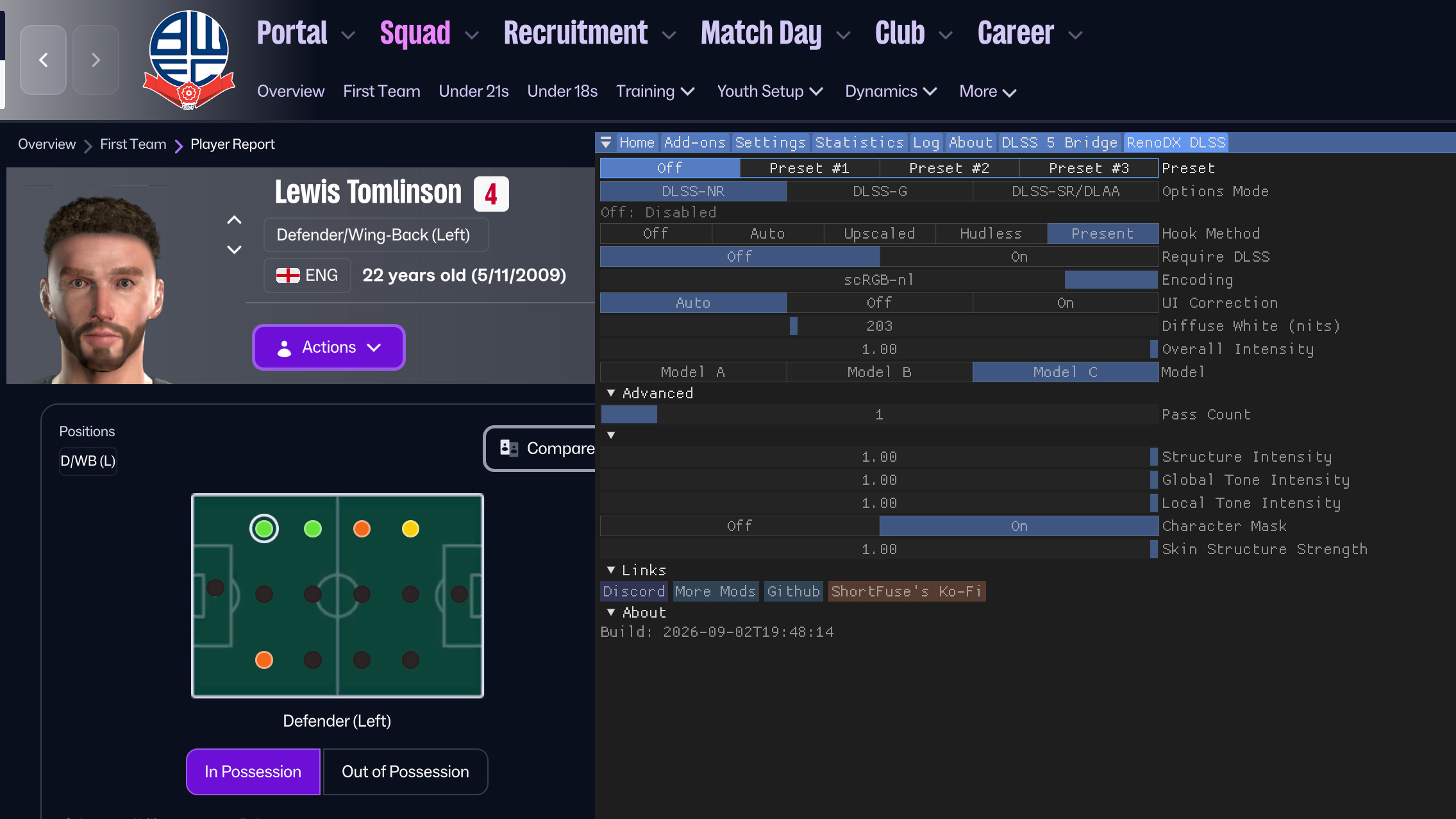
Normally you’d have to use a mod to get more realistic player faces, and even then they’re still just a bunch of AI generated profile pics which get disseminated among the database so you still get identical twins from different parts of the game world. With DLSS 5 I’m just getting a little extra facial detail and realism for my new potato-faced folk.
They’re still not exactly photorealistic, but I’ll take it.
How to enable DLSS 5
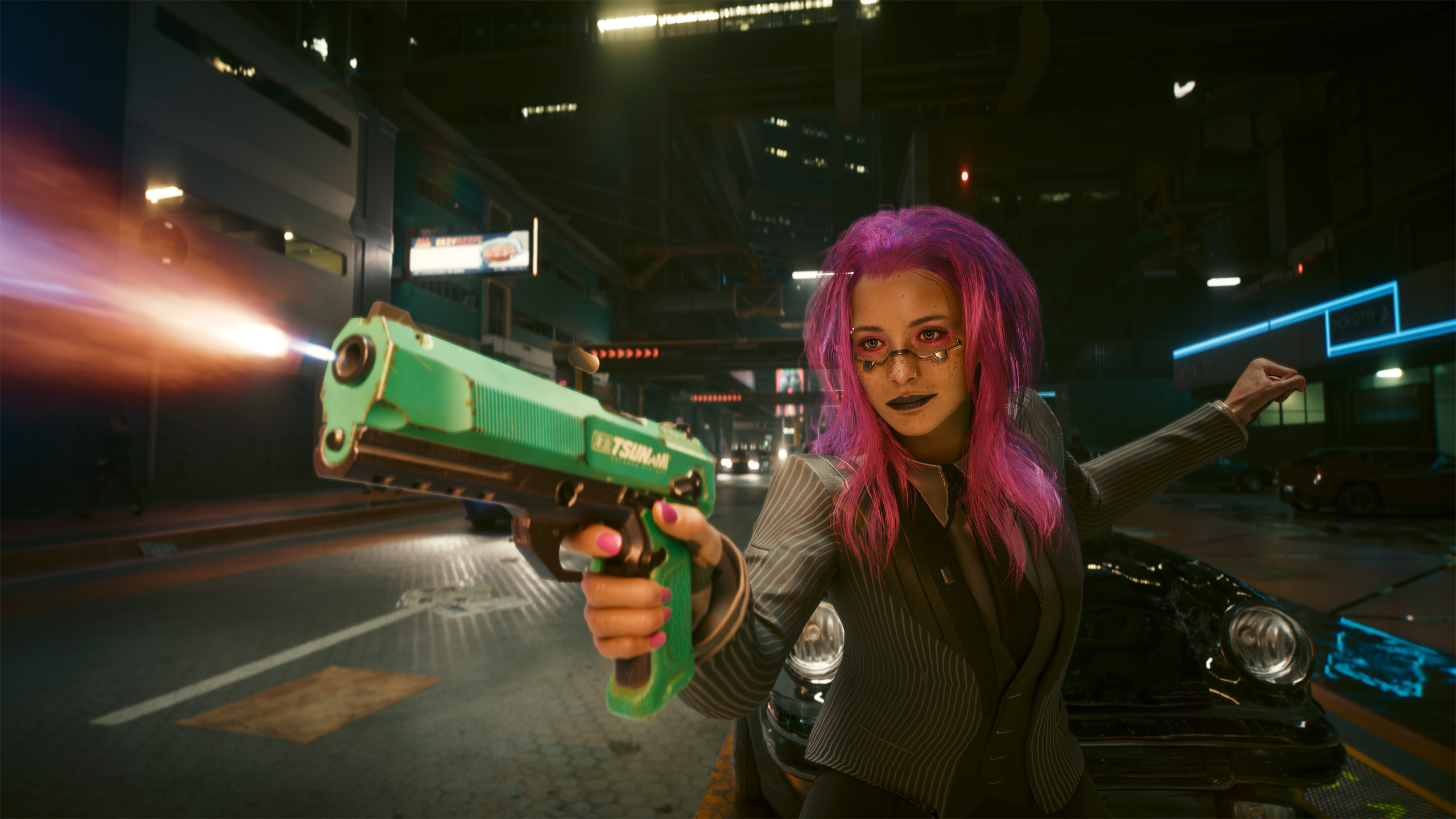
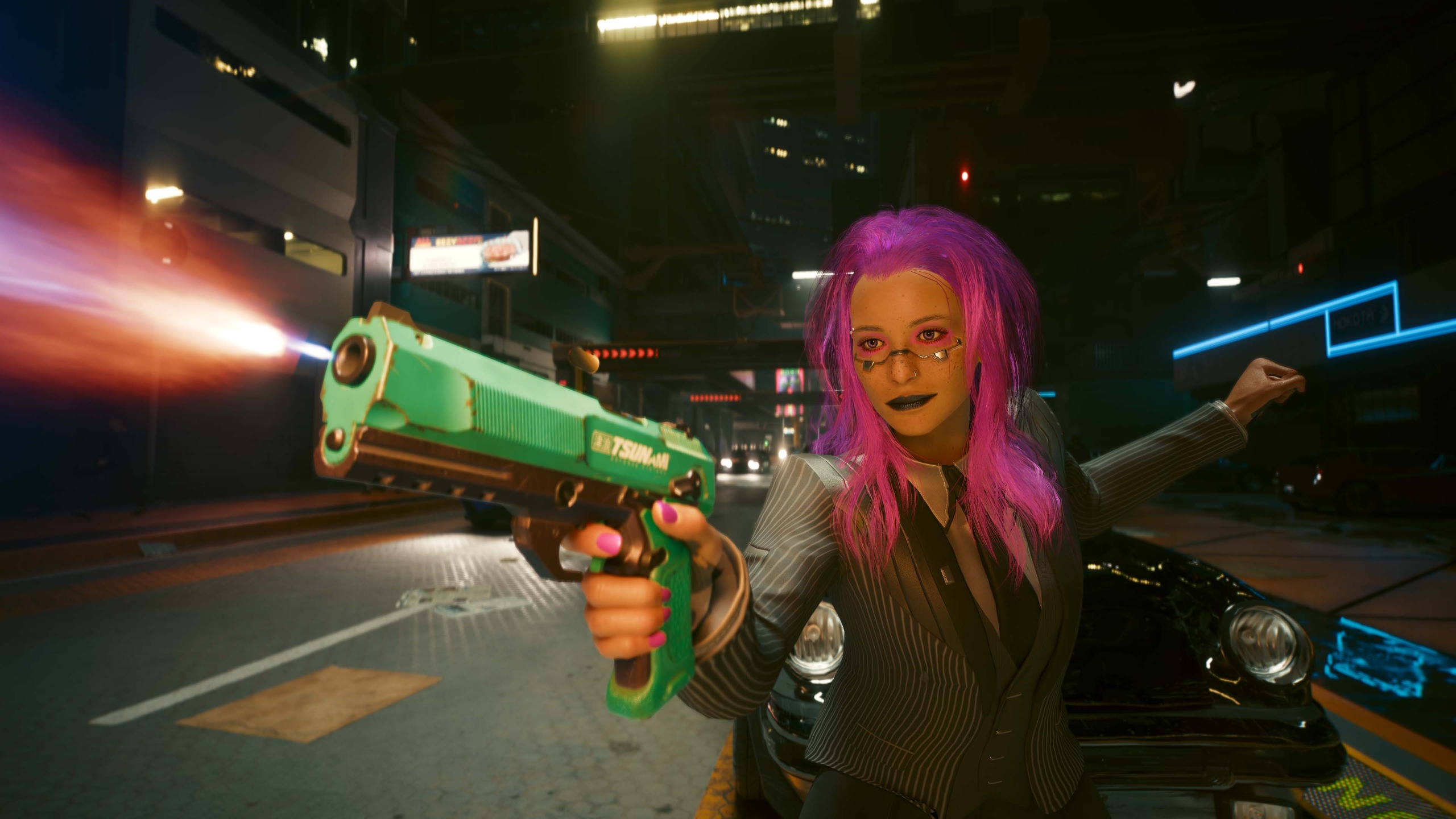
DLSS 5 in Cyberpunk 2077
The effect on the lighting of the character model is impressive and easy to mod in. Just computationally expensive…
To begin with it was all a case of finding a Discord invite to the RenoDX channel, finding the right .dll files and downloading the necessary RenoDX DLSS 5 mod. Then you had to play around with getting it and Reshade installed in the right directories and crossing your fingers.
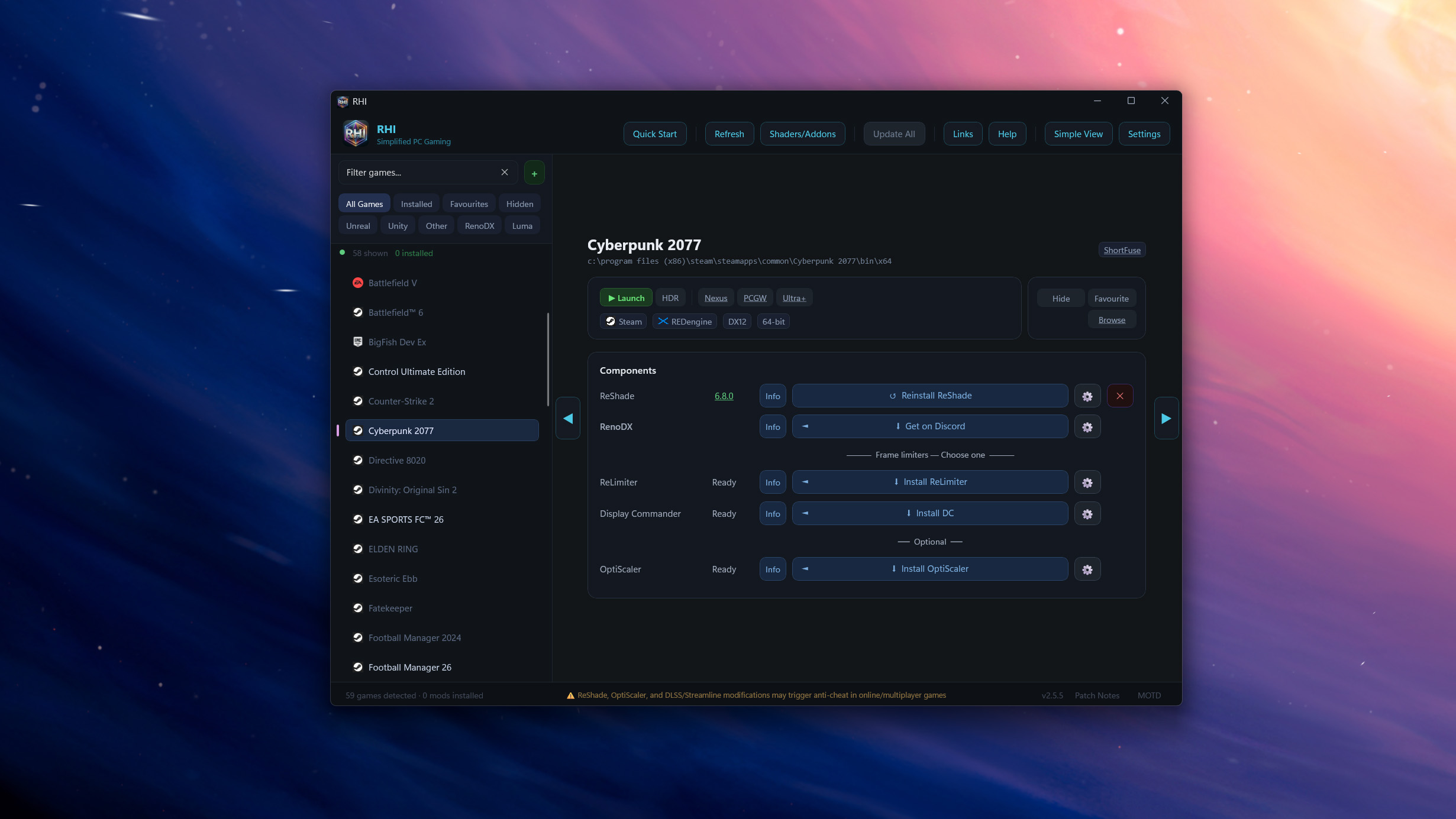
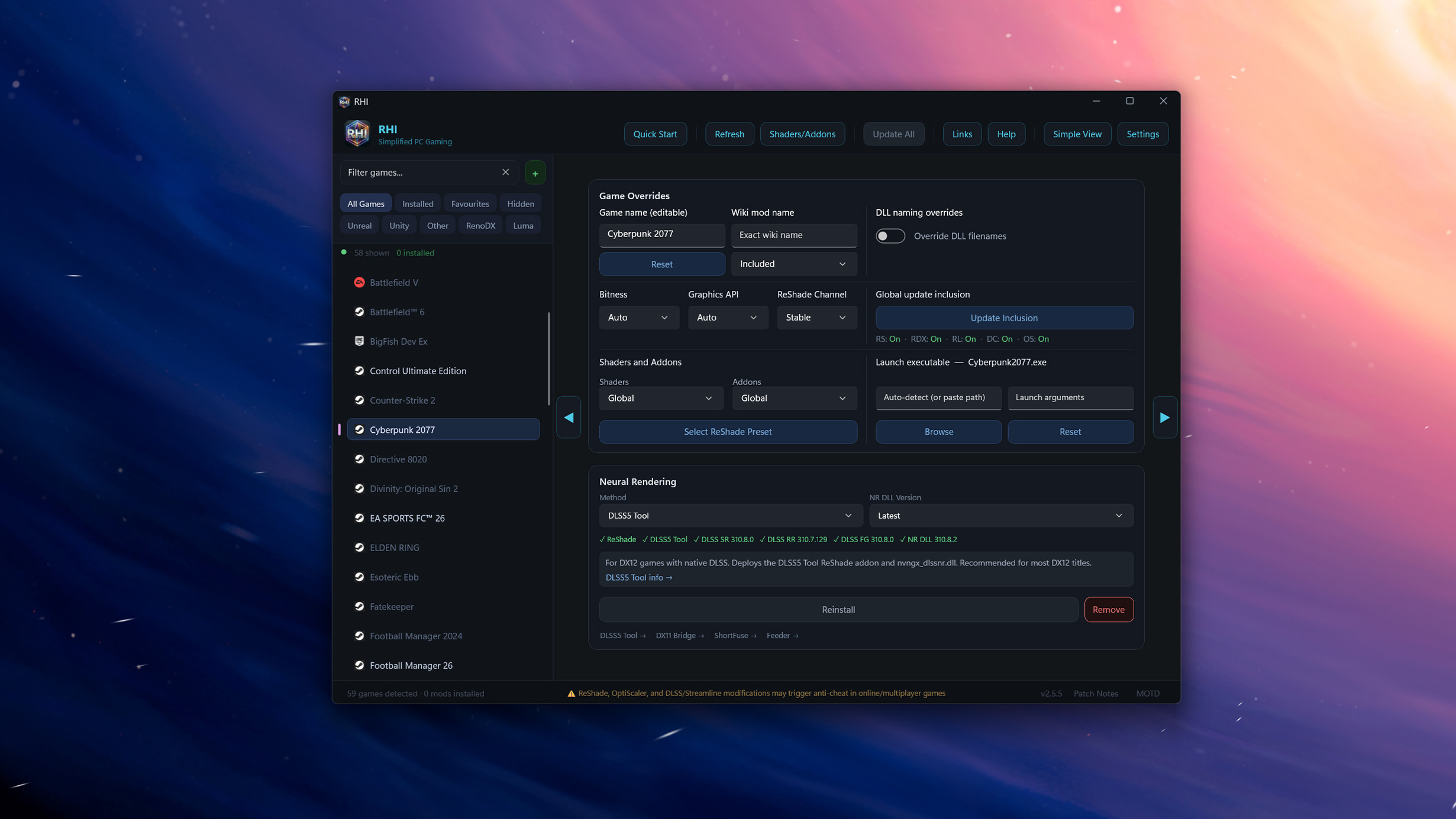
Now, it’s far more straightforward. The cleanest installation method I’ve found is to use the ReShade HDR Installer (RHI) from Github. This does all the hard work for you—run it as Administrator and you can just pick from a list of installed games on the left hand side of the UI, install ReShade, and then pick one of the DLSS Tools from the Shaders/Addon button at the top, or from sliding over to the specific Neural Rendering section that has just been added. This should install the necessary .dll files in the right places for your game to work.
But, it must be noted, that this is all predicated on an as yet officially unreleased feature being jammed into unsupporting games. So you might find your mileage varies on just how much messing around you might need to do to get it running perfectly. If at all.
When you boot into the game you can then hit ‘Home’ to bring up the ReShade in-game menu and slide over to the RenoDX tab to access the DLSS 5 options. Now, these are options and sliders that aren’t going to be available in the release versions of DLSS 5. That’s something important to note, as officially DLSS 5 is going to be an on/off toggle switch so that you just get the version of DLSS 5 the game devs themselves have tuned.
The ReShade option puts those sliders in your hands, but with less fine grain control over where it’s deployed and how intensely. Which is going to make the whole maintaining artisitic intent thing a tricky argument. There has been resistance to DLSS 5’s AI filtering, with some folk suggesting that it tramples on the original artistic intent of the developers. So Nvidia has spent a lot of time since its announcement talking about the level of control devs will have themselves, and that it will only be in their hands with no sliders for us gamers. These mods, however, change that giving users a level of control not officially sanctioned, which means gamers themselves will get to choose how much of the devs artistic intent they want to retain.
Anyways, you ideally want to use the Upscaled or DLSS version of DLSS-NR rather than the ‘Present’ method (if you’re using the ShortFuse mod). Present is the version that runs when the game frames are presented rather than inside the actual graphics pipeline. That means you lack the motion and depth information DLSS 5 relies on to be effective. If it’s saying ‘Waiting’ then something’s gone wrong.
I had this with a couple of games—it allows you to test the overall look, but it’s terrible in motion—and had to mess around putting files in different places to get the mod hooking in properly. Switching between the two different RenoDX DLSS 5 tools generally helped.